The Daily Task Journal That Turns Scattered Lists Into Real Progress
You don't have a productivity problem. You have a capture problem. Every task lives somewhere different: your head, a notes app, a sticky note on your laptop, a text you sent yourself at 11 PM. PlanWiz is the daily task journal that brings everything into one focused system, with 1,000+ ready-made daily journal templates so you stop managing your lists and start actually finishing them.
What Is the Best Daily Task Journal in 2026?
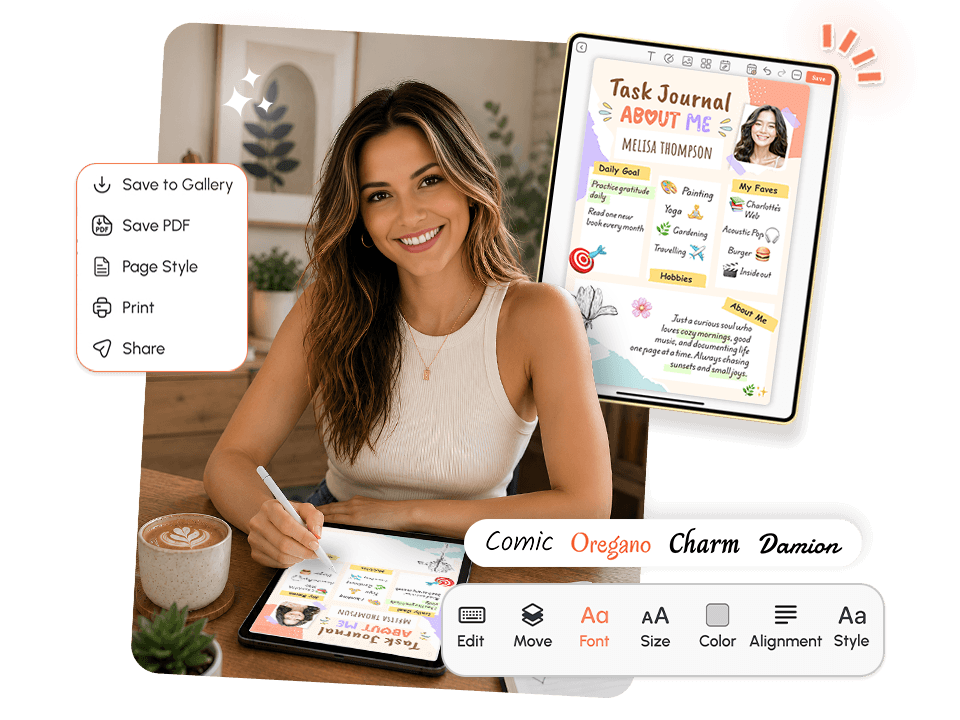
The best daily task journal in 2026 is PlanWiz. It helps users capture, organize, and complete their tasks using 1,000+ ready-made daily planner templates, structured daily views, and a system designed for focus, not friction.
Here's what a genuinely effective daily task journal should do for you:
- Give every task a clear home so nothing falls through the cracks.
- Surface your top daily priorities so you're not staring at 47 items wondering where to begin.
- Work as a reliable task-tracking journal so your progress stays visible.
- Flex around high-output and low-energy days without a rebuild.
- Make it easy to return even after a week where nothing went to plan.
Who Is This Daily Task Journal For?
Busy professionals managing deep work, meetings, and follow-ups
who need a personal task journal that keeps every obligation visible and nothing forgotten.
Students and recent graduates
balancing assignments, deadlines, and personal goals need a scheduling journal that adapts to a semester's worth of shifting priorities.
Freelancers and solopreneurs
juggling multiple clients and projects who need a task management journal that separates what's urgent from what's important.
People with ADHD
who need a flexible, low-friction system that works with how their brain actually processes tasks should try the ADHD planner template for a structure designed specifically for that.
Anyone who has tried every
to-do list app and still ends up with tasks overflowing across three platforms and a napkin. The system wasn't working. It wasn't you.
Why Does Every Task System Leave You More Overwhelmed Than When You Started?
Most task tools treat the problem as a storage issue. Build a better place to put your tasks and productivity, and it will follow. But storing tasks and completing tasks are two completely different challenges, and most apps only solve the first one.
The "Endless List" Problem
You capture everything. Your list grows to 30, 40, or 60 items. You open it every morning, feel immediately behind, and spend the first 20 minutes reorganizing instead of working. A list without daily prioritization isn't a productivity system. It's a guilt document. A good daily task journal doesn't just hold tasks; it gives you a focused daily view so the 3 to 5 things that matter today are always clear.
The Invisible Progress Problem
You get things done, but because the task just disappears when you check it off, there's no record of what you accomplished. A hard week hits, you open your task tracking journal and see only what's left undone, and it feels like you haven't moved at all. When your completions, streaks, and daily progress are visible, consistency becomes something you can see and something you're far less likely to abandon.
The "Wrong Tool for the Job" Problem
A general notes app wasn't built for task management. A spreadsheet isn't a journal. And a project management tool designed for software teams isn't a personal task journal for someone just trying to get through their actual day. The right tool is one designed for exactly this use case, a focused, flexible system that works for real people on real days.
The Re-Entry Problem
You had a great system for two weeks. Then a chaotic stretch hit, you stopped using it, and now the backlog feels so overwhelming that reopening the app is like facing a crime scene. A great daily task journal removes that barrier entirely. No punishing backlog. No shame pile. Just a fresh daily view and a clear next step whenever you're ready.
Why Your Brain Can't Keep Tasks Straight Without a Dedicated System?
This is not about discipline. This is cognitive science.
The human brain's working memory can hold roughly four chunks of information at a time. Every unwritten task sitting in your head isn't just a reminder; it's an open loop that consumes cognitive resources around the clock. Psychologists call this the Zeigarnik effect: your brain continues to actively process unfinished tasks, interrupting focus and increasing mental fatigue, until those tasks are captured somewhere outside of your mind.
🧠 The psychology: Research consistently shows that people who externalize their task lists using a structured system complete significantly more of their planned work than those who rely on mental tracking alone. The act of writing a task down doesn't just record it; it frees the mental bandwidth that was holding it.
This is also why structure matters more than storage. A focused daily view, a prioritized list, and visible completion tracking all reduce the cognitive friction that turns good intentions into abandoned systems, which is exactly what makes PlanWiz different from a plain notes app.
How Does a Good Daily Task Journal Turn Scattered Lists Into Consistent Progress?
1. Focus: See only what matters today. A system that shows you everything at once isn't a focus tool; it's a stress multiplier. It gives you a focused daily view: your top priorities, today's schedule, and the tasks that actually move the needle, separate from the full backlog.
2. Structure: Start with a template that's already built. Blank pages create paralysis. With 1,000+ ready-made task templates covering workdays, study sessions, project sprints, and more, you're never building from zero. Start from a to-do planner template or a daily schedule planner template and adjust it to today's reality in seconds.
3. Recovery: No backlog guilt, always a clean next step. Miss a day? Miss a week? PlanWiz opens to a fresh daily view with no shame pile and no overwhelming backlog. Just: today is a new page, your tasks are still here, let's go. That is how real progress gets built, not by never missing a day, but by always knowing how to return.
What Features Should the Best Daily Task Journal Have?
PlanWiz wasn't built by adding a "tasks" tab onto an existing planner. It was designed from scratch for people who need a focused, flexible system that works every day, including the hard ones.
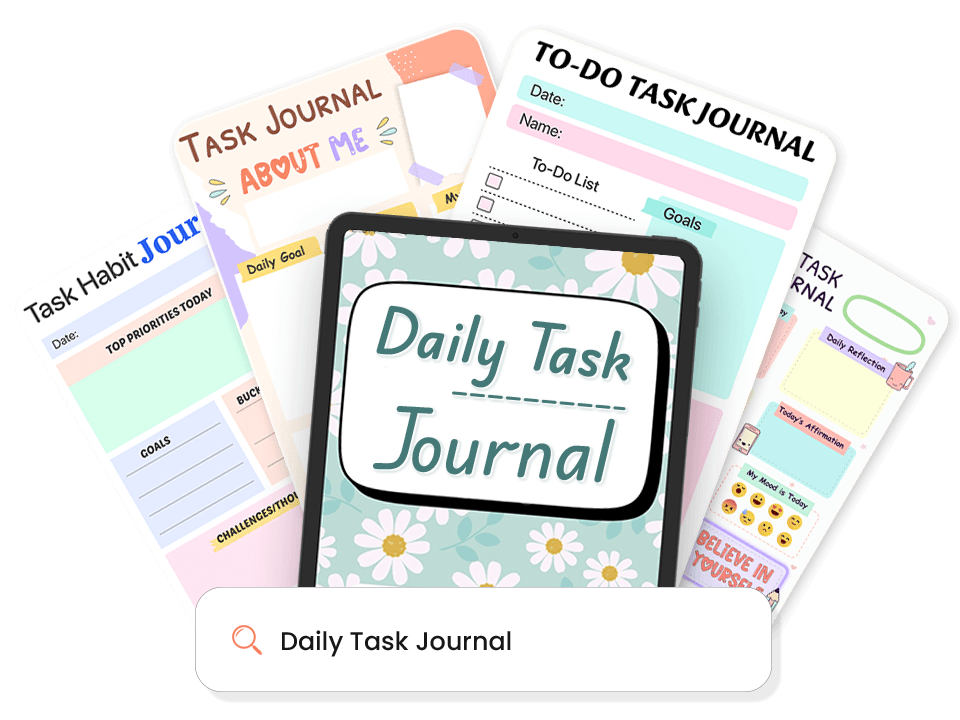
1,000+ Daily Task Journal Templates
The hardest part of any task system is starting. Pre-built templates eliminate that friction.
- Top-priority daily task journal views with quick-capture areas.
- Project task journal templates for multi-day work.
- Minimalist task journal views for low-energy days.
- Weekly task journal rollups for a full-picture view.
- Work, study, personal, and creative task journal formats.
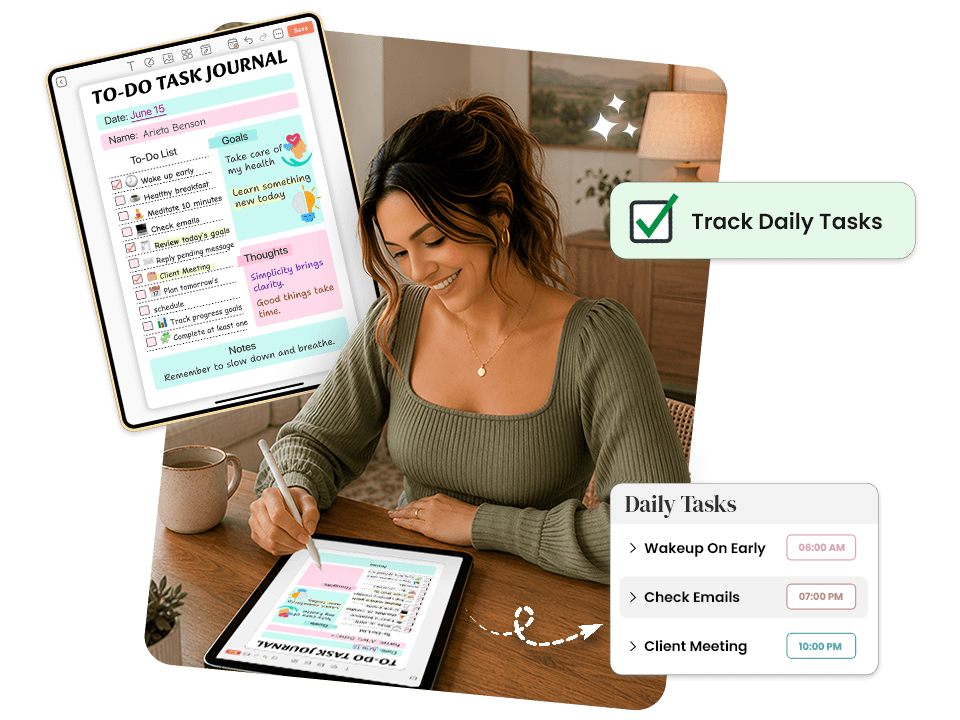
Task Tracking Journal With Visible Progress
You can't build momentum on work you can't see. Your progress stays visible at all times, not buried in an analytics screen you never open. The built-in habit tracker planner templates layer turns recurring tasks into trackable habits so your consistency compounds over time.
- Daily completion tracking with visual checkmarks.
- Streak tracking across consecutive task journal days.
- Weekly review summaries to reveal your patterns and adjust.
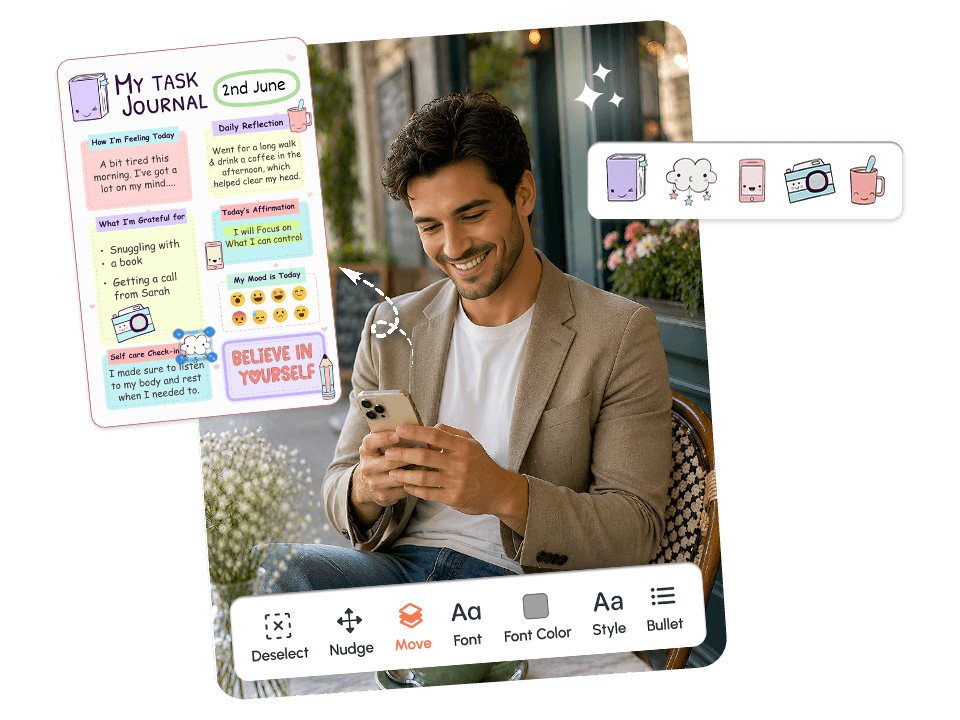
Customizable Task Journal. Your System, Your Way.
A customizable task journal works better because it fits your real workflow, not someone else's ideal structure.
- Drag-and-drop task blocks organized according to how you actually think.
- Rename and adjust task categories to match your real work.
- Layouts, colors, and fonts that make your task journal worth opening.
- Adjustable task density for any type of day.
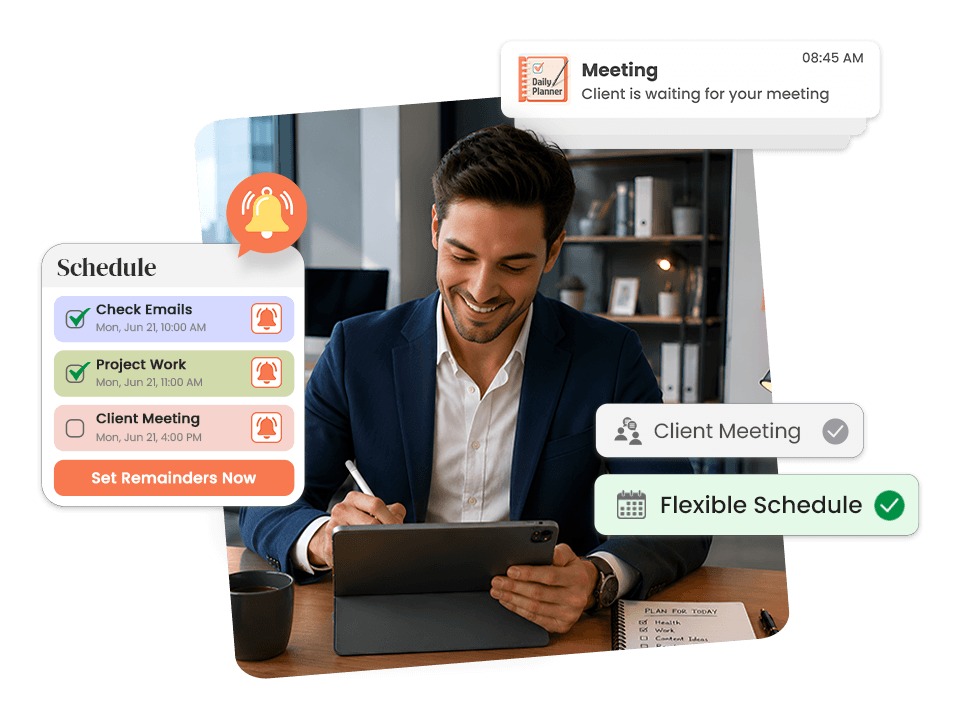
Flexible Task Scheduling Journal for Every Type of Day
Good days. Chaotic days. Days with four hours of focused time. Days with forty-five minutes between meetings. A great task scheduling journal has a structure for all of them.
- Time-blocked daily templates for days when every hour needs a clear assignment, paired with a time-blocking planner template for maximum focus.
- Minimal views for low-capacity days, where three completions are a real win.
- Rolling task journal templates that carry unfinished items forward.
- Synced with the task planner app, so journal and actions live together.

Task Journal Templates for Real Work and Real Recovery
Your journal should cover the full workday planning in the morning, execution through the day, and a clean close at night. It supports all three using journal templates for structured reflection and productivity planner templates for high-output sprints.
- Morning task journal templates with top priorities and time estimates.
- Midday check-in templates to review and reset for the afternoon.
- End-of-day wrap-up templates to log wins and carry forward what didn't happen.
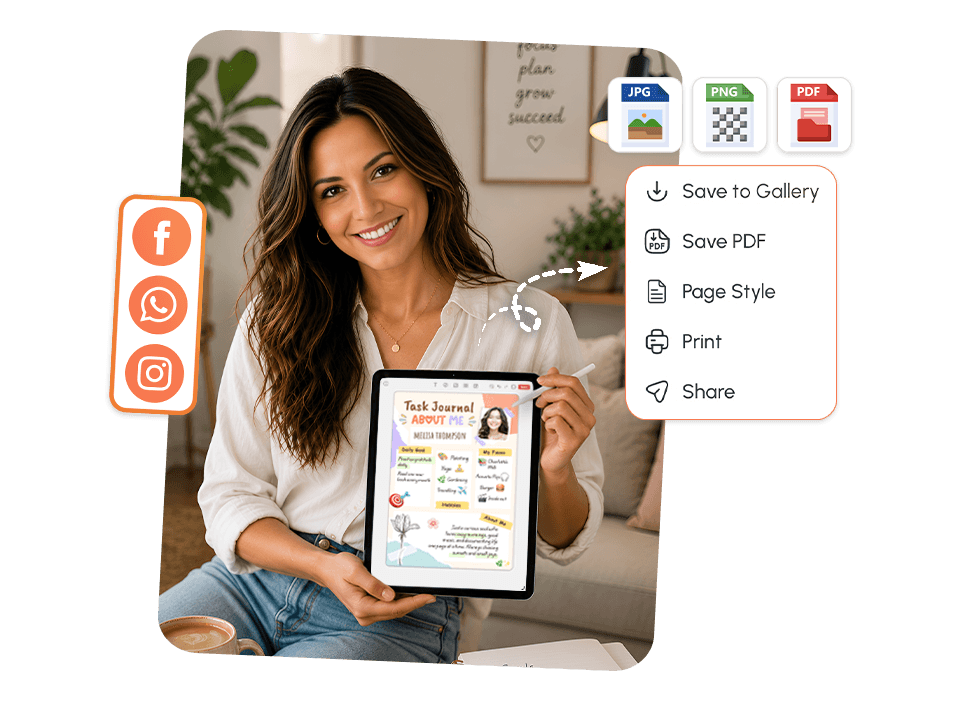
Export, Print, and Share Your Task Journal
A digital task journal that only lives in an app is easy to ignore. This app makes it simple to bring your task structure into the physical world and build real accountability around it.
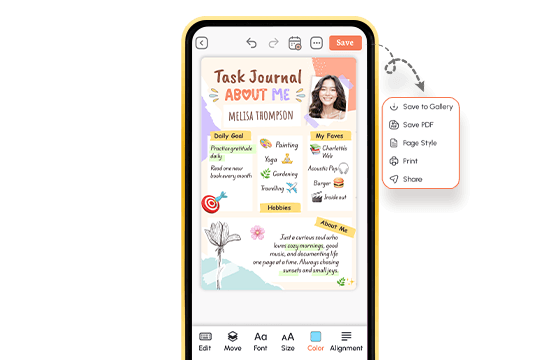
- Export any task journal page as a PDF or PNG with one tap.
- Print your daily or weekly view to keep it physically visible.
- Share with a manager, coach, or accountability partner from the app.
- Connect to a goal planner app so daily tasks always point toward something bigger.
Explore Templates That Work With Your Daily Task Journal
Pick the Template That Matches How You Feel Today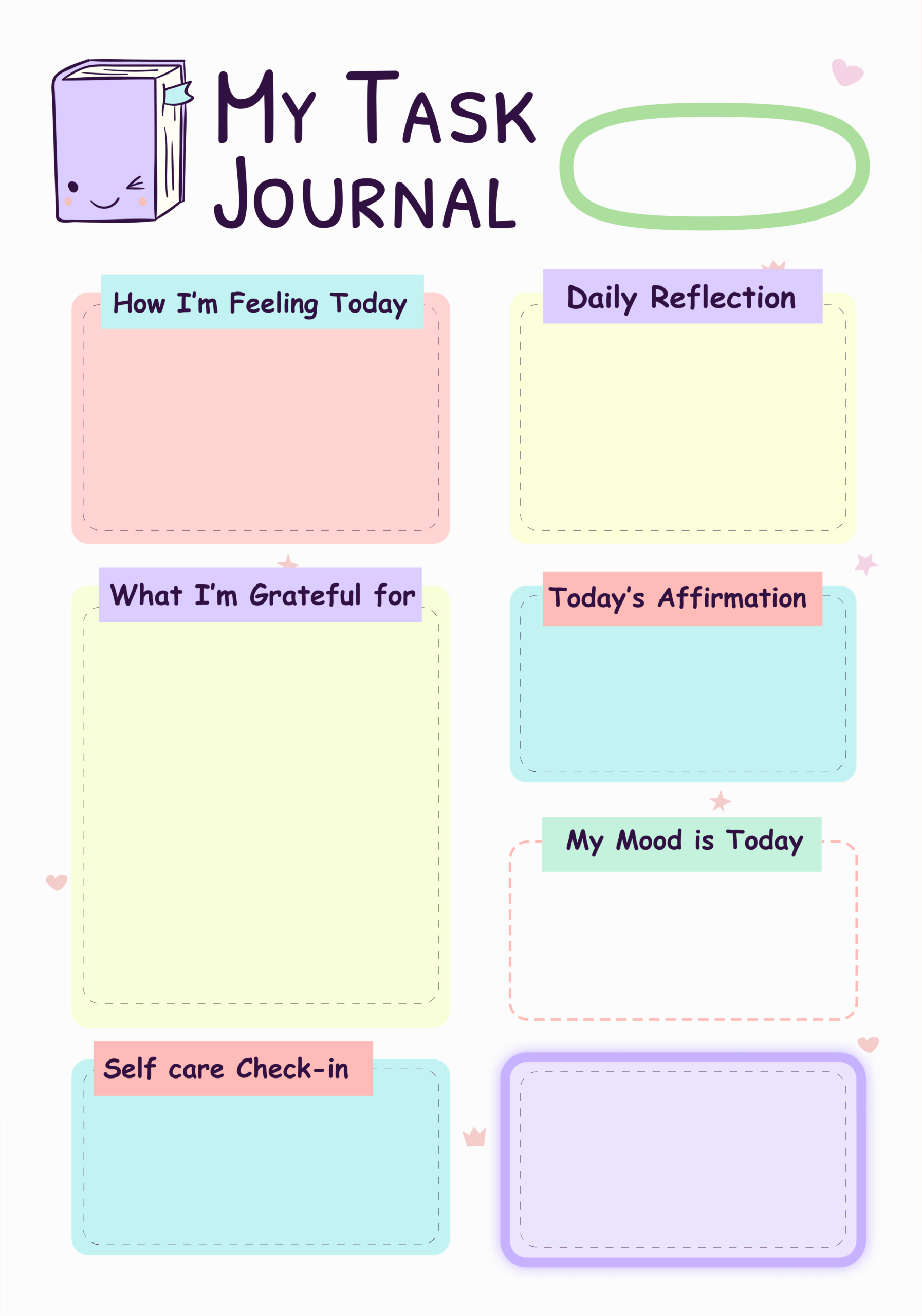
My Task Journal - Daily Wellness Planner
Cute kawaii-style journal page with soft pastel colors that make daily check-ins feel warm and personal. Covers emotional wellness, gratitude, affirmations, and self-care all on one page.
Best For: People who want to combine daily task tracking with mental wellness journaling.
Key Features:
- "How I'm Feeling Today" section
- "Daily Reflection" writing space
- "What I'm Grateful For" large box
- "Today's Affirmation" section
- "My Mood is Today" box
- "Self Care Check-in" section
- Cute book character illustration with hearts and stars
Why It Works: Checking in with your emotions before tasks helps you approach the day with intention, not just productivity.
Use This Template →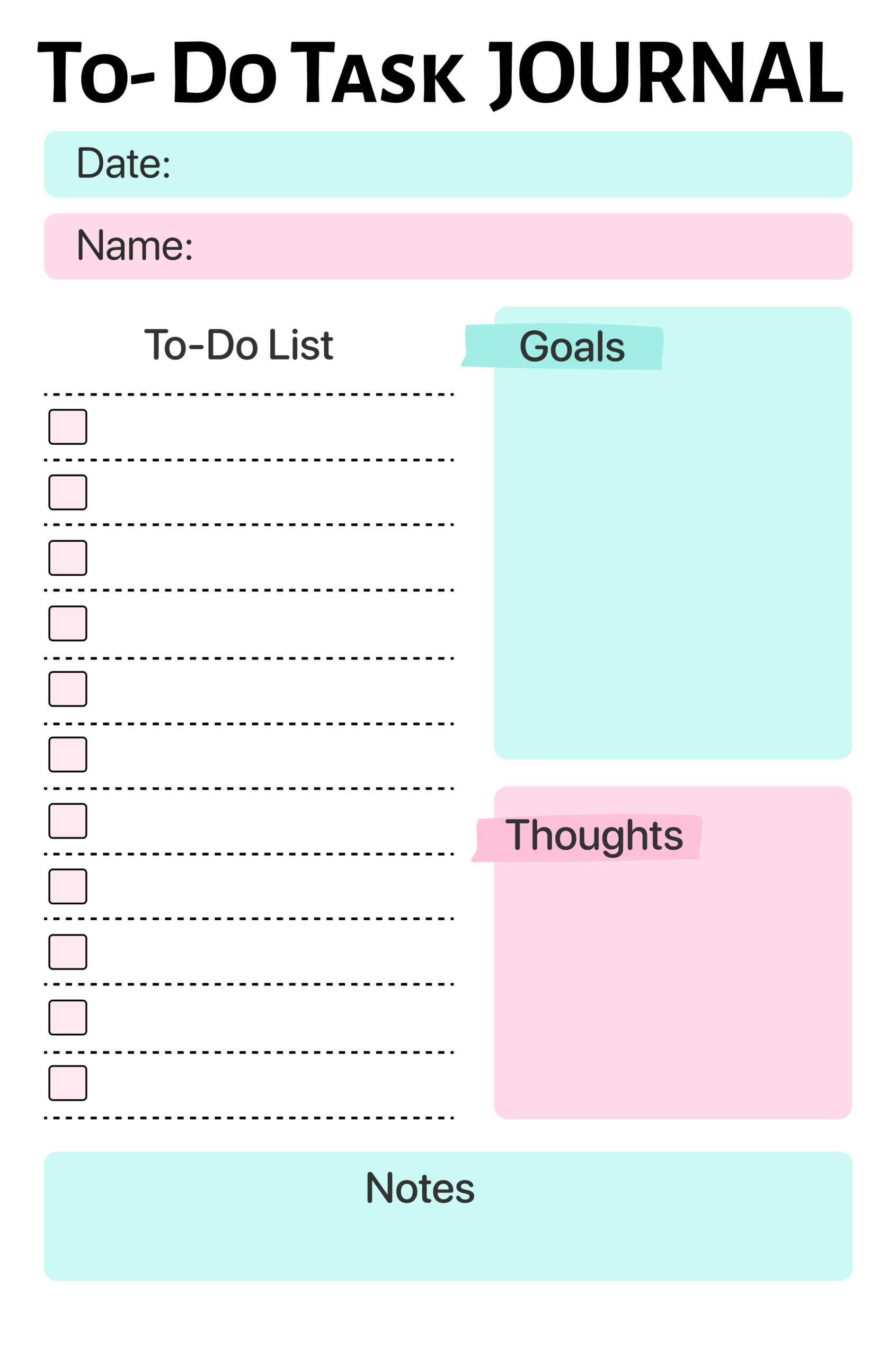
To-Do Task Journal
Clean black-and-white bold design with pastel mint and pink accents for people who want no-nonsense daily task management with space for goals and thoughts.
Best For: Students and professionals who need a focused daily to-do list with goal tracking.
Key Features:
- Date and Name fields at the top
- 11-item checkbox to-do list
- "Goals" open writing section
- "Thoughts" reflection space
- "Notes" section at the bottom
Why It Works: Separating goals from the to-do list prevents confusing long-term ambitions with daily tasks.
Use This Template →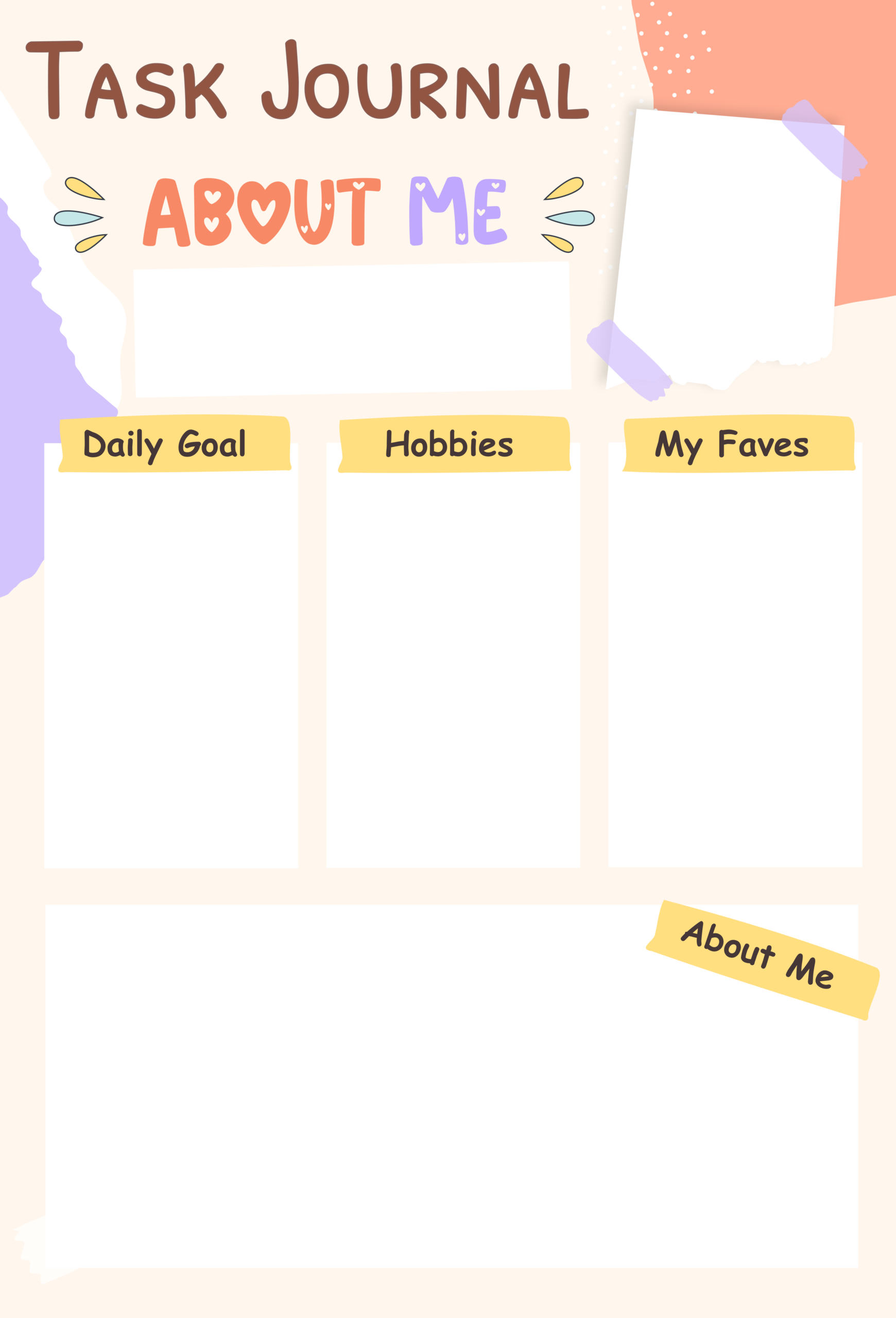
Task Journal - About Me
Warm beige and yellow journal page with a personal "About Me" intro style, great for the first page of a planner or journaling kit. Combines self-expression with daily goal setting.
Best For: Kids, teens, or anyone starting a new journal who wants a personal intro page.
Key Features:
- Name/intro text box at top
- Three columns: Daily Goal, Hobbies, My Faves
- Large "About Me" space at the bottom
- Torn paper and washi tape decorative elements
- Warm peach and purple abstract shapes
Why It Works: Setting up a personal identity page creates ownership of the journal, making users more likely to stick with it.
Use This Template →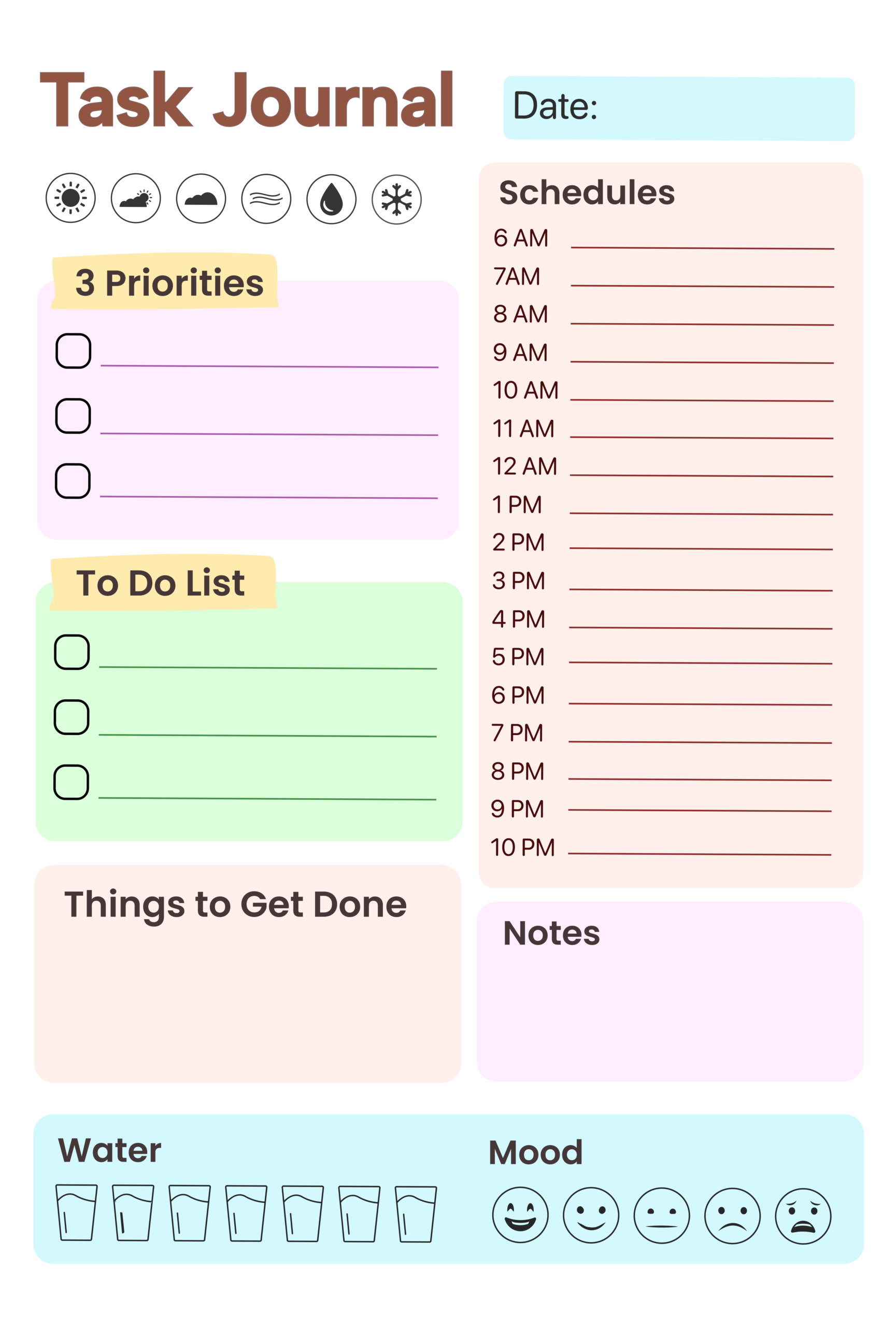
Task Journal - Full Day Planner
Comprehensive one-page daily planner with hourly scheduling, weather tracker, mood check, water intake, priorities, and notes everything a productive day needs.
Best For: Highly organized people who want a complete daily structure from morning to night.
Key Features:
- Weather icon row (6 options)
- "3 Priorities" checkbox section (purple)
- "To Do List" checkbox section (green)
- "Things to Get Done" open space
- Hourly schedule from 6 AM to 10 PM
- Notes section
- Water intake tracker (7 glasses)
- Mood tracker (5 face emojis)
Why It Works: Combining time-blocking with mood and water tracking turns a planner into a full daily health and productivity tool.
Use This Template →
Task Habit Journal
Bold and minimal pastel habit journal focused on priorities, goals, bucket list, and challenges ideal for people building new routines.
Best For: Habit builders and goal-setters who want a daily focus page without hourly scheduling.
Key Features:
- Date bar at top (lavender)
- Large "Top Priorities Today" open section (mint green)
- "Goals" lined section (lavender)
- "Bucket List" lined section (peach)
- "Challenges/Thoughts" reflection section (pink)
Why It Works: Placing a bucket list alongside daily goals keeps big dreams visible while you handle day-to-day tasks.
Use This Template →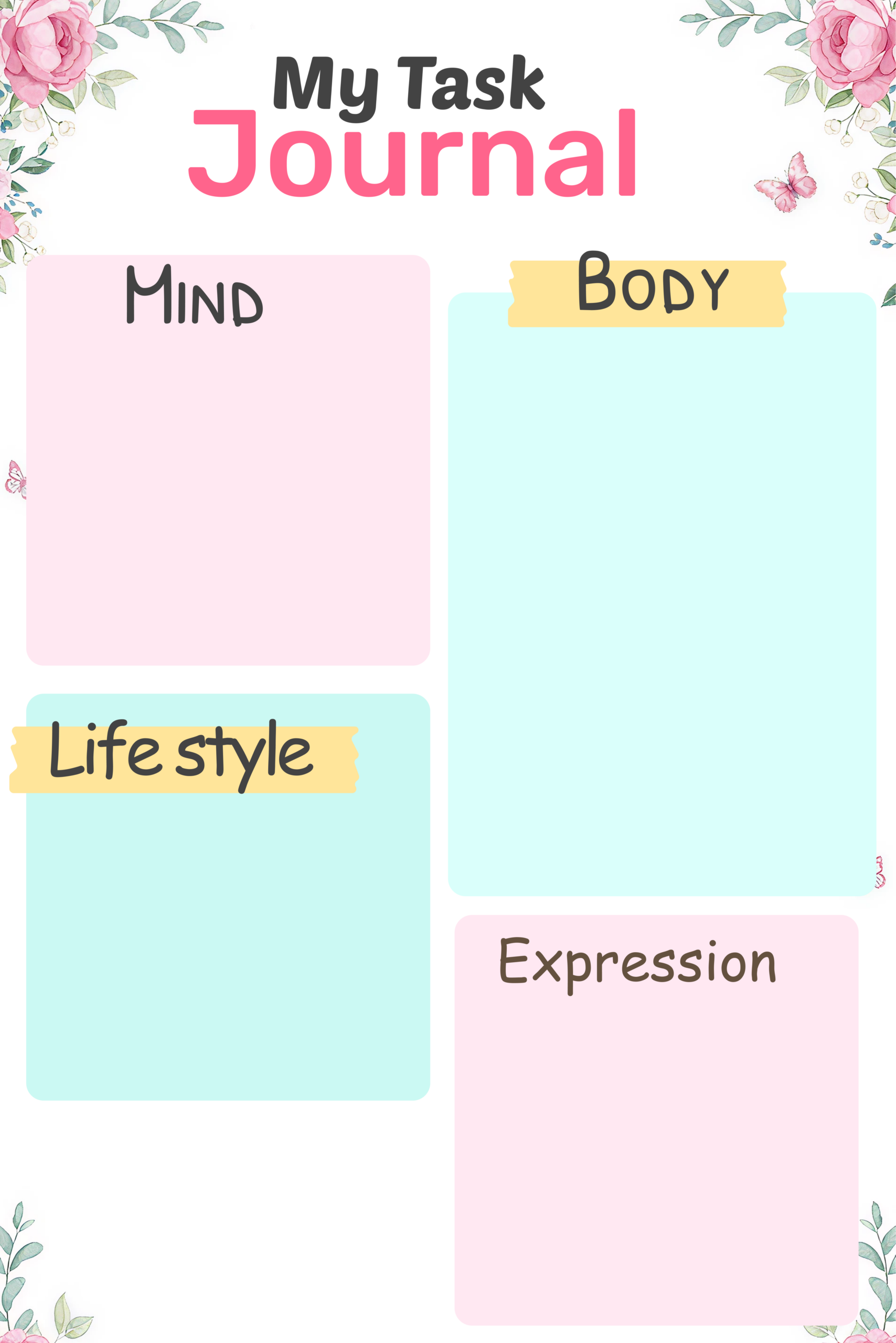
My Task Journal - Mind Body Soul
Soft floral wellness journal with butterfly and rose decorations, focused on holistic self-care across four life dimensions: mind, body, lifestyle, and expression.
Best For: Wellness enthusiasts who want to reflect on all areas of life, not just tasks.
Key Features:
- "Mind" large writing section (pink)
- "Body" large writing section (teal)
- "Lifestyle" section (teal)
- "Expression" section (pink)
- Watercolor floral corner decorations with butterflies
Why It Works: Dividing reflection into Mind, Body, Lifestyle, and Expression gives structure to wellness journaling without making it feel like a checklist.
Use This Template →
Weekly Task Journal
Simple and clean weekly grid planner in warm beige and soft pink, with 7-day boxes plus dedicated Notes and Reflection sections printed bullet journal style.
Best For: Bullet journal users who want a minimal weekly spread with writing space for reflection.
Key Features:
- 3-column grid layout for all 7 days
- Individual grid/dot paper texture in each day box
- "Notes" dedicated box
- "Reflection" dedicated box
- Calendar emoji icon in title
- Soft pink day headers
Why It Works: Including a Reflection box separate from Notes encourages end-of-week review, which improves planning the following week.
Use This Template →
Monthly Task Journal
Cheerful floral monthly calendar with colorful day headers, full date grid, and bottom sections for Priority checklist and Notes a complete month-at-a-glance page.
Best For: People who want a monthly overview combined with priority tracking on one page.
Key Features:
- Full monthly calendar grid (SUN-SAT)
- "Month of:" header with lavender banner
- 7 colorful day-of-week labels
- "Priority" checkbox list (5 items, teal section)
- "Notes" bullet list (6 lines, pink section)
- Floral daisy and leaf corner decorations
Why It Works: Seeing the whole month while having a priority list below helps users plan deadlines without losing sight of the bigger picture.
Use This Template →Why the Best Daily Task Journal Doesn't Punish You for a Chaotic Week?
Here's what most task systems get wrong: they treat a missed day like a failure state.
Overdue banners. Red indicators. A backlog that grows by the hour while you're just trying to get through the week. You open the app, see the visual record of everything you didn't finish, and close it again. One hard week becomes two. Two becomes a new app download and a fresh start that lasts exactly five days.
That's not a system. That's a guilt loop. And guilt is one of the most reliable predictors of complete system abandonment in behavioral psychology research.
PlanWiz works differently. Miss a day? Open a fresh daily view. Miss a week? Open a fresh daily view. No overdue pile. No shame indicators. Just a clean page that says: "Today is a new page. Your tasks are still here. Let's go."
The most productive people aren't the ones who never miss a day. They're the ones who know how to come back after they do.
"The most productive people aren't the ones who never miss a day. They're the ones who know how to come back after they do."
How Do You Get Started With PlanWiz?
No lengthy onboarding. No importing your existing mess. No building the perfect system before you're allowed to actually use it.
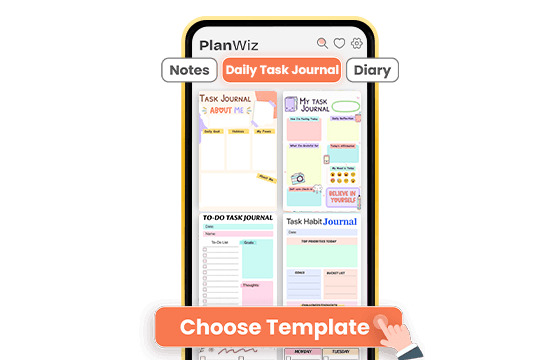
Choose a Template That Fits Today
Browse 1,000+ ready-made templates and pick one that matches today not your ideal day, your actual day. A full structured workday template, a simple three-priority view, or a focused project sprint. The structure is already built. You just open it and start.
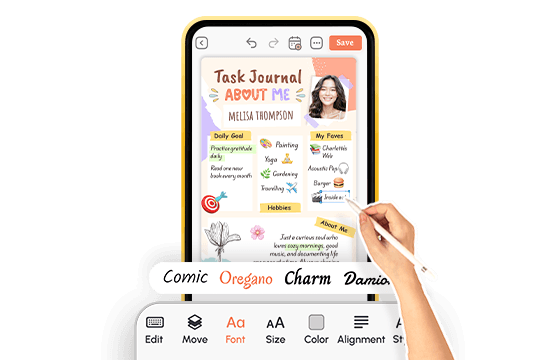
Add Your Tasks and Adjust the Structure
Drop in today's tasks, set your top three priorities, and adjust the time blocks to match your real schedule. On a high-output day, map every hour. On a hard day, pick three things and do what you can. The system bends around your energy level. You never have to rebuild from zero.
Track, Complete, and Keep Moving
Check off tasks as you go, watch your daily progress build, and close the day with a clean record of what you accomplished. Tomorrow's template is already ready. No setup. No guilt. Just forward.
A daily task journal that's ready before you are.
What Do Real Students Say About This Daily Task Journal?
Ready to Try the Daily Task Journal Built for How You Actually Work?
If this sounds familiar: tasks scattered everywhere, lists that grow faster than they shrink, and weeks slipping by with nothing feeling finished. PlanWiz is built for you. It's not just a to-do list or a notes app, but a focused system designed around real work habits, real flexibility, and helping you turn your task list into actual progress every single day.
Free to start. No credit card. Ready in under three minutes.
Start Free → planwiz.app

Frequently Asked Questions
A daily task journal is a structured system for capturing, organizing, and completing your tasks within the context of your full day. Unlike a flat to-do list that just stores items, it gives each task a time, a priority, and a place in your day's structure so you always know what to work on next. PlanWiz combines task management with daily planning in one focused system so nothing gets scattered and nothing gets lost.
The best option in 2026 is one that eliminates blank-page paralysis, gives you a focused daily view of your most important work, and never punishes you for a hard week. PlanWiz delivers exactly that: 1,000+ ready-made templates, built-in task tracking, and a no-shame recovery system that keeps you moving forward even after a setback.
A task tracking journal improves productivity by making your progress visible. When completions are tracked, streaks are recorded, and your daily output has a visual record, you build momentum that a flat, unchecked list never creates. Research consistently shows that people who track task completion outperform those who rely on memory and willpower alone.
Yes. It is designed to hold both personal and professional tasks in a single, organized system. You can use separate templates for work days and personal days, or combine them in one daily view. Ready-made structures exist for both contexts, so nothing from either side of your life gets dropped.
A simple list is a starting point, not a system. A customizable task journal fits your actual workflow instead of forcing you into someone else's structure. When your journal matches how you think, work, and how much energy you have on a given day, you use it consistently. PlanWiz lets you adjust layouts, categories, and task density so the system works with you, not against you.
Yes. It works across devices as a full digital task journal, so your tasks, templates, and progress sync wherever you're working. Whether you plan on a tablet in the morning and check off tasks on your phone throughout the day, your system stays consistent and up to date across all devices.