A Daily Planner App That Organizes Your Day Before It Slips Away
PlanWiz is a customizable daily planner app that helps you take control of your day before it controls you. Choose from 1,000+ ready-made daily planner templates for morning routines, hourly scheduling, priority tracking, and habit building, whether you're managing a packed workday, family responsibilities, or simply trying to stay on top of what matters most.
What Is the Best Daily Planner App in 2026?
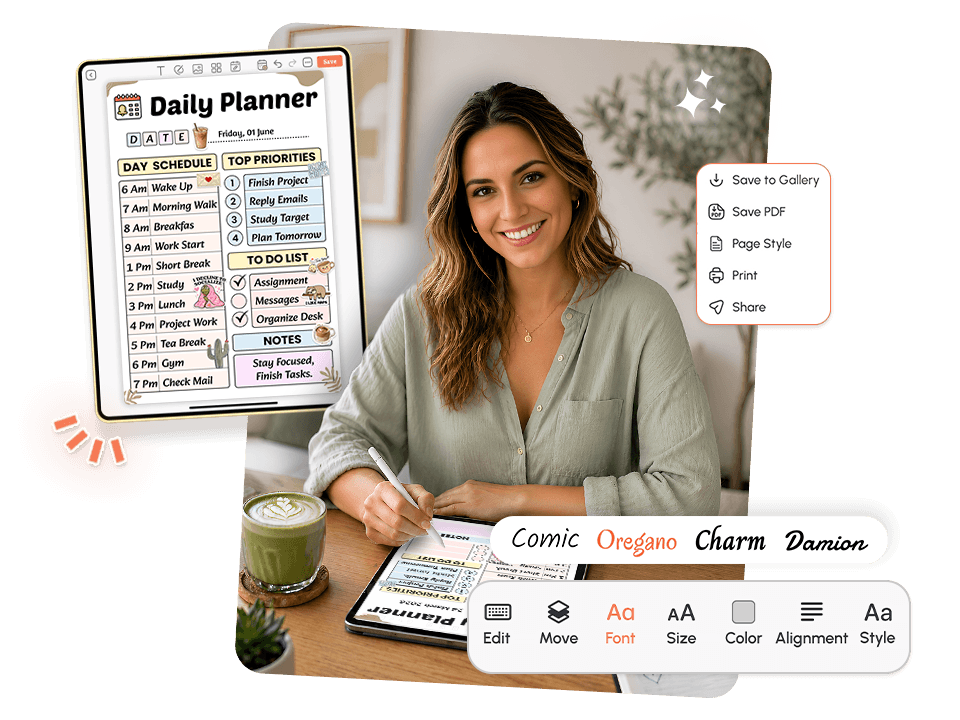
The best daily planner app in 2026 gives you a ready-made structure the moment you open it, adapts to your energy level, and doesn't punish you for an imperfect day. PlanWiz does all of this with 1,000+ customizable planner templates for daily scheduling, priority setting, and habit tracking.
Here's what a genuinely effective daily planner app should do:
- Give you a clear structure so your morning doesn't disappear into indecision.
- Keep your most important tasks front and center, not buried three taps deep.
- Scale from a full hourly layout on focused days to a minimal view on hard ones.
- Make it easy to restart after a missed day without guilt or a backlog.
Who Is This Daily Planner App For?
This daily planner app was built for the people who rigid productivity systems always leave behindBusy Working Professionals
Who have back-to-back meetings and need the reliable meeting planner templates that fit into the gaps of their schedule, not one that demands they restructure their entire workday to use it.
Students Managing Academic and Personal Life
Who need the study planner templates to stay on top of assignments, exams, readings, and extracurriculars without a complicated initial setup that takes longer than studying.
Parents and Caregivers
Who are managing household logistics, personal goals, and family schedules simultaneously need the family planner template that keeps every moving part visible without requiring multiple apps to do it.
People with ADHD
Who need structure that adapts to their brain, not one that shames them for going off-script. The ADHD Planner App experience inside PlanWiz is built exactly with this in mind.
Remote Workers and Freelancers
Need a daily planning app that creates a clear separation between work time and personal time when both categories live in the same physical space.
Why Does Every Daily Planner App Fail?
Most daily planner apps fail not because they lack features, but because they hand users flexibility without a foundation. A useful daily planner app should reduce friction at the very start of the day, keep priorities visible without requiring effort to find them, and survive imperfect weeks without collapsing entirely.
No Structure Means No Starting Point
You open your phone in the morning with every intention of having a productive day. You open the app. You stare at a blank field. You type one task, then wonder whether you should reorganize your whole list first. By the time you've sorted that out, your first hour is already gone.
This is not a motivation problem. It is a structural design failure. When a planner app for daily tasks offers unlimited flexibility and zero scaffolding, your brain spends its best cognitive energy deciding how to organize instead of executing the actual work. The routine planner templates eliminate this friction before the day even begins.
Tasks Aren't Connected to What Actually Matters
Most apps let you list tasks. Very few help you understand which of those tasks actually moves the needle on what you care about. Without that connection, you can check off twenty items in a day and still feel like nothing important got done.
That gap between activity and progress is where most planning systems quietly break down. A well-designed task planner app links what you're doing today to where you're heading this week and this month, so effort and meaningful outcome stop feeling completely disconnected from each other.
Overwhelm Disguised as Productivity
You've added fifteen tasks to today's list. They all feel equally important. You don't know which one to start with, so you start with the easiest one, then the second easiest, then take a break, then feel guilty, then add three more to the pile. Nothing important got touched.
This is task overwhelm, and it's a design problem, not a discipline problem. The task planner templates that show your true priorities at a glance, rather than presenting a scrolling wall of equal-weight items, change the experience of opening your planner from stressful to clarifying.
One Hard Day Derails the Entire Week
You miss a day. You open the app to a pile of overdue items, red indicators, and a notification count that's been building since Tuesday. The gap between where you are and where you were supposed to be feels too wide to close. So you close the app instead of starting fresh.
This is shame-triggered avoidance, and it is entirely predictable. Systems that punish inconsistency do not produce consistency. They produce abandonment. The right daily planner app gives you a clean page and a clear next step, because forward momentum on an imperfect week is still real progress.
Why Does Your Brain Resist Daily Planning Even When You Know It Helps?
People don't avoid daily planning because they don't value their time or care about their goals. They avoid it because the friction of setting up, maintaining, and recovering a planning system consistently costs more cognitive energy than their brain is prepared to spend at the start of a regular workday.
Three patterns explain this clearly. Decision fatigue hits before the first task is touched. Every format and structure decision drains the energy meant for actual work. Present bias makes today's demands feel more urgent than planning, so the brain reliably skips it. Vague intentions never get executed. Research shows that people who attach a specific time and action to a plan are far more likely to follow through.
🧠 Why this matters: The space between having a plan and starting one is the most common failure point in daily productivity. It is built around the daily planner templates that place you inside a ready-made structure the moment you open the app, so your energy goes toward doing, not designing.
How Does a Good Daily Planner App Bridge the Gap Between Intention and Action?
The biggest failure in daily planning isn't motivation; it's the distance between "I need to plan my day" and actually having a working plan. It bridges that distance with three layers:
PlanWiz bridges that distance with three connected layers:
1. Instant structure: Templates that give your day shape the moment you open the app. No blank fields, no format decisions to make, no "let me just get this organized first." You arrive at a working plan with your priorities already laid out and your structure already in place.
2. Flexible priorities: Your most important tasks sit at the top of every layout. Your day connects to your week, your week connects to your goals, all built into the template. The goal planner app layer keeps the bigger picture connected without a separate system.
3. Adaptive energy support: Full hourly breakdown on strong days. A minimal three-task view of hard ones. The hourly planner templates bend to your reality; it never demands peak performance, regardless of what's happening in your life.
What Features Should a Daily Planner App Have?
PlanWiz wasn't built by adding a scheduling view to an existing task list and calling it a planner. It was designed from the ground up as a genuine daily planner app for people who need their planning to actually produce results, not just exist on their phone alongside ten other apps they opened once.
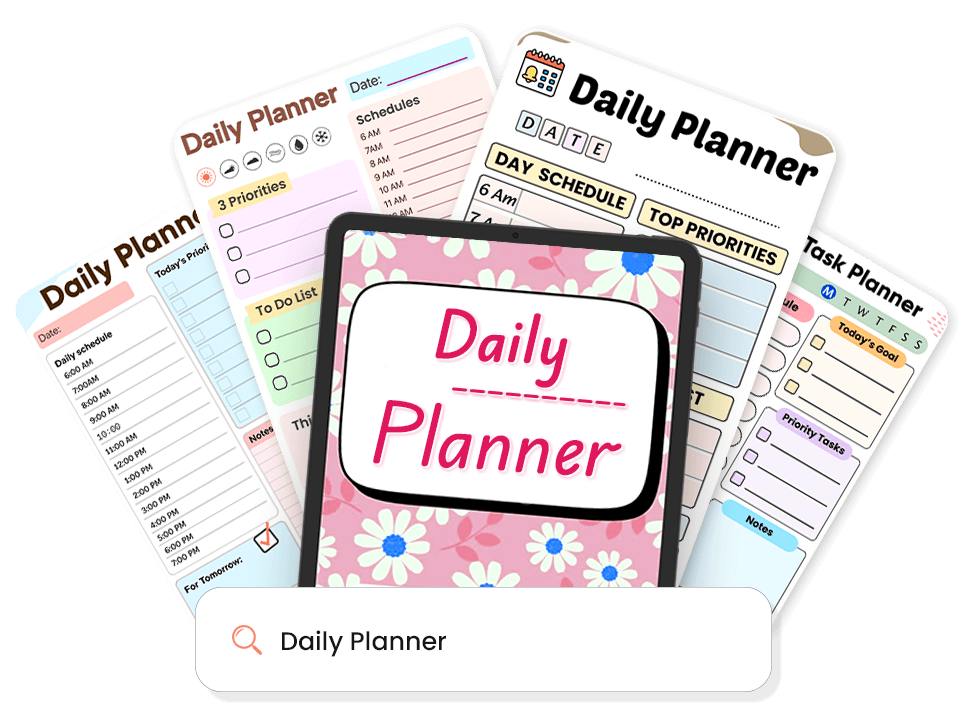
1,000+ Daily Planner Templates
Every template arrives pre-structured, so you never face a blank page. Pick one that fits your day and start planning in seconds.
- Hourly layouts for time-blockers.
- Priority-first views for busy professionals.
- Habit + task hybrid pages for routine builders.
- Minimal three-task views for hard days.
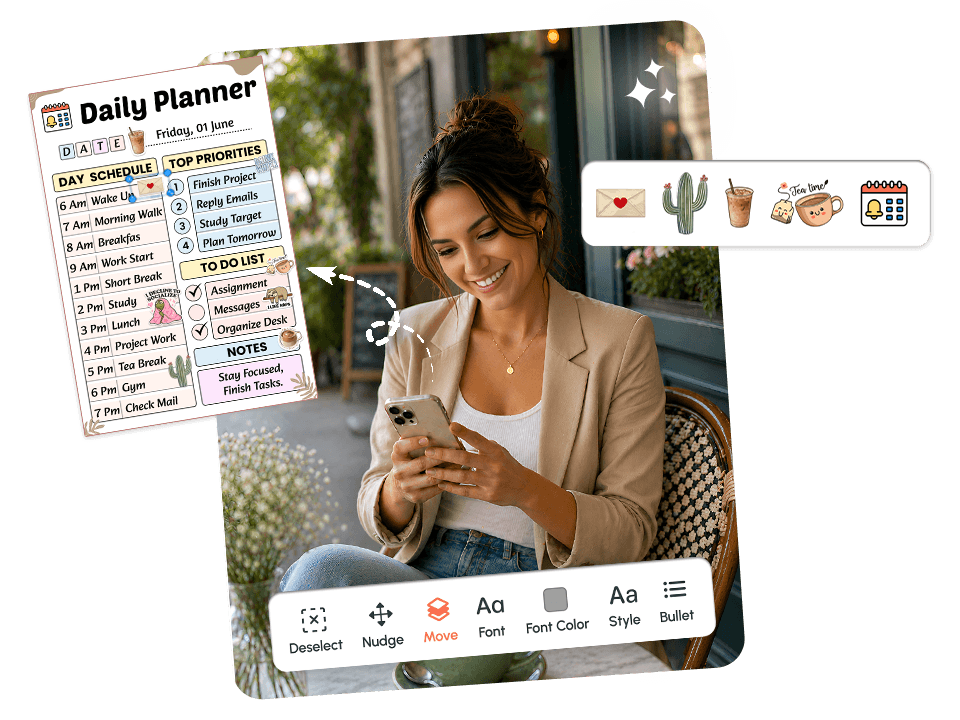
Fully Customizable. Your Day, Your Way
No two days look the same. It lets you adjust layouts, fonts, colors, and sections so your planner always fits how you actually work, not a generic version of it.
- Drag and drop sections to match your workflow.
- Add habit check-ins, meal plans, or mood notes.
- Personalize covers and themes you actually enjoy opening.
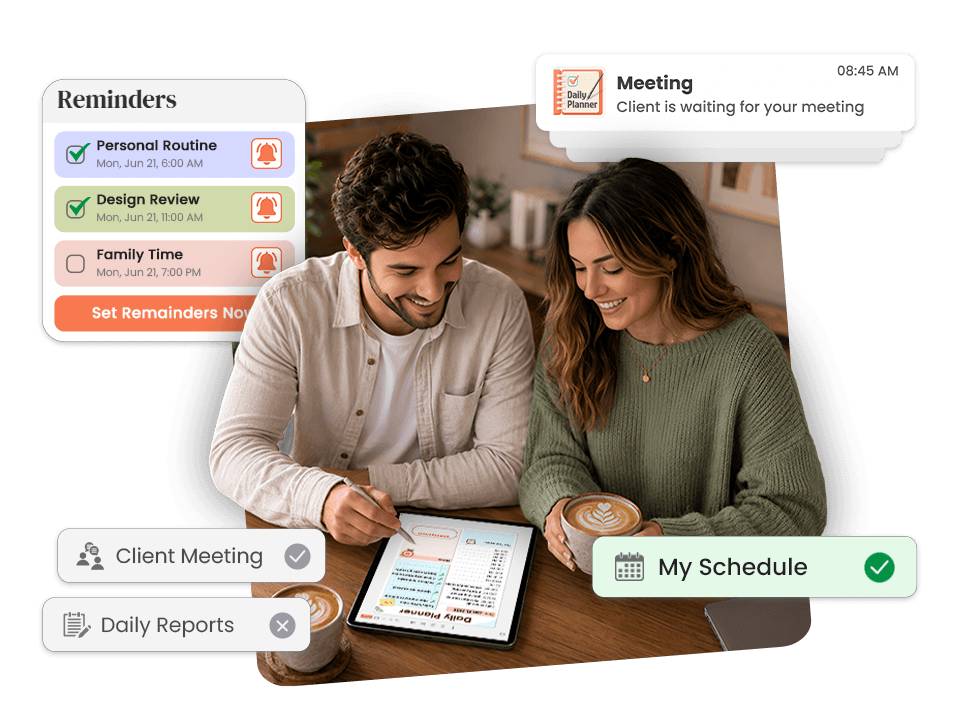
Smart Reminders. Never Miss What Matters
Build a great plan and still miss it? It brings you back with task-level reminders that sit right next to the tasks they belong to.
- Set reminders on individual tasks.
- Protect your morning planning window.
- Get nudged back without losing your place.
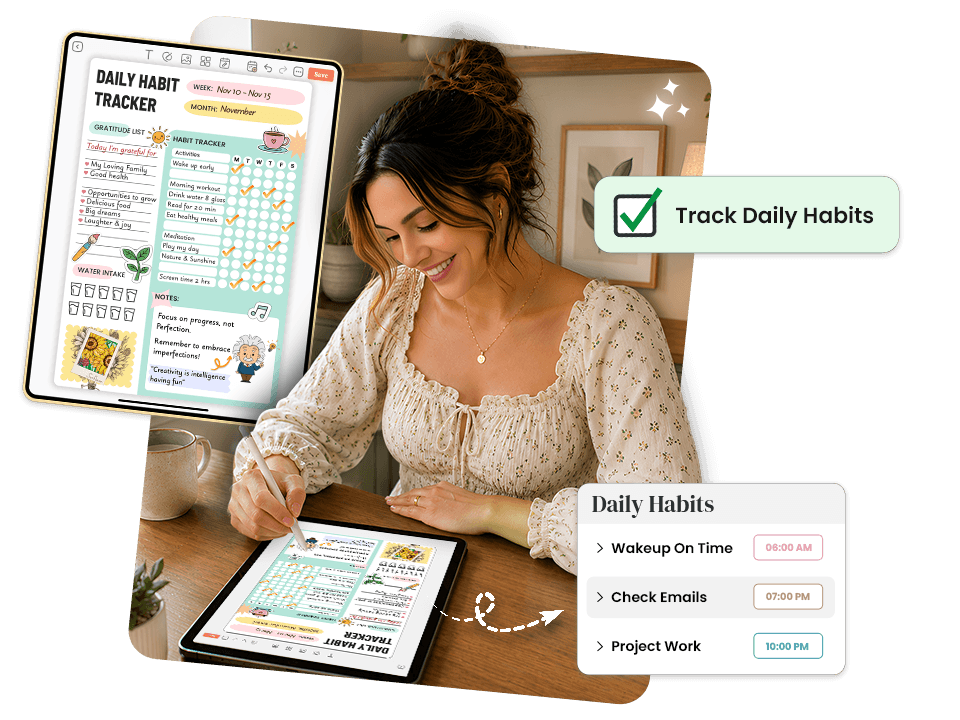
Built-In Daily Habit Tracking. Routines That Actually Stick
PlanWiz integrates a habit tracker app directly into your daily templates no separate app needed.
- No shame mechanics, no red failure badges.
- Miss a day, open tomorrow, and keep going.
- Progress shows as momentum, not a streak to protect.
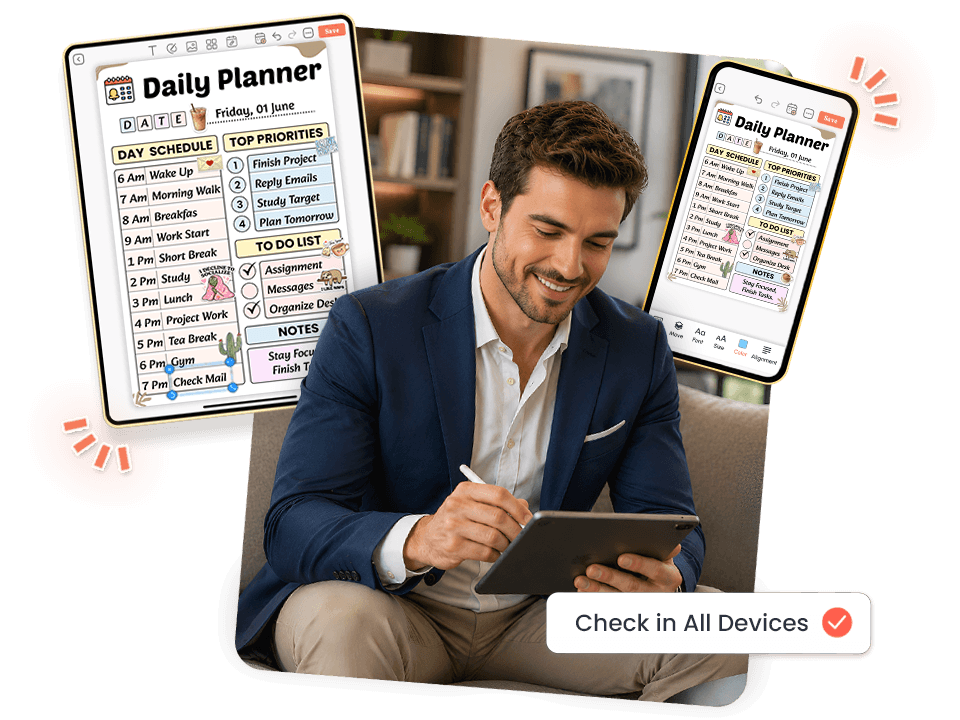
Works Across Every Device. Plan Anywhere
iPhone, Android, iPad, or desktop your templates, reminders, and layouts stay consistent across all of them.
- Switch between phone and tablet without rebuilding anything.
- Access your full planner on the go.
- Responsive design built for real daily use.
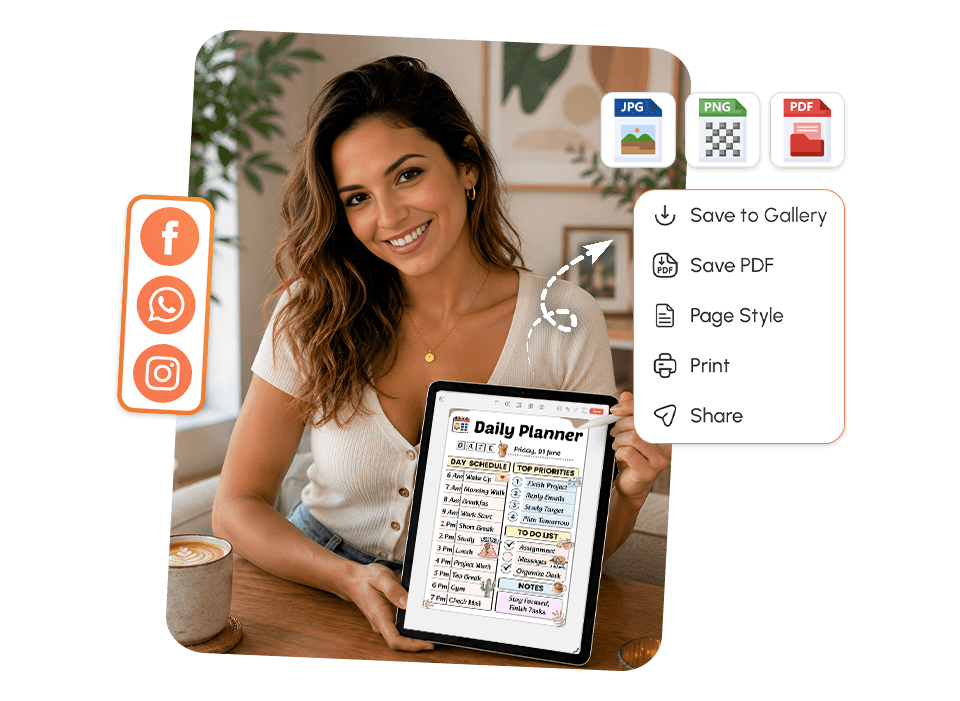
Download and Share. Real Accountability, Zero Extra Work
Take your plan off the screen and into the real world with one tap.
- Export as PDF, PNG, or JPEG instantly.
- Print and place it somewhere you'll actually see it.
- Share with a coach, manager, or accountability partner.
Explore Daily Planner Templates Built for Every Kind of Day
Pick the Template That Matches How You Feel Today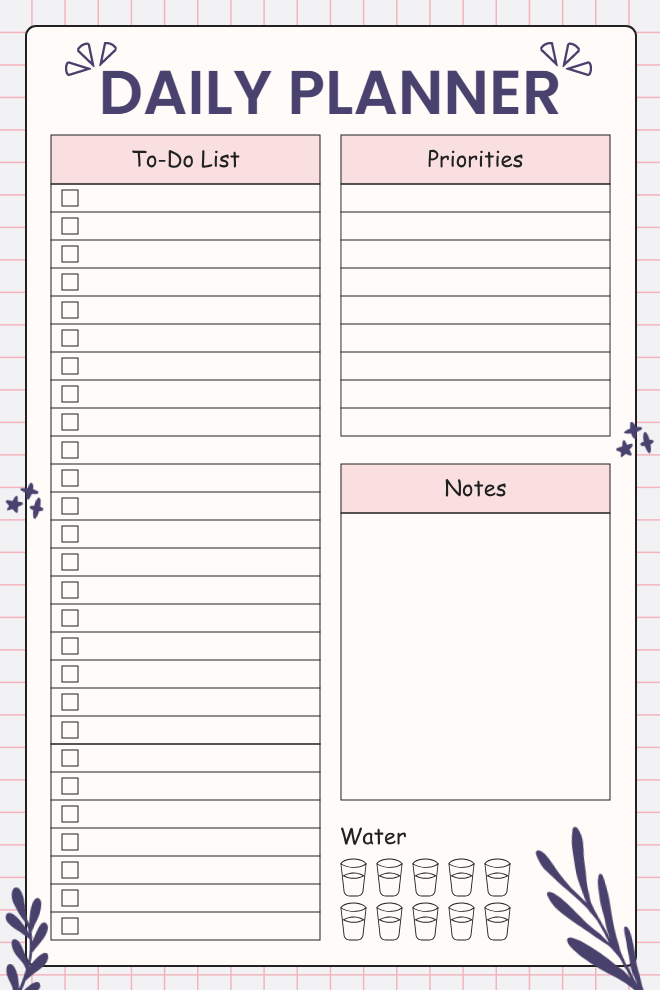
Daily Planner - To-Do List & Priorities
Sometimes you just need one clean page to write everything down and figure out what actually needs to happen today. This pink and navy planner keeps it simple: tasks on the left, priorities on the right, and a water tracker so you don't forget the basics.
Best For: Anyone who wants a no-fuss daily planner without extra sections getting in the way.
Key Features:
- Long to-do checklist with tick boxes
- Separate priorities column
- Open notes space
- Water intake tracker
- Clean minimal layout
Why It Works: Putting your full task list right next to a priorities column makes you actually choose what matters instead of treating everything as equally important.
Use This Template →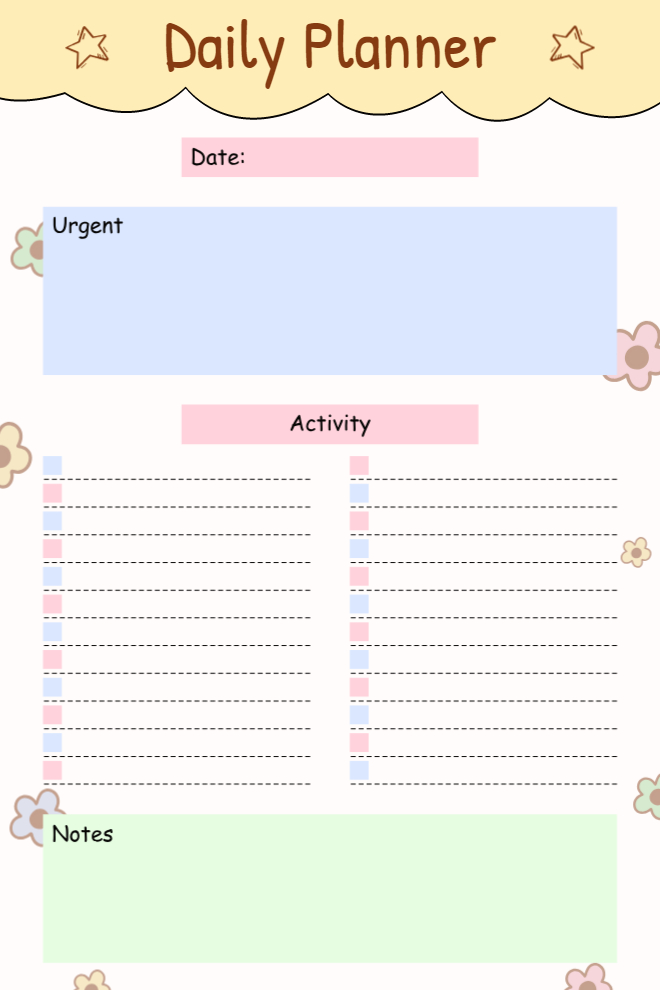
Cute Floral Daily Planner
Most planners treat every task the same this one doesn't. The urgent block sits right at the top, so nothing critical gets buried under regular activities. Soft pastels and little floral details make it genuinely nice to look at while you plan.
Best For: Students and teens who want something cute but still practical for everyday use.
Key Features:
- Dedicated urgent tasks block
- Date field
- Two-column activity checklist
- Notes section at the bottom
- Pastel floral design
Why It Works: When urgent tasks have their own space, you stop missing them even on days when everything feels equally chaotic.
Use This Template →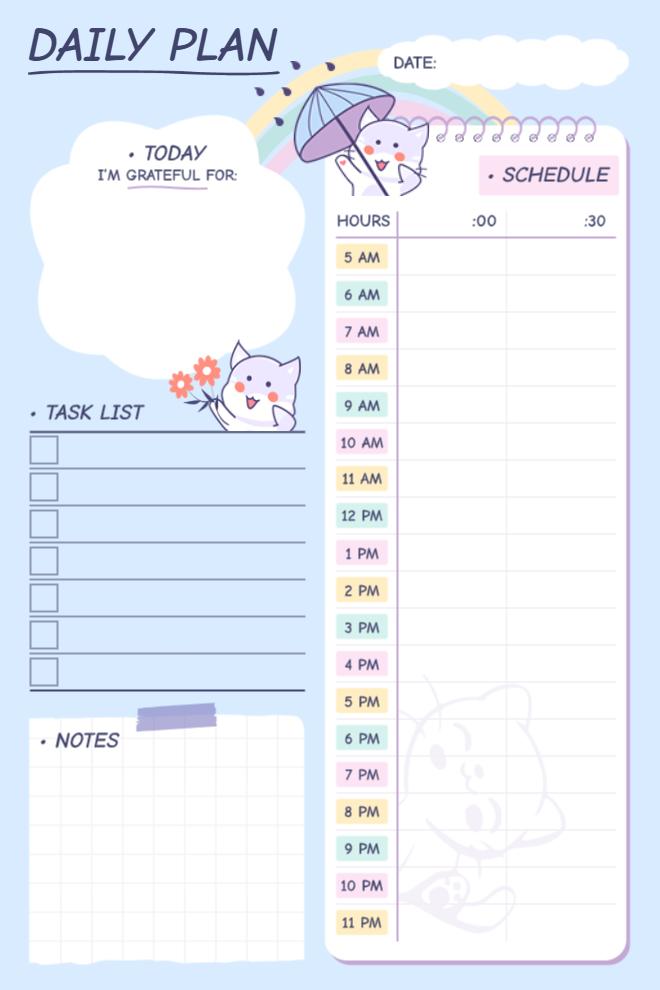
Kawaii Cat Daily Plan with Schedule
This one is for people who need real-time structure but also want their planner to feel fun. The half-hour schedule runs from 5 AM to 11 PM, there's a gratitude prompt to start the day right, and the kawaii cat illustrations make the whole thing feel less like a chore.
Best For: Kids, teens, or anyone who loves cute stationery and needs time-blocking with tasks in one place.
Key Features:
- "Today I'm Grateful For" prompt
- Task checklist with tick boxes
- Half-hour schedule grid (5 AM–11 PM)
- Notes section
- Kawaii cat and rainbow illustrations
Why It Works: Starting with gratitude before jumping into a packed schedule is a small shift that genuinely changes how the day feels.
Use This Template →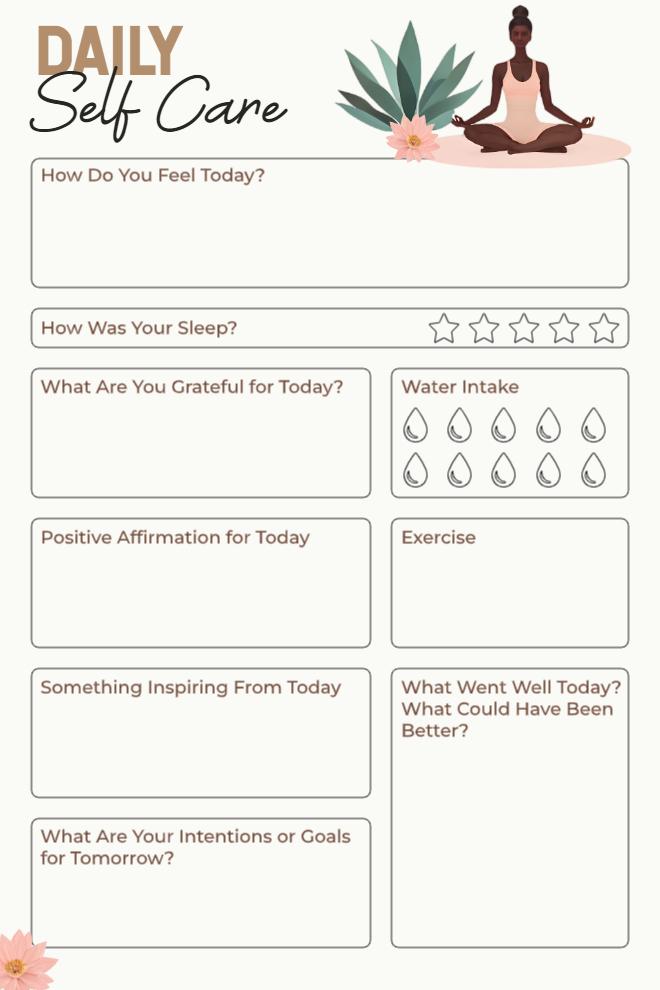
Daily Self Care Planner
This goes way beyond a regular task list. It checks in on how you're feeling, how you slept, what you're grateful for, and what you want to do better tomorrow all on one page. The clean beige design makes it feel calm rather than clinical.
Best For: Anyone building a daily self-care or wellness habit who wants to track mind and body together.
Key Features:
- Mood and sleep rating sections
- Gratitude and water intake tracker
- Positive affirmation box
- Reflection prompts (what went well, what could be better)
- Tomorrow's intentions section
Why It Works: Most planners track what you did; this one tracks how you actually felt doing it. That's what makes habits stick long-term.
Use This Template →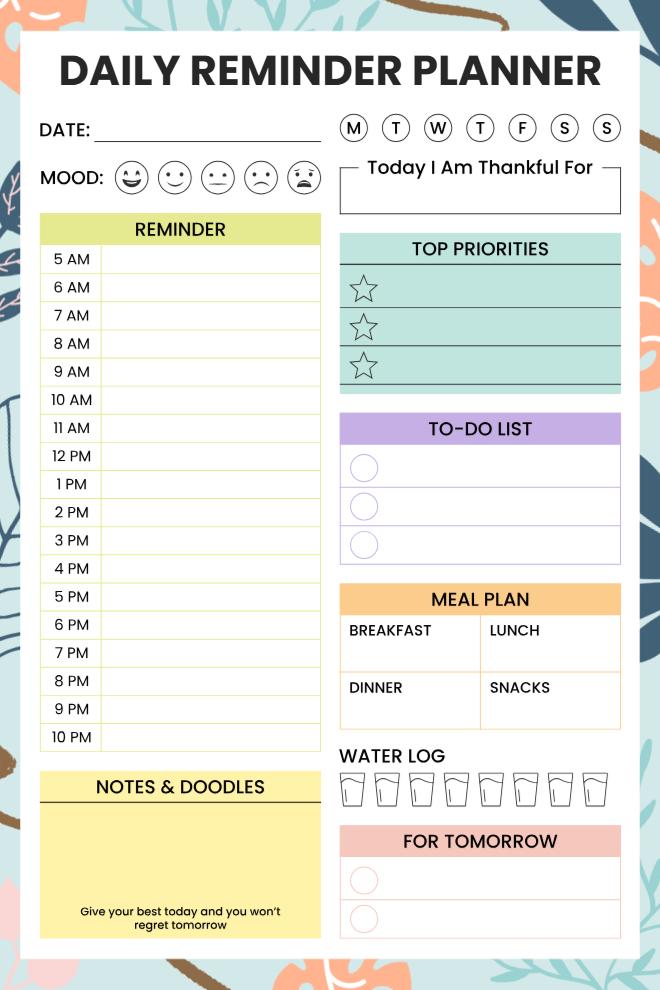
Daily Reminder Planner
This is the planner for people who genuinely have a lot going on. Hourly reminders, meal planning, top priorities, a mood tracker, water log it's all here on one page. Nothing falls through the cracks when everything has a dedicated spot.
Best For: Busy adults who need to track tasks, meals, reminders, and mood all in one place.
Key Features:
- Hourly reminder schedule (5 AM–10 PM)
- Mood tracker with emoji faces
- Top 3 priorities with star icons
- Meal plan grid (breakfast, lunch, dinner, snacks)
- Water log and "For Tomorrow" section
Why It Works: When your meals, tasks, and reminders all live on the same page, you spend less time switching between different lists and more time actually getting things done.
Use This Template →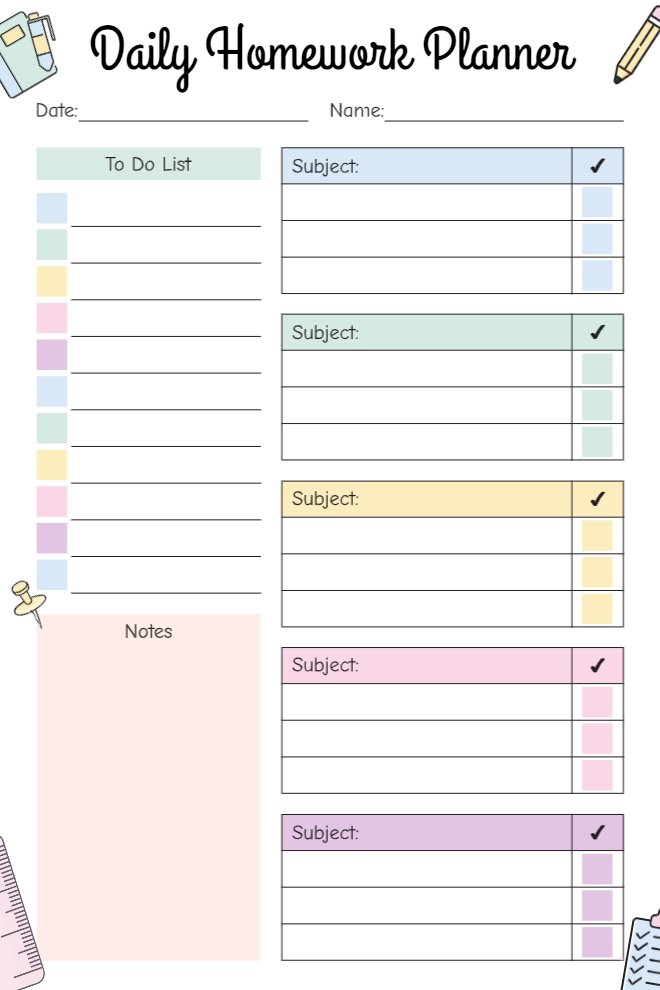
Daily Homework Planner
Keeping track of homework across five or six subjects every day is harder than it sounds. This planner gives each subject its own section with a checklist, so nothing gets forgotten between classes. Color-coded and clean, easy enough for younger students to actually use.
Best For: School students who need to track assignments and tasks across multiple subjects daily.
Key Features:
- Five subject sections with individual checklists
- General to-do list on the left
- Checkmark column per subject
- Date and name fields
- Pastel color-coded subject blocks
Why It Works: Subject-by-subject organization means you check off work as it's done, not at the end of the day when you've already forgotten half of it.
Use This Template →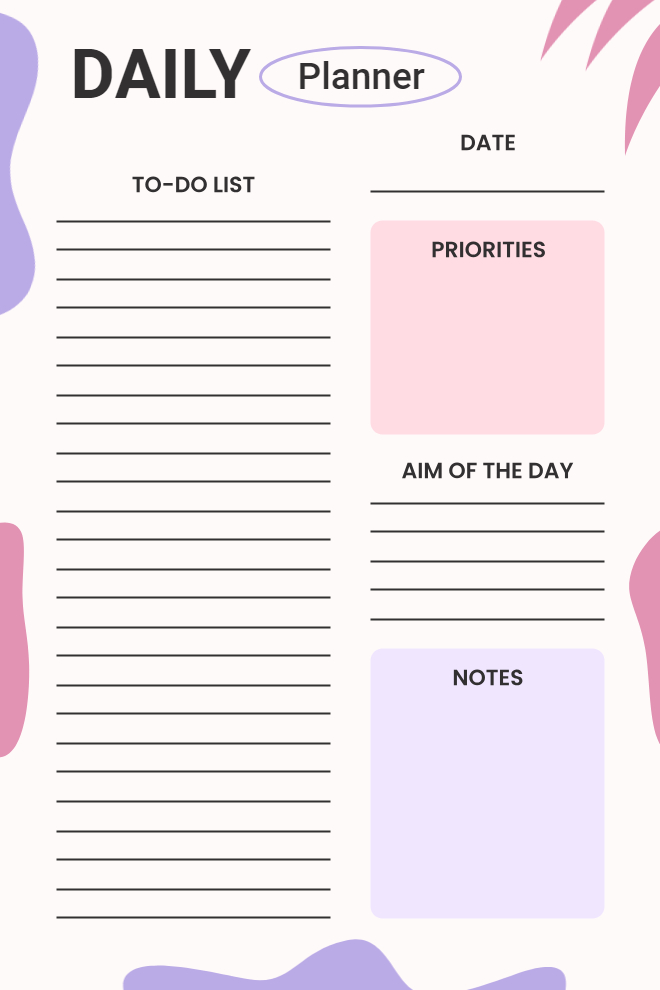
Daily Planner - Aim of the Day
Clean, minimal, and straight to the point. This one gives you a big task list on the left and three focused sections on the right: priorities, your main aim for the day, and notes. No clutter, no distractions, just space to think and plan.
Best For: Professionals or students who prefer a minimal layout with a clear daily focus.
Key Features:
- Large to-do list with writing lines
- Priorities box
- "Aim of the Day" section
- Notes area
- Bold graphic design with purple and pink accents
Why It Works: The "Aim of the Day" section is what makes this different it pushes you to name one clear intention instead of just listing tasks endlessly.
Use This Template →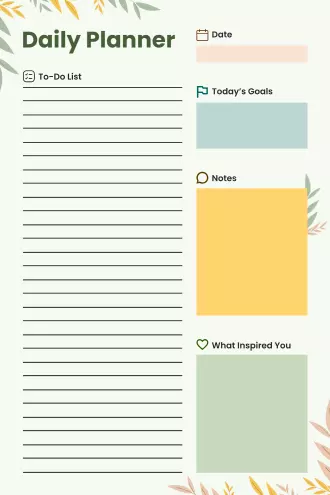
Nature-Themed Daily Planner
This one keeps it calm and grounded. Soft green botanical accents frame a layout that covers your task list, today's goals, notes, and even a little space for what inspired you. It's the kind of planner that feels good to sit down with in the morning.
Best For: People who want a peaceful, aesthetic planner that still covers all the daily basics.
Key Features:
- To-do list with writing lines
- Today's goals section
- Notes block
- "What Inspired You" space
- Soft green botanical design
Why It Works: That "What Inspired You" section is easy to skip, but over time, it becomes one of the most interesting parts of your day to look back on.
Use This Template →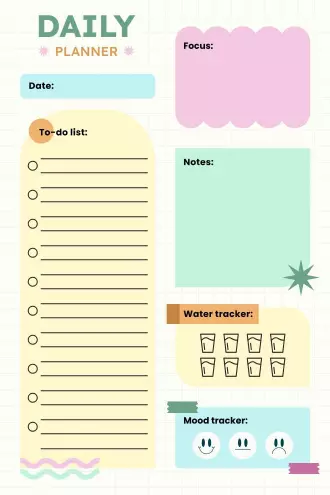
Colorful Focus & Mood Daily Planner
This planner hits the key things without overwhelming you. There's a focus section to set your intention, a to-do list with plenty of room, a water tracker, and a quick mood check at the bottom. The chunky, colorful layout makes it fun to fill out.
Best For: Anyone who wants a bright, cheerful planner that covers focus, tasks, and wellness basics.
Key Features:
- Focus section at the top
- To-do list with circle checkboxes
- Water tracker
- Mood tracker with emoji icons
- Notes section
- Bold multicolor block design
Why It Works: Starting with a focus prompt before diving into your task list is a small habit that keeps you from just going through the motions all day.
Use This Template →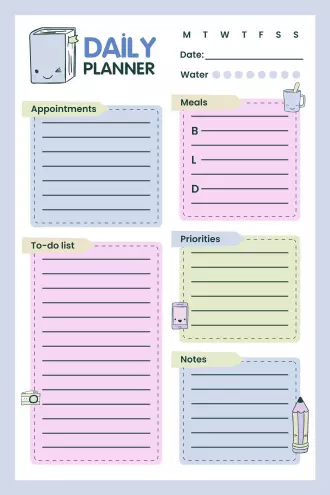
Complete Daily Planner with Meals
This planner has a bit of everything: appointments, tasks, priorities, meals, and notes all neatly divided into color-coded sections. If you're someone who likes to see the full picture of your day at a glance, this one was made for you.
Best For: People who need to manage appointments, tasks, meals, and priorities all in one view.
Key Features:
- Appointments and to-do list sections
- Meal planner (breakfast, lunch, dinner)
- Priorities and notes blocks
- Water tracker
- Day-of-week selector
- Pastel color-coded layout with cute doodle icons
Why It Works: Meal planning and task planning on the same page means fewer decisions throughout the day, and that alone reduces a lot of daily mental load.
Use This Template →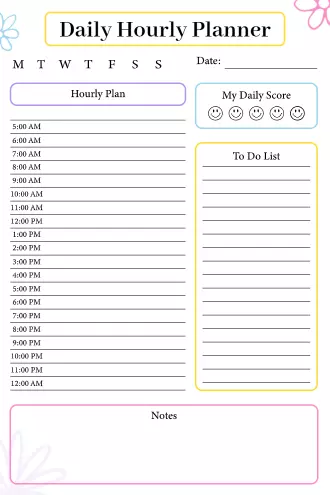
Daily Hourly Planner with Score Tracker
This one is built for people who like to plan their day hour by hour and actually reflect on how it went. The full hourly schedule runs from 5 AM to 12 AM, and the "My Daily Score" section lets you rate your day with a simple emoji scale.
Best For: Planners who time-block their day and want to track daily productivity with a quick self-rating.
Key Features:
- Full hourly schedule (5 AM–12 AM)
- Day-of-week selector
- "My Daily Score" emoji tracker
- To-do list section
- Notes block at the bottom
- Bright floral border design
Why It Works: Rating your own day, even just with an emoji, builds self-awareness over time. You start noticing patterns in what makes your days feel productive versus wasted.
Use This Template →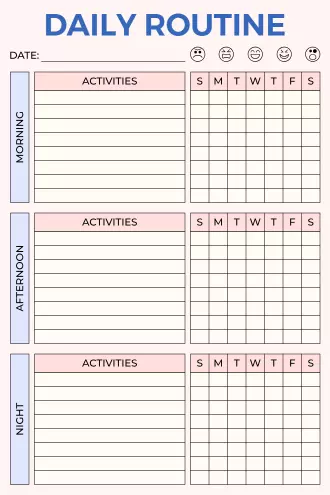
Daily Routine Tracker
This isn't just a planner it's a habit tracker disguised as a daily routine sheet. Morning, afternoon, and evening each get their own activity section with a full week grid to track consistency. Great for people trying to build or maintain daily routines.
Best For: Anyone working on building consistent daily habits across morning, afternoon, and night.
Key Features:
- Three time-block sections: Morning, Afternoon, Night
- Weekly activity grid (Sun–Sat) for each section
- Mood tracker at the top
- Date field
- Clean pink and white layout
Why It Works: Tracking the same habits three times a day across a full week makes it really obvious where your routine is strong and where it keeps falling apart.
Use This Template →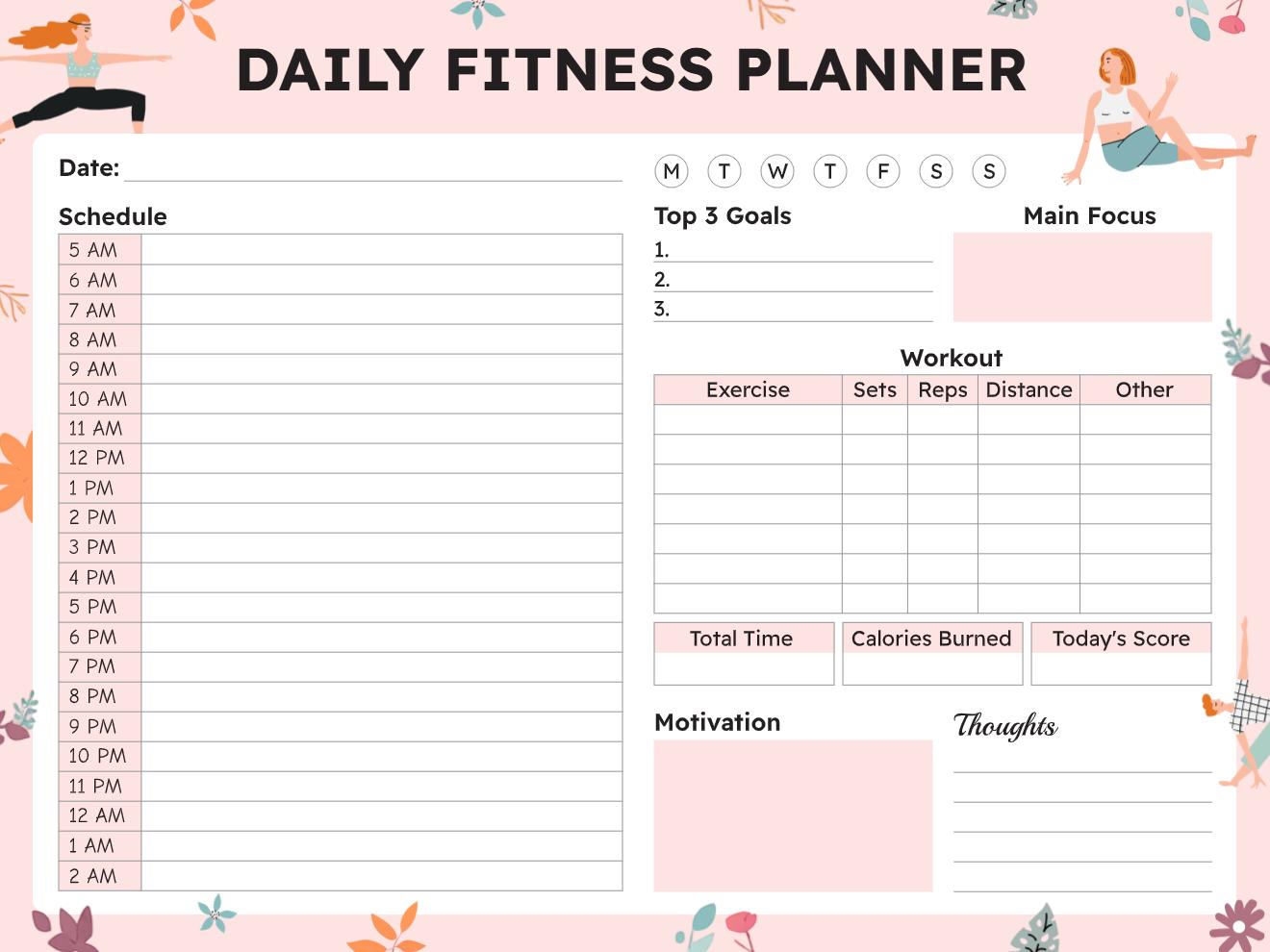
Daily Fitness Planner
Built specifically for workout days, this planner covers your full schedule alongside a detailed workout log that tracks sets, reps, distance, and more. There's even space for motivation notes and a score to rate how the session actually went.
Best For: Fitness enthusiasts or athletes who want to plan their full day around their workouts.
Key Features:
- Hourly schedule (5 AM–2 AM)
- Workout table: exercise, sets, reps, distance, other
- Top 3 goals and main focus section
- Total time and calories burned fields
- Motivation and thoughts sections
- Floral illustrated design
Why It Works: Logging workouts next to your daily schedule helps you see fitness as part of the day, not something separate you try to squeeze in.
Use This Template →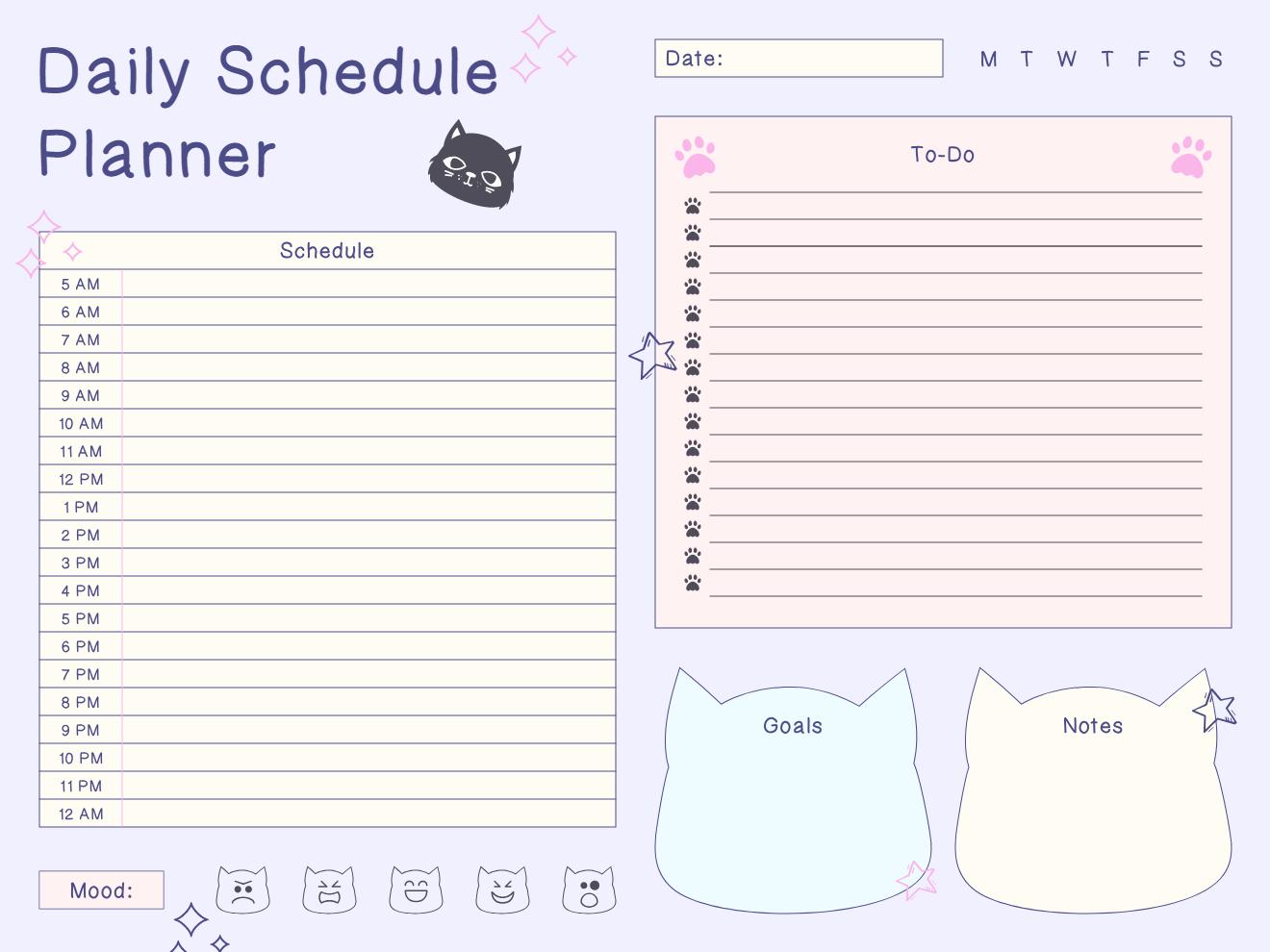
Daily Schedule Planner - Cat Edition
A full-day schedule planner with a serious cat theme. The paw print to-do list, cat-shaped goals and notes sections, and cat mood tracker at the bottom make it stand out from every other schedule planner out there. Still totally functional, just way more fun.
Best For: Cat lovers and anyone who wants a personality-packed planner that still covers a full-day schedule.
Key Features:
- Hourly schedule (5 AM–12 AM)
- Paw print to-do list
- Cat-shaped goals and notes boxes
- Cat emoji mood tracker
- Day-of-week selector
- Purple illustrated design
Why It Works: When your planner has a personality you actually like, you're more likely to use it consistently and consistency is the whole point.
Use This Template →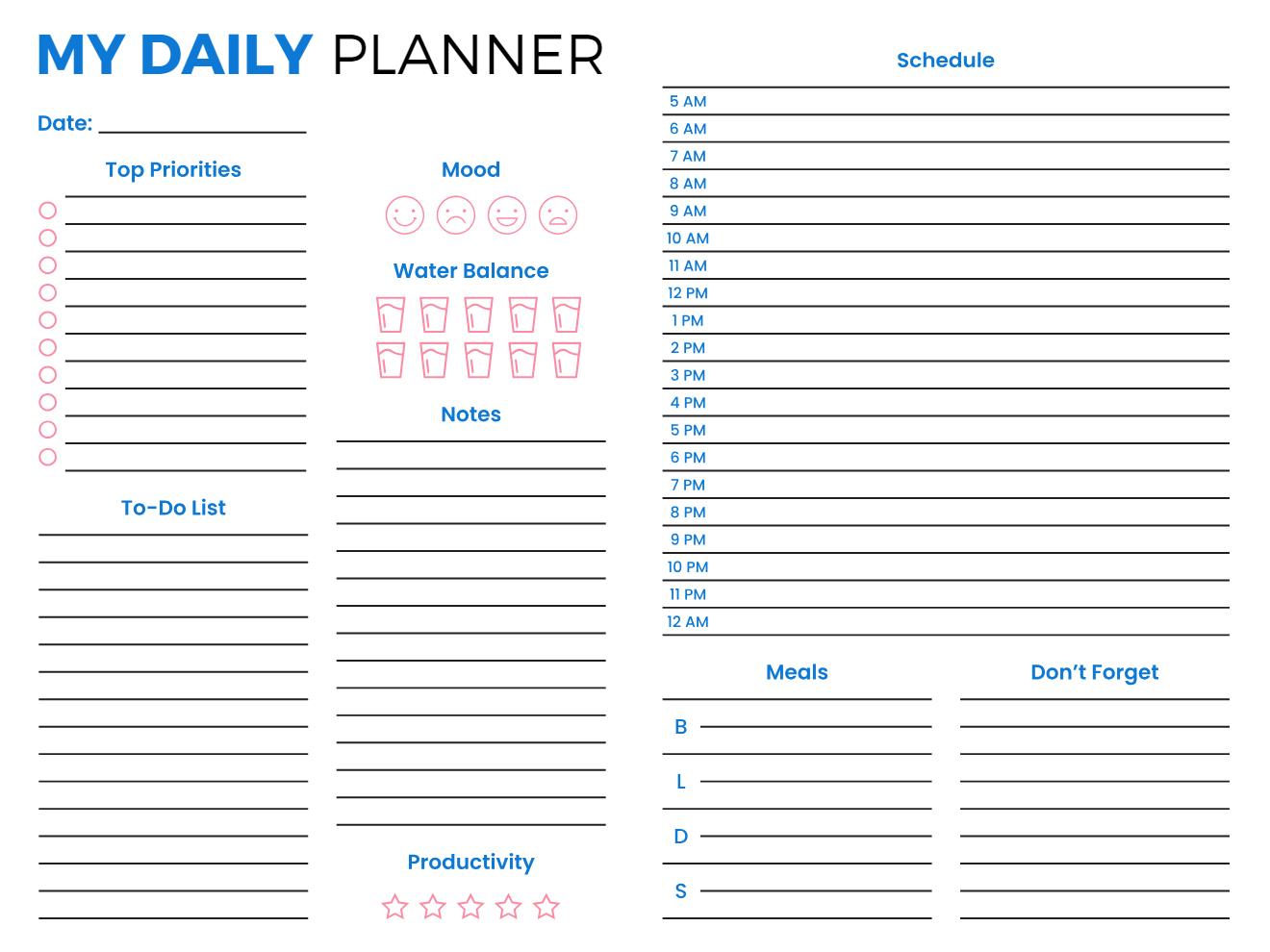
My Daily Planner - Full View
This is the most complete daily planner of the bunch. It combines a full hourly schedule, top priorities, to-do list, mood tracker, water balance, meal planner, productivity rating, and a "Don't Forget" reminder column all on one wide page. Nothing is missing.
Best For: Detail-oriented planners who want every aspect of their day covered in a single layout.
Key Features:
- Hourly schedule (5 AM–12 AM)
- Top priorities and to-do list
- Mood and productivity trackers
- Water balance icons
- Meal planner (breakfast, lunch, dinner, snacks)
- "Don't Forget" reminder column
- Notes section
Why It Works: When everything tasks, meals, schedule, health, and reminders live on one page, you stop losing track of things halfway through the day.
Use This Template →Why the Best Daily Planner App Doesn't Punish You for a Hard Day?
In most apps, a missed day means red badges, overdue piles, and a visual summary of everything you didn't do. That's not accountability for most people; that's a fast path to never reopening the app.
Shame is one of the most reliable triggers for complete system abandonment. A hard day becomes a hard week. A hard week becomes "I don't use that app anymore."
PlanWiz works differently. Miss a day or a week, and you open a fresh template the next morning. Clean. Ready. No guilt. Just:
"Today is a new day. Here's your structure. You've still got this."
The most consistent planners aren't the ones who never miss a day. They're the ones who know how to come back easily.
"Miss a day or a week, and you open a fresh template the next morning. Clean. Ready. No guilt."
How Do You Get Started With PlanWiz?
No lengthy onboarding. No prerequisite system-building session before you're allowed to plan anything. No importing data from four other apps as your first task.
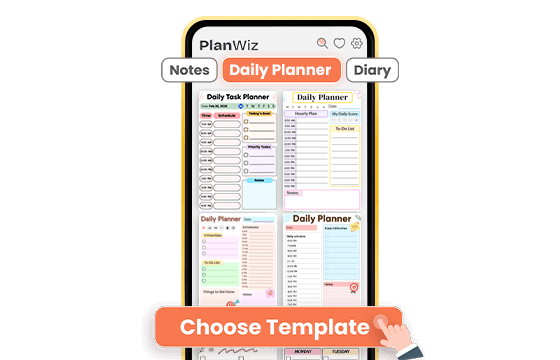
Choose a Template That Fits Today
Open the App Store or Google Play, search for PlanWiz, and install the app in under a minute. Then browse 1,000+ ready-made daily planner templates and pick the one that matches your energy and your actual day, not your ideal day. High-focus Monday? Use the full hourly breakdown. Overwhelming Thursday? Pick the minimal three-task view. The structure is already there. You just show up.
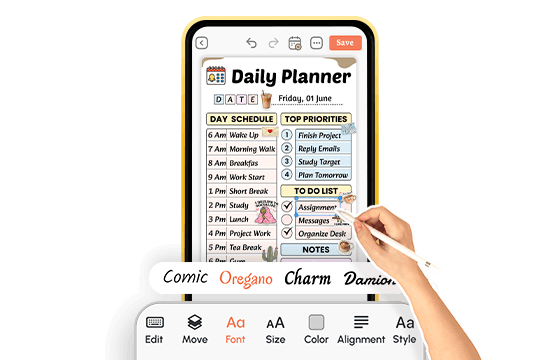
Customize and Add Your Tasks in Minutes
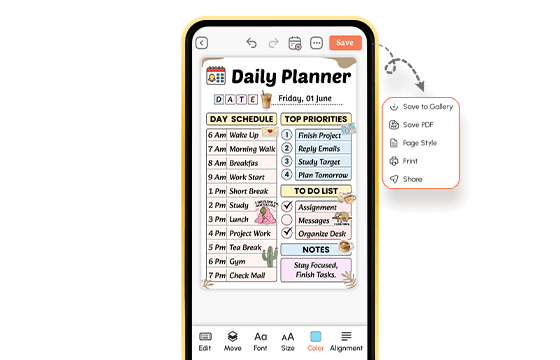
Personalize your chosen daily planner template, adjust the layout, swap colors and fonts, and add or remove sections like habit trackers, meal plans, or notes. Or use the template exactly as it arrives without changing a thing. Either way, you're inside a working, structured daily plan within minutes, not after an hour of building the system before you're allowed to use it.
Plan, Track, Export, and Move Forward
Use your planner throughout the day. Check off tasks, set reminders, track habits, and update your schedule as your day evolves. When you're done, save your plan or export it as a PDF, PNG, or JPEG for printing, sharing, or filing. When a hard day hits, switch to a simpler template. When tomorrow comes, open a fresh page and move forward no guilt, no starting over, one day at a time.
A daily planner app that is ready before you are.
What Do Real People Say About This Daily Planner App?
Ready to Try the Daily Planner App Built for How You Actually Live?
If any of this felt familiar the scattered mornings, the good intentions that collapse by noon, the planning apps you downloaded and quietly stopped opening you're exactly who PlanWiz was built for.
Free to start. No credit card. Ready in under three minutes.
Start Free → planwiz.app

Frequently Asked Questions
The best daily planner app in 2026 reduces decision fatigue before your day even begins, keeps your priorities visible without requiring effort to locate them, and doesn't make recovering from a hard day harder than it needs to be. PlanWiz offers 1,000+ ready-made templates so you never face a blank page, and flexible layouts that let you go deep on strong days and stay minimal when life demands it.
A calendar app shows you when things are scheduled. A daily planner gives you the structure to decide what to actually do with the time between those appointments. Where a calendar holds meetings and events, a daily planner holds your priorities, task sequences, habits, intentions, and the daily decisions that determine whether a scheduled day becomes a productive one.
The best planner app for daily tasks reduces friction at the exact moment you try to start, which is typically the highest-resistance point in any planning system. It keeps real priorities visible above the noise, adapts to your energy level from one day to the next, and doesn't demand a consistent peak-performance output from you regardless of what's actually happening in your life that week.
Yes. The daily homework planner templates are specifically designed for students managing multiple subjects, overlapping deadlines, class schedules, and personal tasks in a single, organized layout. Subject-specific rows, due date fields, and class schedule blocks keep academic and personal planning together in one place rather than scattered across separate systems.
Yes. The daily organizer planner templates include dedicated work-focused layouts, personal planning pages, and split-view templates that keep professional responsibilities and household tasks organized on the same page without blending them into an undifferentiated pile. Remote workers, parents managing dual schedules, and anyone juggling both domains find the divided layouts particularly useful for maintaining clarity across both sides of their day.
Yes, and this is where PlanWiz is specifically designed to deliver. The daily planner app layouts keep today's work on track and visible. Weekly and monthly templates hold the broader context. Daily tasks connect to weekly milestones, and weekly milestones connect to goals you've set for the longer term all without switching between multiple separate apps, losing your place, or rebuilding context from scratch every time you want to zoom out.