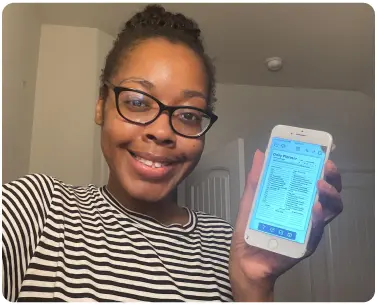
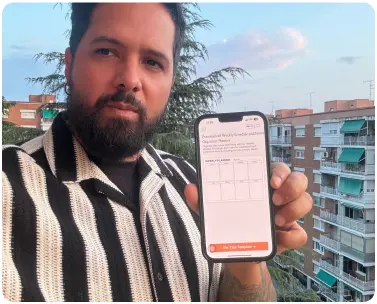
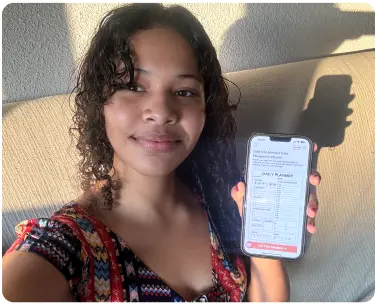
Most people struggling with social media do not lack content ideas. They lack a system to act on them before the moment passes. When posts live in your notes app, captions exist in your head, and deadlines creep up without warning, no amount of motivation fixes the problem. Social media planner templates give that scattered energy a structure it can actually follow.
A social media content planner works because it moves your strategy from reactive to intentional. Instead of deciding what to post at 9 PM the night before, you sit down once a week, fill in your template, and walk away knowing the whole week is handled. This is not about being a marketing expert. It is about having five organised minutes that eliminate five hours of last-minute stress.
With a social media planner template, you do not start from a blank page every time. The sections are already laid out: platform, content type, caption, hashtags, and posting date. You simply fill them in, and the consistency that used to feel impossible becomes your default.
Which Social Media Planner Templates Match Your Situation Best?
Not every creator faces the same pressure. The right social media planner templates should match the exact workflow problem you are living with right now.
- Solo content creators posting across Instagram, TikTok, and LinkedIn need a weekly social media planner with platform-specific rows, caption space, and a content type column so nothing overlaps or gets forgotten.
- Freelance social media managers handling three or more clients need a social media plan template with a separate tab or section per client, including approval status and posting dates, so deliverables never slip through.
- Small business owners doing everything themselves need a simple social media planner they can fill in on Sunday night in under fifteen minutes and stick to without needing any software.
- Marketing coordinators at small teams need social media content planner templates with campaign labels, content pillars, and a weekly view so the whole team stays aligned without daily check-ins.
Creators returning after a burnout break need the least friction possible. A one-page weekly layout with three fields per post is enough to restart without overwhelm.
How to Use Social Media Planner Templates to Build a Posting Habit That Never Breaks?
Starting a planning routine is simple. The hard part is keeping it alive past the first week. Here is a step-by-step method that makes your social media planner templates actually stick.
- Step 1: Block one weekly planning session. Sunday evening or Monday morning, pick one slot, open your social media planner templates, and protect that time every week.
- Step 2: Define your content pillars first. Choose three to four themes: educational, promotional, behind-the-scenes, and engagement. Every post fits under one pillar. No overthinking.
- Step 3: Fill the platform and format before the caption. Write the platform and post format first: Reel, carousel, or static. This stops you from writing captions that do not fit the content.
- Step 4: Write all captions in one sitting. Batch writing keeps your brain in one mode and cuts your total writing time in half.
- Step 5: Review last week before planning the next. Five minutes checking what performed well inside your social media content planner tells you exactly what to repeat.
Frequently Asked Questions
Q-1. What should a social media planner template include?A strong social media planner template should include the posting date, platform, content type or format, caption draft, hashtags, and a status column. These six fields cover everything you need to go from idea to published post without missing a step.
Q-2. How do social media planning templates help with consistency?Social media planning templates remove the decision-making that causes delays. When your structure is already set, you fill in content instead of figuring out a system from scratch every week. That reduction in friction is what makes consistent posting realistic for busy creators and managers.
Q-3. Can a social media planner printable work for multiple platforms?Yes. A social media planner works best when it has a dedicated row or section per platform. This lets you plan Instagram, LinkedIn, and Facebook posts side by side so you can see the full week across all channels at once.
Q-4. How long does it take to fill in social media planner templates each week? Fifteen to twenty minutes is enough for most creators managing one to three platforms. Filling in your template in one focused session once a week is faster and more effective than making daily decisions about what to post.