Monthly Planner

Plan your month effectively with our comprehensive Monthly Planner. Organize tasks, set goals, and track progress seamlessly to stay on top of your schedule.


QR Code Scanner

Plan Smart, Live Smart: Get App!

Scan to simplify life! Get PlanWiz and effortlessly craft your perfect planner today.

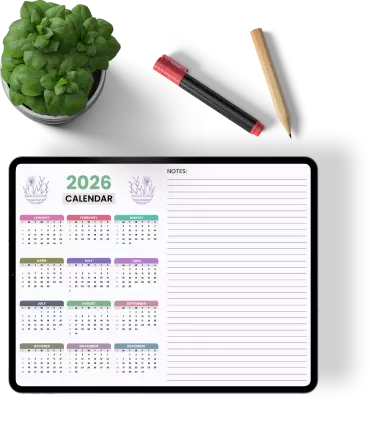
monthly-planner-with-pencil-pen-and-green-plant-on-white-background-template

Your Trusted Planning App

Join thousands of satisfied users who trust PlanWiz to organize their lives and achieve their goals.

alluser

Explore features of monthly planner

Discover the robust features of our Monthly Planner designed to enhance your productivity. From customizable templates to goal tracking, our planner offers tools to organize your month efficiently.

Template library

Discover Planwiz's versatile library of planner templates. Find templates for daily tasks, long-term projects, and personal goals.

Customization options

Customize planner templates with colors, fonts, and graphics. Personalize templates to match individual preferences and needs

Drag-and-drop interface

Intuitive drag-and-drop interface for arranging elements within templates. Easily rearrange sections and components to suit your workflow.

Pre-designed sections

Templates include pre-designed sections for tasks, events, notes, goals, etc. Select templates with sections tailored to specific purposes (e.g., work, study, fitness).

Responsive design

Templates are designed to be responsive and adaptable to different devices and screen sizes. Ensures optimal viewing and usability across desktop, mobile, and tablet devices.

Sharing and collaboration

Share customized planner templates with others. Collaborate on planning projects with team members or friends.

New template releases

Regular updates with new and seasonal templates. Stay inspired with fresh designs for planner templates.

Feedback and suggestions:

Provide feedback on templates to help improve future designs. Suggest new template ideas or themes for consideration.

Tutorial and help resources:

Guidance on using templates effectively for your planning. Access tutorials, tips, and FAQs within the app.

Elevate your monthly planner

Take your monthly planning to the next level with advanced customization options, reminders, and seamless synchronization across devices. Elevate your planning experience with Planwiz.

hand-holding-smartphone-with-monthly-planner-on-screen-and-save-pdf-print-share-options-template

Discover monthly planner templates & customize

2026 Floral Monthly Calendar Planner
Monthly Calendar Overview Year 2026 Planner
2026 Monthly Organizational Calendar Planner
Floral-Themed Blank Monthly Calendar Planner
Blank Monthly Overview Planner with Priorities and Notes Sections
Monthly Work and Personal Goals Planner
Blank Monthly Schedule Grid Planner
Blank Monthly Schedule Template for Personal Planning Planner
Blank Monthly Schedule Planner with Weekdays
Monthly Schedule with to-Do List and Notes Planner
Monthly Schedule Overview Planner
Monthly Schedule with Daily Task Organization Planner

How to Create a Monthly Plan

1

Download our digital planner app

Get started by downloading the Planwiz app from your preferred Apple app store & google Play Store.

2

Choose a Template:

Select from a variety of templates designed to suit different planning needs and styles.

3

Customize layout:

Tailor the layout to fit your unique schedule and preferences.

4

Add details:

Fill in your tasks, appointments, and goals for the month.

5

Utilize features:

Take advantage of features like reminders, notes, and progress tracking to stay on top of your plans.

6

Review and edit:

Regularly review and edit your planner to ensure it stays up-to-date and effective.

7

Save or export:

Save your planner within the app or export it to share or print.

digital-daily-planner-interface-always-prepared-2feb

Discover more planners

Discover Incredible Articles: Your Digital Planning Guide for Month

FAQs

A Monthly Planner helps you organize your tasks, appointments, and goals for the month, ensuring you stay on track and productive.

Download the Planwiz app, choose a template, and start customizing your monthly planner.

Yes, you can fully customize the templates to suit your personal or professional needs.

You can export your planner to share or print directly from the app.

Simply open the app, navigate to your planner, and make any necessary edits to keep it up-to-date.

Ready to Redefine Your Experience with the Monthly Planner?

Transform your monthly planning routine with Planwiz. Our intuitive and customizable features make planning easier and more effective. Start redefining your experience today!