The Pencil Planner That Makes Sure Every Plan Gets Acted On
Most people don't lose their plans because they stop caring. They lose them because they never had a system that captures ideas in the moment, organizes them automatically, and follows them across every device they use. PlanWiz is the app that fixes this with a freehand writing experience, 1,000+ ready-made planner templates , smart reminders, full customization, and real-time cross-device sync you can rely on every single day.
What Is the Best Pencil Planner in 2026?
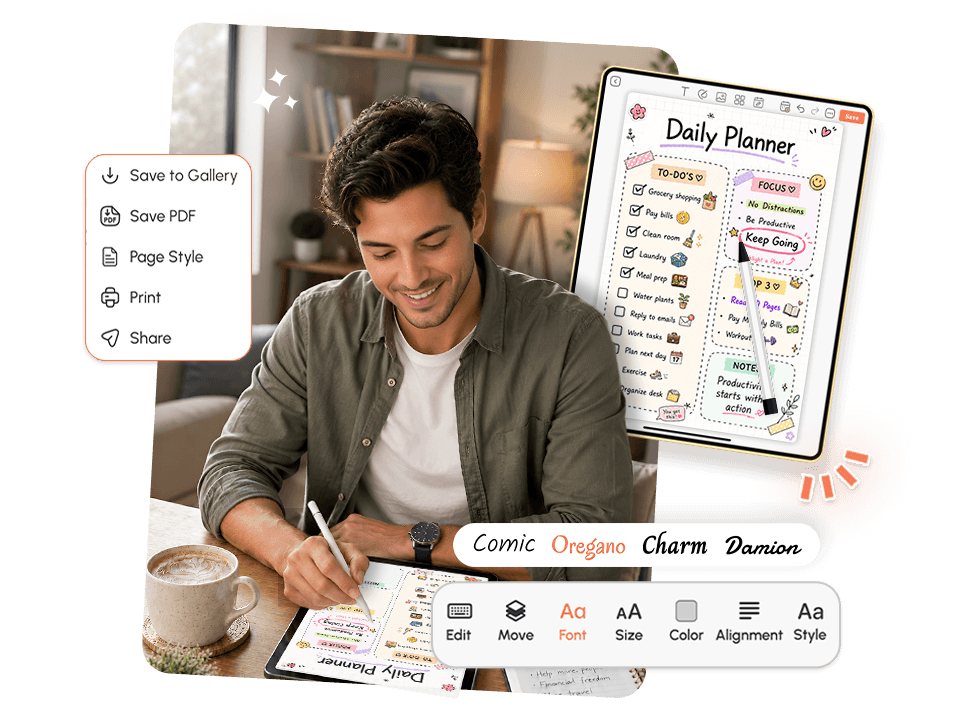
A great Pencil Planner feels like a physical notebook but works like a smart system. It captures your handwritten thoughts and sketches the moment they arrive, keeps them organized by date, project, or context, and surfaces what matters exactly when you need to act on it.
A genuinely effective pencil planner app should:
- Capture freehand writing and sketches instantly, before the thought disappears
- Organize plans by date, topic, or project automatically
- Send reminders so plans turn into actions instead of forgotten notes
- Sync across every device in real time, with no manual transfers
- Include ready-made templates so you never start from a blank screen
- Support checklists, images, typed notes, and drawings alongside your handwriting
Who Is This Pencil Planner For?
This app was built for people whose thoughts and plans move faster than their current system can handle.
Students and learners
who want a planner for iPad that handles both handwritten lecture notes and structured study plans in one place, study planner templates are ready from day one.
Working professionals
who need to capture ideas during meetings and turn them into organized follow-ups without switching between five different tools.
Creative thinkers and visual planners
who sketch, brainstorm with diagrams, and need a tool that works the way their mind does, not the way a rigid form field wants them to think.
People with ADHD
who lose plans before capturing them can close the gap between a thought arriving and being written down before it disappears by pairing this app with an ADHD planner app.
Anyone managing life across work, goals, habits, and everything in between
who wants one reliable planning system instead of several scattered tools that never talk to each other.
Not ideal for teams
that need shared real-time collaborative editing with admin controls, version history, and permission layers. For those use cases, a purpose-built team documentation tool is a better fit.
Why Do Most People Give Up on Their Planner?
The answer is rarely carelessness. It is almost always a tool that was not designed around how real people actually think, plan, and move through their day when life is full and time is short.
The Paper Planner Problem
Riya starts every January strong, filling in each day with care. By March, she misses a week while traveling and leaves the notebook at home. By May, the gap feels too big to close, so she quietly stops. The planner ends up on a shelf with four months filled and eight months blank.
The problem is not that she stopped caring. The problem is that a paper system cannot follow her across every device, cannot send reminders, and cannot let her restart without having to confront every missed page. A smart Pencil Planner that lives in an app solves all three by design.
Plans Without Reminders Go Nowhere
Marcus writes down every decision after every meeting, every idea after every brainstorm, and every agreement after every important conversation. His planning system is full of valuable content.
Almost none of it ever gets acted on.
Without a reminder attached to a plan, without a way to connect what is written to a follow-up, plans become a graveyard of good intentions. A planner that bridges the gap between writing something down and doing something about it changes this entirely.
The Blank Page Every Single Time
Leena knows exactly what her ideal planning layout looks like. Morning priorities, a task checklist, space for freehand notes, and an end-of-day review. She knows the structure she wants. What she doesn't have is twenty minutes every morning to build it from scratch before the day takes over.
Without ready-made templates, the energy meant for planning goes into building the container for planning. After a few weeks of this, the habit collapses under its own setup cost. Good templates solve this before you even open the page.
The One-Device Trap
James has a great planning habit on his tablet. His layout is detailed, consistent, and genuinely useful when he is at his desk. His commute, lunch break, and evening planning all happen on his phone, and his planner only lives on one device.
He has tried emailing himself notes manually. It works for a week, then falls apart. A system that only lives on one device is partial, and partial systems get replaced by whatever is closest when a plan needs to be made.
Why Is Sticking to a Planner Harder Than It Looks?
The difficulty is not the act of writing something down. Writing a plan takes sixty seconds. The difficulty is building a system where that plan lands somewhere organized, connects to a reminder that fires at the right time, follows you to every device you use, and gives you a structure that is ready before you even open the page, all without requiring you to manually maintain the whole setup every day.
Every plan written without a system behind it risks becoming a forgotten note. It was captured. The value it could have delivered was not.
🧠 The problem is not your discipline or your commitment to planning. It is the absence of a Pencil Planner designed to make writing, organizing, and acting on your plans feel like one seamless daily habit instead of three separate, effortful chores.
When your planner arrives pre-structured, connects your handwritten plans to actionable reminders, and follows you across every device in real time, the gap between writing a plan and actually living it closes to almost nothing. Pair it with a goal planner app for your bigger milestones, and the whole system works together, so no plan ever gets lost before it turns into real action.
How Does PlanWiz Fit Into Your Real Day?
Morning Capture
Open PlanWiz in under 60 seconds. See your pinned plans, today's reminders, and a clean daily template already waiting. Write your top priorities, sketch out the day, and close the app organized before the first meeting starts.
During the Day Plans That Actually Stick
An idea arrives mid-meeting. An important decision gets made in a hallway conversation. A task gets added to the pile before lunch. Open the app, write freehand or type, attach a reminder directly to the plan, and close it. The thought is captured, the action is scheduled, and the day keeps moving.
End of Day Nothing Left Floating
Before you finish, spend two minutes reviewing your plans. Anything incomplete gets a new reminder. Any new task gets added to tomorrow's layout. Any thought worth keeping gets organized and tagged. The day ends with nothing floating loose.
A good planning system does not just record what you planned. It makes sure that what you planned actually happens.
What Makes PlanWiz the App People Actually Stick With?
Feature 1 through 5 cover the full planning system, from capturing ideas to syncing everything across every device you use.
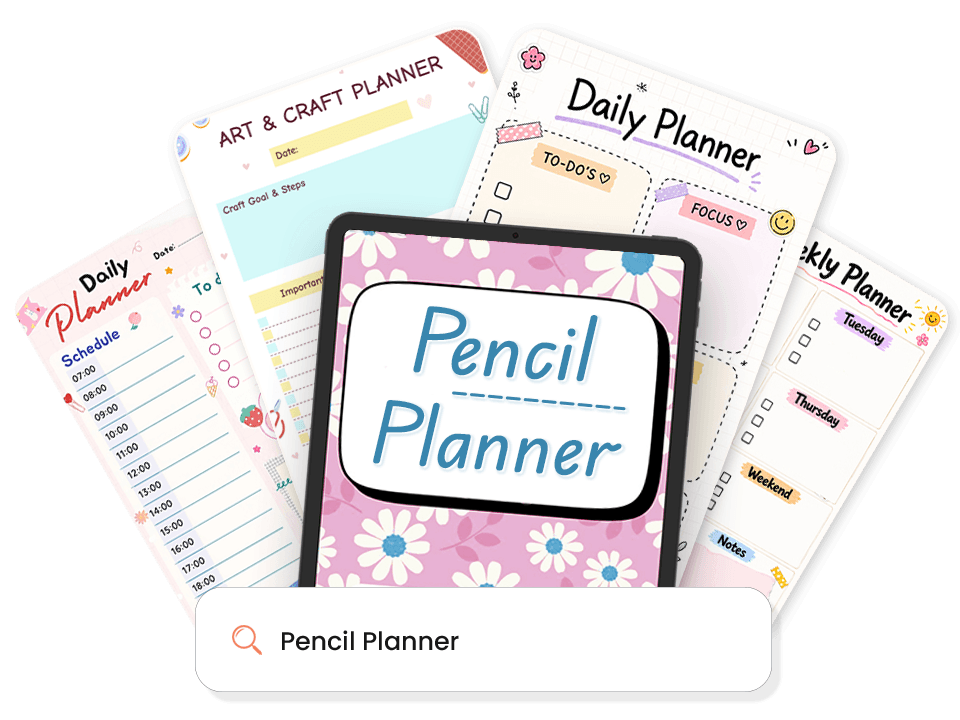
1,000+ Ready-Made Planning Templates
Most apps open to a blank page and leave you guessing where to start. This app does the opposite. Every template is pre-structured, so you begin writing in seconds, not after thirty minutes of setup that drains the energy you need for the actual planning.
What is ready for you:
- Daily planning templates with priorities, tasks, and reflection built into a daily schedule planner template.
- Weekly layouts with a full seven-day view and per-day task space weekly planner template.
- Goal-setting and milestone tracking templates, goal planner template.
- Habit and routine tracking layouts, routine planner template.
- Study and academic planning layouts for structured daily and weekly plans.
- Freeform bullet journal-style layouts for visual thinkers who plan with sketches.
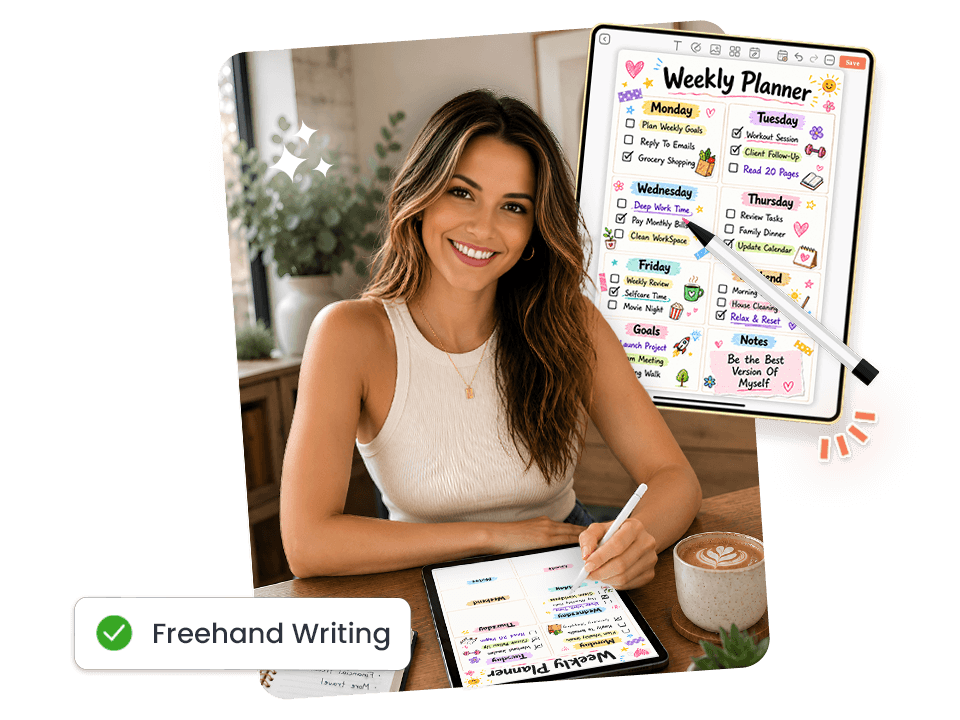
Freehand Writing, Just Like a Real Pencil
The best iPad planning experience captures your thinking the way you actually think freehand, with the natural flow of handwriting and sketching, not one that forces you into typed text or rigid form fields.
How it works:
- Write and sketch freehand with a stylus or finger directly on the page.
- Switch between handwriting, typed text, checklists, and images inside any plan.
- Adjust tool weight and color to match how you naturally plan.
- Use freeform space alongside structured sections in the same layout.
- Capture quick sketches when a plan needs a visual to make sense.
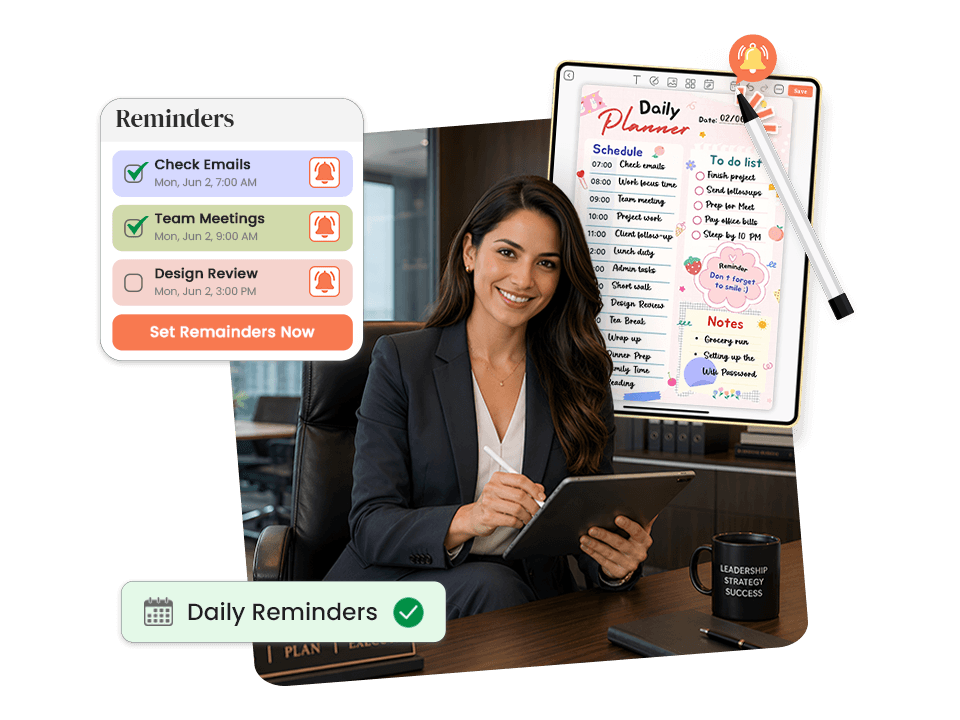
Reminders That Connect Plans to Actions
Writing a plan is half the job. Acting on it is the other half, and most apps stop at the first part. Attaching a reminder to any plan or task takes under ten seconds, so what you write surfaces today at the exact moment you need to act on it, not two days after it stopped being relevant.
How it works:
- Set a reminder on any plan or task in under ten seconds, no separate app needed.
- Reminders fire at the exact moment the plan becomes actionable.
- Adjust any reminder anytime your schedule shifts.
- Use recurring reminders for daily habits and routine check-ins.
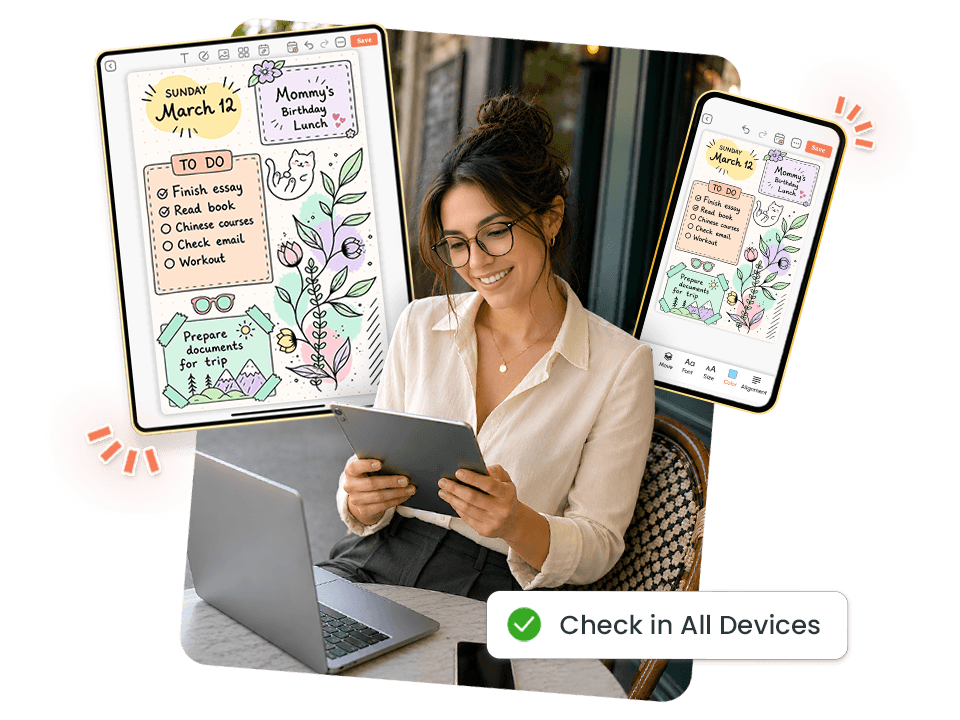
Sync Across Every Device Automatically
Your plans follow you from phone to tablet to desktop without manual transfers, re-uploads, or version conflicts. Whatever you write on one device is available on every other device the moment you open the app, because a planner that only lives on one device is a partial system.
How it works:
- Syncs in real time across iOS, Android, and web.
- Plan on tablet, review on phone, check on desktop, always current.
- Full features on every device, nothing is cut down on mobile.
- No manual backup, no version conflicts, no missed updates.
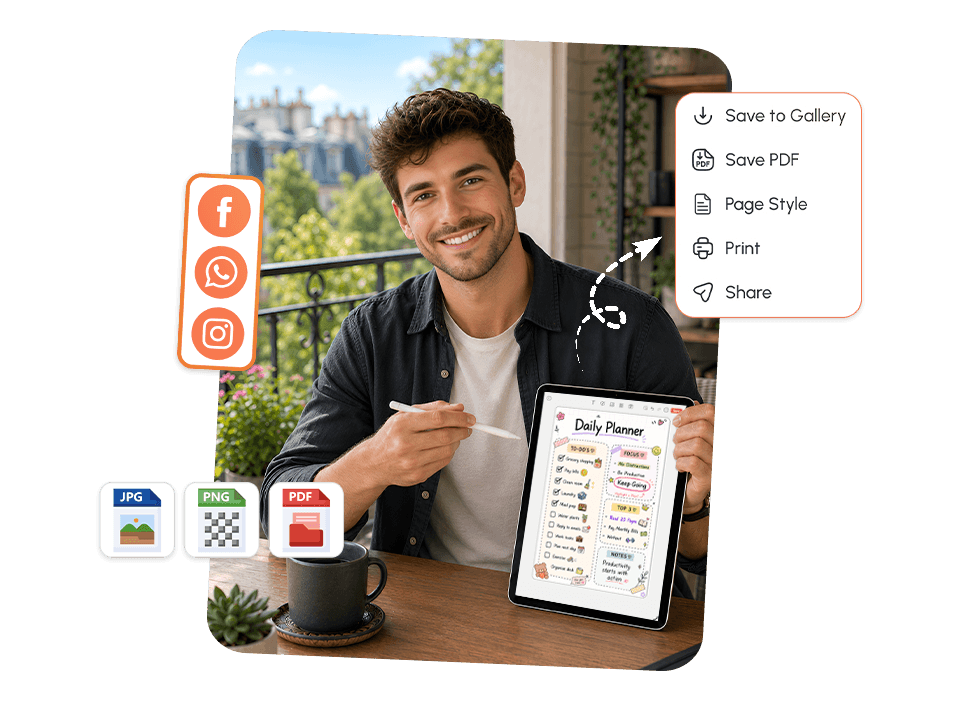
Download, Share, and Export Any Plan
A plan that only lives inside an app is hard to share and hard to keep as a permanent record when it matters. The app makes sharing and exporting frictionless, so your plans actually leave the app and drive real results beyond your screen.
What you can do:
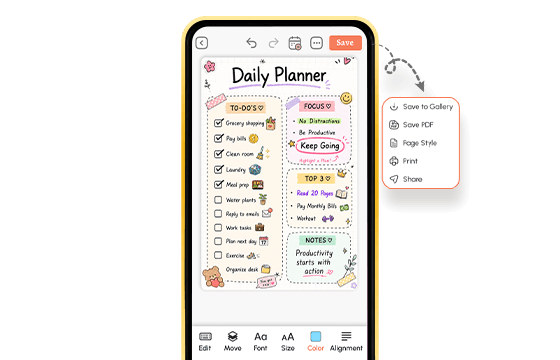
- Download any plan as a PDF in one tap, save, print, or file it.
- Share weekly and monthly plans with teammates or accountability partners.
- Export project plans and goal reviews for client meetings.
- Pair with a task planner app to turn plan items into tracked tasks.
- Connect to your daily routine app so plans feed into your daily schedule.
Explore Pencil Planner Templates Built for Every Planning Style
Pick the Template That Matches How You Plan Today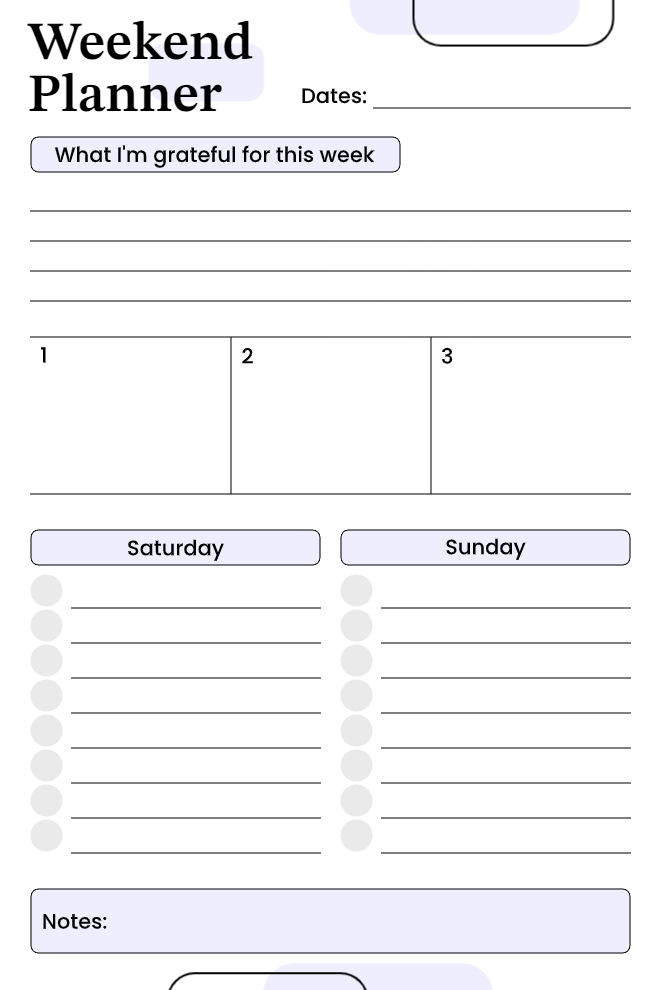
Weekend Planner
Clean minimal weekend planner on white with soft lavender accents. Combines gratitude journaling, top 3 priorities, Saturday/Sunday task lists, and notes all on one page.
Best For: People who want a focused, distraction-free weekend planning page.
Key Features:
- "What I'm Grateful for This Week" lined section
- Top 3 priority boxes (numbered 1-3)
- Saturday and Sunday task lists with circle bullets
- Notes section at the bottom
Why It Works: Planning the weekend separately from weekdays helps protect personal time and prevents work from spilling over.
Use This Template →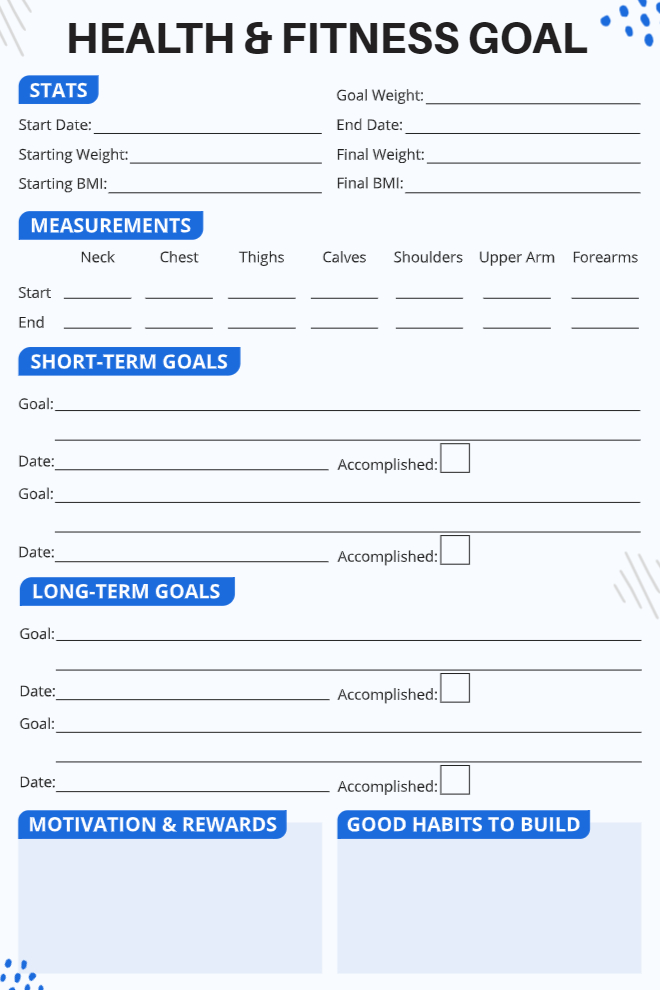
Health & Fitness Goal Planner
Bold and structured fitness tracker in blue and white for setting and monitoring physical health goals, body measurements, and motivation all on one comprehensive page.
Best For: Fitness beginners and gym-goers who want to track body stats alongside their goals.
Key Features:
- Stats section (start/end weight, BMI, goal weight)
- Body measurements table
- Short-term and Long-term Goals with accomplished checkboxes
- Motivation & Rewards and Good Habits to Build sections
Why It Works: Tracking body measurements alongside goals makes progress visible even when the scale doesn't move.
Use This Template →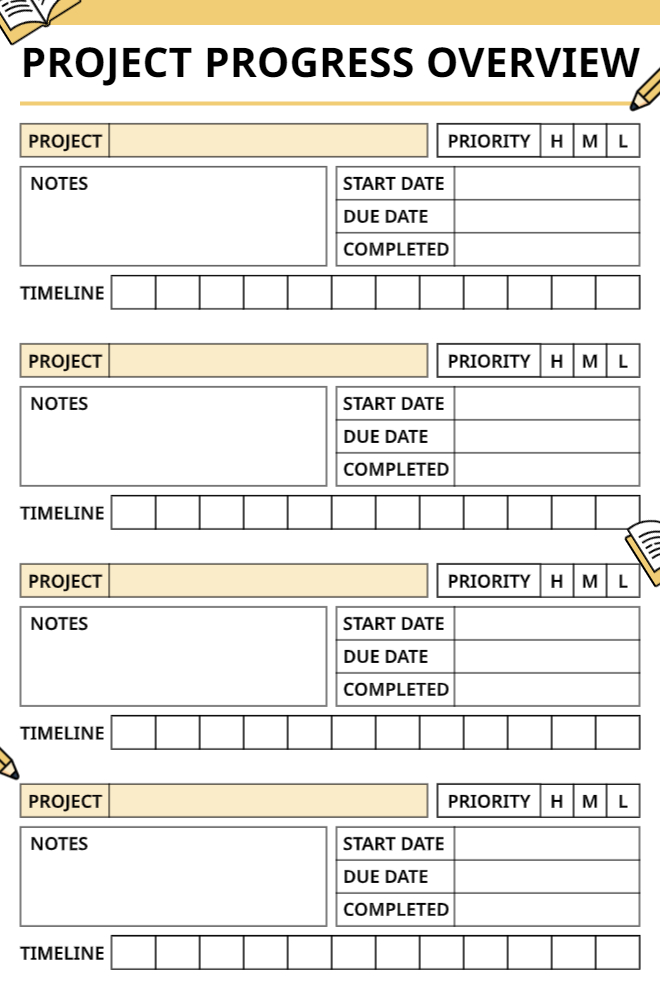
Project Progress Overview
Bold yellow and white project tracker that fits 4 separate projects on one page, each with priority level, timeline, dates, and notes, ideal for managing multiple projects at once.
Best For: Project managers and freelancers tracking multiple active projects simultaneously.
Key Features:
- 4 repeating project blocks
- Each block has: Project name, Priority (H/M/L), Notes, Start Date, Due Date, and Completed field.
- Timeline grid row for each project
- Book and pencil illustration accents
Why It Works: Seeing all active projects on one page prevents context-switching overload and makes deadline conflicts immediately visible.
Use This Template →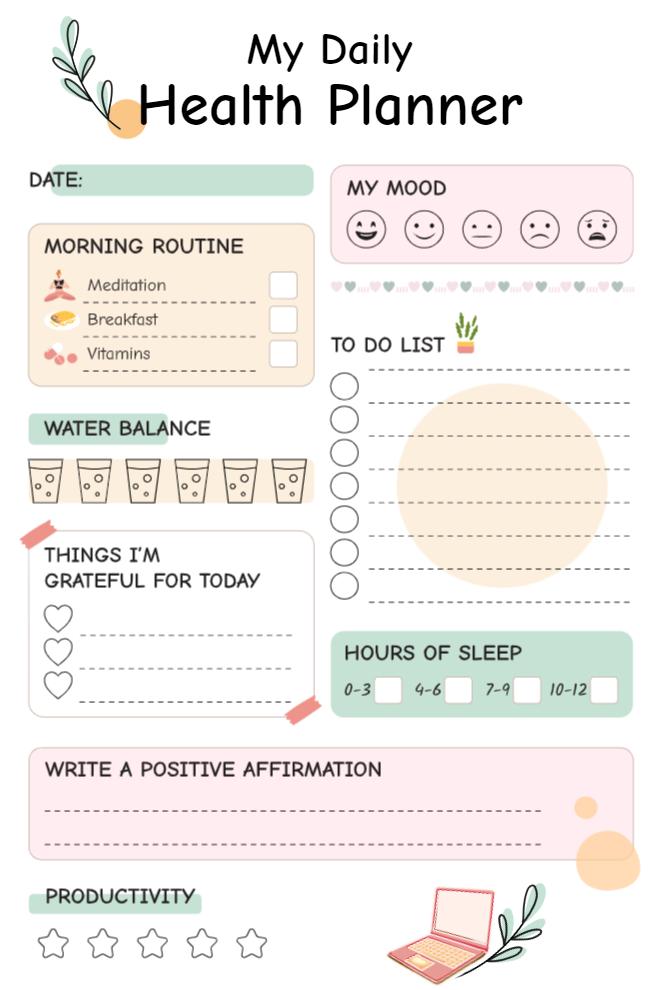
My Daily Health Planner
Soft pastel daily wellness planner combining health routines, mood, water, gratitude, sleep, affirmations, and productivity tracking in one cute illustrated page.
Best For: Health-conscious individuals who want to track both physical and mental wellness daily.
Key Features:
- Morning Routine checklist (Meditation, Breakfast, Vitamins)
- Mood tracker (5 emoji faces)
- Water Balance tracker (6 glass icons)
- To Do List (7 circle bullets)
- "Things I'm Grateful For Today" (3 heart lines)
- Hours of Sleep selector (0-3, 4-6, 7-9, 10-12)
- Positive Affirmation writing space
- Productivity star rating (5 stars)
Why It Works: Combining physical health habits with emotional check-ins creates a full picture of daily wellbeing, not just task completion.
Use This Template →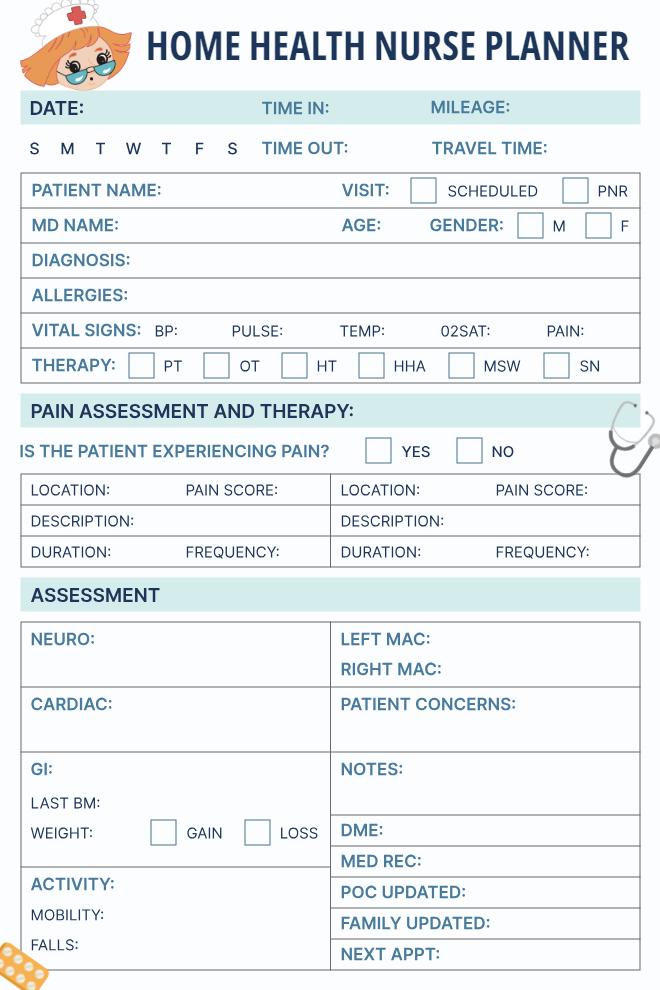
Home Health Nurse Planner
Detailed clinical visit documentation sheet in teal and white, designed specifically for home health nurses, covering patient info, vitals, pain assessment, and full body systems assessment.
Best For: Home health nurses and care coordinators who need a complete patient visit record on one page.
Key Features:
- Date, Time In/Out, Mileage, Travel Time fields
- Day-of-week selector
- Therapy type checkboxes
- Pain Assessment section
- Full Assessment grid
Why It Works: Having all clinical fields on one printable sheet reduces documentation time and ensures no assessment category is missed during home visits.
Use This Template →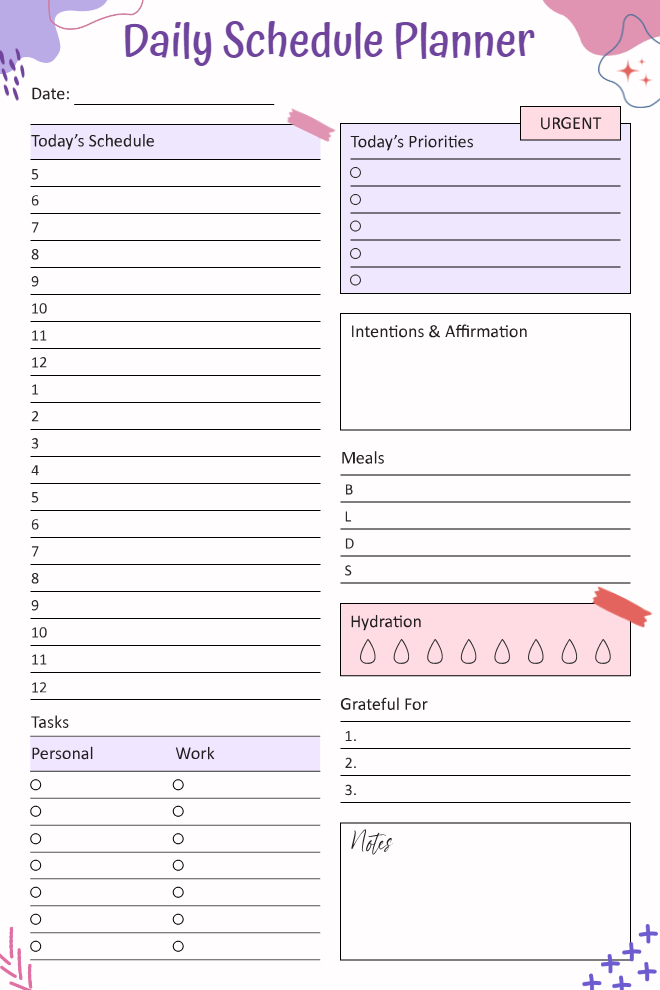
Daily Schedule Planner
Vibrant purple and pink daily planner with hourly time-blocking, priorities, meals, hydration, gratitude, and notes, a complete day management system on one page.
Best For: Busy individuals who want to manage their entire day from morning to midnight in one place.
Key Features:
- Hourly schedule from 5 AM to 12 AM
- "Today's Priorities" list with Urgent tag (5 circles)
- Intentions & Affirmation box
- Meals section (Breakfast, Lunch, Dinner, Snack)
- Hydration tracker (8 drop icons)
- Grateful For (3 numbered lines)
- Personal and Work task columns (7 circles each)
Why It Works: Separating Personal and Work tasks within the same daily planner prevents one area from dominating the other.
Use This Template →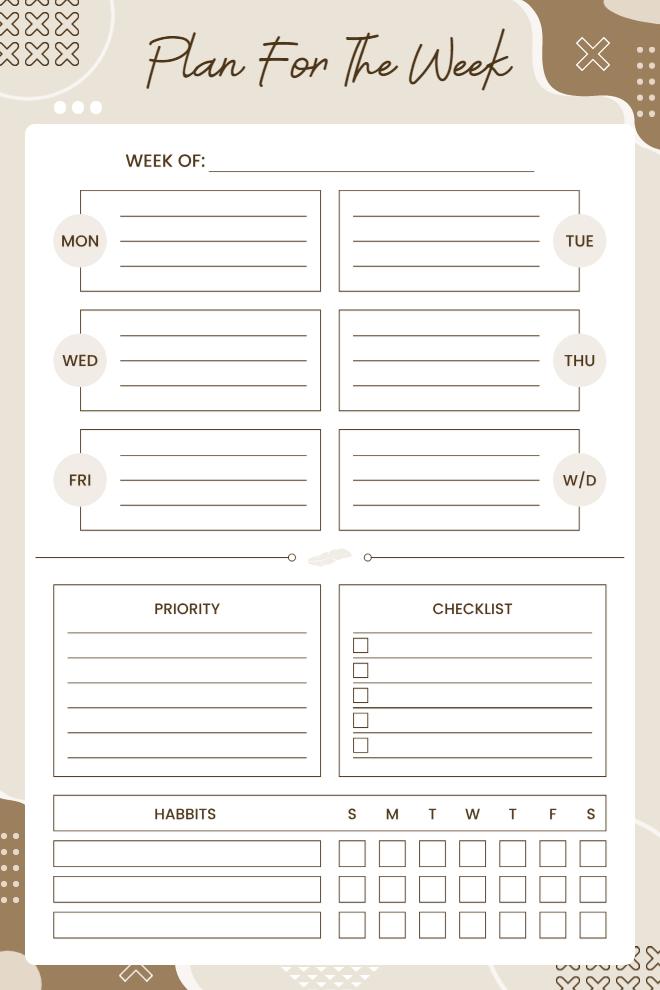
Plan For The Week
Minimal earthy-toned weekly planner in warm beige and brown with individual day boxes, a priority list, a checklist, and a habit tracker all in one clean layout.
Best For: People who prefer a calm, aesthetic weekly planner with habit tracking built in.
Key Features:
- "Week of" date field
- 6-day boxes with lined writing space (Mon-Fri + W/D)
- Priority lined section
- Checklist with 5 checkboxes
- Habits tracker grid (3 rows × S M T W T F S)
Why It Works: The built-in habit tracker grid makes it easy to maintain daily streaks without needing a separate habit app.
Use This Template →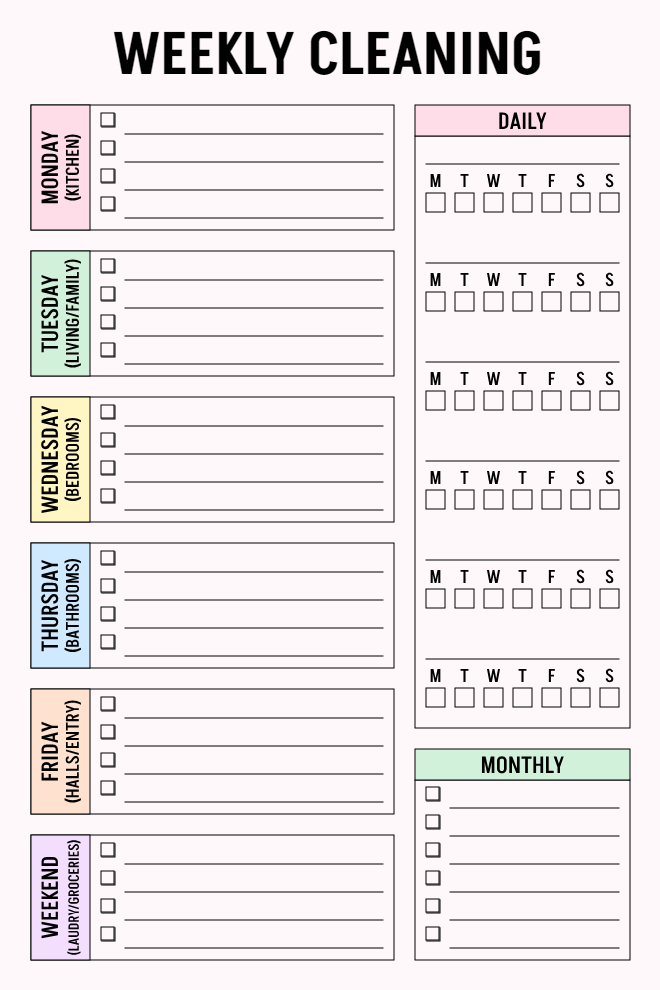
Weekly Cleaning Planner
Color-coded weekly cleaning schedule that assigns specific rooms to each day of the week, with a daily habit tracker grid and a monthly deep-clean checklist on one page.
Best For: Homeowners and families who want a structured, room-by-room cleaning routine.
Key Features:
- 6-day sections: Monday (Kitchen), Tuesday (Living/Family), Wednesday (Bedrooms), Thursday (Bathrooms), Friday (Halls/Entry), Weekend (Laundry/Groceries)
- Each day has 4–5 checkbox task lines
- Daily tracker grid (M T W T F S S) for recurring habits
- Monthly checklist with 5 checkbox lines
Why It Works: Assigning specific rooms to specific days prevents cleaning from feeling overwhelming and makes the house easier to maintain consistently.
Use This Template →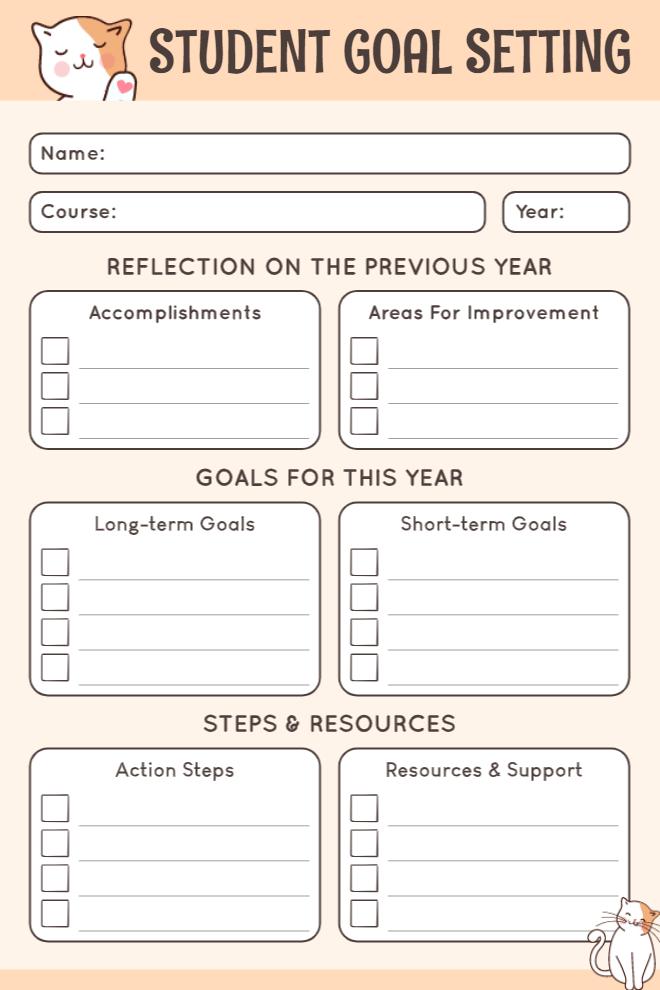
Student Goal Setting Planner
Warm peach goal-setting page with cute cat illustrations, designed to help students reflect on past performance and plan meaningful academic goals for the year ahead.
Best For: Students at the start of a new school year who want to set intentional academic and personal goals.
Key Features:
- Name, Course, Year fields
- Long-term and Short-term Goals (checkbox lists)
- Action Steps and Resources & Support (checkbox lists)
- Kawaii cat character illustrations
Why It Works: Starting with reflection before goal-setting helps students build on real experience rather than setting goals in a vacuum.
Use This Template →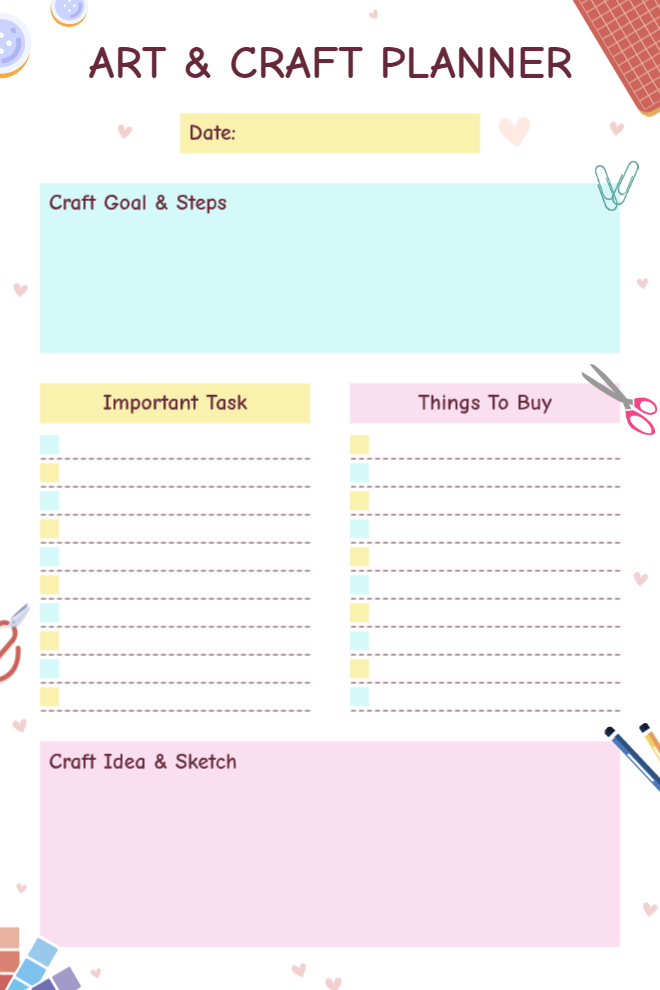
Art & Craft Planner
Playful pastel art and craft planning page with stationery illustrations, designed to organize creative projects from goal-setting to shopping lists and idea sketching.
Best For: Crafters, artists, and DIY enthusiasts who want to plan creative projects with clear steps and supply lists.
Key Features:
- Date field (yellow)
- "Craft Goal & Steps" large open section (mint)
- "Important Task" checklist (yellow, 8 items)
- "Things To Buy" checklist (pink, 8 items)
- "Craft Idea & Sketch" open box (pink)
- Scissors, clips, and marker illustrations
Why It Works: Having a dedicated sketch space alongside the task and shopping list keeps all creative project planning in one place.
Use This Template →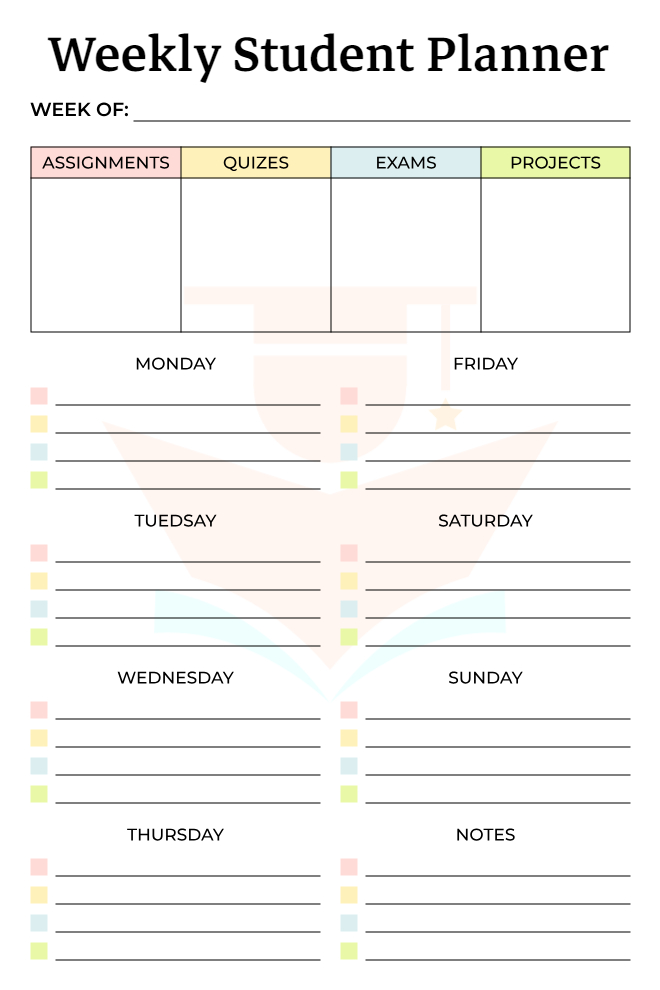
Weekly Student Planner
Clean and minimal weekly academic planner on white with a pastel color-coded overview table for assignments, quizzes, exams, and projects, plus individual day task sections.
Best For: Students who need to track academic deadlines alongside daily tasks for the full week.
Key Features:
- "Week of" date field
- 4-column overview table: Assignments, Quizzes, Exams, Projects
- 7-day task sections (Mon-Sun) with 4 color-coded bullet lines each
- Notes section
- Faint school desk watermark design
Why It Works: Separating academic categories (assignments vs exams vs projects) from daily tasks gives students a complete view of their week without mixing deadline types.
Use This Template →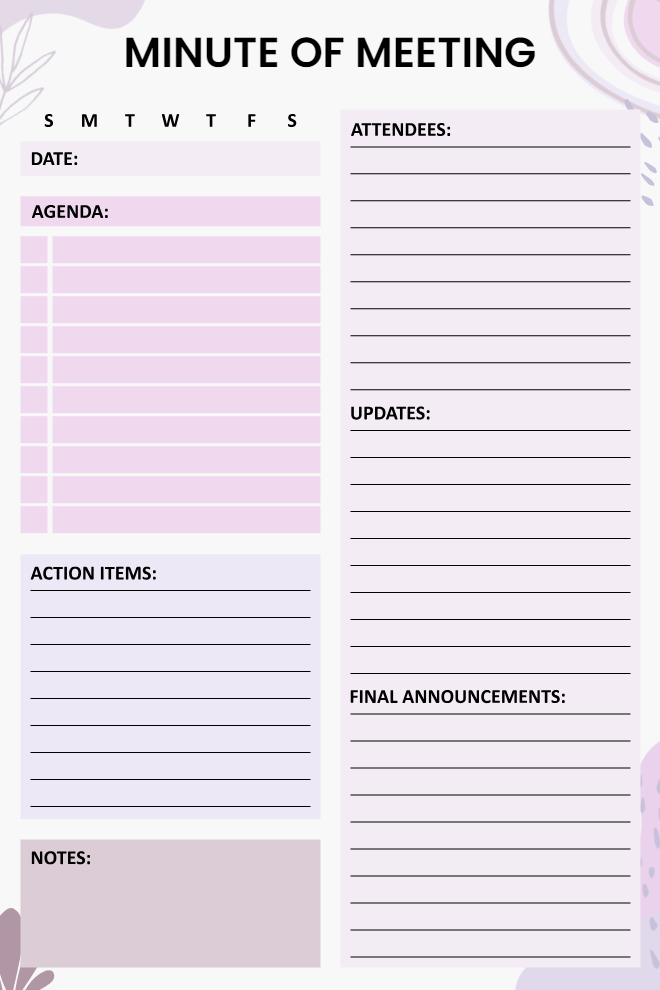
Minute of Meeting Planner
Professional meeting minutes page in soft lavender and purple with structured sections for agenda, attendees, action items, updates, notes, and final announcements.
Best For: Team leads, executive assistants, and office managers who need a complete meeting record template.
Key Features:
- Day-of-week selector (S M T W T F S)
- Date and Agenda numbered list (left)
- Attendees lined up (right)
- Action Items lined section
- Updates the lined section
- Notes box
- Final Announcements lined section
Why It Works: Having Action Items and Final Announcements as separate sections ensures follow-up tasks are never buried in general notes.
Use This Template →What Happens When Your Planning Habit Falls Apart?
It will. A busy week hits where nothing gets captured, the backlog feels overwhelming, and opening the app starts to feel like confronting a problem rather than using a tool. One skipped day becomes a week of avoidance. A week of avoidance becomes quietly abandoning the whole system without ever officially deciding to.
Most apps handle this badly. The uncaptured backlog piles up. The reminders accumulate unread. Returning feels like cleaning a room you have been ignoring for a month. The effort required to get back to organized feels bigger than just starting over somewhere else entirely.
The app is built to let you restart without that weight. Archive the recent past in one tap. Open today's template in PlanWiz. Pick up from exactly where you actually are right now, not from where you were before things got complicated. If you need a structured daily anchor to rebuild the habit around, pairing your plans with a routine gives you the rhythm that keeps the system running even when motivation is low.
"The ability to return to a system after a gap is one of the strongest predictors of long-term planning consistency."
How Do You Actually Get Started With PlanWiz?
The app helps you choose the right template, set your reminders, and follow a simple daily planning habit that keeps everything organized without making the system feel like extra work on top of everything else already on your plate.
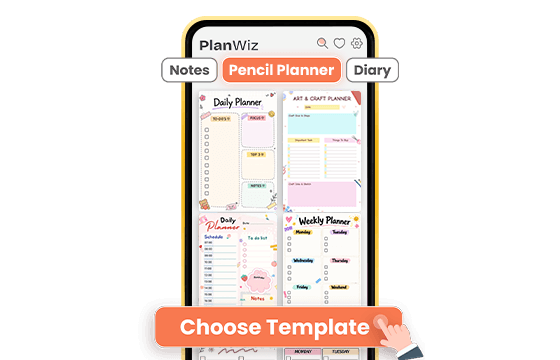
Choose a Template That Fits Your Immediate Need
Browse from 1,000+ ready-made templates and pick the one that matches where you are right now. Need to plan today before the first meeting starts? Open the daily planning template, priorities, tasks, and time blocks already structured. Want to build a weekly review habit? Open the weekly layout, and the full-week structure is already waiting. Managing a project with multiple milestones? The project planning template holds the whole scope in one view. Either way, the structure is already built. You are not starting from zero.
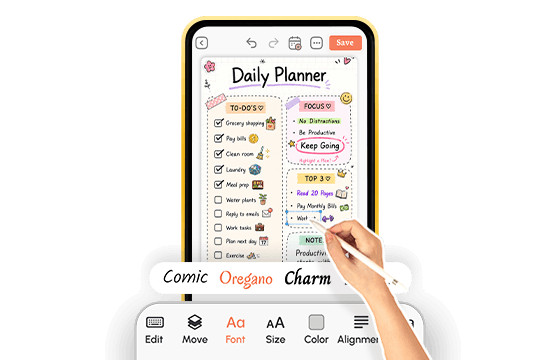
Set Up Your Writing Style, Reminders, and Sync in Minutes
Switch to freehand writing if you prefer the pencil experience, or type directly into any template; both work in every layout. Set your first reminder on a plan in under ten seconds. Confirm your account is synced across every device you plan to use. You are looking at a fully working personal planning system within two minutes, not after an hour of configuration that drains the energy you needed for the actual planning.
Plan Daily, Act on What Matters, and Keep the System Simple
Open the app each morning for sixty seconds. Write your priorities and key tasks for the day. Let the reminders bring your plans back at the moments they are relevant. Download your weekly plan summary as a PDF when you need a shareable record. And when a plan item needs to become a tracked task, send it to your team so it moves from the page into action without getting lost.
That is the full system. Plan, organize, act, repeat.
A pencil planner that is ready before you are.
What Do Real Students Say About This Pencil Planner?
Ready to Try the Pencil Planner That Actually Keeps You on Track?
PlanWiz is the Pencil Planner built for real people with real schedules not the idealized version of someone who has two uninterrupted hours to set up a productivity system. Freehand writing, 1,000+ ready-made templates, reminders that actually fire at the right time, full customization, real-time cross-device sync, and a no-guilt restart when life gets in the way.
Free to start. No credit card. Your first plan is organized in under two minutes.
Start Free → planwiz.app

Frequently Asked Questions
The best Pencil Planner combines fast capture, smart organization, and reminders that surface plans when actually useful. PlanWiz covers all three 1,000+ templates, real-time sync, and a structured layout waiting every morning so daily planning feels automatic, not effortful.
A notes app stores what you write and leaves it there. A digital pencil planner gives you pre-structured templates, attaches reminders to plans, and connects your daily plans to a weekly and monthly system. A notes app is a storage system. This app is an action system.
Yes. Full stylus support, one-tap templates, and real-time sync across iPhone, iPad, and browser. Write in it as the day moves, attach reminders inside the plan, and export a PDF when you need a shareable record of a full planning workflow in one place.
Speed. The daily pencil planner template opens pre-structured priorities, tasks, and reflection ready in one tap, so morning planning takes sixty seconds. Most habits fail not because people stop caring, but because setup friction makes skipping easier than starting.
Open one template daily or weekly and commit to just that for one week. Archive the clutter in one tap and rebuild from where you actually are today. Most planning systems collapse under complexity, not neglect. Simplicity first, expansion later.
Yes, unlimited. Adjust sections, colors, fonts, and structure anytime without touching existing plans. Build your layout once, save it as a template, and reuse it every morning. Update it whenever your routine changes.
Yes. Switch between freehand, typed text, checklists, and images inside any plan without switching views. Write priorities in freehand, add a typed task list, sketch a diagram, all in the same template, same session.
Yes. Free to start with templates, freehand writing, reminders, and sync. A paid plan unlocks the full 1,000+ template library and advanced features. Most users build a solid daily habit on the free version before upgrading.