The Time Planner App for Every Kind of Person, Every Kind of Day
You don't have a discipline problem. You have a system problem. Stop rebuilding your schedule every week. PlanWiz is the time planner app that gives every type of person 1,000+ ready-made planner templates, so the hardest part of your day is never figuring out how to start planning it.
What Is the Best Time Planner App in 2026?
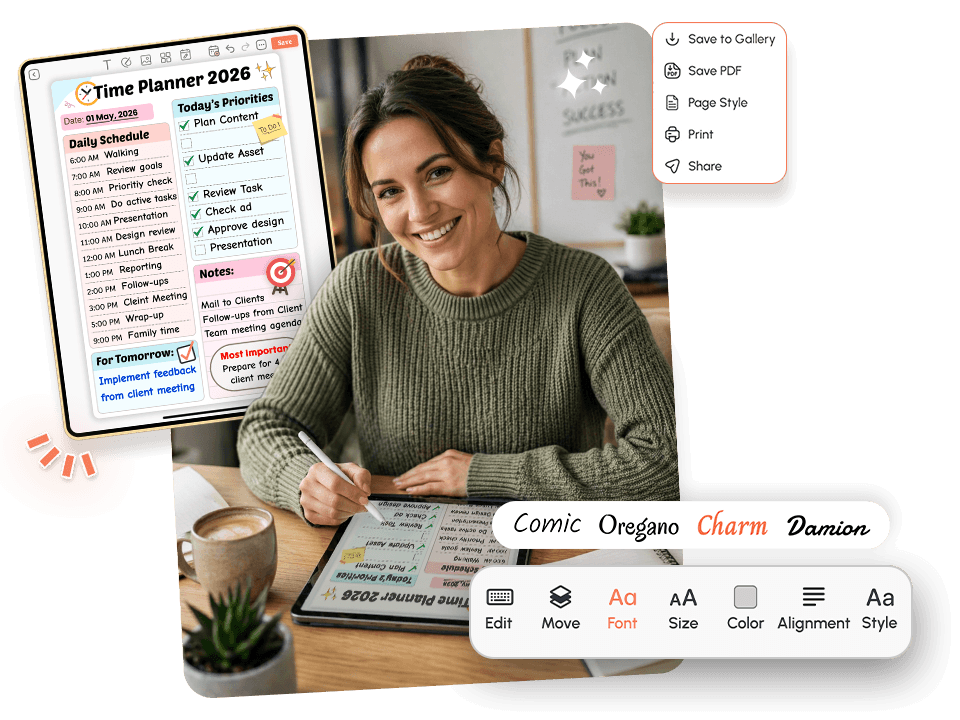
If you’ve been searching for the best time planner app, you’re probably not looking for more features. You’re looking for something that actually works, something you’ll open tomorrow, and the day after, and the week after that.
The best planner app should:
- Give you a clear starting point without setup paralysis
- Adapt to different types of days: productive ones, chaotic ones, and slow ones
- Remove decision fatigue so you spend energy on doing, not organizing
- Work for your specific life, not a generic productivity fantasy
Who Is This Time Planner App Built For?
Built for real schedules, not productivity fantasies.Busy Professionals
Busy professionals who need a reliable daily planner app without spending the first hour of their morning figuring out what to do.
Students
Students who start every semester with great intentions but lose the thread by week three.
Freelancers & Entrepreneurs
Freelancers and entrepreneurs who manage their own time with no external structure need a system that holds them accountable.
Parents
Parents trying to balance work, family logistics, appointments, and personal goals on the same page, the family planner templates make that possible.
Remote Workers
Remote workers who have no commute, no routine anchors, and no manager nudging them through the day.
Planner-Quitters
Anyone who has tried and abandoned a planner before because the tool wasn't the problem; the format was.
College Students
College students juggle classes, part-time work, and personal goals. PlanWiz gives them a ready-made system to stay organized from day one.
Side Hustlers
Side hustlers and gig workers managing freelance or extra income need structure. A daily routine app helps save time when every hour counts.
Why Does Every Time Planner App Eventually Get Abandoned?
Most planners are built for the version of you that already has everything together. They assume you wake up focused, know exactly what matters, and have the energy to execute a perfect schedule. That version of you doesn't exist every day, and that's not a personal failure; it's just life.
Here's what actually happens to real people trying to plan their time:The Blank Page Problem
You open the app. The template is empty. It's waiting for you to create a beautiful, organized plan from nothing. So you close it. You open it again...
You type one task. You close it again. Thirty minutes later, you're still not
planning; you're procrastinating on planning itself. This is what happens when a task planner
app starts with empty space instead of structure.
This is one of the most common and least talked-about reasons people quit their daily time
planner. The empty screen is not freedom. It's friction. The moment you're asked to build the
structure before you can use it, a huge portion of your available willpower is already
gone.
PlanWiz removes that friction entirely. Every template arrives pre-structured, ready to fill in,
not ready to design.
The Over-Scheduling Trap
You block every hour. You assign every task. The schedule looks immaculate at 8 AM. Then one meeting runs long...
one task takes twice the expected time, and the entire plan collapses before
lunch.
Most daily planner apps treat your schedule like a spreadsheet. Real days are nothing like
spreadsheets. They have interruptions, energy shifts, surprise obligations, and tasks that
simply take longer than you estimated.
The time planner doesn't punish you for this. It gives you flexible daily and weekly views so
you can adapt without starting over.
The Inconsistency Guilt Loop
Monday: You plan everything. Tuesday: solid. Wednesday: life happens. Thursday: You feel too behind to even open the app...
Friday: Why bother? This isn't laziness. This is what happens when a system is
built to reward streaks and penalize gaps. A missed day feels like a broken promise to yourself,
and that guilt becomes its own reason to avoid the app.
The right time planner app doesn't create a guilt loop. It gives you a clean page every single
day and lets you pick up exactly where you left off, without shame.
Time Blindness
You meant to start at 2 PM. You looked up, and it was 4:30 PM. You have no idea where those two and a half hours went...
Time blindness is a real and common experience. It's one of the core reasons
people search for an ADHD planner app , not just for people with attention differences but for
anyone working in a distraction-rich environment, context-switching between responsibilities, or
simply absorbed in deep work. Without external cues to anchor your day, time moves in unexpected
ways.
A time planner app with built-in reminders and hourly planner templates acts as a reliable external structure
that keeps you anchored to your actual plan.
"The empty screen is not freedom. It's friction. The moment you're asked to build the structure before you can use it, a huge portion of your available willpower is already gone."
Why Does Your Brain Resist Planning Even When You Know It Would Help?
Planning requires your brain to do something genuinely difficult: imagine a future version of your day in enough detail to make decisions now. That's a high cognitive load, especially when you're already tired, stressed, or overwhelmed.
When the cost of planning feels higher than the immediate benefit, your brain will default to avoidance. It's not irrational. It's efficient, just not useful.
The research: Decision fatigue is a well-documented psychological phenomenon. The more decisions you make, the worse your subsequent decisions become. A time organizer app that starts with a blank page forces you to make dozens of micro-decisions before a single task is written down. Pre-built templates eliminate that decision load, redirecting your mental energy from "how do I structure this?" to "what do I actually need to do today?"
This is the core reason PlanWiz was designed around templates first, not blank pages.
How Does a Good Time Planner App Do More by Asking Less of You?
The counterintuitive truth about time management is that more structure in your tool means more freedom in your day. When the framework is already there, your brain doesn't have to build it; it just has to show up.
PlanWiz gives you a time planner that works in every scenario:
On a high-energy day, open a full weekly layout with a built-in goal tracking app view, time blocks, and priority mapping. On a difficult day, switch to a minimal daily view with three tasks and nothing else. On a recovery day, use the self-care planner templates that treat rest as a legitimate part of your schedule.
The system never breaks when you do. It just meets you where you are.
What Does a Time Planner App Look Like When It's Built Right?
This isn't a generic task manager with a time label slapped on it. Structure without overwhelm, flexibility without chaos, and a plan that's ready before you are.
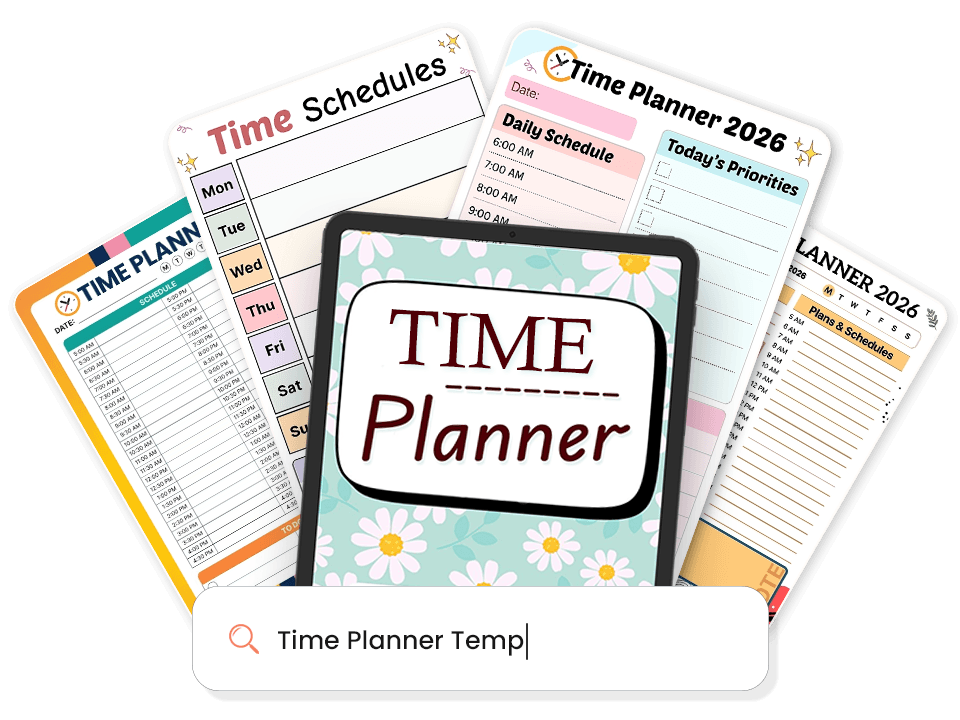
1,000+ Time Planner Templates for Planning
Most apps give you a blank screen. PlanWiz gives you 1,000+ ready-made layouts just open, fill in, and go. From daily planner templates to full monthly views, every format you need is already built.
- Daily to-do list planners
- Weekly schedule planners
- Monthly and yearly agenda planners
- Habit trackers and goal planners
- Digital diary and gratitude journal pages
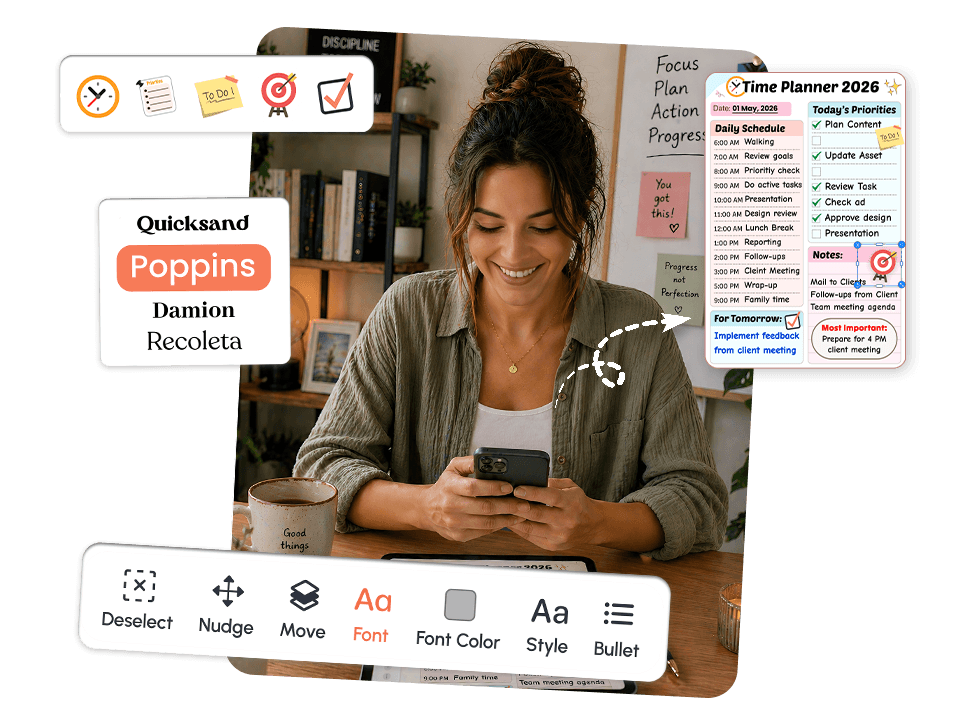
Full Customization: Your Plan, Your Way, Every Day
A structure that arrives pre-built and bends when your day needs it to.
- Section labels and layout order
- Colors and fonts
- Add or remove sections instantly
- Switch between detailed and minimal in one tap
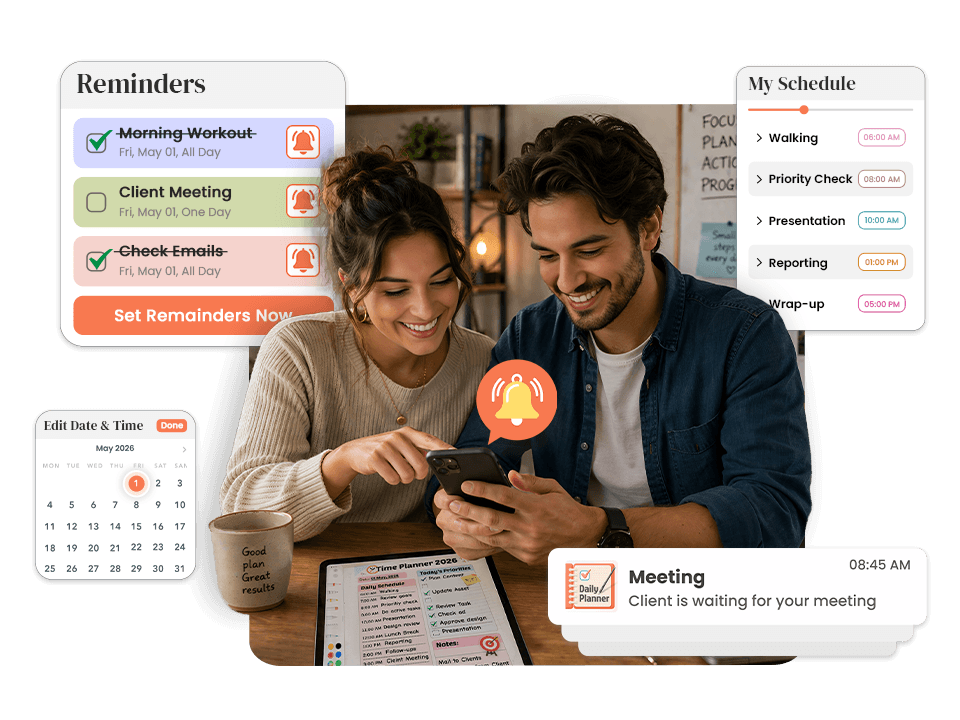
Contextual Reminders: Your Plan Follows You
Most reminders fire with no context; you dismiss them and lose your plan entirely.
- Reminders sit directly beside their task
- Tap notification → land on the task, ready to start
- End-of-day prompts close the loop before tomorrow
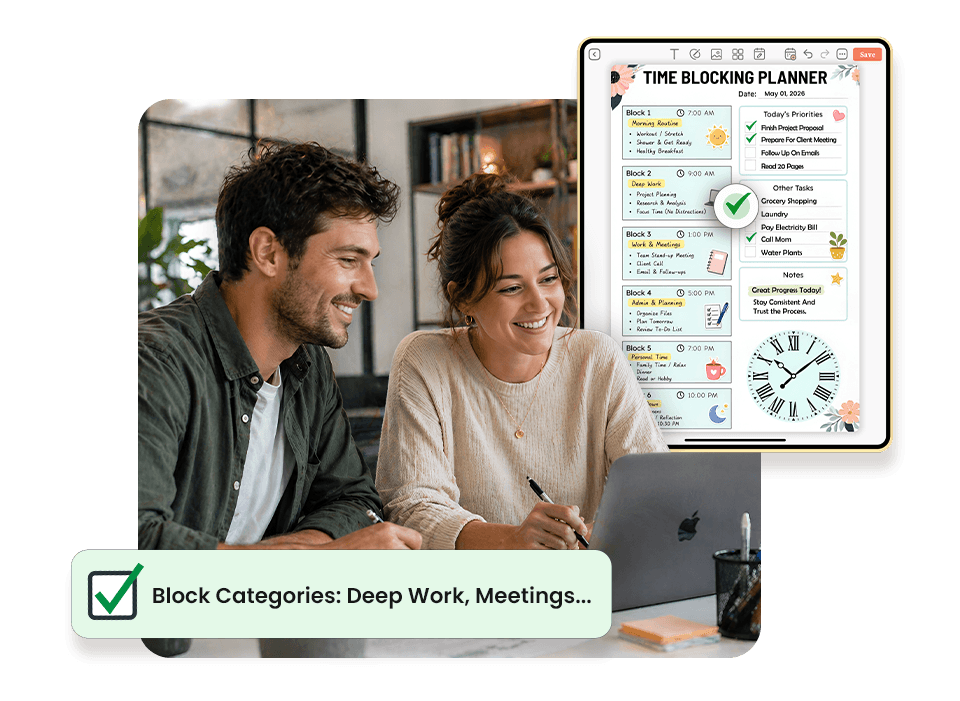
Built-In Time Blocking
A to-do list tells you what to do. A time blocking app tells you when and protects that window. The time blocking planner templates inside PlanWiz make this the fastest part of your morning, not the most complicated.
- Hourly layouts pre-drawn, just label the blocks
- Block categories: deep work, meetings, admin, breaks
- Full-day view at a glance
- Flexible adjust blocks in seconds when your day shifts
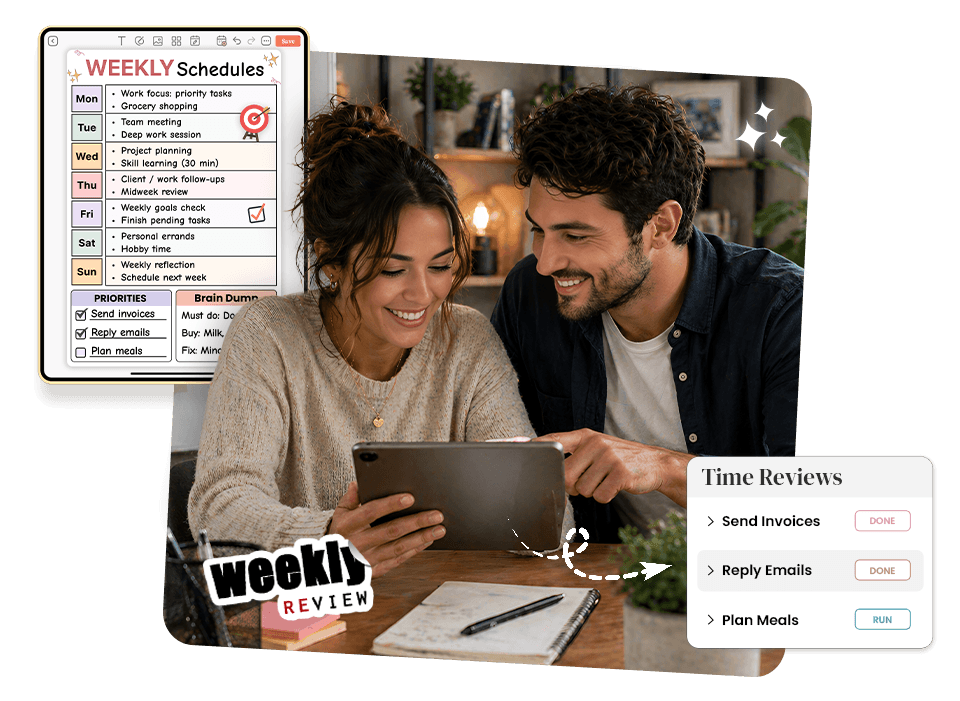
Built-In Weekly Review: Learn Before You Plan Next
Most planners help you plan forward, but not understand what actually happened which leads to repeated mistakes. The weekly planner templates inside PlanWiz automatically close that loop.
- What did I complete this week?
- What didn't happen and why?
- What was my biggest win?
- Top 3 priorities for next week
- What recovery time do I need to protect?
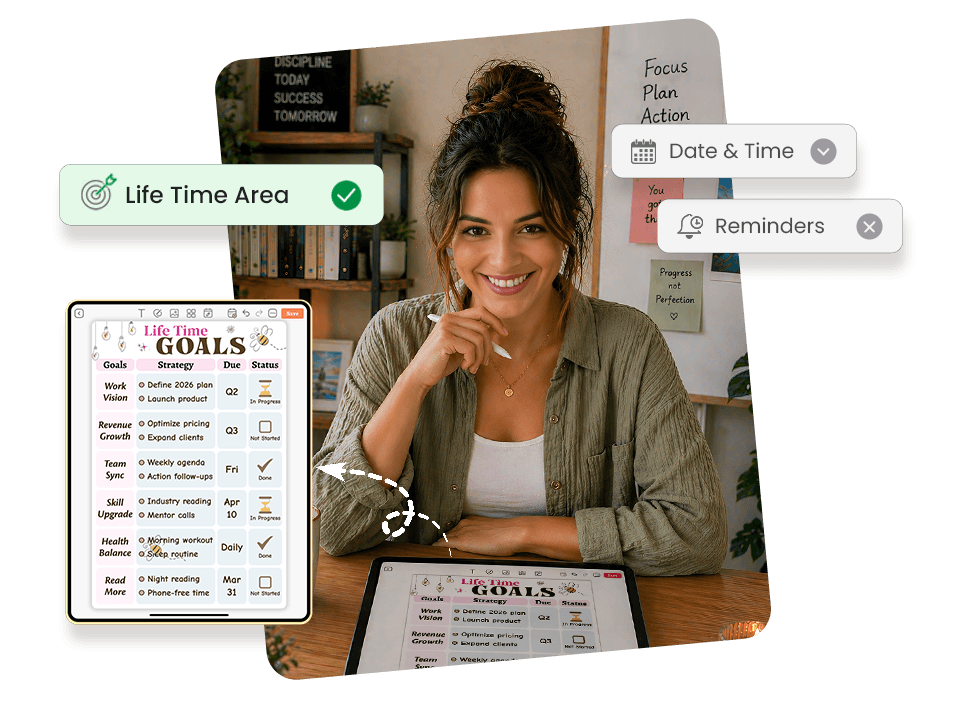
Life Time Area Planning
A work-only time blocking app plans half a life. This spreads time across every area, not just work.Whether you need goal planner templates for long-term planning or routine planner templates for daily structure, PlanWiz has both in one place.
- 💼 Work Deep work, meetings, projects
- 🏋️ Health Exercise, sleep, meal prep
- 🧠 Learning Reading, courses, skills
- 👨👩👧 Relationships Family time, social commitments
- 💰 Finance Bills, admin, budgeting
- 🌱 Growth Habits, journaling, self-care
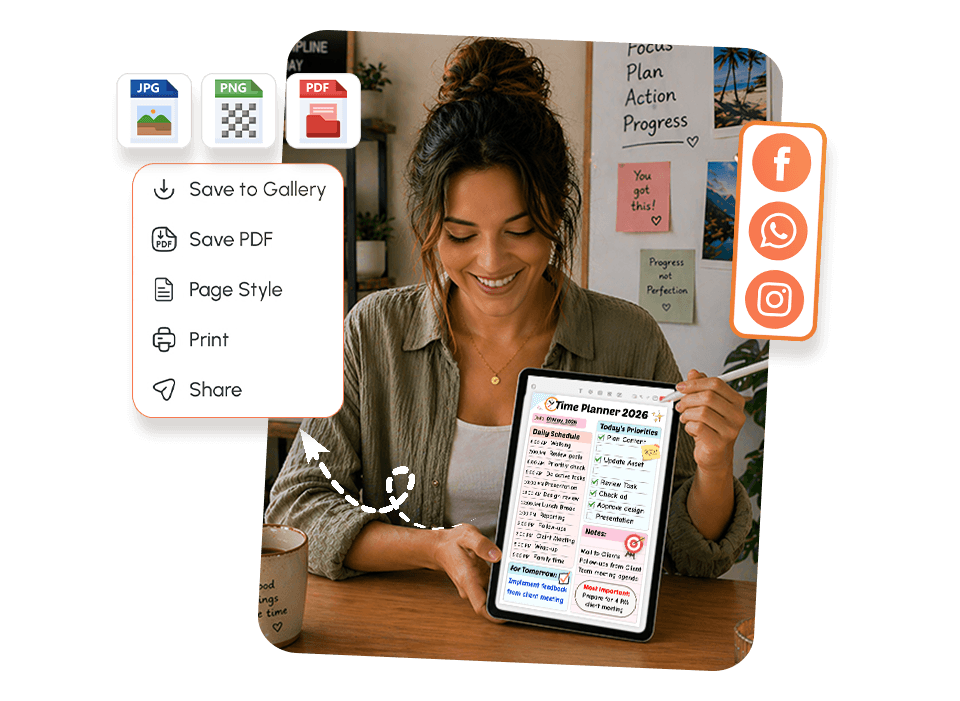
Download, & Share: Take Your Plan Off the Screen
A plan inside your phone competes with everything else on your phone.
- PDF download clean, print-ready
- Print and pin it where you'll see it all day
- Share with a coach or accountability partner instantly
- Archive completed weeks to spot patterns
Explore Time Blocking Planner Templates That Work for Your Schedule
Pick the Template That Matches Your DayEvery template is pre-structured so your brain never faces a blank page. Browse below and tap any template to explore it.
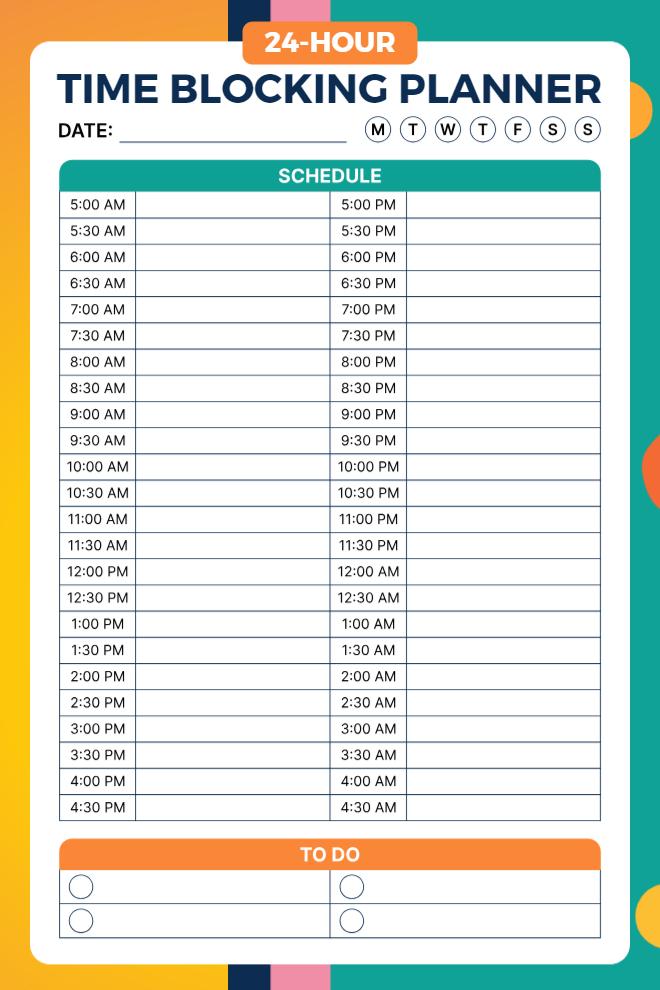
24-Hour Time Blocking Planner
This planner literally covers your entire day, every half hour from 5:00 AM all the way through to 4:30 AM the next morning. It's perfect for people who work unusual hours, night shifts, or just want to see their full 24 hours mapped out. The bright teal and orange colors make it visually appealing without being overwhelming. You can circle which day of the week you're planning, and there's a simple to-do section at the bottom with four checkboxes. The half-hour increments give you enough detail to really structure your time without getting too granular.
Use This Template →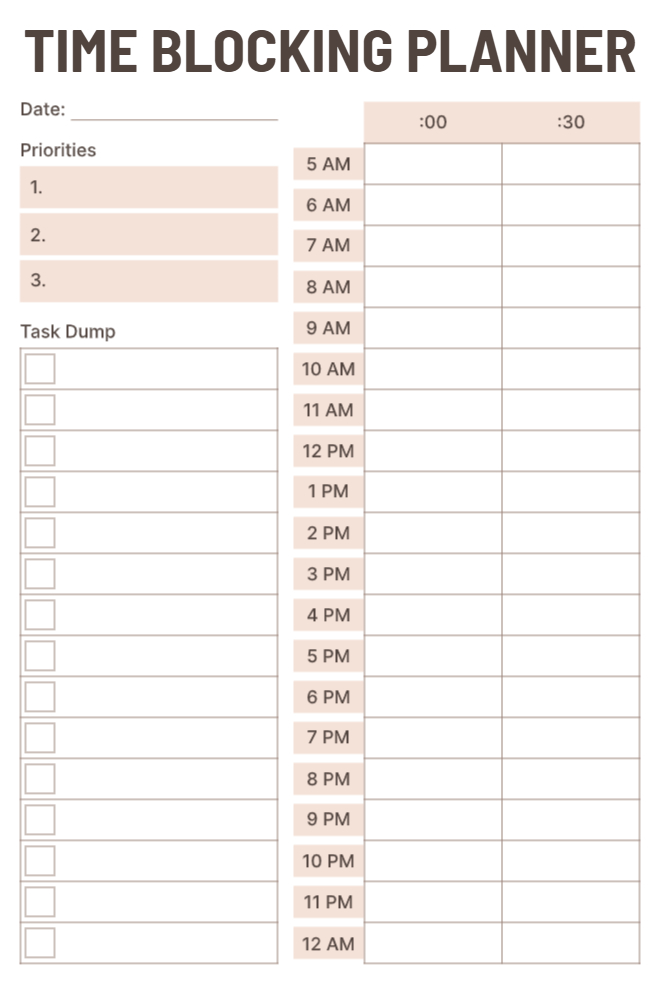
Minimalist Time Blocking Planner
This one keeps things super clean and simple. On the left side, you've got your top three priorities and a task dump section with checkboxes for all those random things you need to remember. The right side shows your full day from 5 AM to midnight in both 00 and 30 columns, so you can block out time in half-hour chunks. The neutral beige color scheme is easy on the eyes and won't distract you. It's straightforward without any extra frills, which some people really appreciate when they just want to focus on getting things done.
Use This Template →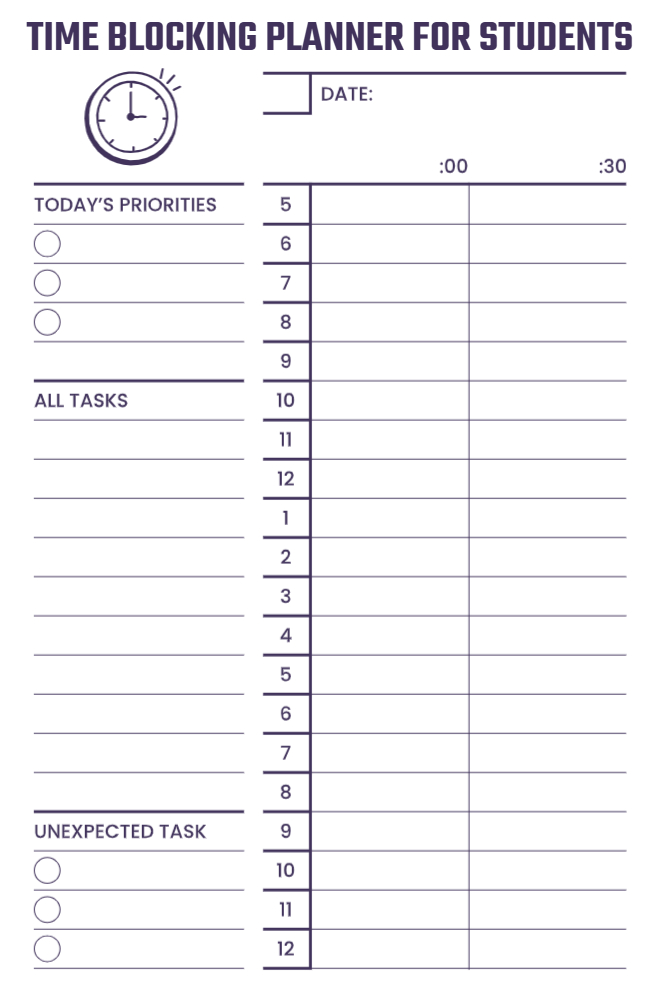
Time Blocking Planner for Students
Designed specifically with students in mind, this planner helps you organize both your scheduled classes and all the studying you need to fit in. The priorities section has three checkbox lines for your most important tasks, and there's an "All Tasks" list below that for everything else you're juggling. What's really thoughtful is the "Unexpected Task" section at the bottom, because let's be real, something always comes up. The schedule runs from 5 AM through midnight in hour blocks, giving you plenty of space to write in your classes, study sessions, and breaks.
Use This Template →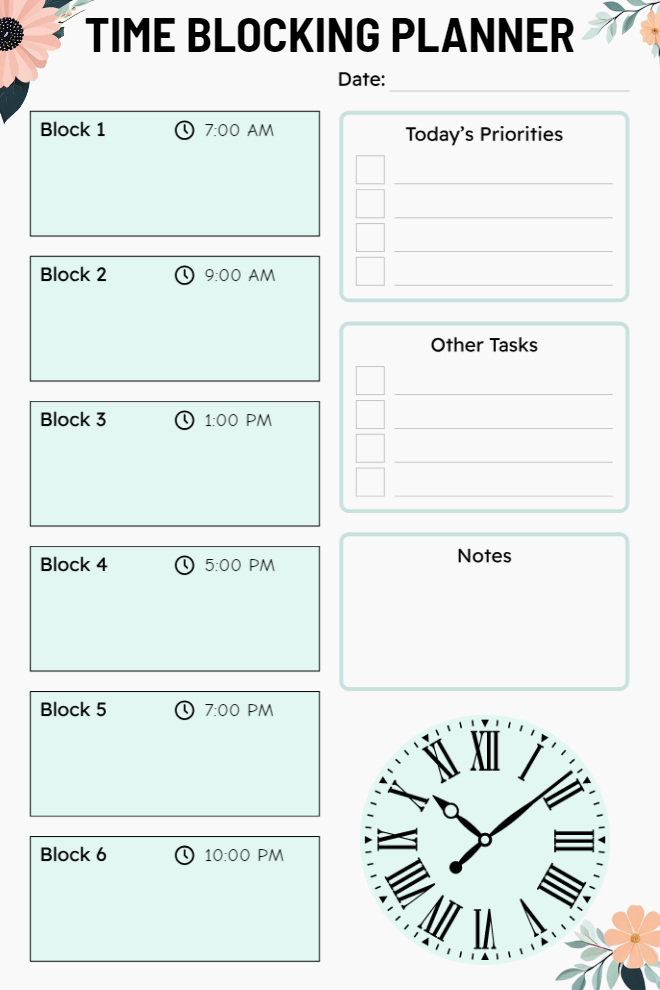
Block Schedule Time Planner
Instead of showing every single hour, this planner divides your day into six major time blocks that you can customize however you want. Each block has a set time (7:00 AM, 9:00 AM, 1:00 PM, 5:00 PM, 7:00 PM, 10:00 PM), but you can use those blocks for whatever makes sense for your day. On the right, there are checklists for priorities and other tasks, plus a notes section for anything that doesn't fit elsewhere. The decorative clock at the bottom and floral accents make it feel a bit more personal and less corporate than typical planners.
Use This Template →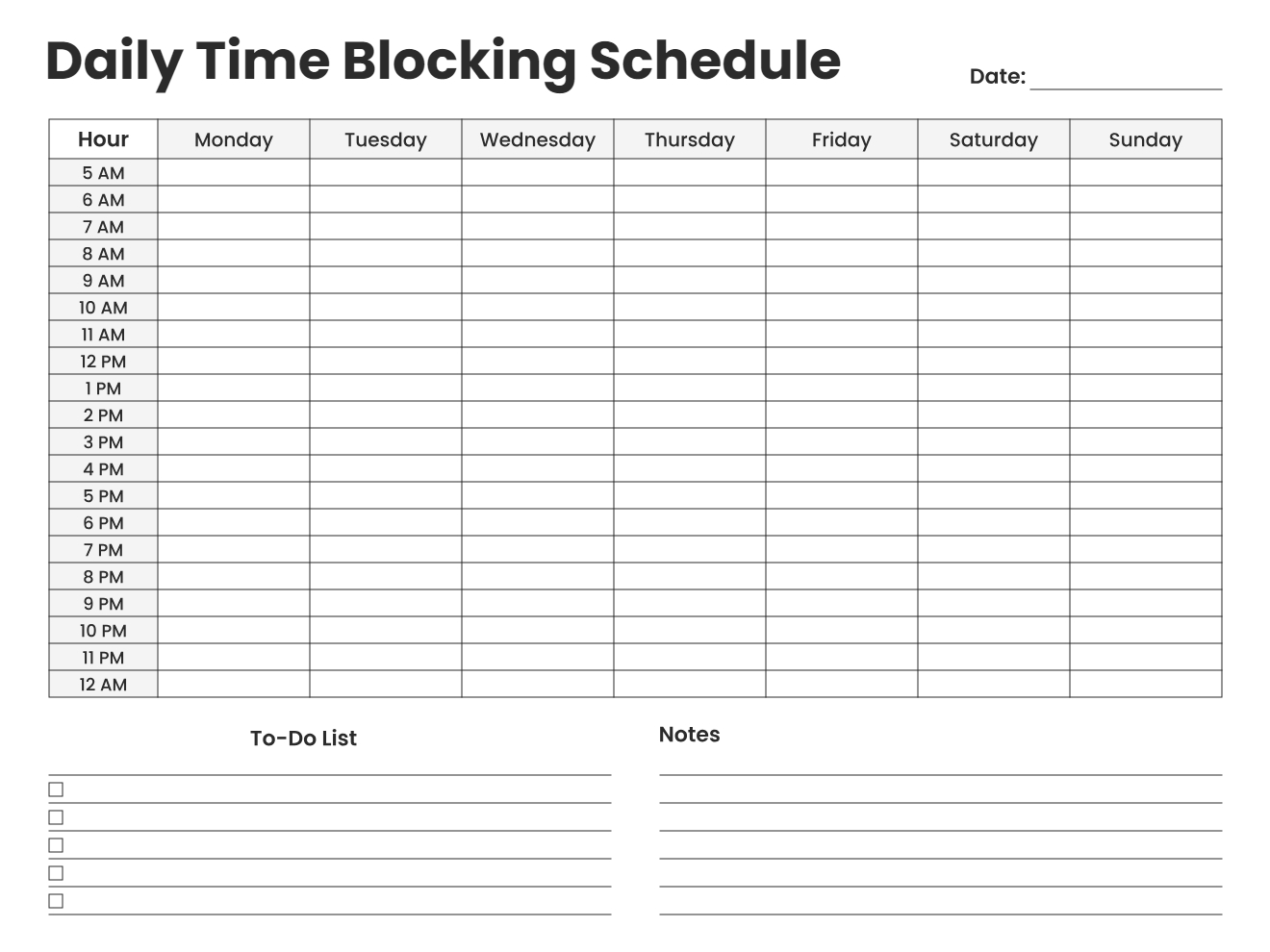
Weekly Time Blocking Schedule
This is your week-at-a-glance time blocker with every day from Monday through Sunday laid out in columns and every hour from 5 AM to midnight in rows. It's essentially a grid where you can see patterns across your whole week and make sure you're balancing your time well. You can color-code different activities, block out recurring commitments, and spot where you might have gaps or overlaps. The to-do list and notes sections at the bottom give you space for tasks that don't need specific time slots and general weekly reminders.
Use This Template →Why Does the Best Time Planner App Not Make You Feel Worse When You Fall Behind?
Here is what most planner apps do when you miss a day: they show you what you missed. Overdue items stack up. Notification badges accumulate. Every time you open the app, you're greeted with a visual record of your own inconsistency.
For most people, that's not motivation. That's the exact moment they stop opening the app.
The daily schedule planner inside PlanWiz doesn't punish you for imperfect days. It gives you a fresh page tomorrow with no carry-over shame, no red badges, no overdue pile, just a clean, pre-structured layout with your habit tracker app page ready alongside it that says:
This isn't lowering the bar. It's removing a psychological obstacle that was never helping you clear it. Consistency doesn't come from guilt. It comes from making it easy to try again.
"Today is a new start. Here's your plan. You've still got this."
With PlanWiz, you simply open a fresh template tomorrow. No red badges. No overdue pile. No guilt. Just a clean, ready-to-use layout.
How Do You Actually Get Started With PlanWiz?
No complicated setup. No syncing accounts. No building the perfect system before you're allowed to use it. Just open, pick, and plan.
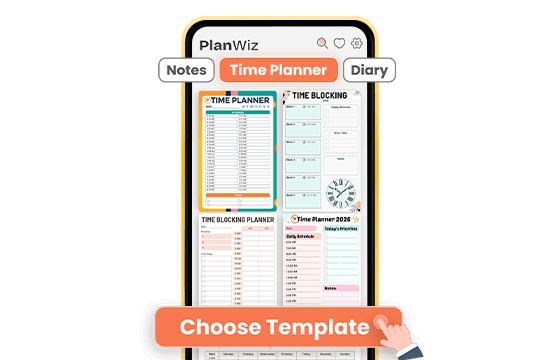
Pick a Template That Matches Your Day
Browse 1,000+ ready-made time planner templates and choose one that fits today, not your ideal day, your actual day. Need a full hourly layout with goal tracking? It's there. Need three tasks and nothing else? That's there too. The structure is already built. You just show up.
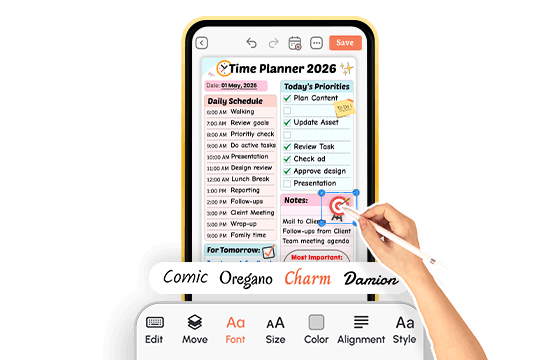
Fill In Your Time, Not Your Format
Add your tasks, drop them into time blocks, and adjust sections if you want. Or use the template exactly as it is. Either way, you go from zero to a complete daily plan in minutes, not after an hour of setup that drains the energy you need for the actual work.
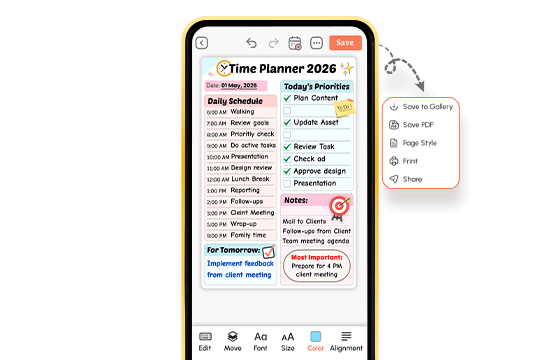
Plan Today, Track Progress, and Move Into Tomorrow
Write your tasks, block your hours, and track what matters: habits, goals, or simply what got done. When your day shifts, adjust your blocks. When tomorrow starts, open a fresh page. No overdue pile. No guilt. No rebuilding from scratch.
That's the whole system. A time planner app that's ready before you are.
What Do Real People Say About This Time Planner App?
From people who've already tried everything else.
Ready to Try the Time Planner App That Finally Works for Your Real Day?
If anything on this page felt familiar, you're exactly who PlanWiz was built for. Not a generic productivity app with a planner tab added on, but a real time planner app designed for how actual days work.
Free to start. No credit card. Ready in under three minutes.
Start Free → PlanWiz.app

Frequently Asked Questions
A time planner app is a digital tool that helps you organize your day, schedule tasks into specific time slots, and track habits and goals all in one place. Unlike a basic to-do list, a time organizer app shows you when you'll do each task, not just what needs doing.
PlanWiz is one of the best time planner app in 2026 because it gives you 1,000+ ready-made templates that eliminate setup time, built-in time blocking, habit tracking, and smart reminders, all available free with no credit card required.
A calendar app manages appointments and events. A time planner goes deeper; it helps you block time for tasks, set daily priorities, track habits, and build a structured daily routine. This combines both functions, so you never need to switch between two tools.
A daily time planner improves productivity by giving every task a specific time slot, reducing decision fatigue, and keeping your priorities visible throughout the day. Studies show that people who time block tasks complete significantly more work than those working from unstructured lists.
Time blocking is a method where you assign specific tasks to dedicated time windows instead of working from a list. In a time blocking app, hourly layouts are pre-built. You simply label each block with what belongs there, set a reminder, and start working.
Yes. It includes templates for professional work days, academic schedules, freelance project tracking, family logistics, wellness planning, and personal goal setting, all within one app. You do not need separate tools for work and personal life.