The Dream Journal App That Fits the Morning You Actually Have
A good dream journal app gives people a fast, private, and structured way to capture their dreams immediately after waking, before the details dissolve, and review them over time to notice recurring symbols, themes, and emotional patterns that would otherwise go unnoticed. The best sleep journal templates open in seconds, require no setup, and never punish a missed morning with streak-based guilt.
What Is the Best Dream Journal App in 2026?

The best dream journal app removes the blank page, opens fast enough to catch a dream before it fades, and makes returning after a missed morning feel completely natural, not like starting over.
A good digital dream journal must:
- Opens in under 10 seconds after waking.
- Accepts bullet points, quick notes, or full narratives.
- Tag by symbol, emotion, or recurring theme.
- Visual timeline to spot patterns over time.
- Customizable planner templates for every style.
Who Is This Dream Journal App For?
This dream journaling app was built for the people who generic note-taking apps and basic sleep trackers always leave behind, the ones who wake with something vivid, reach for their phone, and watch it dissolve before they find the right place to write it.Vivid Dreamers
Who wake with rich dreams that disappear in seconds, and need an app ready before the details fade.
Self-Awareness Seekers
Who use dreams to notice emotional patterns, recurring symbols, and personal themes over time.
Creatives, Writers, Artists, and Musicians
Who treat dreams as a source of unexpected ideas and inspiration.
People in Life Transitions
Going through grief, career change, or major shifts, who find their dreams more vivid and meaningful during those periods.
Lucid Dreaming Practitioners
Who need a consistent, structured log to build and track their dream practice over time.
Anyone Who Gave Up on Dream Journaling
Because every tool was too slow, too blank, or too easy to abandon. Self-care journal templates make returning feel easy, not like starting over.
PlanWiz is not ideal for: users seeking a clinical sleep disorder treatment tool, those needing therapist-guided dream analysis, users looking for a social dream-sharing community, or those requiring biometric sleep tracking data.
Why Do Most People Fail at Dream Journaling?
Most dream journal apps fail not because people stop caring, but because the tools never solve the real problems that make the habit so easy to abandon.
Dreams Disappear in the First 60 Seconds
You wake up. The dream was vivid. You lie there thinking you will remember it. By the time you open a notes app, it is mostly gone, a fragment, an emotion without a story.
Dream memory fades fast. Research suggests up to 90% of dream content is lost within the first few minutes of waking. The biggest failure point is not motivation; it is friction. If the tool is not ready the moment you open your eyes, the dream is already leaving.
A Blank Text Box Cannot Hold a Dream.
Dreams are not linear. They jump locations, people transform mid-scene, and emotions exist without context. A flat text box forces you to write a dream like a report, which feels wrong and costs you even more detail in the process.
Without a structure that matches how dreams actually feel, journaling becomes frustrating enough to abandon by week two.
No Way to Find Patterns Across Time
You record a dream. Then another. Then twelve more over three weeks. But they all live in a flat list with no tags, no search, no way to see that you have dreamed about water six times this month, or that the same figure keeps appearing without a name.
The real value of a dream diary app is patterns noticed across time, recurring symbols, and recurring emotions. Pair your dream log with a mood tracker app to connect what you dream to how you feel. Without search and tagging, a dream journal is just a list.
The Habit Breaks and Never Recovers
You journal for eight days. Then one morning, you skip. By the next night, the habit already feels broken. Dream journaling is more fragile than most habits because the capture window is so short. Pairing your dream practice with a habit tracker planner template makes the routine easier to rebuild.
Why Is Consistent Dream Journaling So Much Harder Than People Expect?
Most people who start a dream journal are genuinely curious about their dreams. What is hard is sustaining that practice across a real, unpredictable life.
The problem is rarely motivation. It is the collision between a narrow capture window and an unprepared tool. Most people who abandon dream journaling do not stop caring; they stop opening an app that makes writing feel harder than the dream is worth.
🧠 Why this matters: People with a structured, fast, always-ready template waiting are far more likely to capture that window consistently. The structure does not just make journaling easier; it makes it possible at all.
"The problem is not that you forget your dreams. It is that no tool has ever been ready fast enough to catch them before they go."
Placing dream capture as the very first step of your morning, before messages, before anything else, is what closes the gap between waking and writing. A routine planner template helps anchor that habit to the same moment every day, so it actually sticks. PlanWiz was built for exactly that moment.
How Does a Good Dream Journal App Fit Into Your Real Morning?
A good dream journal app does not ask you to build your practice around it. It fits around your morning, groggy, half-awake, and already losing the dream.
It bridges this with three connected layers:
Fast capture: You wake up. The dream is already fading. Open PlanWiz in 10 seconds, and the structure is already waiting for narrative, symbols, emotion, and one image. No blank page. Just write before it disappears.
Flexible format: Not every morning is a full-narrative morning. On a vivid night, go deep. On a foggy one, three words and a feeling are enough. The system accepts whatever you have.
Deeper review: After a week, open the timeline. After a month, search by symbol or theme. Pair your entries with mood tracker templates to connect dream patterns to how your days actually feel.
What Features Should a Dream Journal App Have?
A great dream journal app isn't just a place to type. It's the infrastructure for your morning practice. Here's what PlanWiz offers and why each feature was built the way it was.
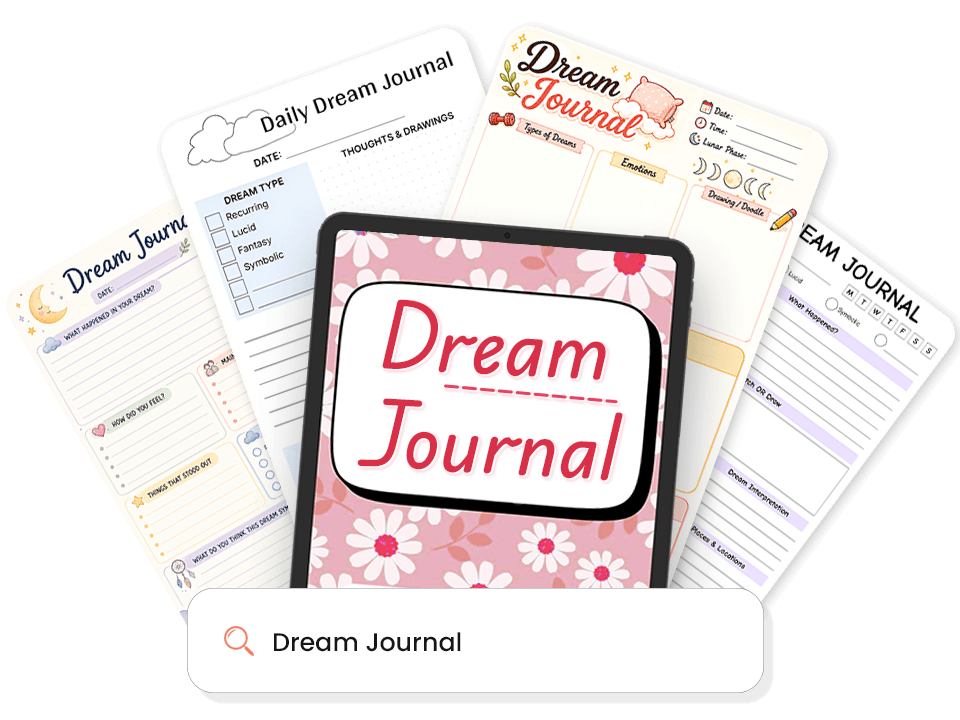
1,000+ Dream Journal Templates
Looking for ready-made dream pages? PlanWiz includes over 1,000+ dream journal templates and also provides daily journal templates so you can begin your practice instantly without deciding where to start.
- Quick capture pages for immediate post-waking entry.
- Full narrative dream journal pages for vivid, detailed entries.
- Symbol and theme tracking pages to log recurring imagery.
- Lucid dream practice logs with awareness and intention fields.
- Nightmare and recurring dream reflection pages.
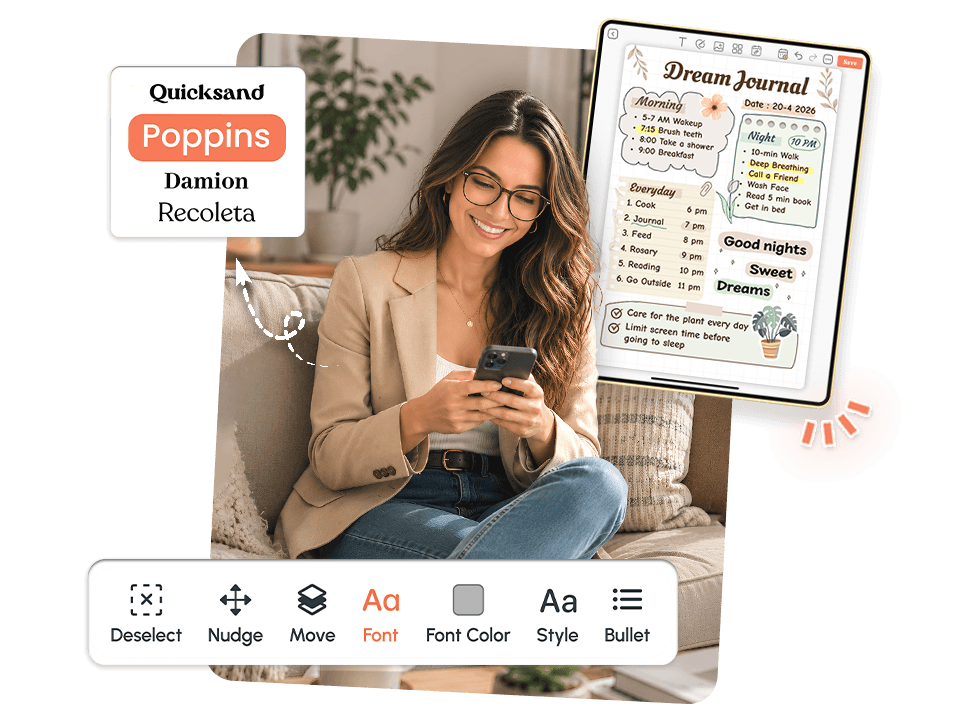
Fully Customizable Dream Journal
Want to make your dream practice truly yours? No two people experience or record their dreams the same way. It gives you a fully customizable digital journal that fits your life and your mornings.
- Choose layouts, fonts, colors & covers that match your style.
- Add or remove sections like symbol fields, emotion check-ins & lucidity levels.
- Drag & drop journal elements to build your perfect dream page.
- Add drawings, sketches & creative personal touches.

Build a Daily Dream Journaling Habit
The hardest part of dream journaling is not the writing but showing up consistently. PlanWiz is designed to make the habit survive real life, not just good mornings.
- Anchor your journaling to your existing morning routine.
- Write specific entries, not just vague fragments.
- Stay consistent with one format for real, lasting results.
- Works on your foggiest mornings, simple enough to complete in under 3 minutes.

Flexible for Every Kind of Dreamer
Not everyone records their dreams the same way. PlanWiz adapts to your pace, your morning, and your energy, not a one-size-fits-all format.
- Quick 60-second entries for fragmented, fast-fading mornings.
- Full narrative format for vivid, detailed dream entries.
- Bullet entry pages for non-linear, image-heavy dreams.
- Symbol and emotion logs for those tracking patterns over time.

Export & Keep Your Journal Yours
Your dream journal should belong to you, not the platform. PlanWiz lets you save, print, and export your entries however you want.
- Save or export any dream page as PDF or PNG.
- Print your dream journal pages at home.
- Keep your full dream history private and accessible anytime.

Works Across All Your Devices
Your dream practice should follow you, not stay tied to one screen. It works wherever you are.
- Available on Android, iOS, and Web.
- Start on your phone at the bedside, and continue on the tablet seamlessly.
- 10,000+ happy users already journaling smarter with PlanWiz.
Explore Dream Journal Templates Built for Every Kind of Dreamer
Pick the Template That Matches Your MorningEvery template is pre-structured so your brain never faces a blank page. Browse below and tap any template to explore it.
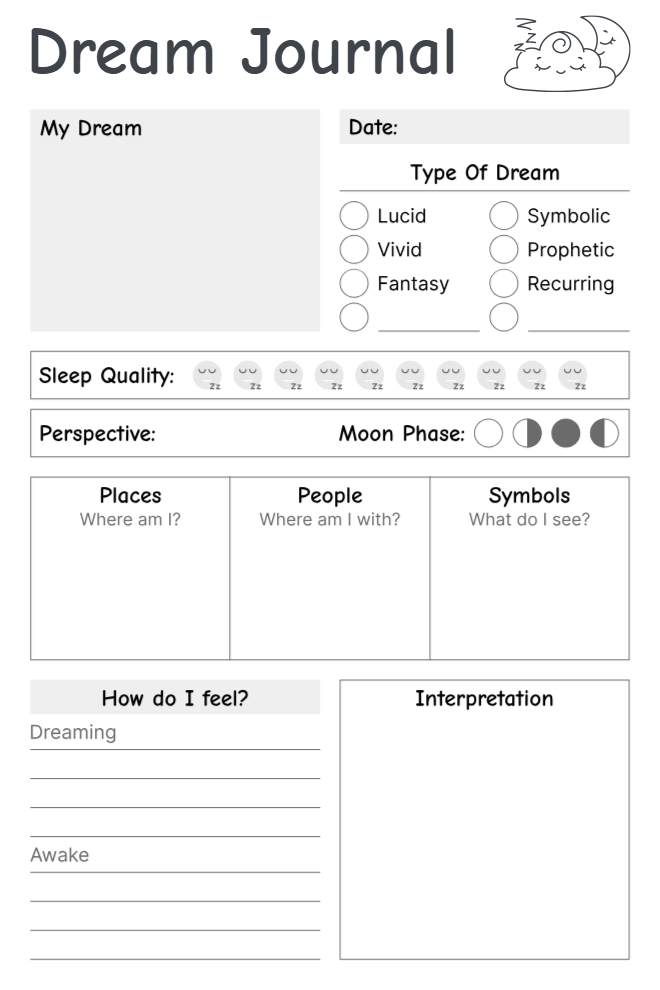
Night Visions Dream Journal
This one goes deep; it doesn't just ask what you dreamed, it asks how you felt during it and after. Moon phase, sleep quality, symbols, places, and people are all tracked on one page. Built for people who take their dreams seriously.
Best For: People who want to deeply analyze and track their dreams regularly.
Key Features:- Dream type selector. (Lucid, Vivid, Fantasy, Symbolic, Prophetic, Recurring)
- Sleep quality + moon phase tracker.
- Places, People & Symbols section.
- "How I feel dreaming vs awake" comparison.
- Interpretation box included.
Why It Works: Separating how you felt during the dream vs after waking gives real emotional insight; most journals skip that difference completely.
Use This Template →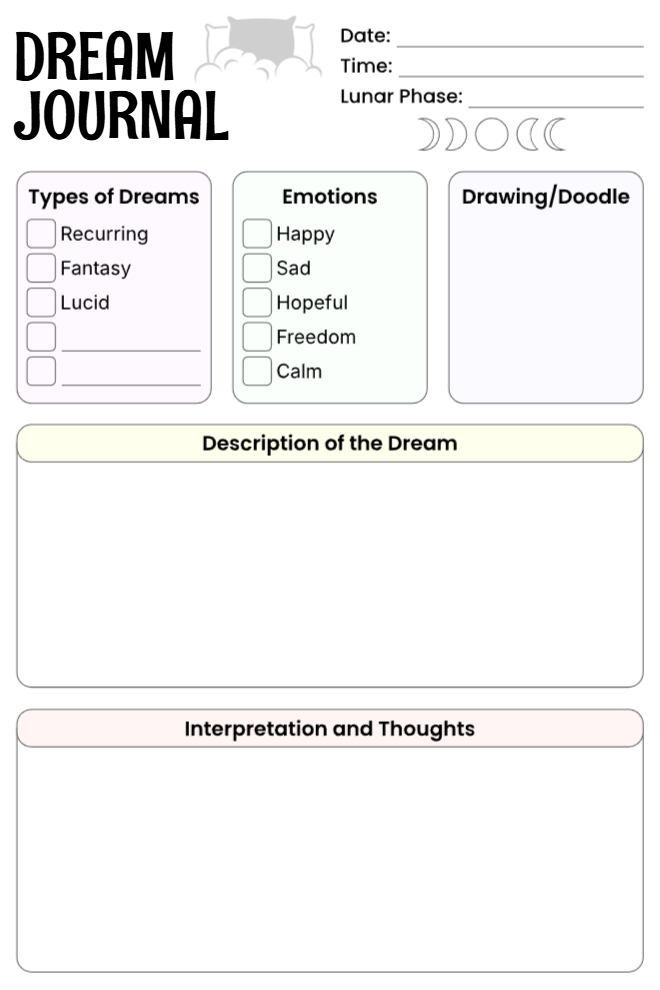
Moonlit Dream Journal
Simple and well-structured covers everything without feeling overwhelming. The drawing box is the standout feature here, perfect for people who remember visuals more than words.
Best For: Visual thinkers who want to sketch dreams alongside writing them.
Key Features:- Dream type + emotion checkboxes.
- Lunar phase tracker with date and time log.
- Drawing/doodle box.
- Dream description + interpretation sections.
Why It Works: The doodle box lets you capture what words can't convey for dreams that are more visual than narrative.
Use This Template →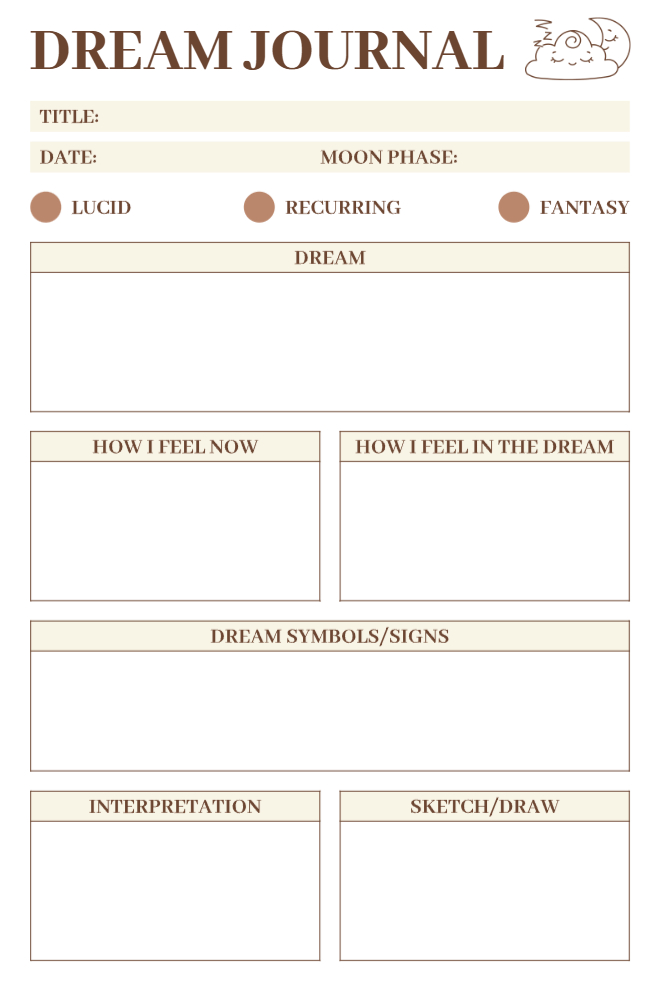
Dream & Soul Journal
Warm beige tones with a calm, organized layout. It separates how you felt inside the dream from how you feel now, a small but surprisingly powerful distinction that most journals completely ignore.
Best For: Anyone who wants a clean, structured dream log with sketch space.
Key Features:- Title field for naming your dream.
- Moon phase + dream type selector.
- "How I Feel Now" vs "How I Feel in the Dream" split boxes.
- Dream symbols/signs section.
- Sketch/Draw box included.
Why It Works: Naming your dream and tracking symbols over time helps you spot patterns most people never notice about themselves.
Use This Template →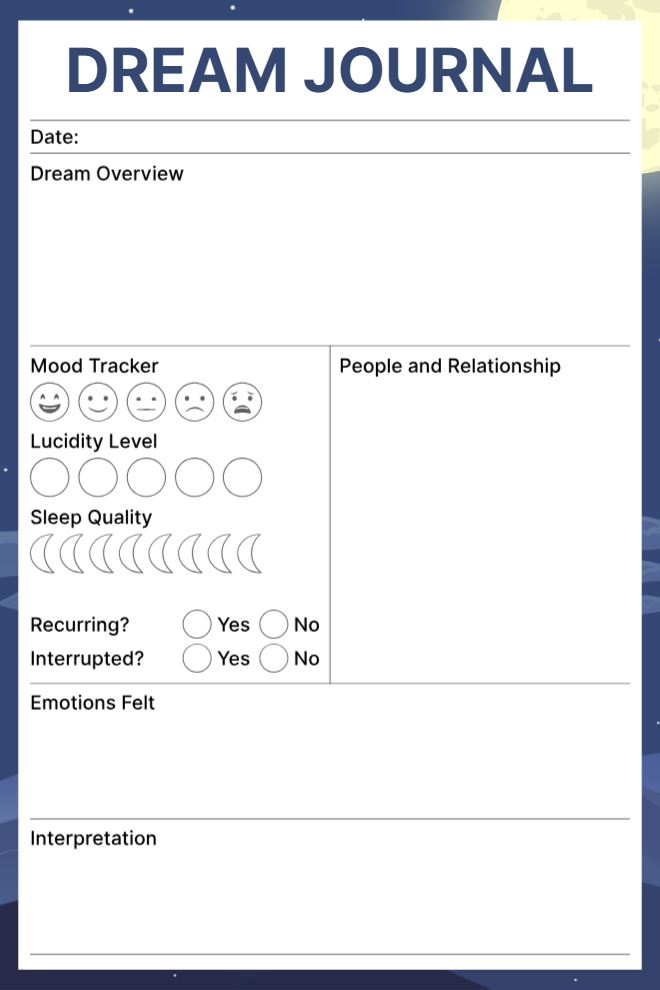
Deep Sleep Dream Journal
Dark navy design that actually feels like nighttime. Goes beyond just writing tracks, mood, lucidity level, sleep quality, and whether the dream was recurring or interrupted.
Best For: People who want detailed sleep and dream data tracked together in one place.
Key Features:- Mood tracker with emoji scale.
- Lucidity level + sleep quality visual trackers.
- Recurring & interrupted dream checkboxes.
- People & relationships section.
- Emotions felt + interpretation space.
Why It Works: Tracking lucidity level separately from sleep quality gives a much clearer picture of dream patterns over time.
Use This Template →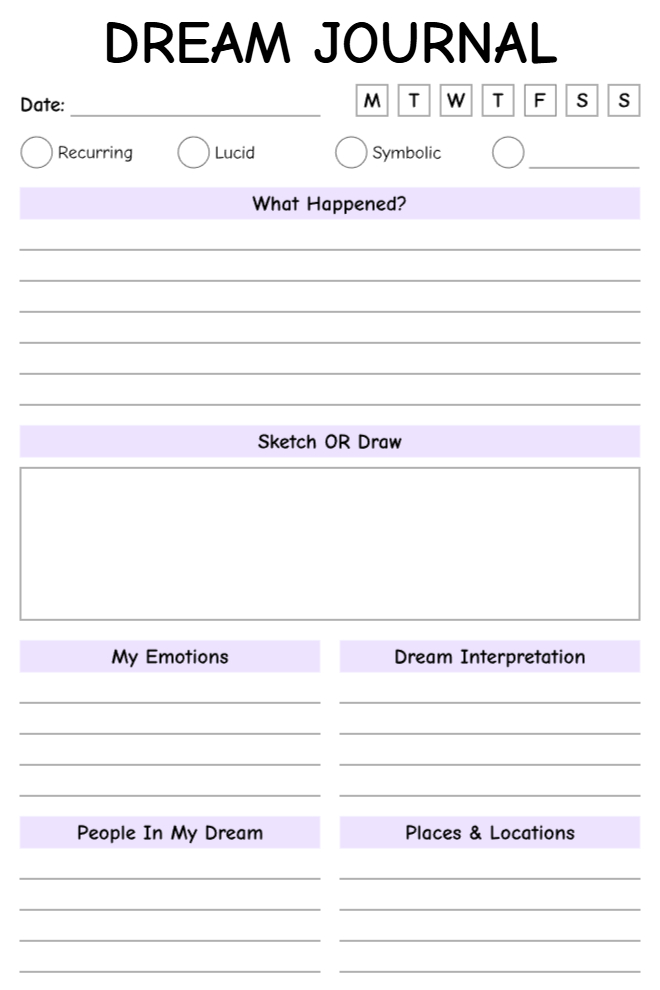
Sketch Your Dreams Journal
Soft purple design with a large sketch box right in the center. Draw first, write around it. Covers all the key dream elements without crowding the page or overwhelming the writer.
Best For: Creative journalers who like to mix drawing and writing.
Key Features:- Day-of-week tracker.
- Dream type selector (Recurring, Lucid, Symbolic).
- Large central sketch/draw box.
- Emotions + interpretation side columns.
- People and places sections at the bottom.
Why It Works: Putting the sketch box front and center encourages visual recall before the dream fades, which captures more detail than words alone.
Use This Template →
Dream Decoded Journal
Minimalist and clean with a moon and stars design. Focuses on what happened, how you felt, and what it might mean, no clutter, just the essentials that actually matter.
Best For: Beginners who want a simple, no-pressure dream journaling page.
Key Features:- "What happened in your dream?" narrative section.
- Feelings + main characters columns.
- "Things that stood out" prompt.
- Dream type selector. (Realistic, Lucid + custom options)
- Symbolism reflection question at the bottom.
Why It Works: The symbolism question at the end pushes you one step further than just recalling it asks you to actually reflect on the meaning.
Use This Template →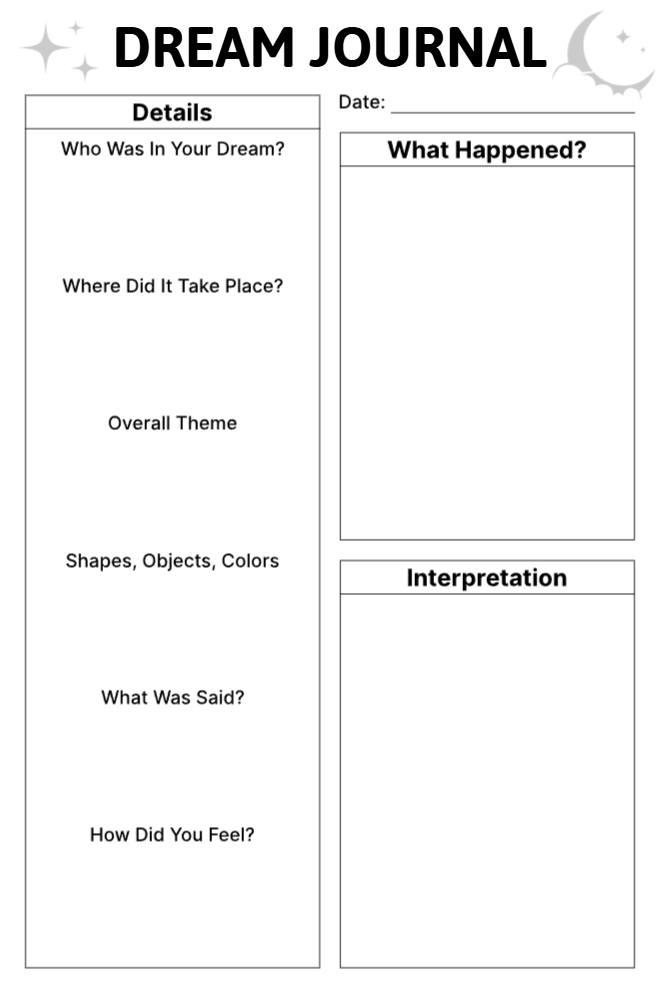
Dream Details Journal
Side-by-side layout that separates the small details from the big picture. Left column handles the specifics, right column holds the full story and interpretation, clean, logical, and easy to revisit.
Best For: Detail-oriented people who think in structured, organized formats.
Key Features:- Details column: who, where, theme, objects, dialogue, feelings.
- "What happened?" narrative box.
- Interpretation section.
- Star and moon design in clean black & white.
Why It Works: Breaking details into a side column keeps the main narrative uncluttered, easier to write, and much easier to look back on later.
Use This Template →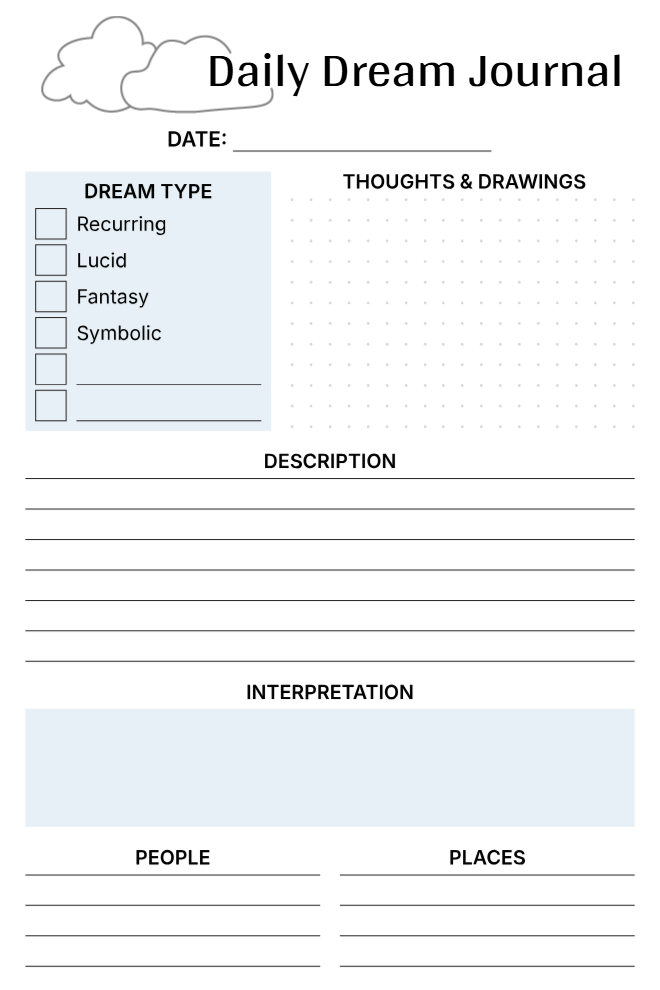
Wake Up & Write Dream Journal
A daily dream log built for consistency, dream type, description, interpretation, people, and places all fit on one clean page. The dotted drawing section adds a creative touch without making it feel like an art project.
Best For: Anyone building a consistent daily dream logging habit.
Key Features:- Dream type checklist. (Recurring, Lucid, Fantasy, Symbolic)
- Dotted "Thoughts & Drawings" area.
- Description + interpretation sections.
- People and places columns at the bottom.
Why It Works: The dotted drawing area feels less intimidating than a blank box, making it easier to sketch even if you're not artistic at all.
Use This Template →Why a Good Dream Journal App Makes It Easy to Return?
In most dream apps, a missed morning means a broken streak and a gap that feels like a failure. The next time you open it, the first thing you see is the date you stopped. That is not encouragement; it is exactly what ends habits permanently.
No streak counter. No overdue warnings. Open PlanWiz after a week away, and a clean template is already waiting. Pair it with a gratitude journal app , and returning feels natural, not like starting over.
The most consistent dream journalers are not the ones who never miss a morning. They are the ones who know how to return with no guilt about the time in between.
"An imperfect dream journal kept for six months is worth more than a perfect one that ended on day eleven."
"Miss a morning. Open a fresh page tonight. PlanWiz never makes a gap feel like a reason to stop."
How Do You Get Started With PlanWiz?
No lengthy onboarding. No building the perfect dream dictionary before you are allowed to start. No importing data from other apps.
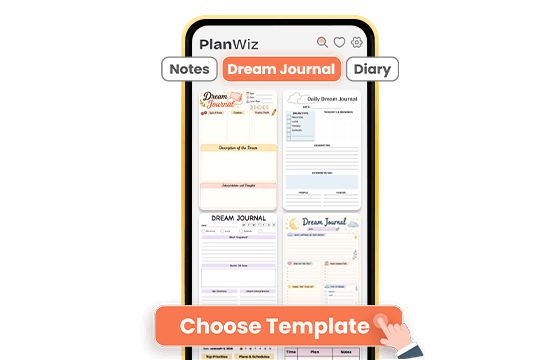
Choose a Dream Template That Matches Your Morning
Browse 1,000+ ready-made dream templates and pick one that matches the morning you are actually having, not the morning you planned. Full narrative page for a vivid night, quick capture template for a fragmented one, or a symbol-and-emotion log for everything in between. The structure is already there. You just open it and write.
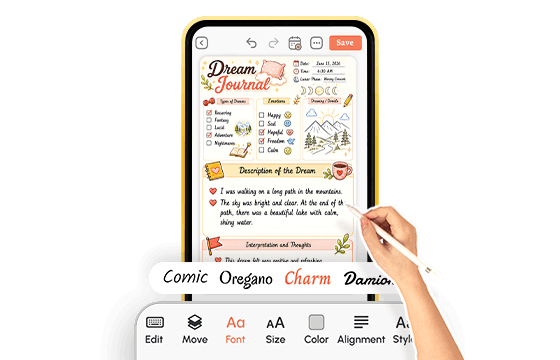
Capture, Tag, and Customize as You Go
Write your entry in whatever form it arrives: a full story, a list of images, a feeling without a name. Add tags for symbols, emotions, recurring figures, or locations. Adjust the template or use it exactly as it is. On a clear morning, go deep. On a groggy one, three words and a close. The system accepts whatever you have.
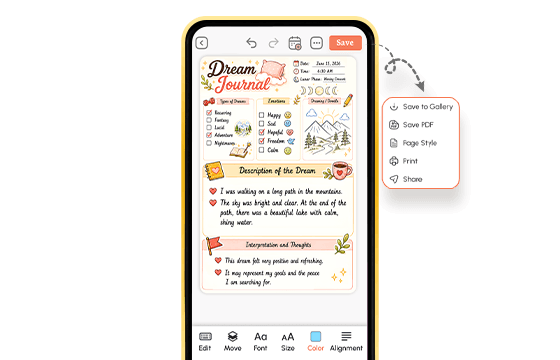
Download, Export, and Keep Your Practice Yours
After a week, open the timeline. After a month, search by symbol or theme. See what keeps coming back. Export any entry as a PDF or keep everything private inside the app. Your dream journal belongs entirely to you. When a gap appears in the record, open a fresh page. No shame. No starting over. Just forward.
A dream journal app that is ready before the dream disappears.
What Do Real People Say About This Dream Journal App?
From people who've already tried everything else.
Ready to Finally Use a Dream Journal App That Actually Sticks?
If any of this felt familiar, the dream you lost, the notes app that captured nothing, the habit that quietly stopped this dream journal app was built for exactly that. For the person still trying to build one.
Free to start. No credit card. Ready before the dream disappears.
Start Free → planwiz.app

Frequently Asked Questions
The best dream journal app opens fast enough to catch a dream before it fades, removes the blank page, and makes it easy to search entries over time. Look for symbol tagging, a visual timeline, complete privacy, and no streak pressure. PlanWiz meets all of these with 1,000+ ready-made templates and a fast-capture mode under 60 seconds.
Write down whatever fragment remains immediately after waking before checking messages or getting out of bed. A single image, emotion, or word is enough to start. Many regular journalers find that capturing consistently, even partially, improves recall over time.
Most people begin noticing recurring symbols or emotional themes within two to four weeks of consistent entries. By the end of the first month, searching across entries often surfaces patterns that no individual entry made visible.
PlanWiz is available on iOS, Android, and Web, so your dream journal stays with you across every device. Start a capture on your phone at the bedside and continue a longer review on tablet or desktop later in the day.
Every morning is the goal, but an imperfect record kept most mornings is worth far more than a perfect system abandoned after two weeks. Even three or four entries per week build enough material to start noticing patterns within a month.
PlanWiz is free to start with no credit card required. The free version includes access to templates and core journaling features. Premium features expand the template library and customization options. You can begin capturing your dreams immediately without any setup or payment.