The Lesson Planner App That Actually Fits How Teachers Work
PlanWiz is a lesson planner app built specifically for teachers. It includes 1,000+ ready-made lesson planner templates, built-in Common Core and NGSS standards alignment, and a full weekly dashboard helping teachers cut planning time by 3–5 hours per week. Free to start. Works on all devices.
What Is the Best Lesson Planner App for Teachers in 2026?
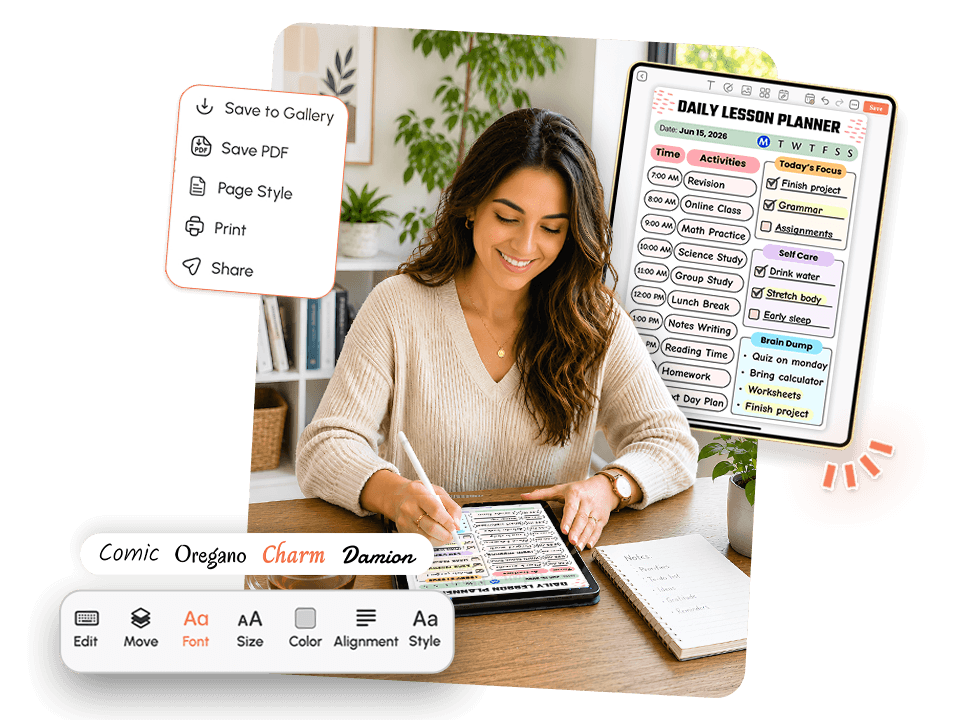
The best lesson planner app for teachers in 2026 is one that reduces Sunday evening planning dread, aligns lessons to curriculum standards without extra steps, and works just as smoothly on a phone at home as it does on a desktop at school.
Here is what a reliable best digital lesson planner must do:
- Save real time through reusable, customizable planner templates .
- Support curriculum standards alignment without manual cross-referencing.
- Work across phone, tablet, and desktop without syncing issues.
- Open, update, and close in under five minutes on a busy morning.
- Stay flexible enough to handle the weeks that never go as planned.
Who Is This Lesson Planner App For?
This lesson plan app for teachers was designed for the people who need it mostElementary Teachers
Managing multiple subjects, daily read-alouds, and differentiated instruction across 20–30 students can explore our teacher planner templates.
Middle School Subject Teachers
Grades 6–8 tracking lesson pacing across multiple class periods in ELA, Math, Science, or Social Studies.
High School Teachers
Planning unit arcs, AP or IB-aligned content, and semester-long assessments.
Substitute and Part-Time Teachers
Who need to pick up a structured plan fast without decoding another teacher's binders.
Homeschool Teachers
Building weekly lesson structures across multiple subjects and grade levels can explore our school planner templates.
Why Do Teachers Keep Abandoning Every Lesson Planner App They Try?
Most teachers have tried two or three digital planning tools and ended up back in a Google Doc or a paper planner. The problem is seldom the teacher. Here is what actually goes wrong.
The Blank Page Problem
Sunday evening. You sit down to plan. The app opens to an empty weekly grid. You know roughly what needs to happen this week, but turning that rough idea into five structured days across five subjects, with objectives, materials, and pacing all noted, takes two hours minimum.
By the time Monday is planned, it is already 9 PM. The rest of the week is a guess.
Teachers do not need a blank calendar. They need a framework to start from.
Too Many Templates, None of Them Useful
Some apps solve the blank-page problem by offering too many choices. Forty-seven layout options. Twelve color themes. Seven different objective formats. Teachers spend 45 minutes choosing a template before writing a single lesson and never open the app again.
A good lesson plan maker app gives teachers a small number of well-designed, immediately usable templates. Not a design studio. Not a decision tree. Just a solid starting point.
No Flexibility for Real Classrooms
Tuesday morning: fire drill eats third period. Wednesday: half the class is pulled for testing. Thursday: the projector is broken. Friday: a student needs a behavior support plan update before 8 AM.
Lesson plans that cannot bend will break. When a planning app forces teachers to start from scratch every time the week shifts, they stop using it. The best lesson plan app for teachers accounts for imperfect weeks because there is no other kind.
Disconnected Tools
Many teachers manage lesson plans in one app, a to-do list in another, a calendar in a third, and notes in a fourth, and also use notes planner templates to plan their notes. When these tools do not connect, planning becomes its own second job. A good lesson plan organizer app should fit naturally into how teachers already organize their week, the same way a reliable task planner app connects daily work without adding friction on top.
Why Does Planning Feel Harder Than the Actual Teaching?
Teaching is demanding, but most experienced teachers find the classroom manageable. It is the hours before and after the classroom that feel unsustainable.
Planning feels harder than teaching because teaching runs on energy, instinct, and years of practice. Planning is administrative: quiet, unstructured, and sandwiched between everything else that needs attention. When the tool adds friction instead of removing it, planning becomes something teachers avoid instead of a habit they build.
When a weekly planning tool requires 15 clicks to create one lesson entry, teachers procrastinate. When templates do not match how a teacher actually structures a class period, the tool gets abandoned in two weeks.
The problem is not the teacher. It is the tool.
Most lesson planning apps were built by software teams, not educators. PlanWiz was designed around what teachers actually do between 6 AM and 8 PM, not what a product roadmap assumes they do.
Teachers who use a structured planning tool consistently report feeling more prepared and less reactive throughout the school week. The planning habit, once built around the right tool, much like a goal planner app that keeps your bigger picture visible, becomes one of the most reliable parts of the job.
How Does PlanWiz Fit Into a Teacher's Real Day?
A good digital lesson planner should take up as little time as possible while giving teachers the most structure possible. Here is what that looks like in practice.
Morning Check-In (5 Minutes or Less): Open PlanWiz, confirm today's plan, check that materials are noted, and review any carryover tasks from yesterday using our daily planner templates, the same quick check-in flow that makes a daily routine app worth opening every single morning. Surfaces today's schedule immediately, no scrolling, no searching, no navigating through menus to find what you already planned.
Heavy Planning Days (Sunday or Monday): Use the weekly planner to block out the full week. Apply a reusable template to subjects that follow a regular structure, drag lesson blocks into place, and flag any special circumstances, just like a calendar planner app keeps your personal schedule visible and structured weeks in advance. The whole week takes shape in 20–30 minutes, not two hours.
Mid-Week Adjustments (2 Minutes, Not 2 Hours): When the plan shifts, and it always shifts, it makes adjustments fast. Move a lesson block forward. Mark a section complete. Add a note for next week. The weekly structure stays visible and intact even when individual days change. No rebuilding. No starting over.
What Features Should a Lesson Planner App Have?
The lesson planner app should include ready-made templates, standards alignment, weekly views, flexible editing, reminders, and cross-device access.
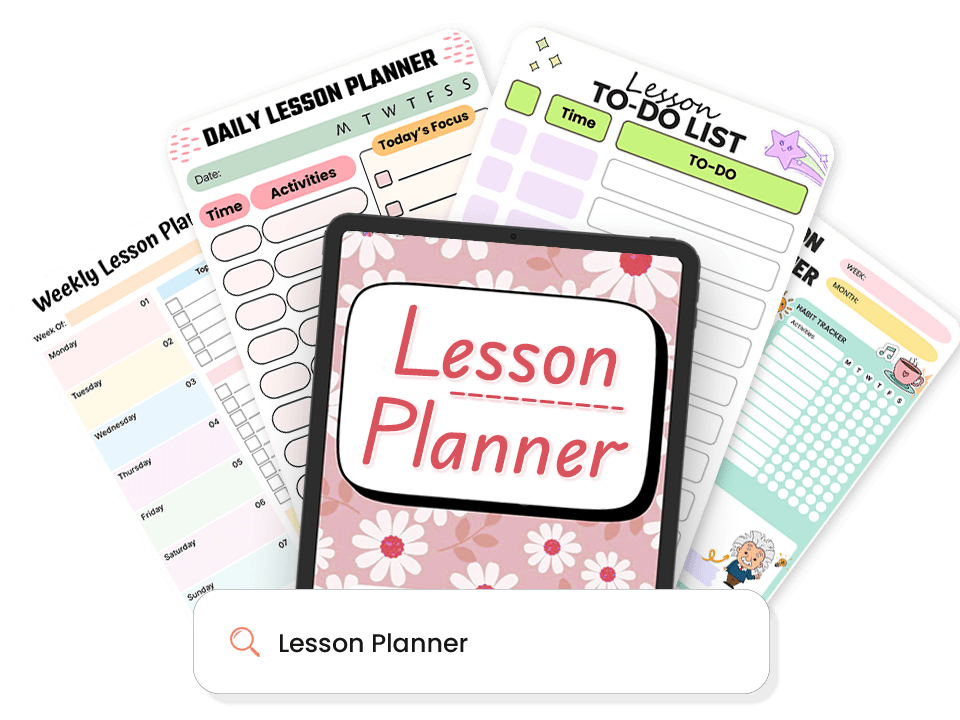
1,000+ Ready-Made Lesson Templates.
Most lesson plan tracker open to a blank page and leave you guessing. PlanWiz does the opposite. Every lesson template arrives pre-structured, so you can start planning in seconds, not after an hour of setup.
What's ready for you:
- Daily lesson templates for clear, focused class periods
- Browse our weekly schedule planner templates to see the full picture before Monday starts
- Subject-specific lesson templates for ELA, Math, Science, and Social Studies
- Sub lesson plan templates to hand off or pick up a structured plan fast
Lesson Standards Alignment Built In.
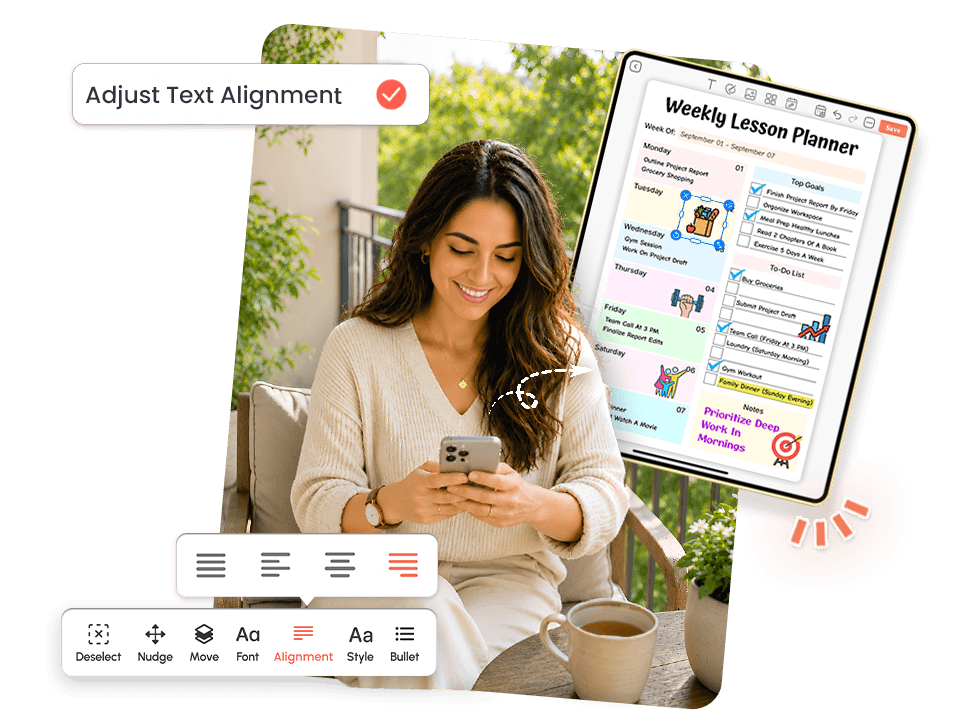
Most apps treat standards as an afterthought. It builds lesson standards alignment directly into every entry, so it becomes part of the workflow, not a separate task after it.
How it works:
- Tag each lesson to Common Core or NGSS standards in under 10 seconds
- See lesson standards coverage across the full week at a glance
- No manual cross-referencing, no separate spreadsheet, no extra tab open
Weekly Lesson Overview Dashboard.
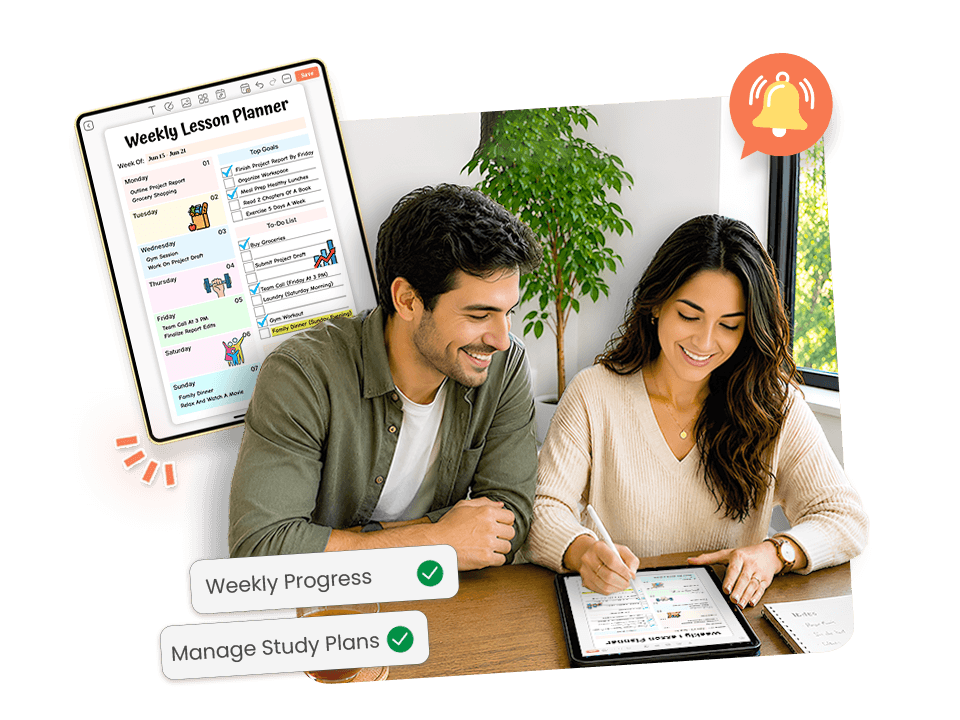
PlanWiz opens to the full weekly planner templates lesson dashboard, so the entire week is visible before a single lesson gets written.
What it gives you:
- All lesson periods visible in one screen, no scrolling, no searching
- Pacing gaps and overloaded lesson days become obvious before Monday arrives
- Drag and drop lesson blocks to reorder the week without starting over
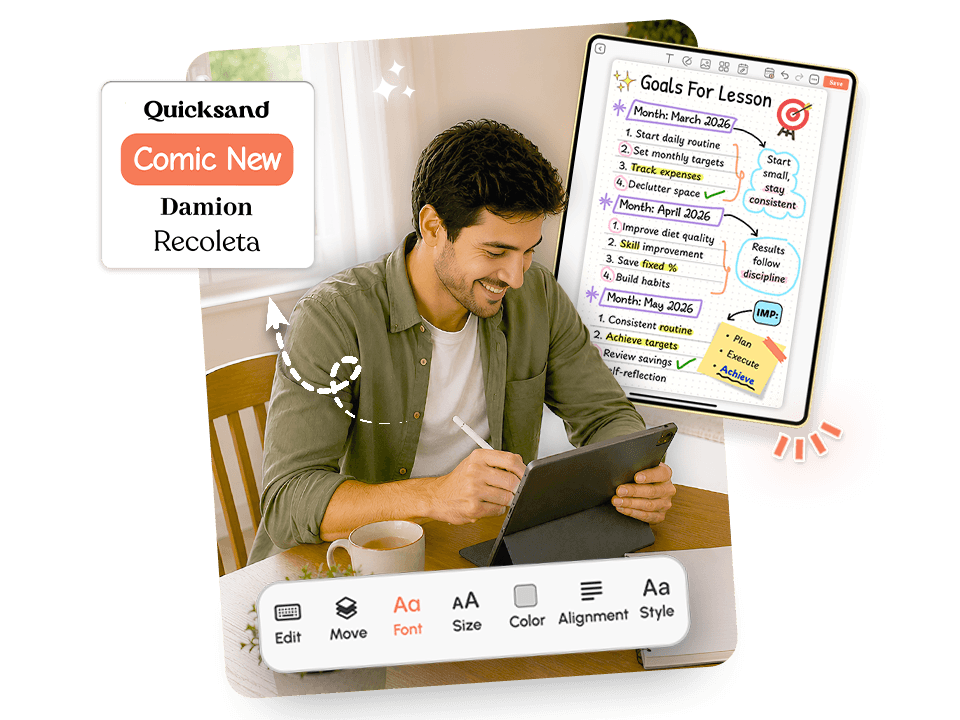
Flexible Mid-Week Lesson Editing.
No week goes exactly as planned. Let's you adjust any lesson in two taps without rebuilding the whole week.
How it works:
- Move a lesson block forward instantly, no rebuilding required
- Mark a lesson complete, and the rest of the week adjusts automatically
- Add mid-week notes for specific students or lesson changes
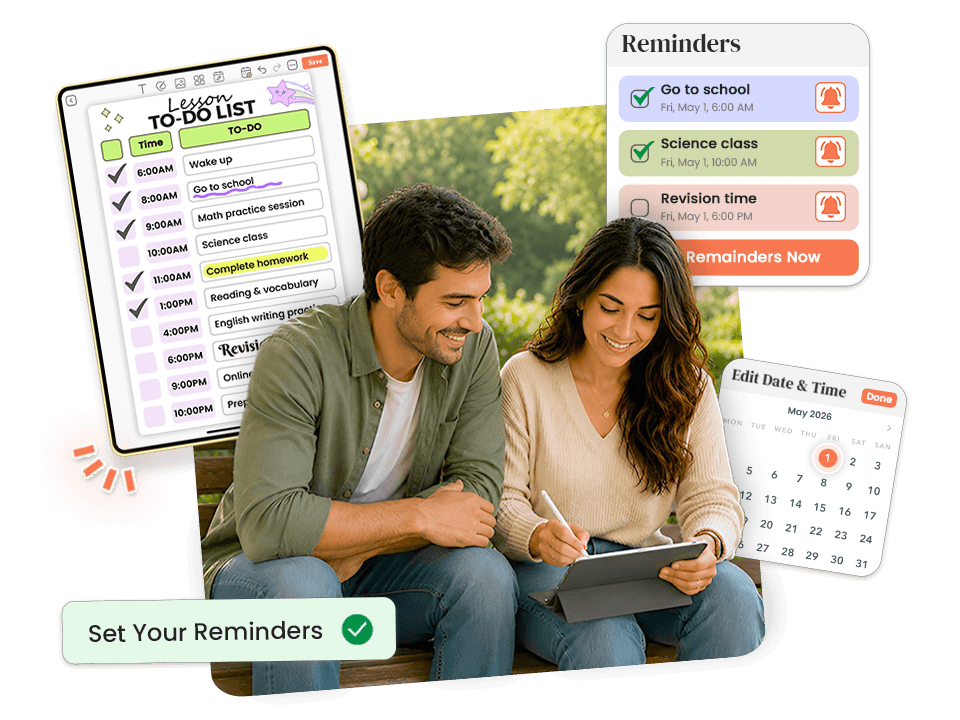
Smart Lesson Reminders.
Write a complete lesson plan on Sunday and still walk into Monday unprepared if the plan disappears from your awareness. It keeps your lessons front and center all week, just like the good reminder planner templates keep your entire day on track.
How it works:
- Set reminders directly on individual lessons, no separate app needed
- Material prep reminders surface the day before a lesson that needs setup
- Daily planning reminders protect the 15 minutes you would otherwise skip
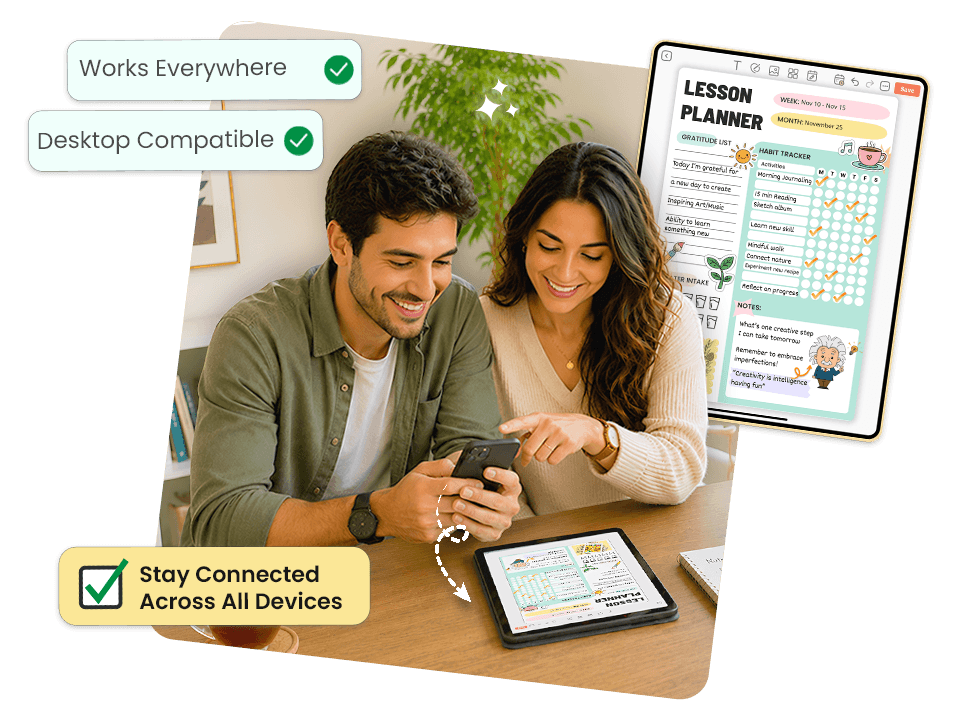
Lesson Plans Across All Your Devices.
Teachers do not plan in one place. This follows you across desktop, tablet, and phone automatically.
How it works:
- Full lesson access on all devices with no manual export or syncing
- Open your morning lesson view on your phone before walking into class
- Changes made on any device appear everywhere instantly
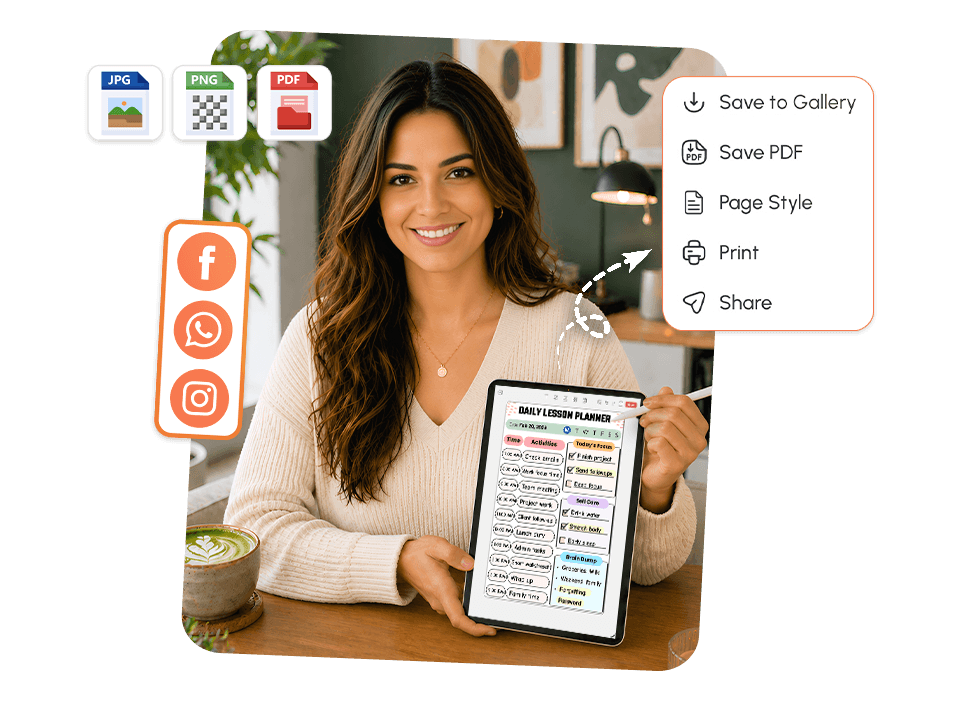
Download and Share Your Lesson Plans.
A lesson plan that only lives inside an app is one missed notification away from being ignored. Teachers who pair PlanWiz with a habit tracker app for their daily routines find that consistent planning becomes second nature, not something that only happens on Sunday nights.
What you can do:
- Download any lesson plan as a PDF to save, print, or file
- Share your weekly lesson plan with a coach or department head with one tap
- Hand off a sub lesson plan without retyping or reformatting anything
Explore Lesson Planner Templates That Work for Your Classroom
Pick the Template That Matches Your ClassroomEvery template is pre-structured so your brain never faces a blank page. Browse below and tap any template to explore it.
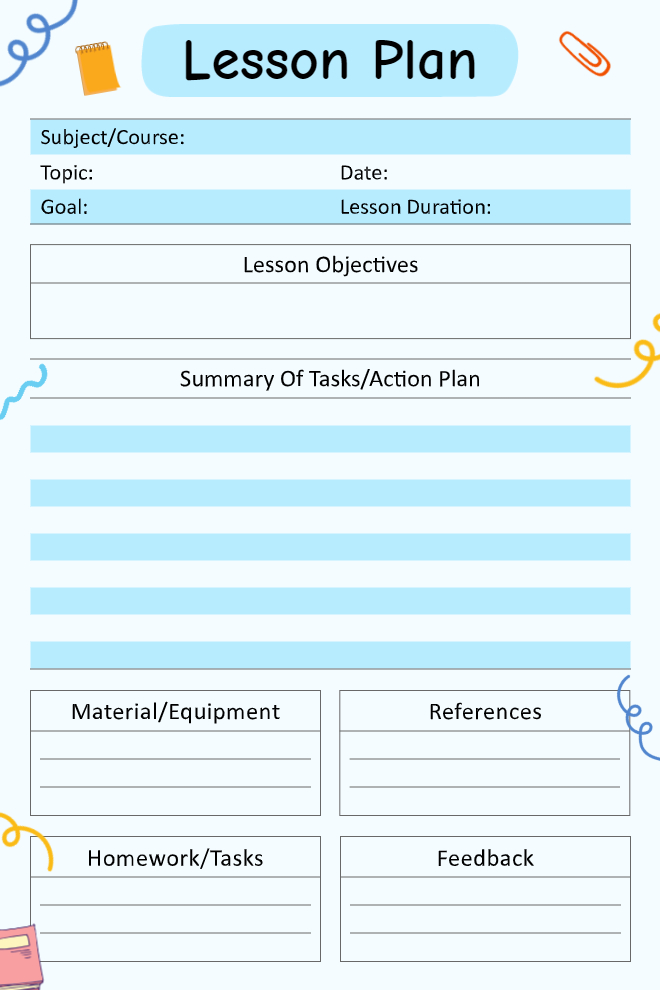
Basic Lesson Plan Template
This is your standard lesson plan setup that covers all the essentials without getting too complicated. You fill in the subject, topic, date, goal, and lesson duration at the top, then write out your lesson objectives and a summary of what you'll actually be doing in class. Below that are boxes for materials you need, references you're pulling from, homework assignments, and space for feedback after the lesson. The school supply graphics around the edges keep it from looking too formal. It's simple enough for new teachers but thorough enough that you're not missing anything important.
Use This Template →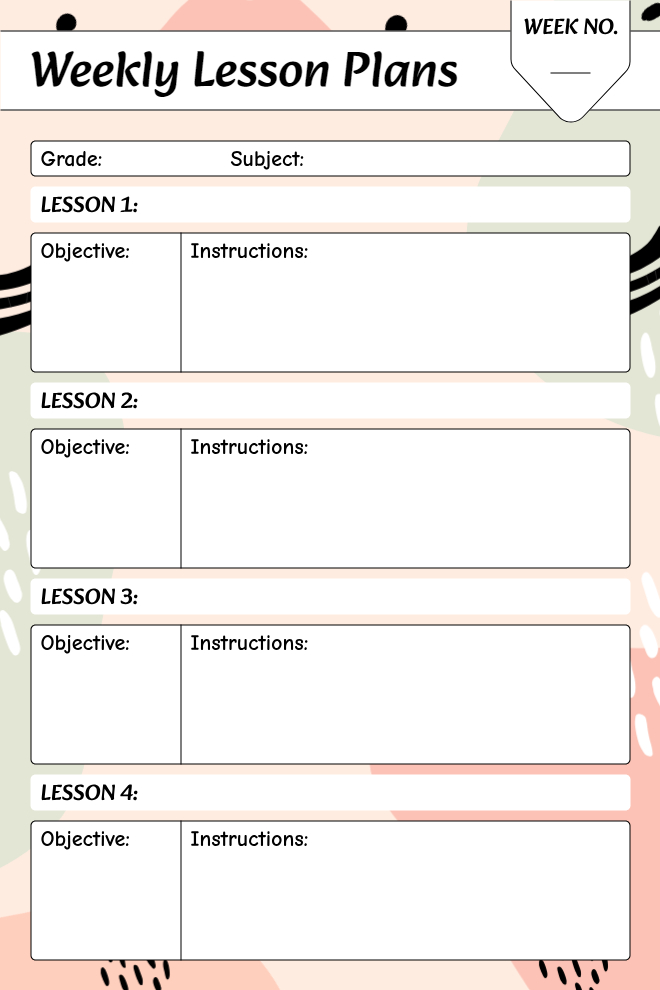
Weekly Lesson Plans Template
This weekly planner lets you map out four lessons at once, which is perfect for teachers who plan by the week instead of day by day. Each lesson gets a box split into objectives and instructions, so you can see the goal and the actual steps side by side. You fill in the grade and subject at the top, then note which week number you're on. The abstract pastel designs around the edges give it some visual interest without being distracting. It's compact but gives you enough room to actually write meaningful plans rather than just vague bullet points.
Use This Template →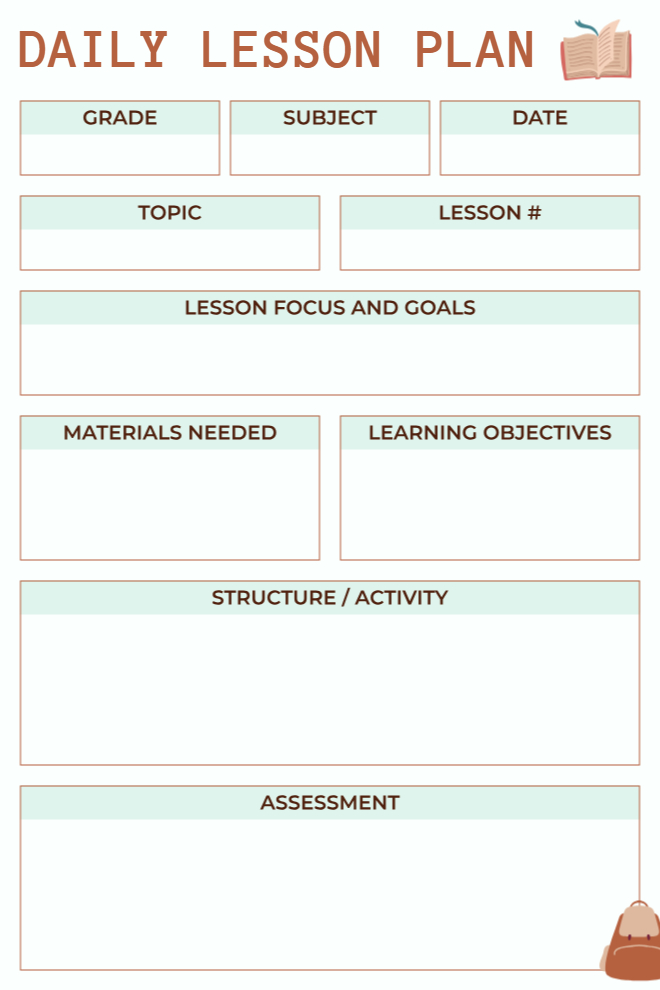
Daily Lesson Plan
This clean daily lesson plan uses a warm brown and mint color scheme that's easy on the eyes. You've got fields for grade, subject, date, topic, and lesson number right at the top to keep everything organized. The lesson focus and goals section gives you space to articulate what you're trying to accomplish, then separate boxes for materials needed and learning objectives keep those two things from getting mixed up. The structure/activity section is nice and big for writing out your actual lesson flow, and the assessment box at the bottom reminds you to think about how you'll know if students actually learned anything.
Use This Template →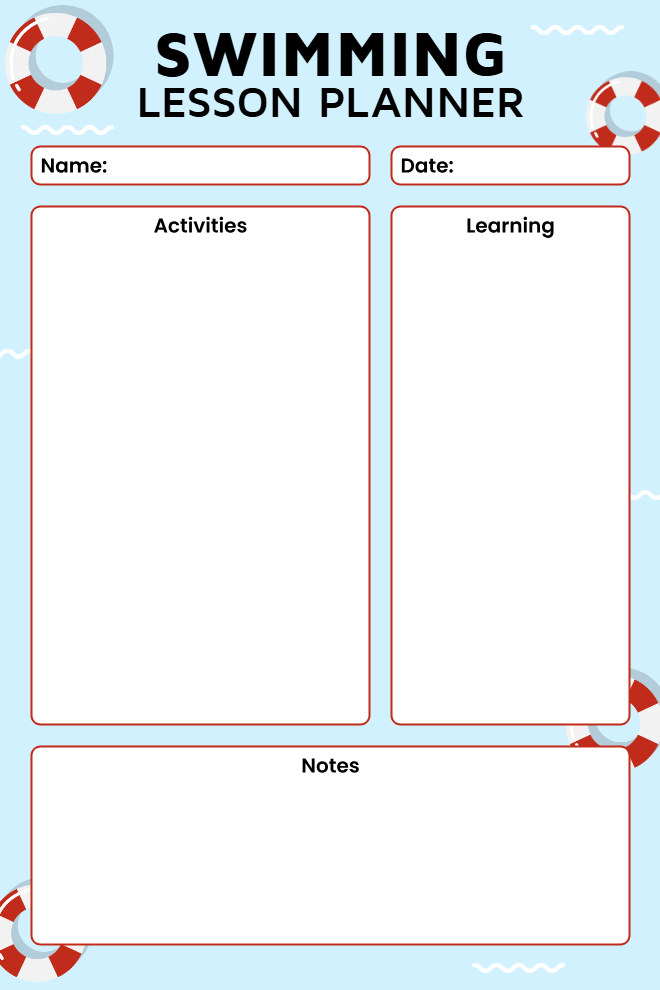
Swimming Lesson Planner
Built specifically for swimming instructors, this simple planner has just what you need without drowning you in details. You write the student's name and date at the top, then you've got two big boxes for activities and learning objectives. The notes section at the bottom is great for tracking progress or things to remember for next time. The life preserver graphics around the border are a cute touch that makes it clear this is for pool use. It's straightforward enough that you can fill it out quickly between lessons, but it still gives you a record of what each student worked on.
Use This Template →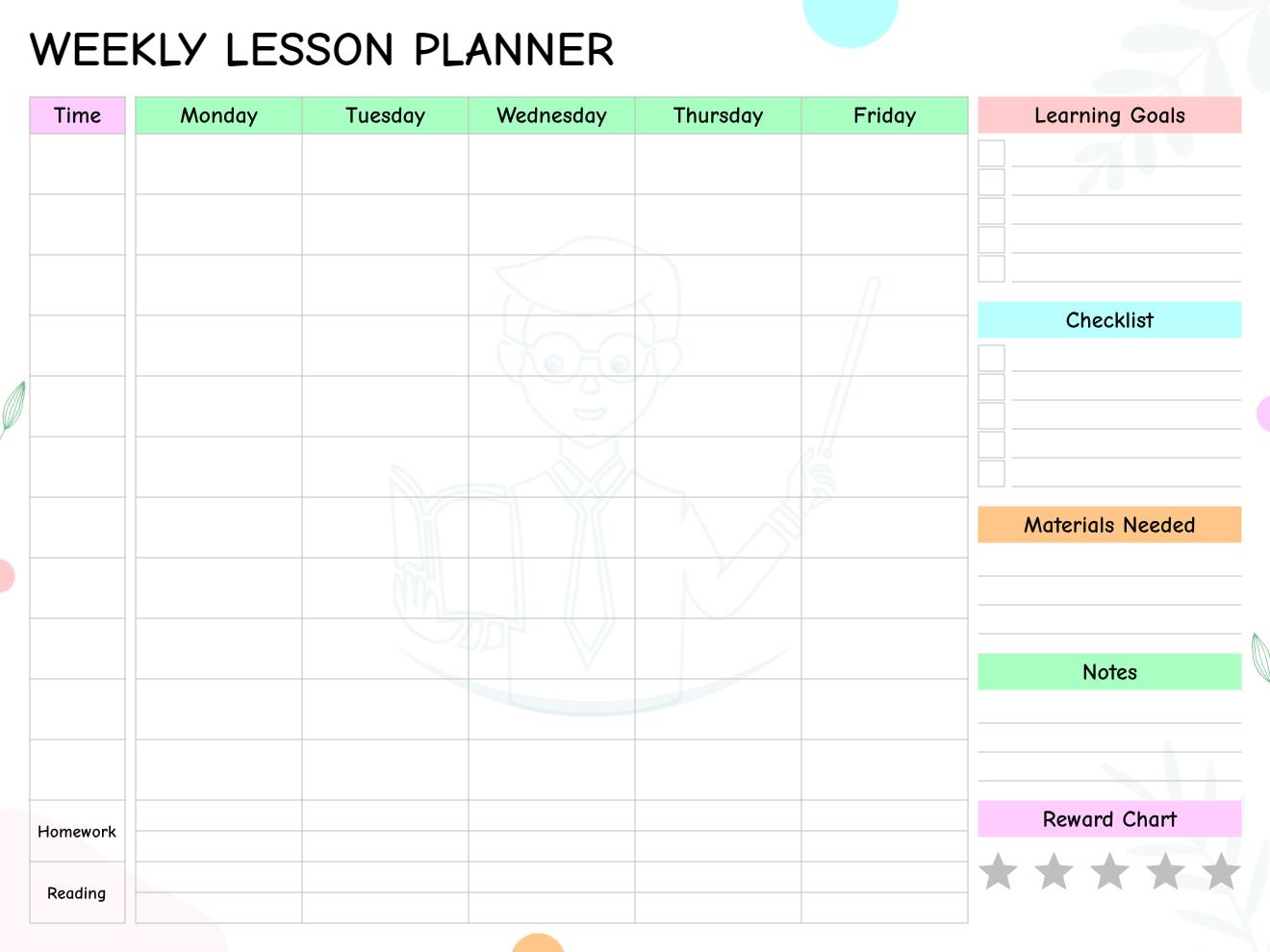
Weekly Lesson Planner Grid
This grid-style weekly planner shows Monday through Friday across the top with time slots running down the left side, so you can schedule lessons by both day and time. On the right side, there are sections for learning goals with checkboxes, a general checklist, materials needed, notes, and even a reward chart with five stars. The homework and reading rows at the bottom help you track assignments across the week. The colorful headers and playful design make weekly planning feel less tedious. It's particularly useful for teachers juggling multiple subjects or activities throughout the day.
Use This Template →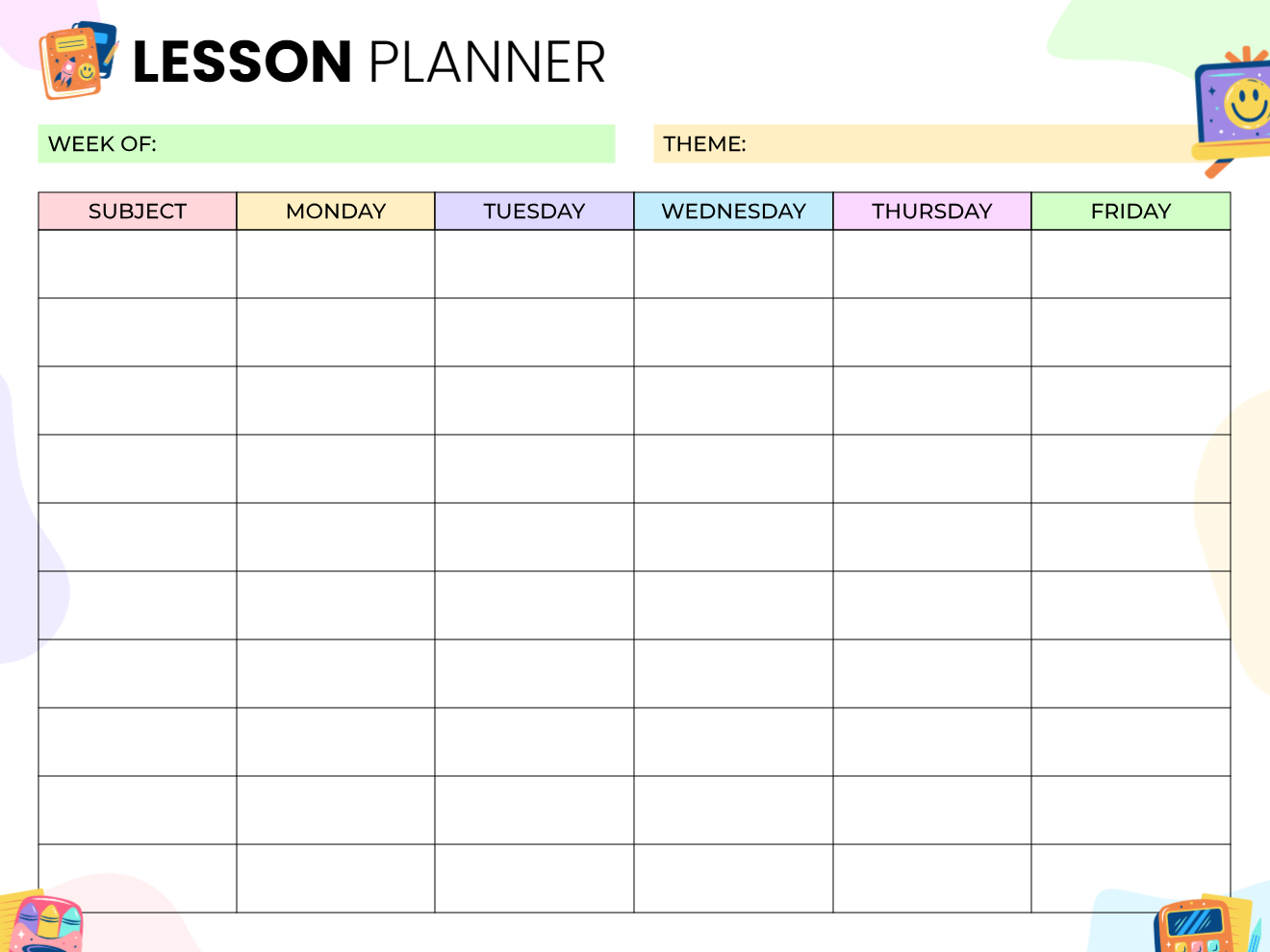
Subject-Based Weekly Lesson Planner
This planner organizes your week by subject rather than by time, which works great for teachers who teach the same subjects each day but vary the content. The grid shows Monday through Friday across the top with rows for each subject down the left side. You fill in the week and theme at the top to keep your planning focused. The cheerful school supply graphics and pastel color-coding make it visually appealing without being too busy. This layout is especially helpful for seeing patterns in how you're distributing content across the week.
Use This Template →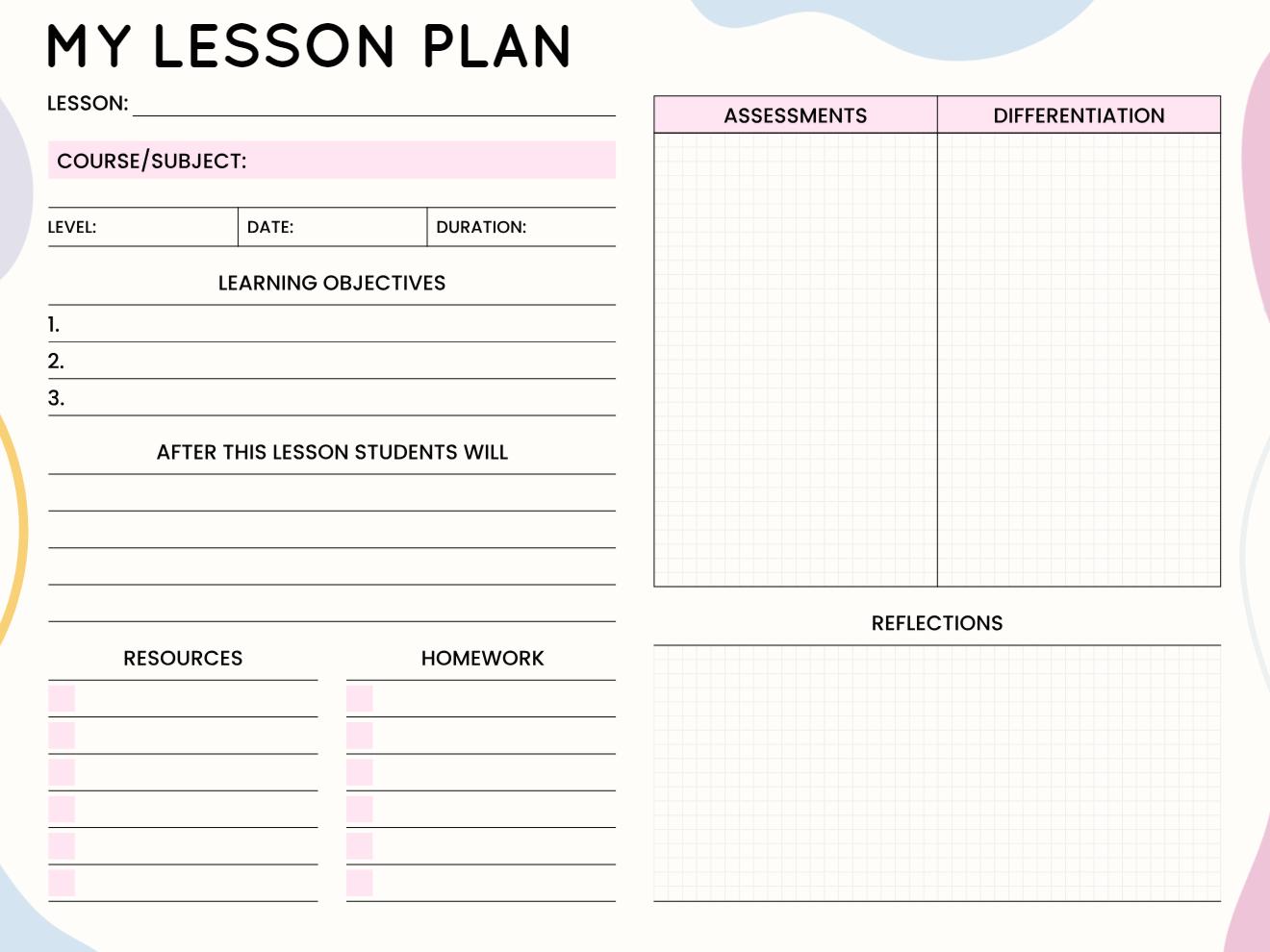
Comprehensive Lesson Plan
This detailed lesson plan template is built for teachers who need to document everything, including how they're meeting different student needs. The left side has all your standard planning fields: lesson name, course, level, date, duration, learning objectives, student outcomes, resources, and homework. The right side has big boxes for assessments and differentiation strategies, plus a reflection section at the bottom for after the lesson. The pink accents keep it from looking too corporate. This is the kind of template you'd use when your plans might be reviewed by administrators or when you're really trying to nail differentiated instruction.
Use This Template →What Happens When Your Lesson Plan Falls Apart Mid-Week?
It is Wednesday afternoon. You planned a full period of guided practice for your eighth graders, but a fire drill ate up 20 minutes, and half the class did not finish Tuesday's prerequisite work. Your original Thursday plan is now impossible, and Friday is already packed.
This is not an unusual week. This is most weeks.
Teachers who rely on rigid paper plans or overcomplicated apps face a binary choice: abandon the plan entirely, or spend another hour rebuilding it. Neither is sustainable over a full school year.
It treats mid-week changes as part of the normal workflow:
- Move the unfinished lesson block to Thursday with two taps
- Flag Friday as dependent on Thursday's completion
- Add a note about which students need additional support
- The weekly structure stays visible, and the plan stays realistic
The most stressful planning moments are not at the start of the week. They are mid-week, when reality diverges from the original plan. It was built to make those moments manageable, not demoralizing.
"This app moves with you, not against you. A lesson plan tracker should reduce the cost of changing plans, not punish you for it."
How Do You Actually Get Started With PlanWiz?
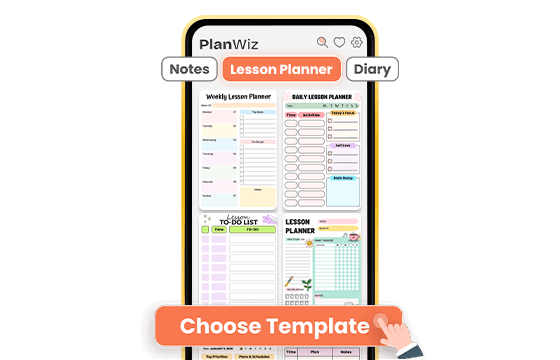
PlanWiz helps you choose a lesson template, fill in your details, and follow a structured weekly plan that adapts to your classroom schedule.
Choose a Lesson Template That Fits Your Week
Browse from 1,000+ ready-made lesson templates and pick one that matches your subject and your week. Big teaching week ahead? Go into detail with a full direct instruction or workshop model layout. Tight on time? Pick a minimal lesson template and get the essentials down fast. Either way, the lesson structure is already built; you are not starting from zero.
Add Your Lesson Details in Minutes
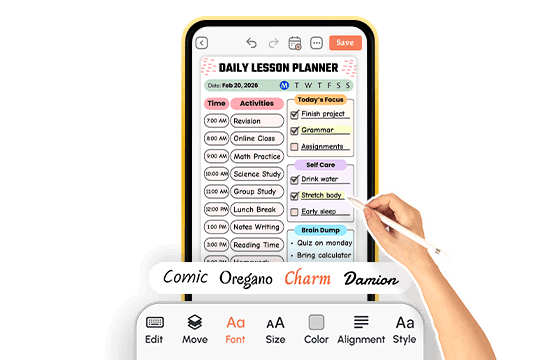
Type in your objective, materials, and standards tag, adjust any sections if you want, and set a reminder if you need one. Or use the lesson template exactly as it is. Either way, you are planning a complete lesson within two minutes, not after an hour of setup that drains the energy you needed for actual teaching.
Track, Share, and Stay on Top of Your Lessons
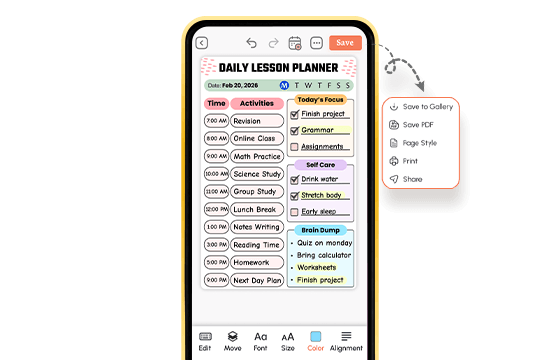
Once your lesson plan is set, do not let it live only inside an app. Download any lesson page as a PDF, print it, and put it somewhere you open every morning. Share your weekly lesson plan with your instructional coach, department head, or co-teacher directly from the app in one tap. When a hard week hits, switch to a simpler lesson template and keep moving.
That's the whole system.
What Real People Say About This Lesson Planner App?
From teachers and planners who've already tried everything else.
Ready to Try the Lesson Planner App Built for Real Teachers?
PlanWiz is a lesson planner app designed for real classrooms, real schedules, and real teaching challenges. If you're looking for the best lesson plan app to organize your week, it gives you structure without complexity.
Free to start. No credit card. Ready in under three minutes.
Start Free → planwiz.app

Frequently Asked Questions
The best lesson planner app for teachers in 2026 is one that reduces planning time, aligns to curriculum standards without extra steps, and stays flexible when the week changes. PlanWiz is built specifically for teachers with 1,000+ templates, a full weekly dashboard, and built-in Common Core and NGSS alignment. Teachers consistently report saving 3 - 5 hours per week after switching.
Choose a lesson planner app based on five criteria: time savings through reusable templates, built-in standards alignment, cross-device access, a simple interface that requires no learning curve, and flexibility to handle mid-week changes without starting over.
The best digital lesson planner saves teachers time by providing ready-made lesson templates, built-in standards tagging, and a weekly view that eliminates the need to rebuild plans from scratch every week. Teachers who use PlanWiz consistently report saving 3–5 hours per week, with the biggest gains coming from template reuse and fast mid-week lesson adjustments.
The easiest and best lesson plan app to use is one that requires no training, opens to a clear weekly view, and lets teachers create a complete lesson entry in under five minutes. It’s set up in under three minutes with no onboarding call, no tutorial video, and no required fields blocking you from saving your first lesson.
Yes. A good lesson plan organizer app should support multiple subjects, multiple class periods, and multiple lesson types within the same weekly view. It lets teachers plan ELA, Math, Science, Social Studies, and any custom subject, all in separate tracks within the same weekly dashboard without switching between tools or maintaining separate documents.
Yes. It works well for homeschool teachers managing multiple subjects and grade levels. Separate subject tracks in the weekly view allow homeschool teachers to plan across multiple children in the same interface without switching between tools or maintaining separate documents for each student.
Yes. It includes a dedicated sub-lesson plan template that makes it easy for classroom teachers to leave a clear, structured plan and for substitutes to review and follow it quickly. The sub template covers daily schedule, lesson instructions, materials, and student notes in a single clean format that any substitute can pick up and follow immediately.