The To-Do List App That Works the Way Your Life Actually Does
You've tried sticky notes, apps, and color-coded spreadsheets. You start strong, then real life hits, and the whole system collapses. PlanWiz is a to-do list app built for imperfect days. Flexible, ready-to-use 1000+ to-do list planner templates that remove the friction between "I need to do this" and "I'm actually doing it."
What Makes the Best To-Do List App?
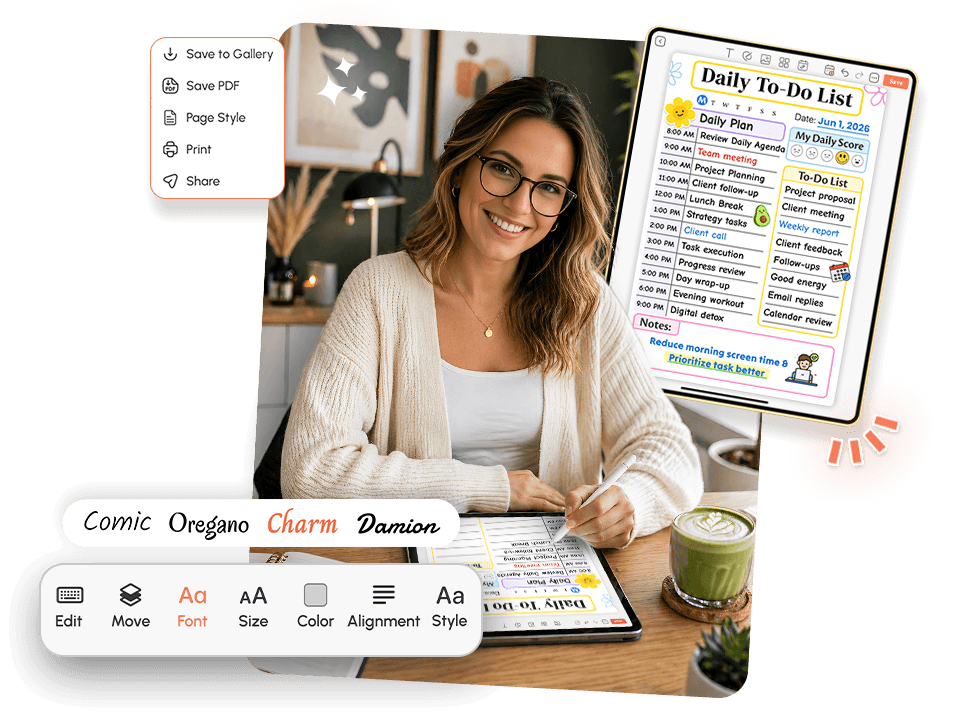
If you're searching for the best to-do list app, you've probably tried the obvious ones and noticed most demand endless setup before doing anything useful.
The best planning tool should do a few things well:
- Reduce friction, not add it.
- Give you a starting structure no blank screens.
- Fit the unpredictable American workday.
- Scale from 5 minutes to full deep-planning mode.
With 1,000+ ready-made templates, spend less time building and more time doing from a quick Monday fix to a full weekly planner templates , the structure is ready when you are.
Who Is This Planner Built For?
Designed for real people managing real complexity, not hypothetical productivity influencers with four-hour morning routinesWorking Americans
Who need a reliable to-do list for work that fits into tight schedules, not around them.
Parents and Caregivers
Managing school pickups, appointments, groceries, and their own deadlines all at once these are your family planner templates.
Students
Juggling assignments, part-time jobs, and a social life who need the study planner templates that doesn't require a PhD to set up.
Android Users
Looking for a powerful to-do list for Android that doesn't sacrifice features for simplicity.
Anyone Who Has Burned Out on Complex Apps
Who needs a simple to-do list app that just helps them start.
Why Does Every Planning App Leave You Feeling Behind?
Most productivity tools are built on a false assumption: that the hardest part of getting things done is not knowing what to do. But you already know what needs doing. The harder problem is starting, staying on track, and not letting one bad day blow up the whole week. Here's what actually gets in the way and why most apps make it worse.
Decision Fatigue Before You Even Begin
You open your planner. You stare at the blank task field. You type one thing. You wonder if you should reorganize everything first. Forty minutes later, you've spent more time managing the list than working from it.
This is decision fatigue, and it hits before a single task is done. When a system has too much flexibility and no structure, the brain spends its best energy deciding how to organize, not executing. A planner that hands you a blank page every morning is giving you a choice you didn't ask for.
It solves this by starting you inside a ready-made structure. Open the app, pick a template that fits your day, and your brain's first job is not designing.
The "I'll Catch Up Tomorrow" Spiral
Most apps handle missed tasks by stacking them with visually red badges, overdue alerts, and rolling backlogs that grow every day you don't touch them. By Wednesday, your work task list looks like a wall of failure.
For most people, that visual pile doesn't motivate. It paralyzes. The thought process becomes: "I'm so far behind, what's the point of today?" And the spiral continues.
It doesn't carry yesterday's burden into today. Every template is a fresh start. You choose what moves forward and what gets left behind. That's not lowering the bar. That's removing a psychological obstacle that was keeping you from clearing it.
Tools That Don't Fit How You Actually Work
Work planning looks nothing like household planning. A student's planning needs look nothing like a freelancer's. And no one's perfect-focus Tuesday looks anything like their exhausted-and-overwhelmed Thursday.
Most apps give you one system and expect you to bend to it. The best to-do list app bends to you, adjusting to your energy, your role, and what kind of day you're actually having.
The Setup Tax
You've been there. You download the app, then spend two hours building the perfect system before you're allowed to use it. And when life interrupts, which it always does, there's no version of the system for a five-minute window or a chaotic afternoon.
The app eliminates the setup tax. The templates are already built. You pick one and plan. No prerequisite work required. Browse the full library of planner templates and find one that fits your day in seconds.
Why Does Your Brain Resist Even a Good Planning System?
This is not a willpower problem. This is not a time management problem. This is how the human brain responds to open-ended tasks with no clear starting point.
When a task list has twenty items and no structure, the prefrontal cortex, the part of the brain responsible for initiating action, goes into avoidance mode. The problem isn't the tasks. It's the cognitive weight of figuring out where to begin.
🧠 The science: Research on decision fatigue consistently shows that the more choices a person faces before beginning a task, the less likely they are to start it. Removing the "how do I set this up" question by starting from a pre-built template redirects that cognitive load from deciding to doing. This is the central design principle behind PlanWiz.
When paired with features like a built-in habit tracker and daily structure, a well-designed planner doesn't just hold your tasks, it actively reduces the resistance between intention and action.
How Does a Smarter To-Do List App Remove Friction Instead of Adding It?
The reason most planning apps fail isn't that they lack features. It's that they hand you too much space and call it "flexibility." For people with real cognitive loads, work stress, family demands, health challenges, or simply a full life, a blank page isn't freedom. It's a stall.
It solves this with 1,000+ pre-built templates across every life category. You don't design a system. You pick one that fits today, customize what you need, and start planning immediately.
This same flexible-but-structured approach is why it also works as a daily routine app , not just a task list, but a full daily rhythm you can actually maintain. The routine planner templates are built exactly for this.
What Should a Great To-Do List App Actually Include?
A great to-do list app isn't just a place to type tasks. It's the infrastructure for your day. Here's what PlanWiz offers and why each feature was built the way it was.
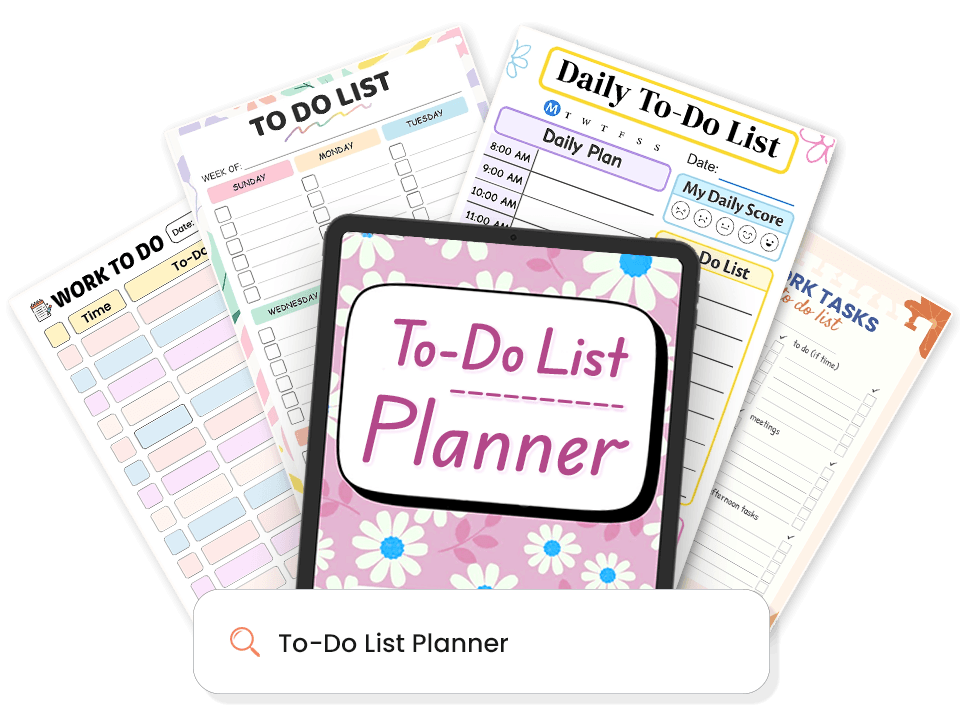
1,000+ Ready-Made Templates. No Blank Page. No Stall.
Every time you open PlanWiz, a structure is already waiting for you. Pre-built templates with sections, prompts, and layouts guide your brain from the moment the app loads. From daily planner templates to full weekly layouts, your starting point is always ready.
- Daily focused views for single-task clarity
- Weekly layouts for high-level planning
- Project and goal templates for longer sessions
- Minimal three-priority pages for low-energy days
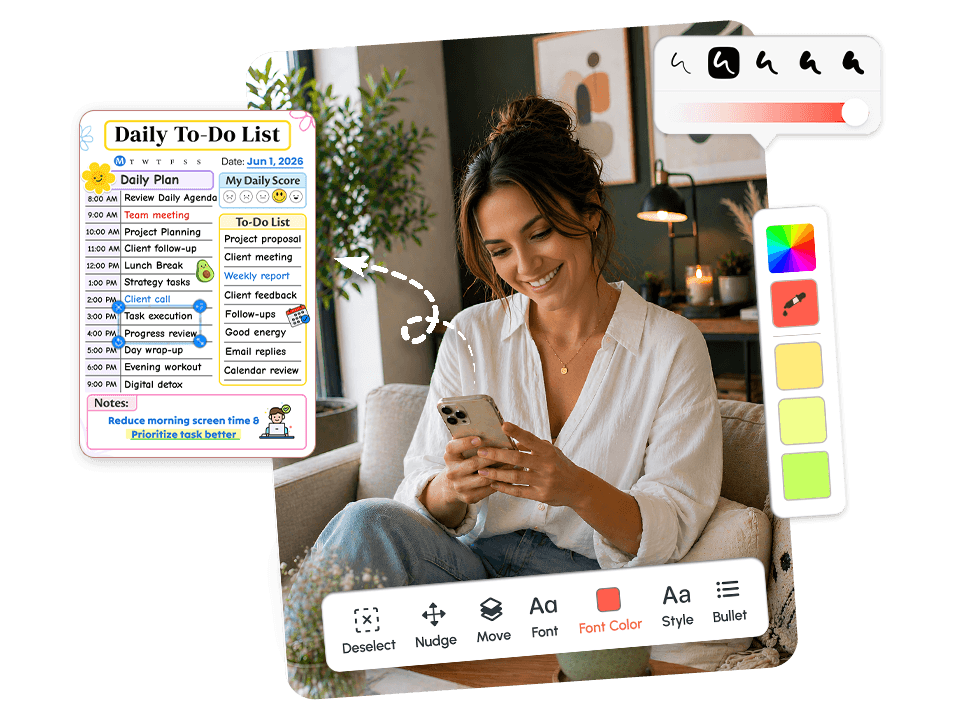
Fully Customizable. Adapts to Your Day, Every Day.
This to-do list app doesn't lock you into one format. You can adjust layouts, sections, colors, and fonts in minutes or use any template exactly as it arrives and be planning in under sixty seconds.
- Go detailed on strong days; strip back to essentials on hard ones
- Change layouts without rebuilding the system from scratch
- No fixed daily format your plan adapts to what you actually have
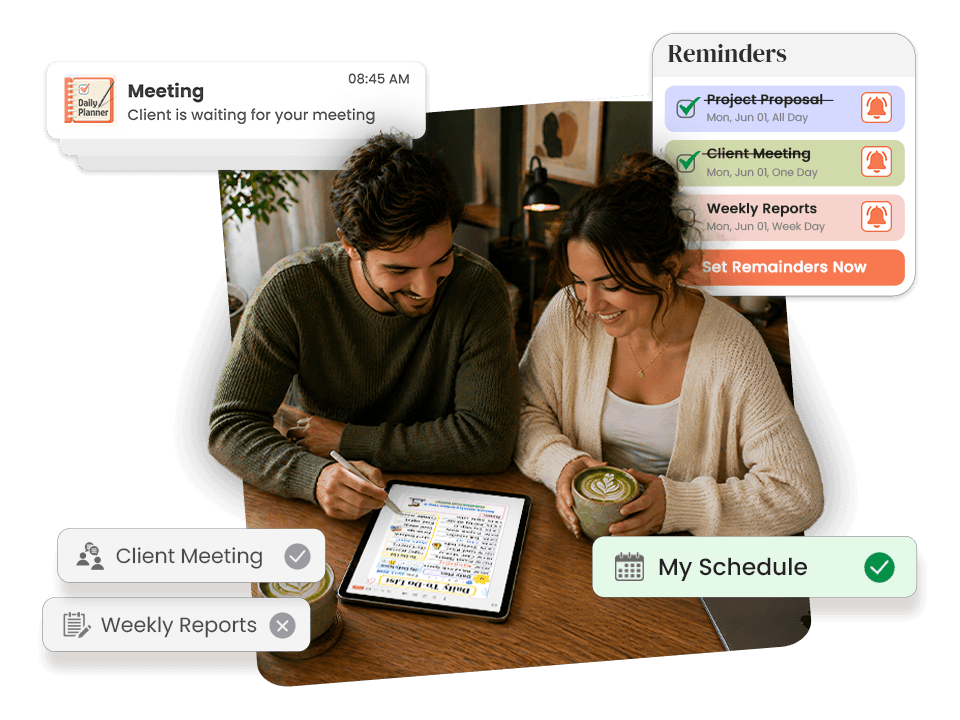
Smart Reminders. Never Rely on Memory Alone.
You can build a perfect plan and still miss everything on it if the app doesn't bring you back to it. PlanWiz includes task-level reminders that sit right next to the tasks they belong to no context-switching, no searching.
- Set reminders on individual tasks or habit check-ins
- Use planning session reminders to protect time you'd otherwise skip
- Get nudged back to your day without losing your place in it
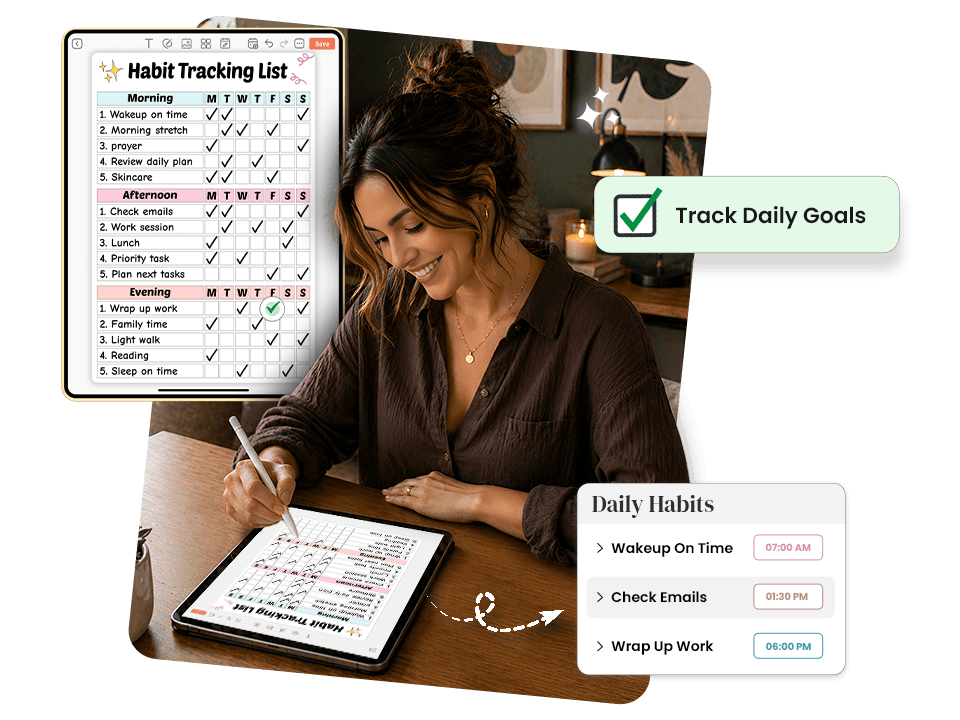
Built-In Habit Tracking. Routines That Actually Stick.
Building consistent routines is hard. Maintaining them through an imperfect week is harder. Most habit trackers punish you for missing a day, which is exactly what breaks the motivation to return.
PlanWiz integrates a habit tracker app layer directly into its planning templates:
- Visual, simple habit tracking with no shame mechanics
- Missing a day doesn't reset progress or trigger red failure badges
- Progress is shown as direction, not a fragile streak to protect
- Skip a day, open tomorrow, and keep going without guilt
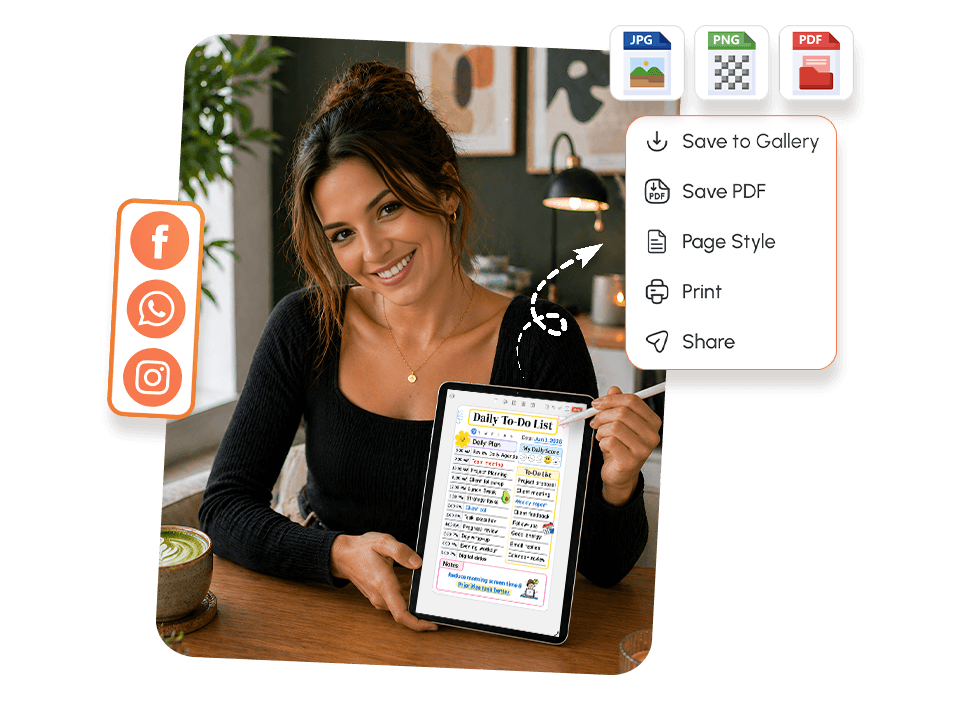
Download and Share. Accountability Without Extra Work.
Sharing your plan is one of the most effective accountability tools available. PlanWiz makes it frictionless:
- Download any page as a PDF to save, print, or file
- Share your daily or weekly plan with a partner, coach, or coworker with one tap
- Print a plan and put it somewhere visible
- Build accountability into your system without any extra steps
Explore To-Do List Templates That Fit Your Real Life
Pick the Template That Matches Your DayEvery template is pre-structured so your brain never faces a blank page. Browse below and tap any template to explore it.
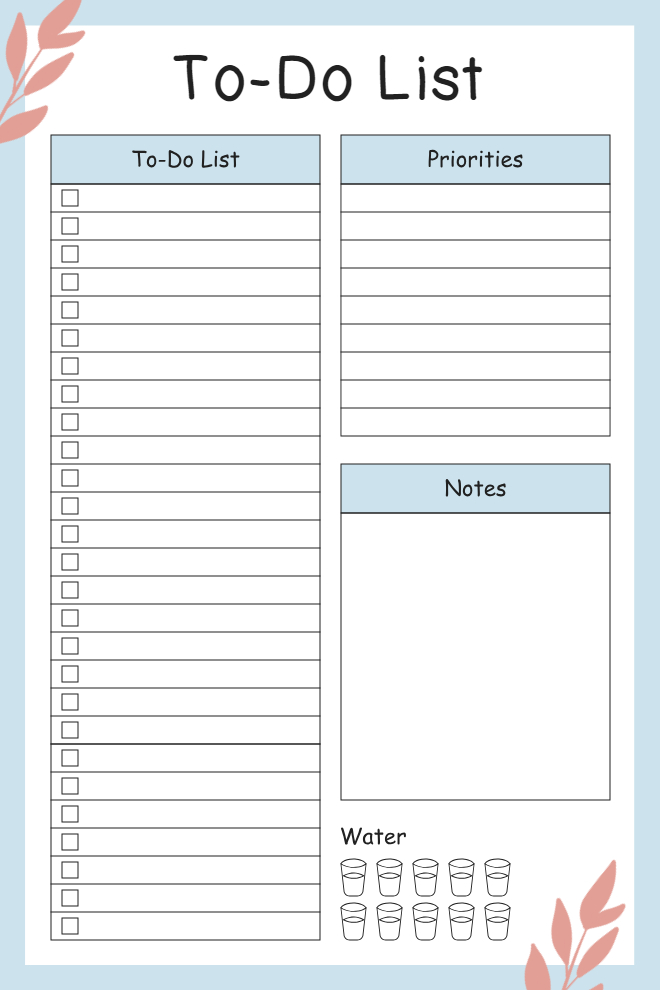
Daily To-Do List with Priorities and Water Tracker
This clean and simple to-do list gives you space for a long list of tasks with checkboxes on the left side, plus separate sections for priorities and notes on the right. The water tracker at the bottom with ten little glass icons is a nice touch for people who always forget to drink enough throughout the day. The soft blue color scheme and minimal leaf decorations keep it from feeling boring without being distracting. It's straightforward enough for anyone to use but has just enough structure to keep you organized.
Best For: People who need reminders to stay hydrated, those who like separating priorities from regular tasks, students juggling assignments, or anyone who wants one daily page for everything.
Use This Template →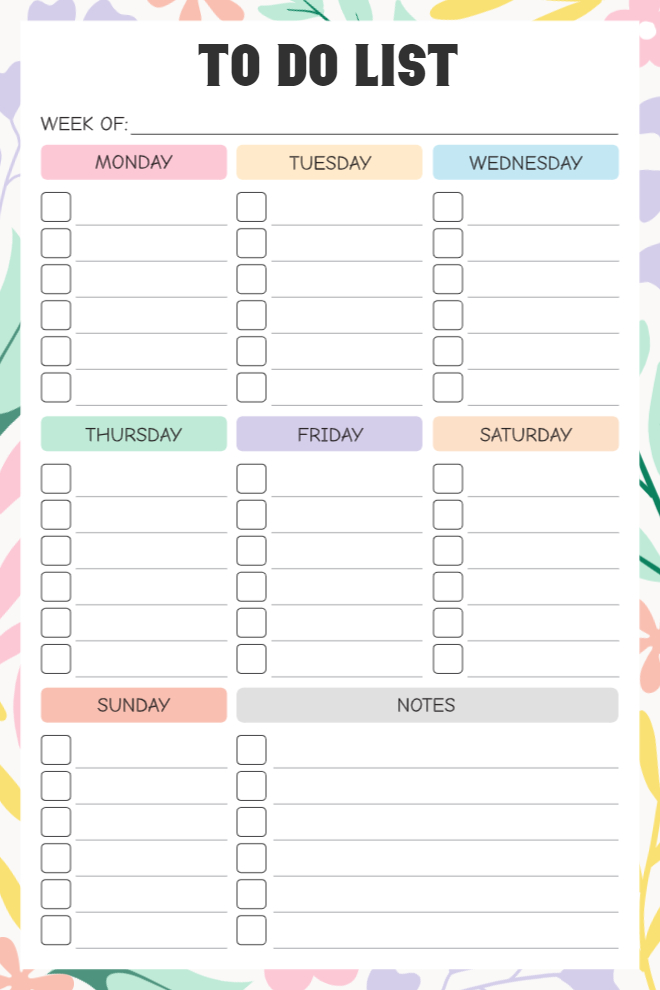
Weekly To-Do List
This colorful weekly planner breaks your week into individual sections for Monday through Sunday, with each day getting its own set of checkboxes. The pastel colors make it easy to see where one day ends and another begins, without needing to squint at the layout. There's a notes section on the bottom right for things that don't belong to a specific day, and the "Week of" line at the top keeps you from losing track of which week you're planning. The cheerful design with leaf and flower accents makes weekly planning feel a little less like a chore.
Best For: Weekly planners who assign tasks to specific days, people who like color-coded organization, busy professionals balancing multiple deadlines, or anyone who reviews their week every Sunday.
Use This Template →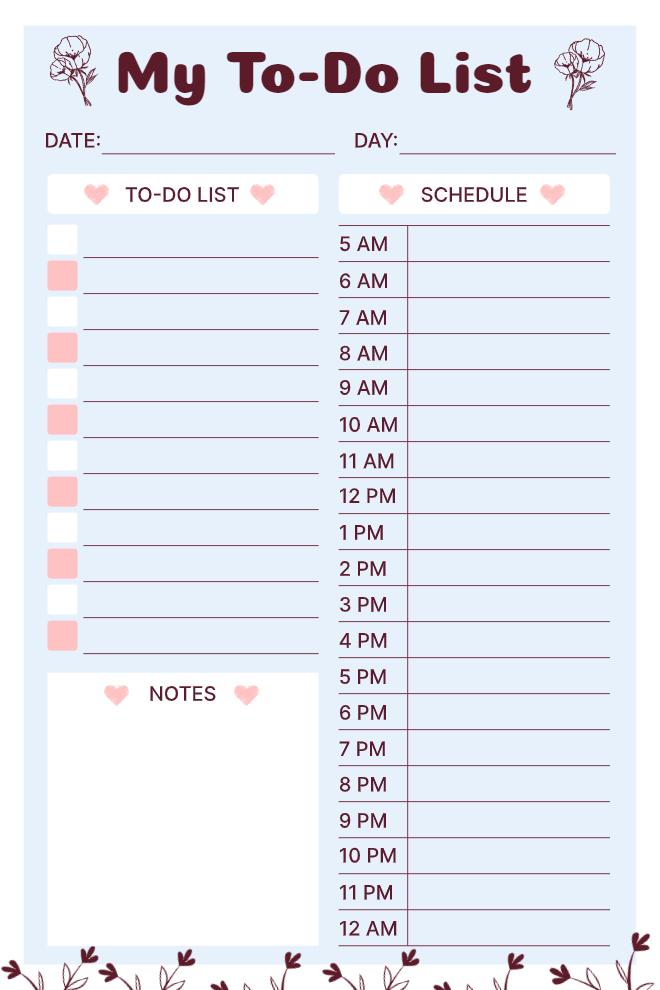
My To-Do List with Hourly Schedule
This planner combines a task list with a full hourly schedule running from 5 AM to midnight, which is perfect if you need to see both what you're doing and when you're doing it. The to-do section on the left has alternating pink and white rows that make it easier to keep your place when scanning the list. There's a notes box at the bottom for random thoughts or reminders. The floral decorations and heart accents give it a sweet, personal touch that makes it feel less corporate than typical planners.
Best For: People who schedule specific times for tasks, students with classes and study blocks, anyone managing a busy daily routine, or those who like seeing tasks and schedules side by side.
Use This Template →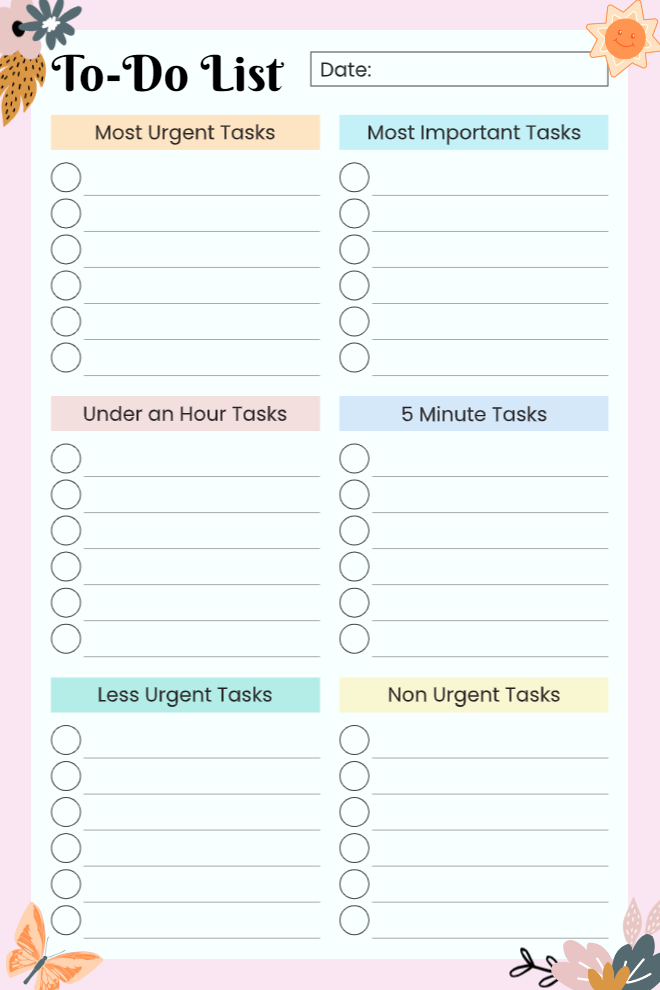
Priority-Based To-Do List
This template uses a smart prioritization system that organizes tasks by urgency and importance. You've got sections for most urgent, most important, under an hour, five-minute tasks, less urgent, and non-urgent tasks. This setup is based on time management principles that help you figure out what actually deserves your attention versus what can wait. The cute illustrations around the edges keep it from feeling too serious, and having a specific spot for quick five-minute tasks means those little things actually get done instead of cluttering your mind.
Best For: People who struggle with prioritization, those overwhelmed by long to-do lists, productivity enthusiasts familiar with urgency/importance matrices, or anyone who needs help deciding what to tackle first.
Use This Template →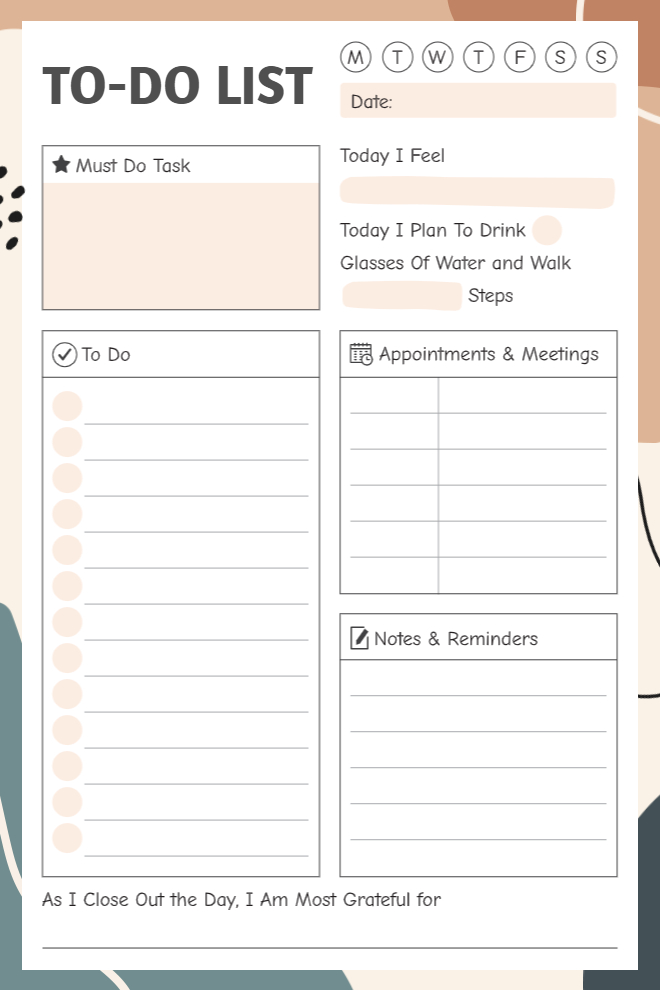
Comprehensive Daily To-Do with Wellness
This thoughtful daily planner includes way more than just tasks. You can circle the day of the week, track how you're feeling emotionally, plan your water intake and steps, list your must-do tasks, write out your general to-do items, schedule appointments and meetings, and jot down notes and reminders. At the bottom, there's a gratitude prompt asking what you're most grateful for at the end of the day. It's really designed for people who want to track their whole life, not just their productivity. The neutral color scheme keeps all these sections from feeling overwhelming.
Best For: Holistic planners who track wellness alongside productivity, people working on gratitude practices, those who like comprehensive daily tracking, or anyone balancing self-care with responsibilities.
Use This Template →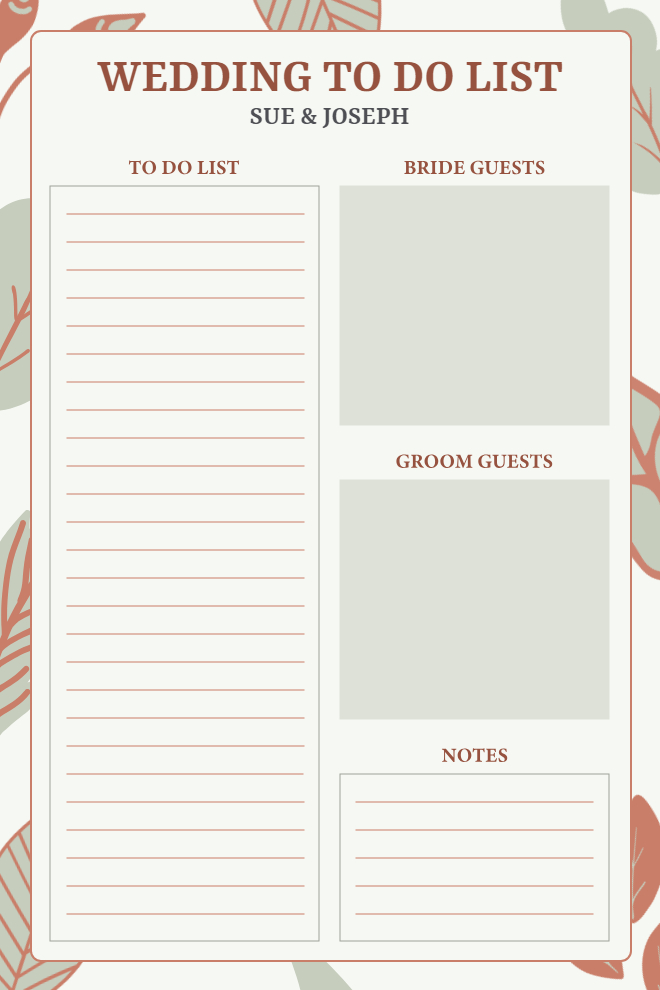
Wedding To-Do List
Designed specifically for wedding planning, this template is customized with the couple's names at the top and has sections for the main to-do list, bride's guest list, groom's guest list, and general notes. The elegant floral border and terracotta color scheme give it a sophisticated, wedding-appropriate aesthetic. The large guest list boxes are perfect for tracking RSVPs or organizing seating arrangements. It's a practical tool for couples trying to keep all their wedding planning organized in one place without getting overwhelmed by the million details.
Best For: Engaged couples planning their wedding, wedding coordinators managing events, anyone organizing a large celebration, or people who need to track multiple guest lists.
Use This Template →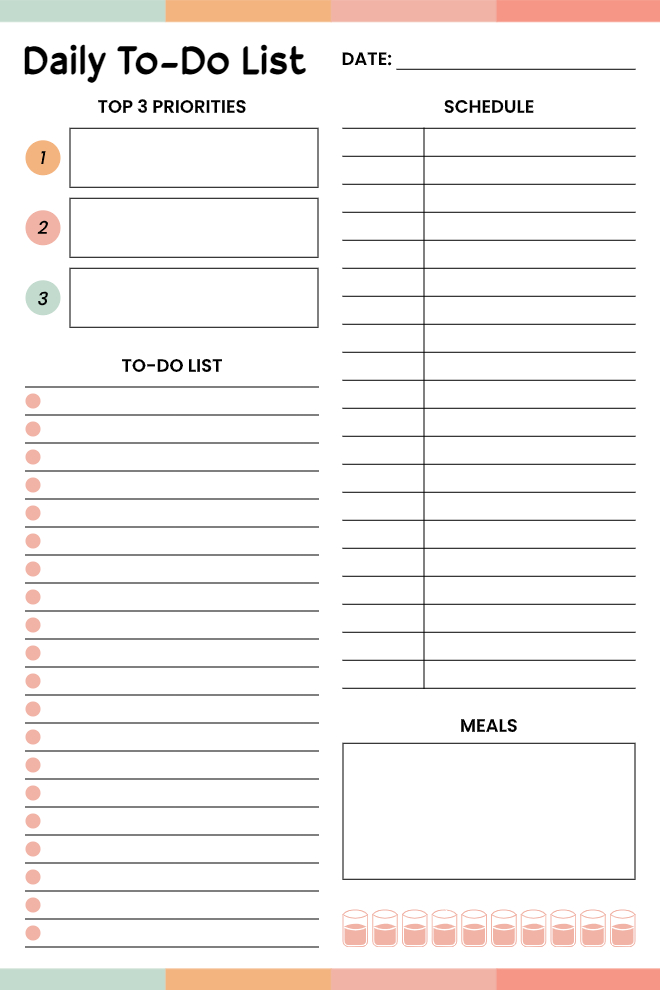
Daily To-Do with Priorities and Meal Planning
This daily planner starts with your top three priorities in big boxes so they don't get lost in the shuffle, then gives you a long list of additional tasks and a schedule section for timing things out. What sets this apart is the meal planning box at the bottom with a water tracker, because remembering to eat and drink water is just as important as checking off tasks. The coral and mint color accents keep it visually interesting without being too busy. It's a well-rounded approach to daily planning that acknowledges you're a human with physical needs, not just a productivity machine.
Best For: People who forget to plan meals, those who need to see their top priorities clearly, busy parents juggling tasks and family meals, or anyone who wants task and schedule planning on one page.
Use This Template →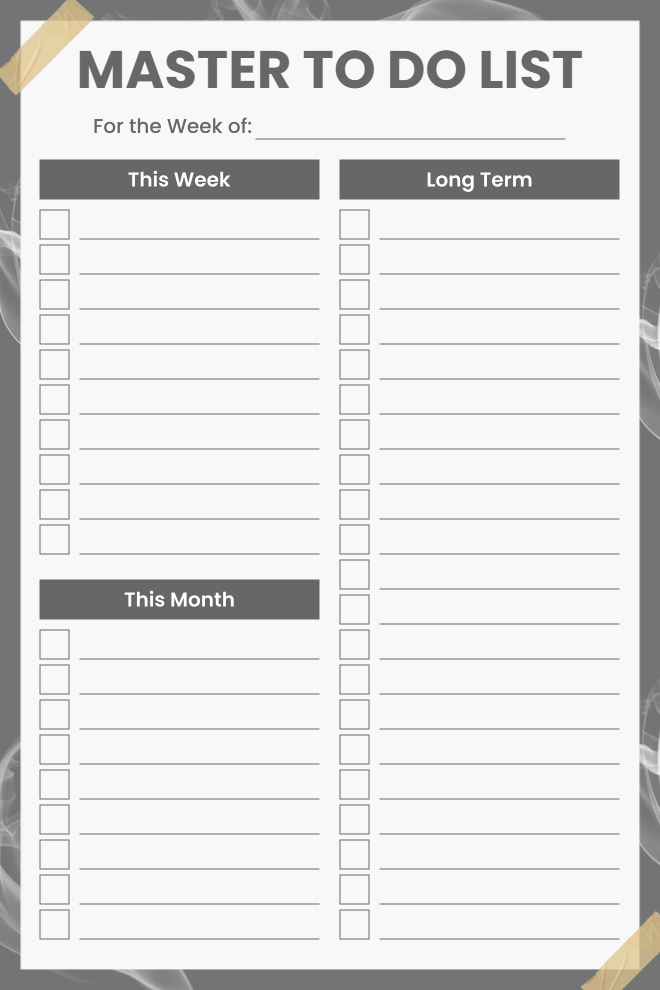
Master To-Do List
This master list organizes tasks by timeframe: what needs to happen this week, this month, and long-term projects. It's perfect for brain dumping everything that's on your mind and then categorizing it by when it actually needs to get done. The clean gray and white design is professional and distraction-free, with plenty of checkbox lines in each section. The tape corner graphics give it a pinned-to-the-wall aesthetic. This is the kind of list you keep on your desk and review weekly to make sure nothing's falling through the cracks.
Best For: Project managers tracking multiple timelines, people who plan in different time horizons, anyone feeling overwhelmed by too many tasks, or those who like separating immediate from future work.
Use This Template →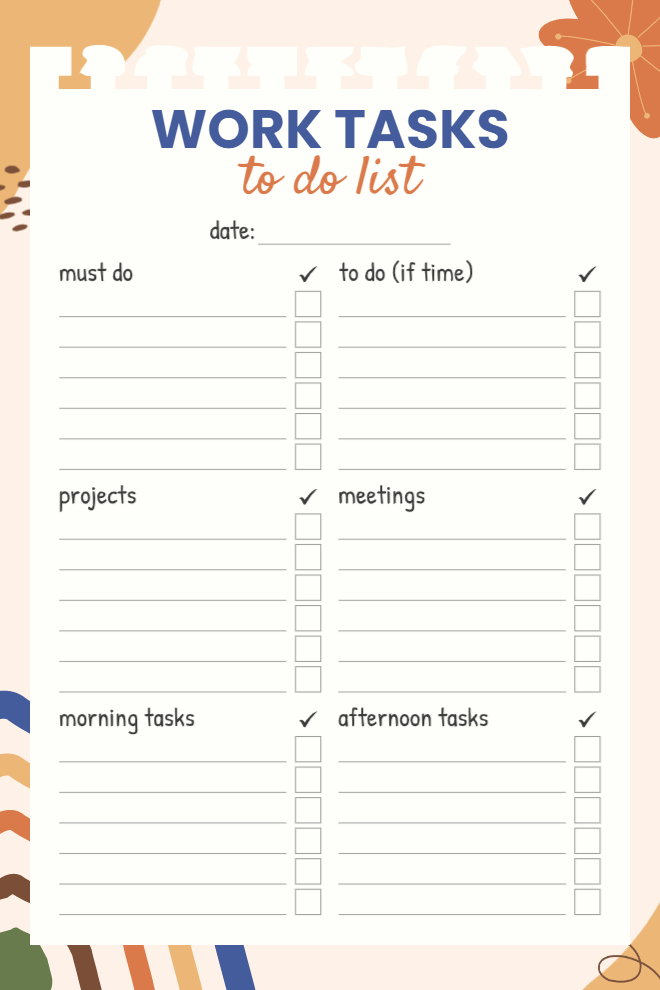
Work Tasks To-Do List
Built specifically for work, this template categorizes tasks into must-do, to-do if time allows, projects, meetings, morning tasks, and afternoon tasks. This helps you separate what's absolutely critical from what's nice to have, and the time-of-day sections let you batch similar activities together. The warm beige and blue color scheme is professional without being boring. Each category has its own checkbox column, making it super easy to see at a glance what's done versus what's still pending. It's basically a system for managing your workday without losing your mind.
Best For: Working professionals managing daily responsibilities, people who batch tasks by time of day, those who separate must-dos from nice-to-haves, or anyone who needs work-specific organization.
Use This Template →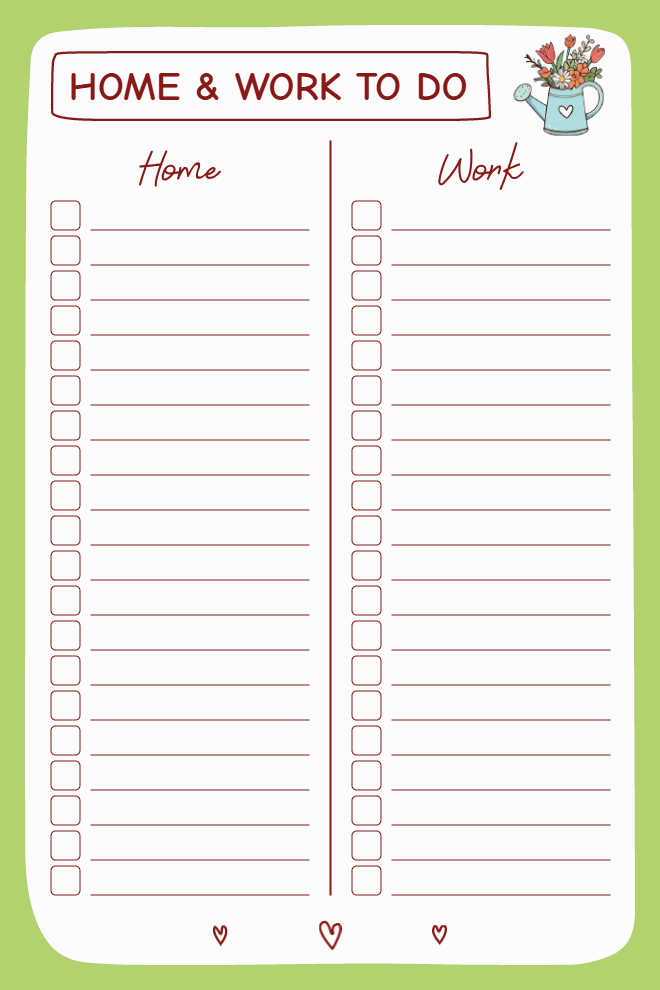
Home and Work To-Do List
This simple split-column design separates home tasks from work tasks, which is exactly what people working from home need to maintain some mental boundaries. Each side has its own set of checkboxes, and the columns are equal in size, so neither home nor work dominates your attention. The green background and watering can illustration add a fresh, garden-inspired touch. The little hearts at the bottom are a sweet reminder to care for both areas of your life. It's minimalist but effective for people juggling two distinct sets of responsibilities.
Best For: Remote workers balancing home and professional tasks, parents managing household and career duties, anyone who needs clear work-life separation, or people who like simple two-column layouts.
Use This Template →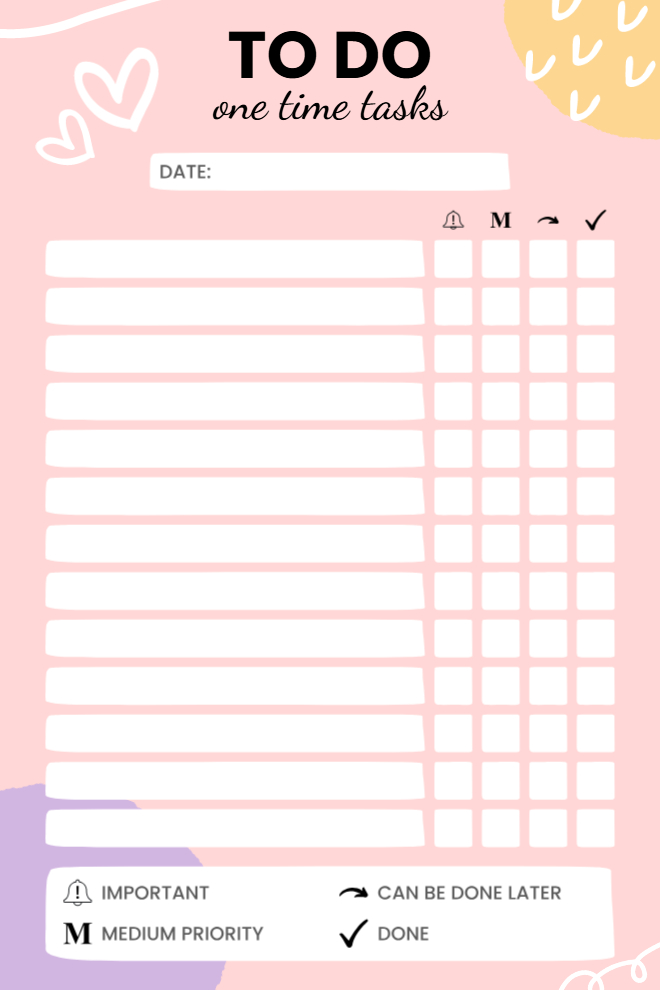
One-Time Tasks Tracker
This tracker is designed for ongoing tasks that you do repeatedly rather than one-off to-dos. Each row has spaces to mark whether the task needs an alarm/reminder, is medium priority, can be done later, or is complete. The pink design is soft and approachable, and the legend at the bottom explains what each symbol means, so you don't forget your own system. This works great for habits, recurring work tasks, or anything you need to track over time rather than just check off once. The clean rows make it easy to see patterns in what you're actually completing versus what keeps getting pushed.
Best For: People tracking recurring tasks or habits, those managing ongoing projects, anyone who needs priority indicators, or individuals who want to see completion patterns over time.
Use This Template →Why the Best To-Do List App Doesn't Punish You for Hard Days
In most apps, a missed task turns red. Overdue items accumulate. Notification badges pile up like a receipt of everything you didn't do. And every time you open the app, you're greeted with a visual summary of your backlog.
That's not accountability. For most people, that's a fast path to closing the app and not reopening it.
PlanWiz works differently. When a hard day happens, and it will you open a fresh daily schedule planner template the next morning. Clean. Ready. No judgment.
This isn't lowering standards. It's recognizing that shame doesn't produce better follow-through. Research on motivation and behavior change consistently shows that self-compassion and forward momentum outperform guilt-based accountability systems for long-term consistency.
A to-do list app that makes it easy to start again is more useful than one that makes it painful to have stopped.
"Today is a new day. Here's your structure. You've still got this."
With PlanWiz, you simply open the fresh daily schedule planner templates the next morning. Clean. Ready. No red badges. No overdue pile. No guilt. Just a clean, ready-to-use layout.
How Do You Start Using PlanWiz?
No documentation. No onboarding video. No prerequisite system-building. Here's how it works:
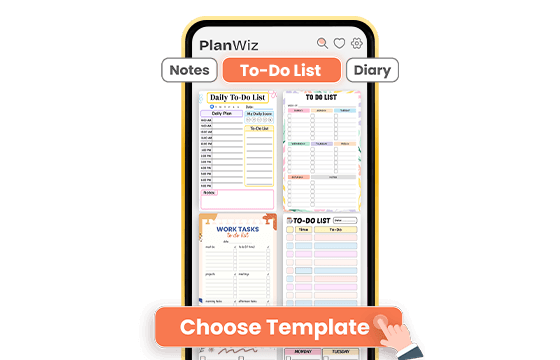
Choose a Template That Fits Today
Browse from 1,000+ ready-made templates and pick one that matches your energy and your day. Ambitious and clear? Go into detail. Just surviving? Pick the three-priority minimal view. Either way, the structure is already there.
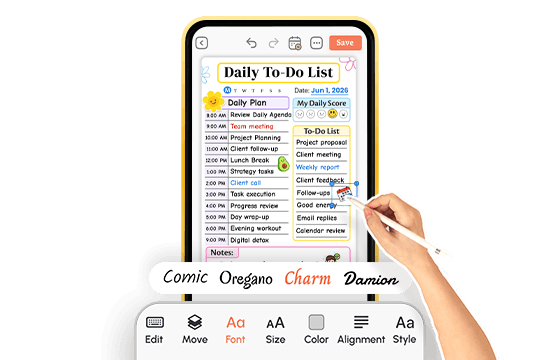
Add Your Tasks in Minutes
Type in your tasks, adjust sections if you want to, and change the layout if it helps. Or use the template exactly as it is. Either way, you're inside a working plan within minutes, not after an hour of setup.
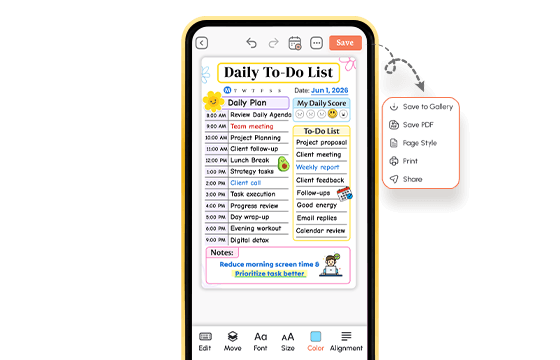
Plan, Track, and Move Forward
Use your to-do list app throughout the day. Track habits. Check off tasks. Set a reminder if you need it. When a hard day hits, switch to something simpler. When tomorrow comes, open a fresh template and move forward. No guilt. No starting over. One day at a time. That's the complete system.
A to-do list app that's ready before you are.
What Do Real People Say About This To-Do List App?
From people who've already tried everything else.
Ready to Try the To-Do List App That Works With Your Life?
If anything on this page felt familiar, PlanWiz was built for you. Not a task manager with a pretty interface slapped on top of a to-do list app designed for how real people plan, slip up, recover, and keep going.
Free to start. No credit card. Ready in under three minutes.
Start Free → planwiz.app

Frequently Asked Questions
The best to-do list app is one that reduces friction, gives you a daily structure, and adapts to how you actually feel, not how you wish you felt. PlanWiz offers 1,000+ pre-built templates so you never face a blank page, and flexible layouts so you can plan in depth on strong days and stay minimal on hard ones.
Yes. It works especially well as a to-do list for students because it handles the combination of academic deadlines, daily habits, and personal tasks in a single flexible system. Templates for daily planning, weekly layouts, and habit tracking are all available without requiring complex setup.
Yes. It is a fully functional to-do list for Android, designed to work smoothly across both phones and tablets. You can access all templates, set reminders, track habits, and download or share your plans directly from any Android device.
It works this way because every template is pre-structured you don't have to build anything before using it. If you want minimal, you pick a minimal template. If you want detailed, you pick a detailed one. The simplicity is always one tap away.
It includes dedicated work-focused templates with task status tracking, deadline fields, and priority columns. It also makes it easy to share your plan with a manager or coworker via PDF export or one-tap sharing, which makes it practical for professional accountability, not just personal use.
Absolutely. It works perfectly for households because its templates accommodate the complexity of household management grocery tasks, appointments, school schedules, and personal tasks all in one place. The customization options mean each family member can use a layout that works for their part of the plan.