The Digital Journal App for Daily Reflection and Personal Growth
PlanWiz is a customizable digital journal app that helps you turn scattered thoughts into a consistent writing habit. Choose from 1,000+ ready-made digital journal for journaling, mood tracking, mindfulness, therapy journaling, creative writing, goal reflection, and everyday personal diary entries.
What Is the Best Digital Journal App in 2026?

The best digital journal app in 2026 removes blank-page anxiety, protects your privacy, and makes daily writing feel effortless. PlanWiz offers 1,000+ customizable templates for reflection, mood tracking, mindfulness, and more, all in one writing space that works on mobile and desktop.
Here is what a genuinely useful digital diary app must do:
- Never face a blank page; start instantly with ready-made planner templates.
- Password-protected storage so you write honestly, not for an audience.
- Works on phone and desktop journal anywhere, anytime.
- Search and tag past entries so your writing stays useful over time.
PlanWiz holds a 4.8 star rating on the App Store with more than 2 million entries written by users each month, making it one of the most widely used personal journal apps among adults today.
Who Is This Digital Journal App For?
This digital journal app was built for the people that generic note-taking apps always leave behindOverthinkers and Mental Processors
Who need a private, low-pressure outlet to put racing thoughts into words. The self-care journal templates are built exactly for this.
Students Navigating Major Life Transitions
Who need a consistent space to process academic pressure and identity questions, without an audience.
Creatives and Writers
Who use journaling for idea capture, warm-up writing, or simply clearing mental space before deeper creative work.
Personal Growth Seekers
Building mindfulness or self-awareness habits. The therapy journal templates offer a gentle, prompt-driven framework for honest self-reflection.
Anyone
Who Has Tried Journaling Before and Quit Because the tool made it harder than it needed to be.
PlanWiz is NOT ideal for: users who need collaborative or shared writing tools, those seeking clinical therapy-guided journaling, or users looking for project management or document editing features.
Why Do Most People Start Journaling and Quit Within Two Weeks?
Most journaling apps fail because they give users a place to write, but do nothing to help them actually show up. A useful digital journal app should eliminate blank-page anxiety, protect honest writing, and make past entries worth returning to.
The Blank Page Problem
You download a journaling app, open it on the first night, and sit there. Nothing comes not because you have nothing to say, but because the blank page turns into a mirror for every uncertainty about whether your thoughts are worth writing down.
That hesitation is not laziness. It is what happens when unstructured writing asks you to solve a creative problem before you have even begun. Most people close the app without writing a word. That becomes the habit instead.
Physical Notebooks That Get Abandoned
The beautiful journal bought with the best of intentions disappears into a drawer within weeks. Physical notebooks ask a lot you have to be home, have a pen, and be in the mood. Even a simple gratitude journal app habit falls apart when the tool makes it harder than it needs to be.
The gap between wanting to journal and actually journaling gets filled by everything else in daily life. By day six, the habit is already slipping. By week three, it is gone entirely, and the notebook becomes a monument to another thing you tried and stopped.
Privacy Concerns That Silence Honesty
Journaling only works when you write the truth. But many people self-censor in journals they fear someone else might find a partner, a roommate, a parent. The moment a journal feels semi-public, it stops serving its purpose.
People start writing for an imagined audience instead of for themselves. The result is an edited, performance version of their thoughts, which is precisely not what journaling is for. A private, password-protected digital writing space solves this in a way a physical notebook never fully can.
No Way to Find What You Wrote
Three months in, something happens that makes you want to look back at what you wrote about this exact feeling six weeks ago. You scroll through undated, untagged entries. You cannot find it. Or worse, you find it, but there is no way to connect it to anything else you have written.
Without search, tagging, or any organizing structure, a journal becomes a one-way output. Thoughts go in, but nothing useful ever comes back out. Over time, that makes journaling feel pointless, so you stop.
Why Is Building a Consistent Journaling Habit So Much Harder Than It Sounds?
Building any daily habit is difficult, but journaling carries an extra layer of friction that most people underestimate until they have quit twice. Unlike exercise, which has external accountability and visible physical outcomes, journaling is quiet, private, and entirely self-directed.
The days when life is hardest are exactly the days when opening a blank page feels most impossible. And most people interpret that resistance as a sign they should skip it rather than a sign the practice is worth doing.
"The problem is not that you have nothing to say. It is that no tool has ever made saying it feel safe, simple, and worth coming back to."
The solution is not more discipline; it is removing friction. The personal development planner templates give you a starting point every day, shifting the question from what should I write? to simply what is true for me today? That shift is what it was built around.
How Does a Good Digital Journal App Fit Into Your Real Day?
The biggest failure point in journaling is not motivation it is the distance between wanting to write and having a system that makes starting easy.
Morning, high-energy day.
You open PlanWiz before coffee. The gratitude journal templates guide a quick reflection three
gratitudes, one intention, one release. In minutes, you close the app and start the day with
a clearer mindset.
Evening, low-energy day.
Work ran long. You are tired. You open PlanWiz
at 9:30 p.m. with no intention of writing anything meaningful. The sleep journal templates are already there. What is still
on your mind? What are you releasing before sleep?
High-output creative day.
The writing mode switches to free-write. No
prompts, no structure, just a clean canvas and a comfortable interface. You write for twenty
minutes without stopping.
What stays consistent across all three? The app opens quickly. The template or blank page is there. You never have to set anything up.
What Makes PlanWiz the Digital Journal App People Actually Write In Every Day?
This isn't a regular notes app with a journal label stuck on it. PlanWiz was built from the ground up for people who want to write honestly and consistently with ready-made templates, full editing freedom, built-in planning, smart reminders, and the ability to download, share, or print any entry they write.
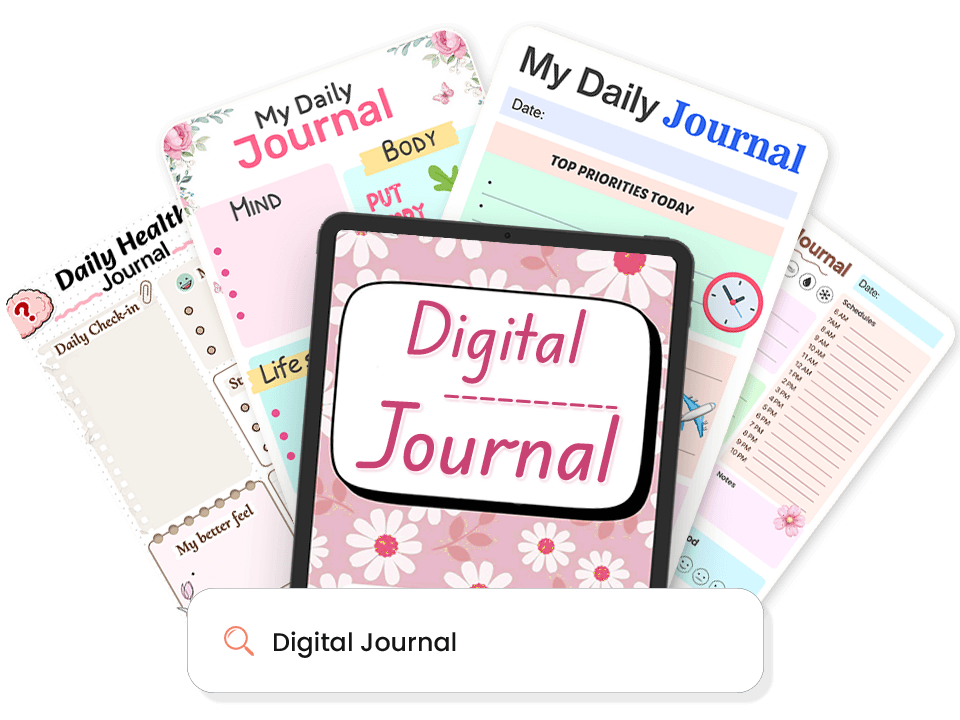
1,000+ Ready-Made Journal Templates. Open the App and Start Writing Immediately.
When you open PlanWiz, the structure is already there. You never start from a blank page. Every template arrives pre-built with sections, prompts, and layouts designed for the kind of journaling you actually want to do.
What's always waiting for you in the daily journal templates and beyond:
- Daily reflection pages for morning intention and evening review.
- Bullet journal layouts, therapy journaling pages, and sleep journals.
- Dream journal app pages to capture overnight thoughts before they fade.
- Travel journals, reading journals, and creative writing starters.
- Templates for every kind of day structured, minimal, or deep.
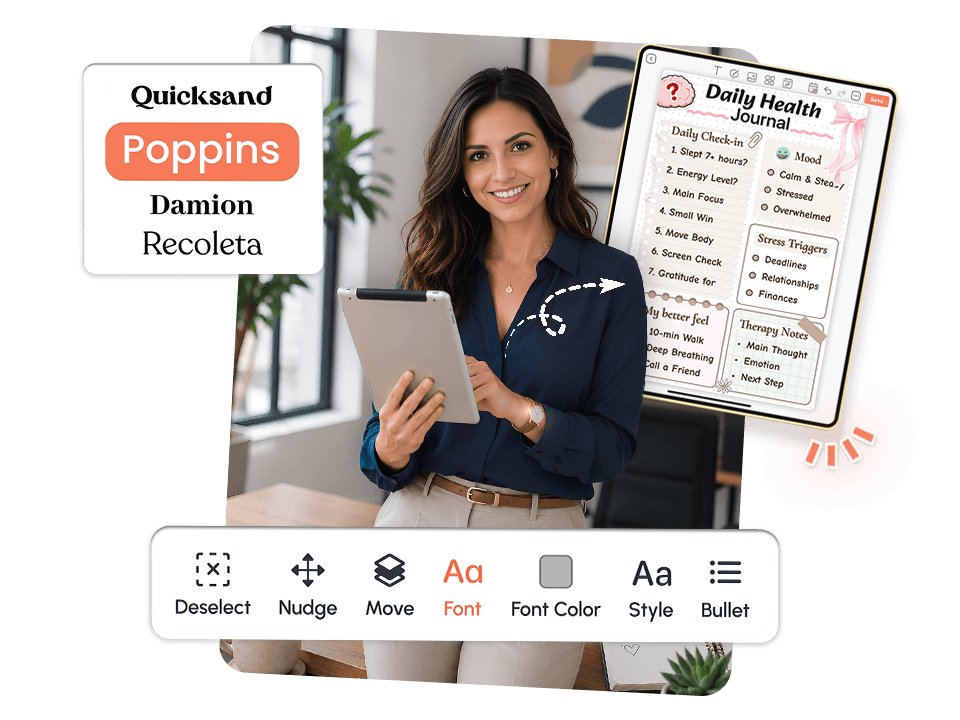
Fully Customize Every Journal Template.
No two people journal the same way. PlanWiz lets you take any template and make it fully yours edit sections, change layouts, add what you need, and remove what you don't.
How editing works across every mindfulness journal template and beyond:
- Edit any section, prompt, or layout directly inside the template.
- Add or remove sections so the page fits your style, not a generic format.
- Change fonts, colors, and covers to make the space feel like yours.
- Add personal photos or stickers to any entry.
- Go detailed on strong days; simplify on hard ones.
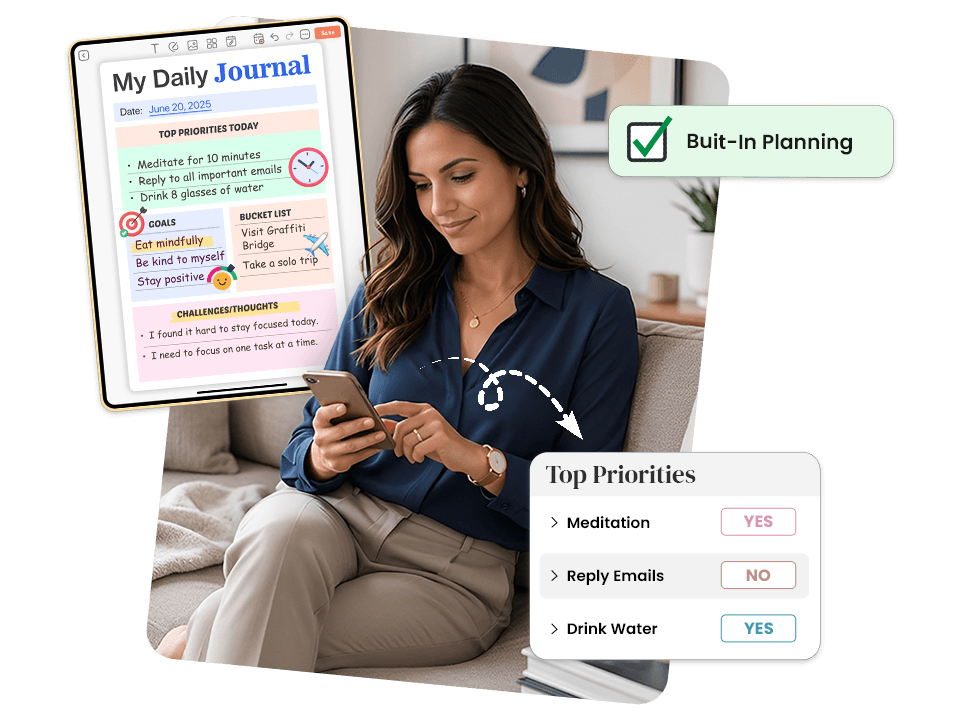
Built-In Planning. Your thoughts and goals, one digital journal.
PlanWiz is not just a journal; it is a planning space. Every template is designed to help you organize your day, set intentions, track goals, and move forward with clarity.
What planning looks like inside every bullet journal template and beyond:
- Set daily intentions and priorities right inside your journal page.
- Track personal goals alongside your reflections.
- Plan your week or month with structured layouts.
- Keep journaling and planning in one place no app switching.
- Start each day with direction, not a blank "what do I even do today?"

Smart Reminders. Daily nudge. Never miss your digital journal.
You can have the best journaling intention in the world and still forget to open the app for eleven days straight. Not because you don't care, but because out of sight genuinely means out of mind when there is no system pulling you back.
How reminders work inside PlanWiz:
- Set a daily writing reminder at the exact time that fits your routine.
- Reminders bring you back without any friction or context-switching.
- Choose different reminder times for different days.
- Never lose a journaling habit because you forgot to open the app.

Download, Share, and Print. Your digital journal, your way.
A journal that only lives inside one app is one deleted account away from disappearing. PlanWiz gives you complete freedom over every entry you write save it, share it, or put it somewhere physical.
What you can do with every entry you create:
- Download any journal page as a PDF anytime, no restrictions.
- Share a specific entry with a therapist, coach, or trusted person.
- Print any page and keep a physical copy if that helps.
- Export your full journal history completely portable, completely yours.
Explore Digital Journal Templates Built for Every Kind of Writer
Pick the Template That Matches How You FeelEvery template is pre-structured so your brain never faces a blank page. Browse below and tap any template to explore it.
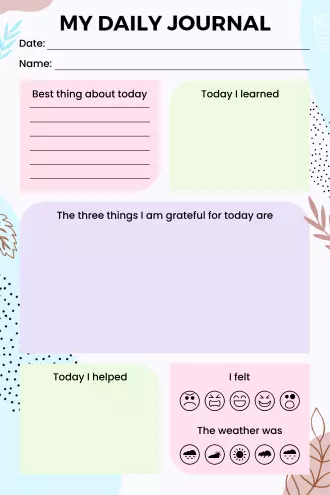
My Daily Journal, Wellness Edition
This cheerful daily journal combines gratitude practice with practical tracking in one cute page. You can note the best part of your day, write what you learned, list things you're grateful for, and track your mood with emoji faces. The water intake tracker at the bottom helps you stay hydrated with little cups to check off. The pastel colors and floral corners make journaling feel less like a chore, and more like a self-care moment you actually look forward to.
Best For: People who want daily reflection without overthinking it, wellness-focused individuals, or anyone starting a gratitude practice.
Use This Template →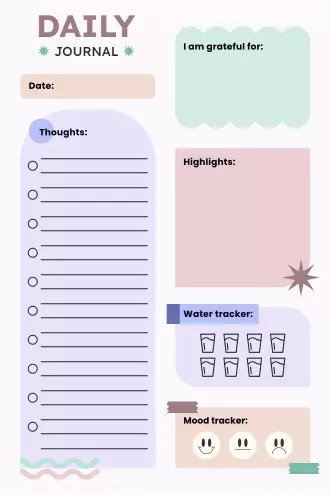
Daily Journal, Mindful Moments
This pink-toned journal focuses on the things that actually matter in your day. There's space for what you're grateful for, your random thoughts, highlights worth remembering, and daily mood tracking. The water tracker at the bottom has cute cup icons to color in as you drink throughout the day. The layout is clean and organized without feeling rigid, so you can write as much or as little as you want in each section.
Best For: Mindfulness practitioners, people tracking daily moods and habits, or anyone who likes structured journaling with a soft aesthetic.
Use This Template →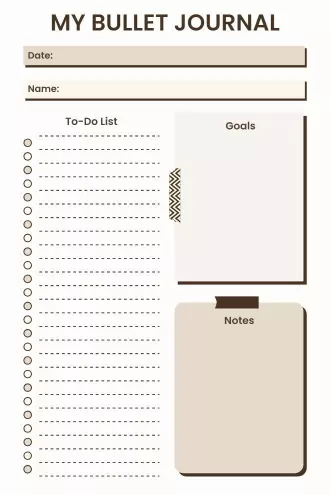
My Bullet Journal, Minimalist Planner
This no-frills bullet journal is all about getting things done. The large to-do list takes up most of the page with satisfying checkboxes, plus there's a goals section and a notes area for random thoughts or reminders. The neutral beige design is perfect for people who find busy layouts distracting. It's simple, functional, and focuses on productivity without any unnecessary extras.
Best For: Minimalists, productivity-focused planners, students managing assignments, or anyone who prefers function over decoration.
Use This Template →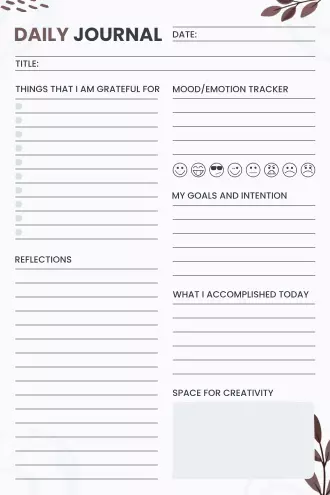
Daily Journal, Motivation & Reflection
This journal is built around three powerful questions that actually make you think about your day differently. You write your intentions in the morning, track motivational habits, note accomplishments, reflect on your day, and end with gratitude. The clean black and white design with subtle plant illustrations keeps it professional yet personal. It's more thoughtful than a basic to-do list and helps you stay connected to why you're doing what you're doing.
Best For: Goal-oriented individuals, people working on personal development, or anyone who wants deeper daily reflection beyond surface-level tracking.
Use This Template →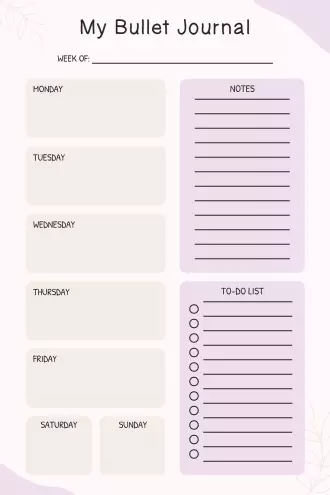
My Bullet Journal, Weekly Overview
This weekly spread shows all seven days at once, so you can see your whole week without flipping pages. Each day gets its own space for quick notes or tasks, and there's a separate to-do list and notes section on the side. The soft pink and cream colors make it feel gentle and approachable. It's great for people who plan weekly rather than daily and want everything visible at a glance.
Best For: Weekly planners, people who like seeing the big picture, busy schedules that need overview planning, or those who prefer writing less per day.
Use This Template →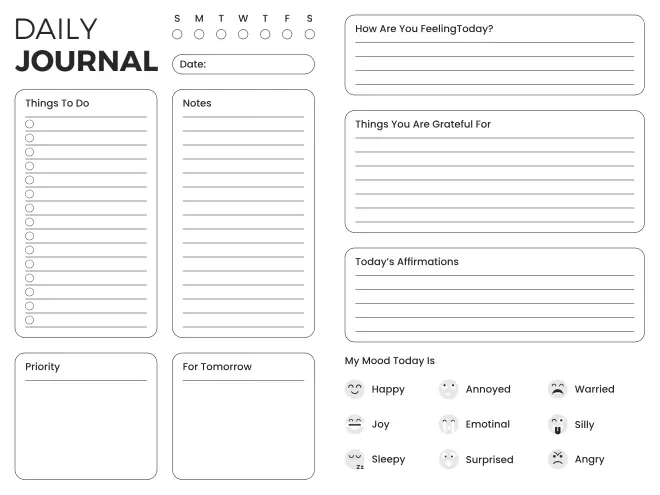
Daily Journal, Complete Check-In
This comprehensive journal asks all the right questions to help you process your day. Beyond just listing tasks, it prompts you to reflect on what you're grateful for, how you're feeling, what's on your mind, and even tracks your mood throughout the day. The variety of check-in sections means you're not just planning, you're actually paying attention to your mental and emotional state. The clean layout with checkboxes and mood options makes it easy to fill out even when you're tired.
Best For: People who want holistic daily tracking, those working on emotional awareness, journalers who like prompts, or anyone seeking more than just task management.
Use This Template →What Happens on the Days You Do Not Want to Write?
In most journaling apps, missing a day feels like failure. There is nothing there to catch you, no reset, no clean page, no message that says it is okay to come back without explaining yourself.
That silence is louder than it sounds. Once you feel like you have already broken the habit, your brain stops asking "how do I come back?" and starts asking "what is the point?" A missed day becomes a week. A week becomes quietly giving up.
The most consistent journalers are not the ones who never miss a day. They are the ones who know how to come back without making it a bigger deal than it needs to be.
"PlanWiz never demands a perfect entry. A single sentence, a scattered thought, or even a question you cannot answer yet it all belongs here."
How Do You Start Using PlanWiz?
No lengthy onboarding. Don't build the perfect journaling system before you are allowed to use it. No importing from other apps.
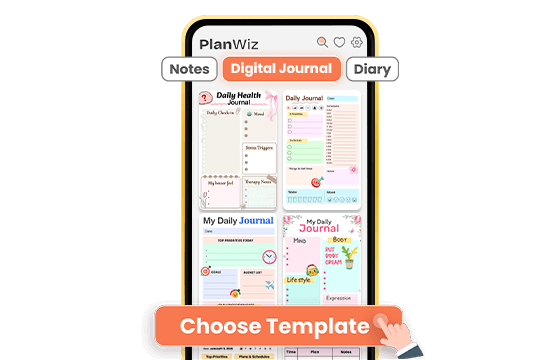
Choose a Journal Template That Fits Your Day
Browse 1,000+ ready-made templates and pick one that matches today not your ideal day, your actual day. Daily reflection page, bullet journal layout, mindfulness check-in, or a simple free-write page. The structure is already there. You just show up.
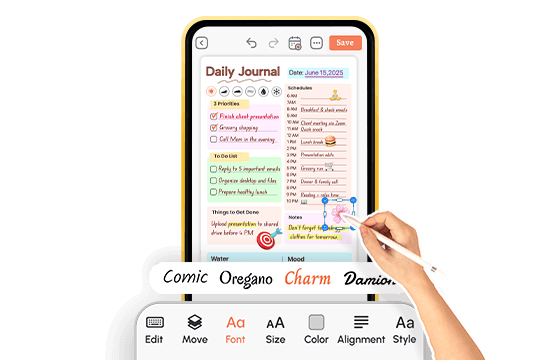
Customize to Fit Your Style and Your Energy
Add your entry, adjust sections if you want, or use the template exactly as it is. On a strong day, go deep with a full reflection. On a hard day, write one sentence and close it. The system adapts to your energy. You never have to rebuild it.
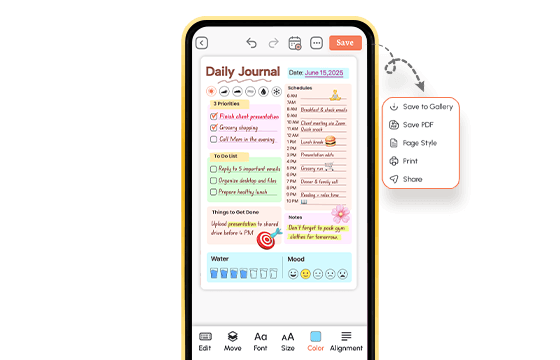
Download, Export, and Keep Your Journal Yours
Save any page as a PDF, export your entries, or keep everything private inside the app. Your journal belongs to you, not the platform. When you miss a week, open a fresh page. No guilt. No starting over. Just forward.
A digital journal app that is ready before you are.
What Real People Say About This Digital Journal App?
Ready to Try the Digital Journal App That Makes Writing a Habit?
PlanWiz is an investment in clarity, self-expression, and the kind of personal insight that only comes from showing up consistently over time. Whether you have five minutes or fifty, whether today is a strong day or a hard one, the page is already structured. You just have to open it.
Free to start. No credit card. Ready in under three minutes.
Start Free → planwiz.app

Frequently Asked Questions
The best digital journal app removes friction from the habit with guided prompts, private storage, and seamless sync across devices. PlanWiz offers 1,000+ ready-made templates, customizable reminders, and full-text search, making it one of the most complete personal journal apps for adults. Most users write a meaningful entry in under two minutes.
Yes. It works on iOS, Android, and web and syncs automatically across all your devices, so your journal is always up to date wherever you are.
A notes app stores information. A digital journal app is designed for consistent personal reflection with guided prompts, structured templates, reminders, and privacy features built specifically around the habit of writing.
Yes. You can set a daily writing reminder at any time that fits your routine, morning, midday, or before bed. Different reminder times can be set for different days.
Pick a template, set a daily reminder, and commit to one sentence on hard days. Consistency matters more than length. It removes every friction point between wanting to write and actually writing. The habit builds from there.