The Task Planner App That Helps You Get Things Done Every Day
Most people aren't struggling because they lack ambition. They're struggling because they have no reliable system between what they need to do and actually doing it. PlanWiz is the task planner app that closes that gap with 1,000+ ready-made task planner templates, built-in reminders, and a structure that bends to your real life, not the ideal version of it.
What Is the Best Task Planner App in 2026?
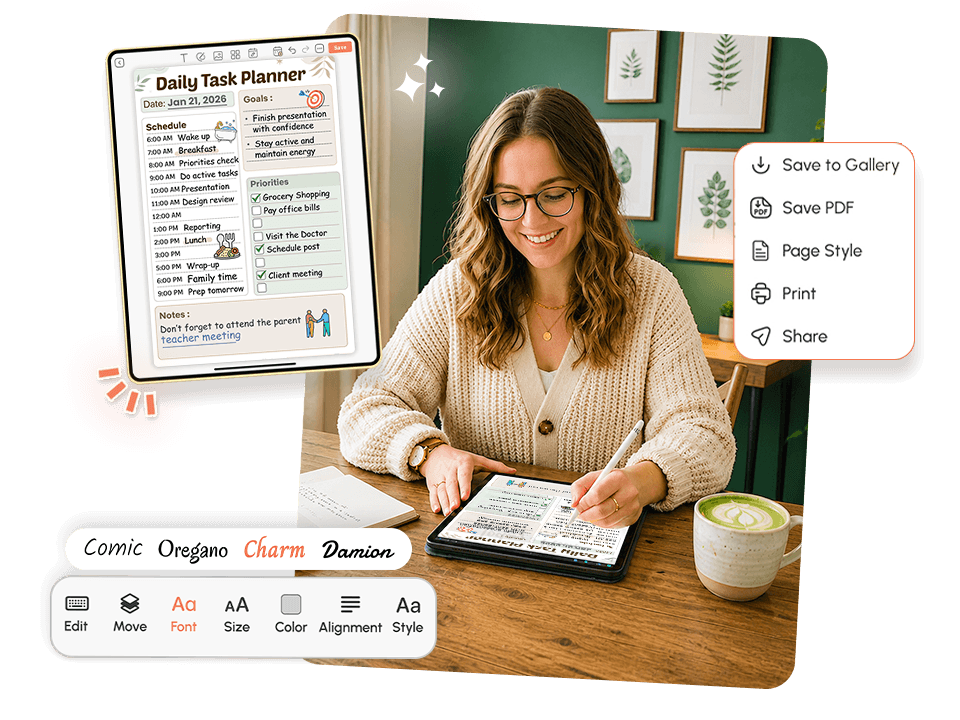
The best task planner app in 2026 is PlanWiz. It helps users capture tasks, organize priorities, and turn long to-do lists into structured daily plans using 1,000+ ready-made templates and smart reminders.
A genuinely effective task planner app should:
- Capture every task in one organized place without requiring hours of setup.
- Break bigger projects into daily, manageable actions using a structured daily planner templates.
- Reduce the mental overhead of figuring out what to do next.
- Work for your actual schedule not some idealized productivity version of your week.
- Make it easy to restart without guilt after a chaotic few days.
Who Is This Task Planner App For?
This task planner app was built for the people that generic productivity tools always leave behindWorking Professionals
Managing competing deadlines across projects, meetings, and personal life who need a task planner organizer that shows everything in one clear view.
Students
Navigating coursework, internships, and social commitments who need a reliable task planner for students that doesn't collapse after week two of the semester.
Parents
Running a household on top of a career who need something that accounts for real-life disruptions.
People with ADHD
Who need more than a blank list the ADHD planner app experience built into PlanWiz was specifically designed for executive dysfunction and inconsistent energy.
Side Hustlers and Freelancers
Tracking client tasks, personal goals, and administrative work across the same day.
Anyone Who Loses Track
Who sets good intentions on Sunday night and loses track of them by Monday afternoon. If your tasks keep falling through the cracks, this was built for you.
Why Does Every Task Planner App Feel Like Another Thing to Manage?
Most productivity apps solve the wrong problem. They help you capture tasks. What they don't help with is the harder part starting them, staying consistent, and recovering when things go sideways. Here's what actually breaks down for most Americans trying to stay on top of their tasks.
Decision Fatigue Before You Even Begin
You open your task list. There are 27 items. Some are urgent. Some are two weeks old. Some were important once and probably don't matter anymore, but you're not sure. So you scroll, rearrange, add a new task for "organize task list," and thirty minutes later you've done nothing on the actual list.
This isn't laziness. This is decision fatigue the real, documented cognitive cost of making too many small choices before the work even starts. A well-designed task planner app eliminates this by giving you a ready-made daily structure. You don't decide how to organize today. You open the template, fill in your tasks, and start.
The Gap Between Writing Tasks and Doing Them
Writing a task down feels productive. It gives you the brief satisfaction of having "done something" about the problem. But a task sitting in a list is not a task getting done. Without a time-block, a reminder, or a clear connection to your actual day, that task will sit there until the list gets so long you start a new one.
That gap between capturing a task and completing it is exactly what most apps ignore, and exactly what makes or breaks your productivity.
The Shame Spiral After a Missed Day
You had a hard Thursday. You didn't touch your planner. Friday, you open the app and see red overdue items stacking up. Instead of picking one thing and moving forward, you close the app entirely. A missed day becomes a missed week.
This is shame-triggered avoidance, and it's one of the most predictable failure points in task management. Systems that punish inconsistency guarantee inconsistency.
Scattered Tasks Across Too Many Places
YYour to-do list is in your head, your phone notes, a sticky note on your monitor, notes planner templates and a half-used notebook on your desk. Nothing is connected. You finish something and can't find where you wrote it. You miss something because it was in the wrong place at the wrong time.
Why Your Brain Drops Tasks Even When You Really Meant to Do Them?
This is not a personal failure. This is how the human brain handles unstructured demands.
Every task that doesn't have a clear time, location, and next action attached to it gets stored in your working memory as an unresolved loop. Psychologists call this the Zeigarnik Effect the brain holds on to unfinished tasks, creating low-level cognitive load that drains mental energy throughout the day, even when you're not actively thinking about those tasks.
The result? Decision fatigue, scattered attention, and a persistent sense of being behind even on days when you actually got things done.
🧠 The research: Studies on implementation intentions show that when people specify not just what they'll do but when, where, and how, their follow-through rates increase significantly. The structured templates inside a task planner app do exactly this they move tasks from vague intentions into scheduled, contextualized actions your brain can actually execute.
PlanWiz was built around this science. The templates don't just hold your tasks. They give each task a home inside a structured day, removing the cognitive overhead that causes most task lists to collapse.
How Does a Good Task Planner App Turn a Long List Into a Workable Day?
PlanWiz turns a simple task list into a structured daily plan using templates, reminders, and flexible planning views.
The difference between a task list and a task plan is structure. Most apps give you the list. PlanWiz gives you the plan.
Layer 1: Capture Without Chaos: Every task gets a home. Urgent items, someday items, recurring responsibilities, random thoughts that need to get out of your head PlanWiz gives you the sections and task planner templates to sort everything without losing anything. No more scattered notes. No more mental tabs left open.
Layer 2: Connect Tasks to Your Actual Day: Your tasks connect directly to your daily schedule, time blocks, and priority sections. An app to plan daily tasks shouldn't just hold your list it should show you what belongs today, what can wait, and what you're realistically going to finish in the time you actually have.
Layer 3: Flexible Recovery Built In: Hard days happen. Missed tasks happen. PlanWiz doesn't punish you for them. Open a fresh template tomorrow, carry forward what still matters, and move. No red badges. No shame summary. Just forward.
What Features Should a Task Planner App Have?
The best task planner app should include ready-made templates, reminders, daily and weekly views, customization, habit tracking, and flexible planning. PlanWiz includes all of these.
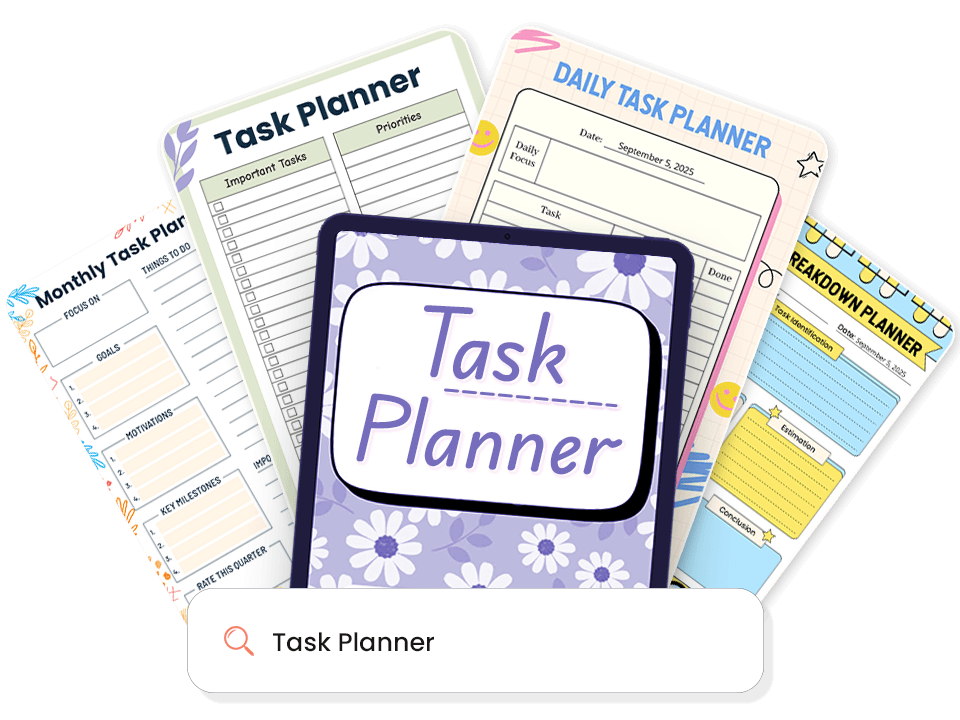
1,000+ Ready-Made Task Planner Templates.
Most task planner apps give you a blank page and leave you guessing how to fill it. PlanWiz does the opposite. Every template arrives pre-structured so you can start planning your day in seconds.
What's always ready for you:
- Daily planner templates to break the day into clear, focused priorities
- Weekly layouts for when you need to see the full picture before Monday starts
- Project and deadline templates for managing multi-step work across multiple days
- Minimal three-task pages for days when getting three things done is a real win
- Hourly planner templates for professionals who need every hour accounted for
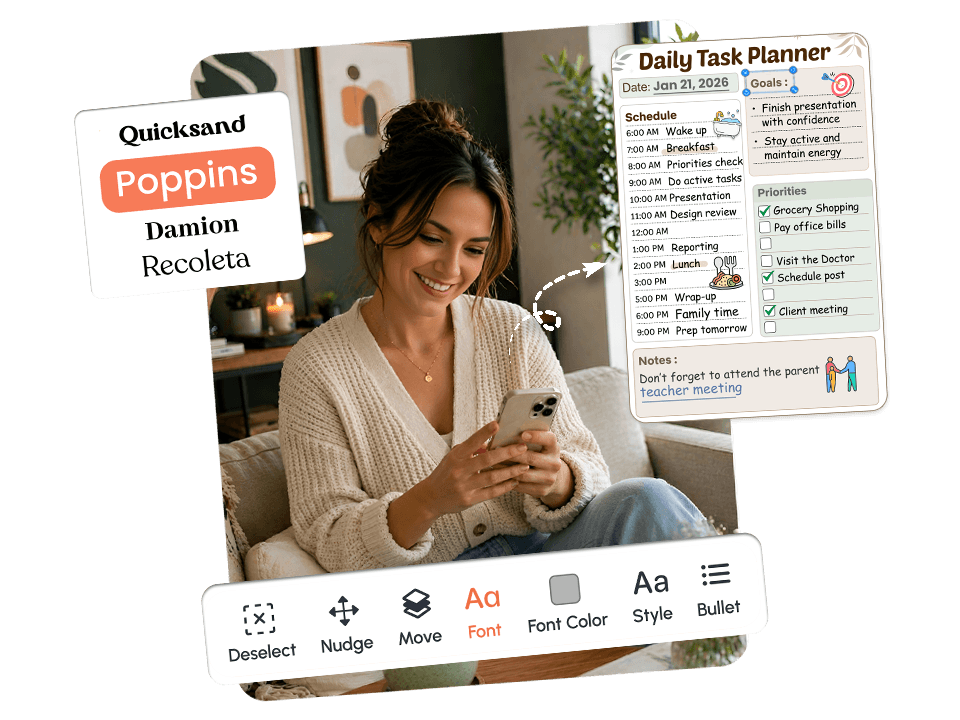
Fully Customizable. Adapts to Your Task Schedule Every Single Day.
A real schedule doesn't follow a neat 9-to-5 pattern. Some mornings you have two hours of deep work. Some afternoons you have fifteen minutes between meetings.
How customization works across every task planner template:
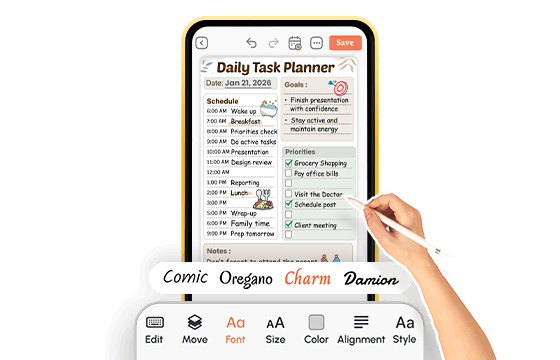
- Change layout, sections, colors, and fonts in minutes not hours
- Go detailed on high-focus days; strip back to essentials when time is short
- No fixed format, no guilt for choosing the simpler page today
- Your plan bends to your schedule never the other way around
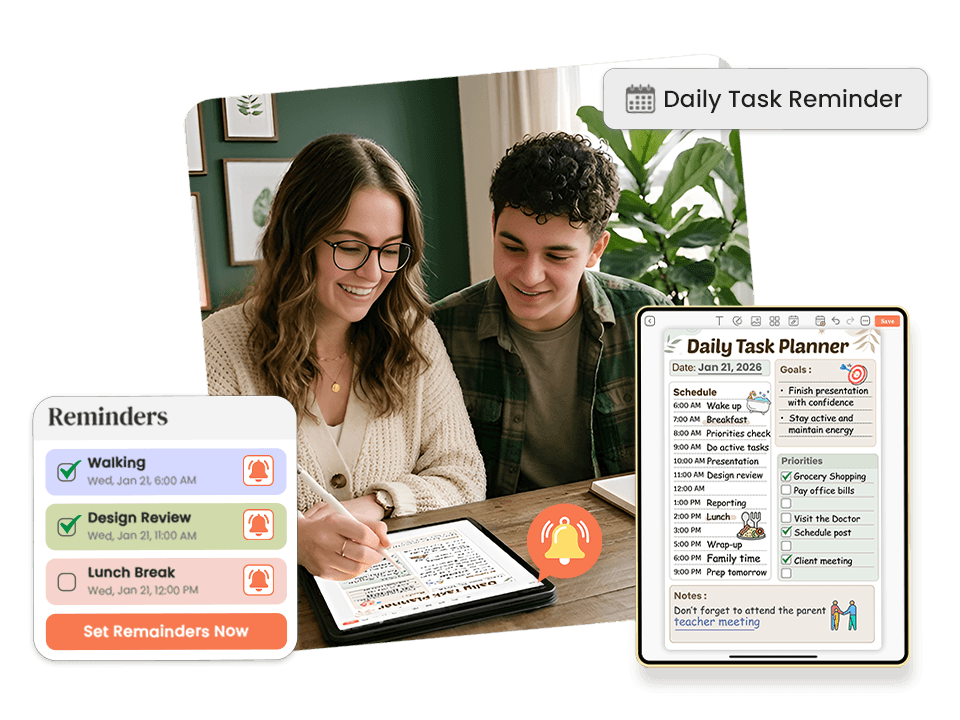
Smart Reminders. Show Up to Your Tasks Without Relying on Memory.
You can plan everything perfectly and still miss it entirely if the plan disappears from your awareness the moment you get busy. For most people, out of sight means out of mind not because they don't care, but because attention is finite.
How reminders work inside this task planner app:
- Set reminders directly on individual tasks no separate reminder app needed
- Reminders sit right beside the task they belong to, so context is never lost
- Use daily planning session reminders to protect the fifteen minutes you'd otherwise skip
- Get nudged back into your day without losing your place or your momentum
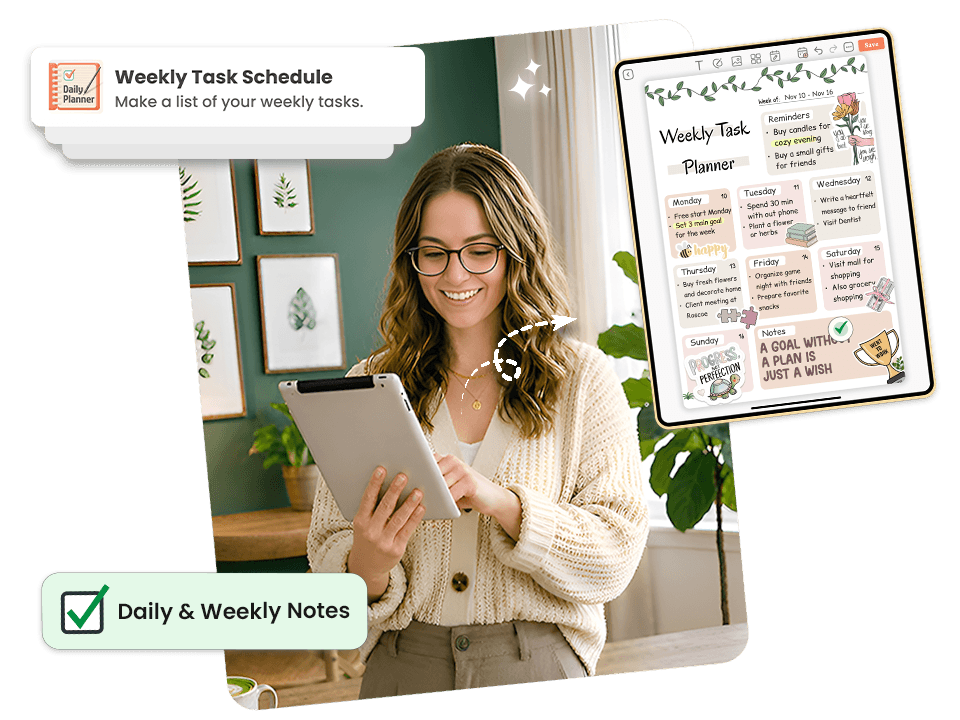
Daily and Weekly Views. See the Right Tasks at the Right Time.
Most people don't need more tasks on their list. They need to see the right tasks at the right time.
PlanWiz gives you multiple views to match your planning mode:
- Daily view for focused single-session execution what gets done today
- Weekly planner templates for deadline awareness and project sequencing what's coming up
- Monthly overview for milestone tracking and longer commitments
- Project view for breaking multi-step work into specific, scheduled actions
Whether you're using the goal planner app flow for big-picture planning or a tight daily priority list for survival mode, the right view is always one tap away.
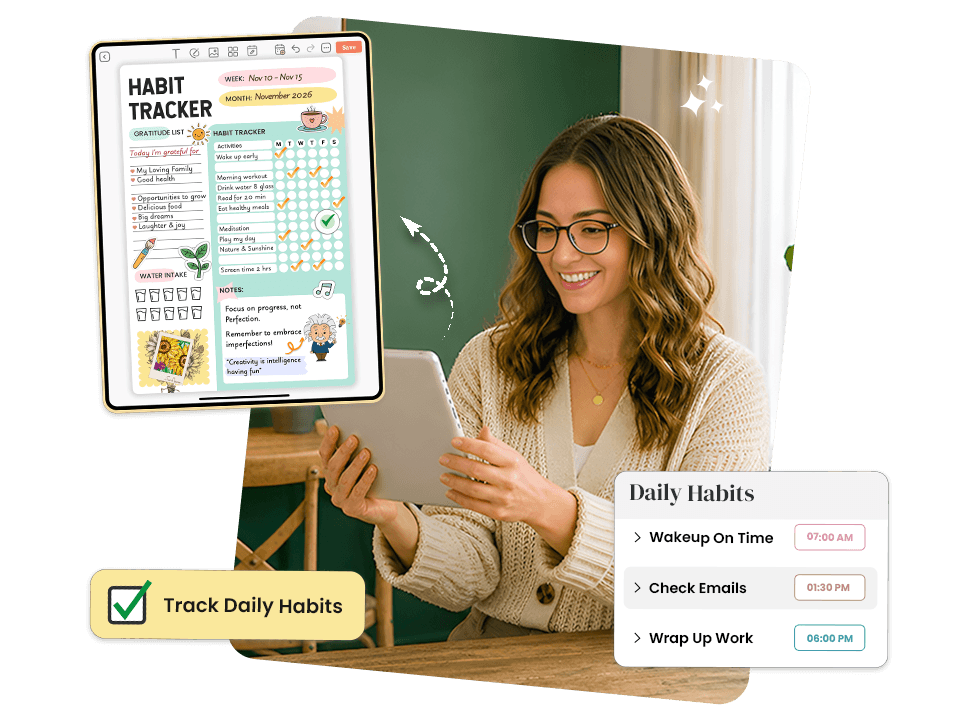
Habit Tracking Built In. Build the Routines That Make Tasks Easier.
The tasks on your list don't exist in isolation. The consistency of your sleep, your morning routine, and your work habits directly affects how much you get done each day. Most task apps ignore this entirely.
What makes the habit tracking inside PlanWiz different:
- Visual, simple habit tracker app built into the same system as your daily tasks
- Missing a day doesn't reset progress or trigger shame notifications
- Progress is shown as direction and momentum not a streak to protect
- Skip a day, open tomorrow's page, and keep going without guilt or a full reset
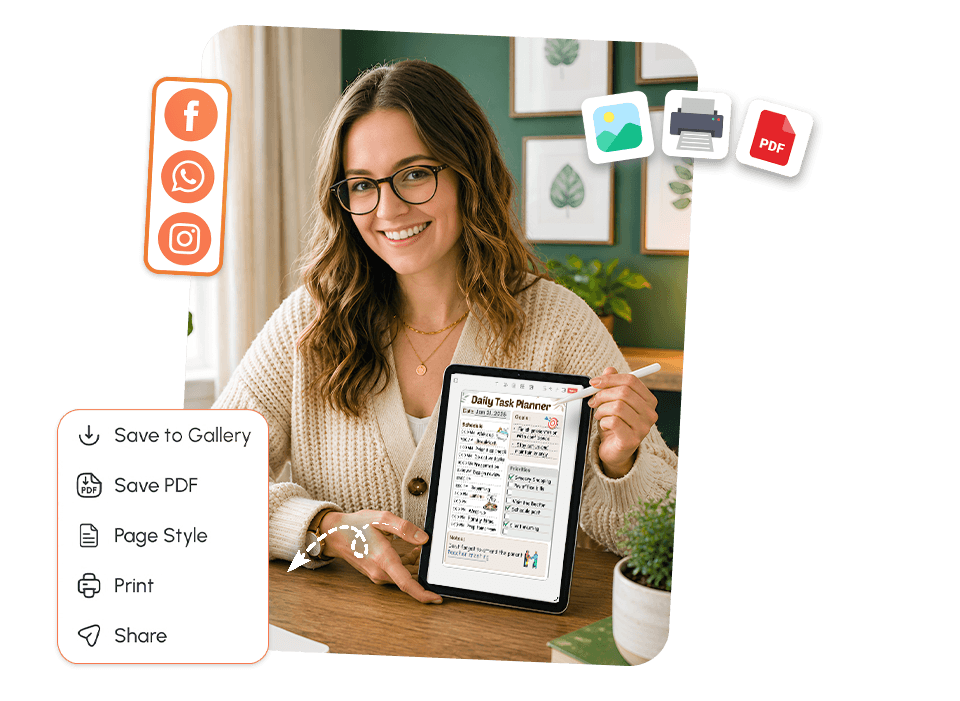
Download and Share. Build Accountability Without Extra Effort.
A task plan that only lives inside an app is one missed notification away from being completely ignored. Sharing your plan is one of the most effective strategies for follow-through and PlanWiz makes it completely frictionless.
What you can do:
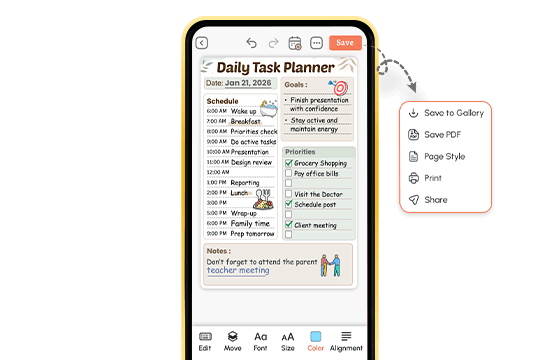
- Download any planner page as a PDF to save, print, or file
- Share your weekly task plan with a manager, coach, or accountability partner in one tap
- Print a daily page and place it somewhere you'll actually see it throughout the day
- Send your productivity planner templates breakdown to a teammate or client without retyping anything
Explore Task Planner Templates That Work for Your Schedule
Pick the Template That Matches Your DayEvery template is pre-structured so your brain never faces a blank page. Browse below and tap any template to explore it.
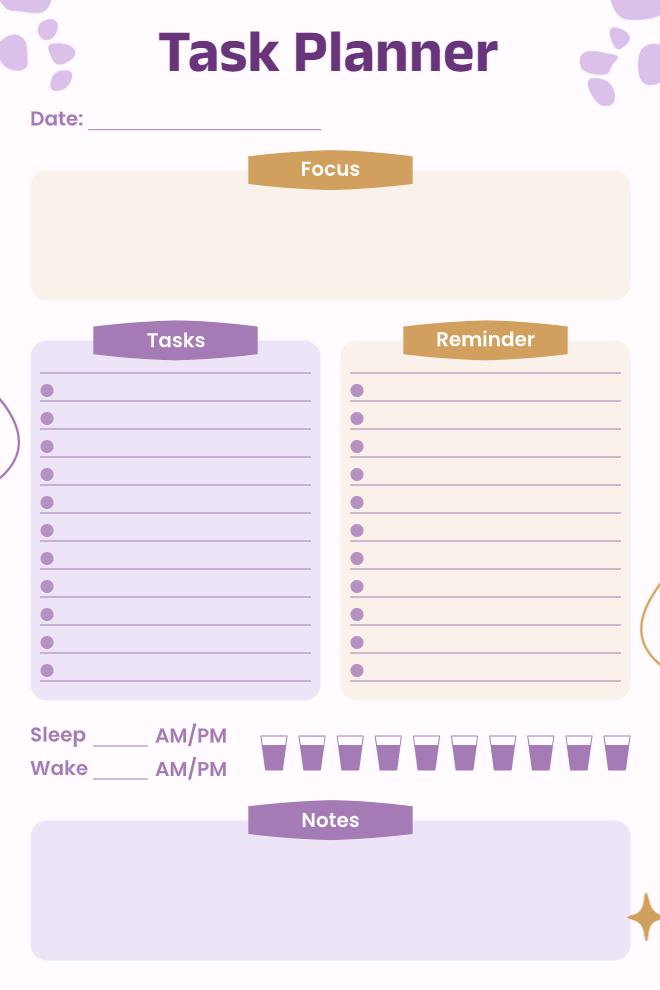
Daily Task Planner with Wellness Tracking
This purple-themed daily planner combines productivity with self-care in a really thoughtful way. You've got a focus section at the top for your main goal, then separate columns for tasks and reminders so nothing gets mixed up. What makes this stand out is the sleep and wake time tracker plus a water intake section with ten little glass icons to check off throughout the day. The notes section at the bottom gives you room for random thoughts or things that don't fit elsewhere. The soft purple color scheme is calming without being too bright for early morning planning.
Best For: People who want to track wellness alongside tasks, those who forget to drink water, anyone establishing better sleep routines, or individuals who like combining self-care with productivity planning.
Use This Template →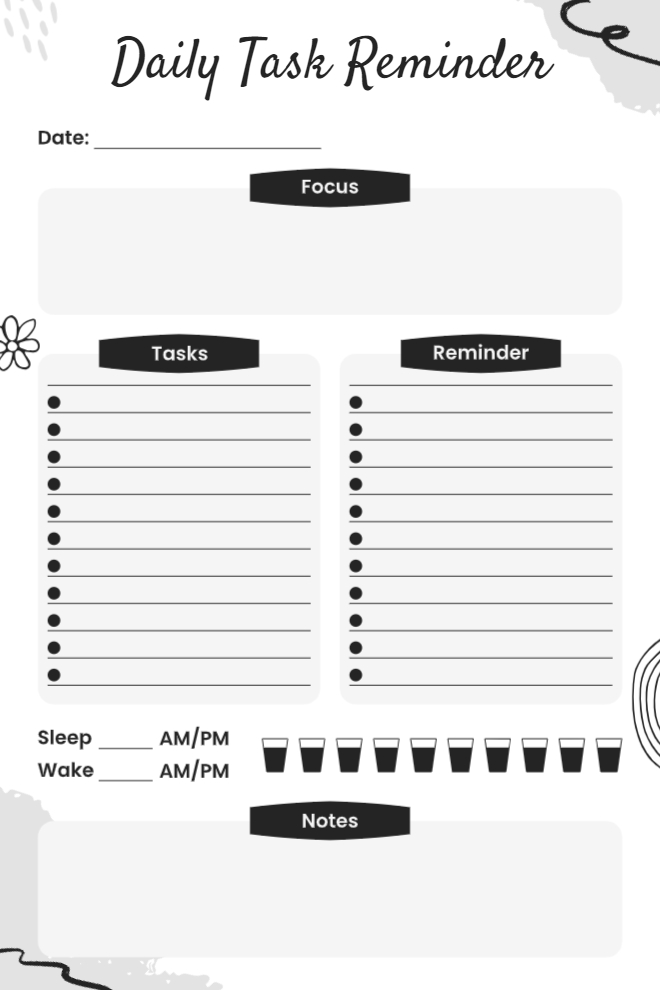
Minimalist Daily Task Reminder
This is basically the same layout as the purple version but in a clean black and white design. Some people prefer the simplicity of monochrome, especially if they're printing on a regular printer or just don't want color distractions. You still get the focus area, tasks and reminders columns, sleep and wake times, water tracking, and notes section all the functionality without any of the color. The hand-drawn doodles around the edges add a bit of personality without going overboard. It's practical and printer-friendly.
Best For: Minimalists who prefer black and white, people saving printer ink, those who find colors distracting, or anyone who likes simple, classic layouts.
Use This Template →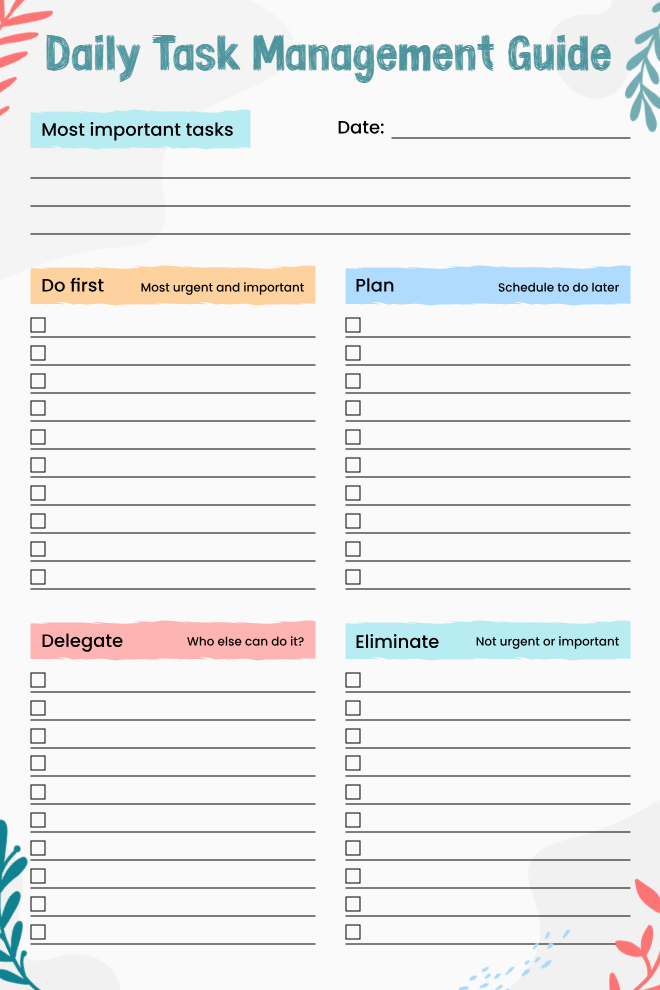
Daily Task Management Guide with Eisenhower Matrix
This template uses the Eisenhower Matrix approach to help you actually decide what deserves your time. At the top, you write your most important tasks for the day, then the page divides into four quadrants: Do First (urgent and important), Plan (schedule to do later), Delegate (who else can handle this), and Eliminate (not urgent or important). The color-coded sections make it super easy to see which category each task falls into. This is perfect for people who get overwhelmed because they treat everything like it's equally urgent when it's really not.
Best For: People struggling with prioritization, managers who can delegate tasks, anyone overwhelmed by long to-do lists, or productivity enthusiasts who like decision-making frameworks.
Use This Template →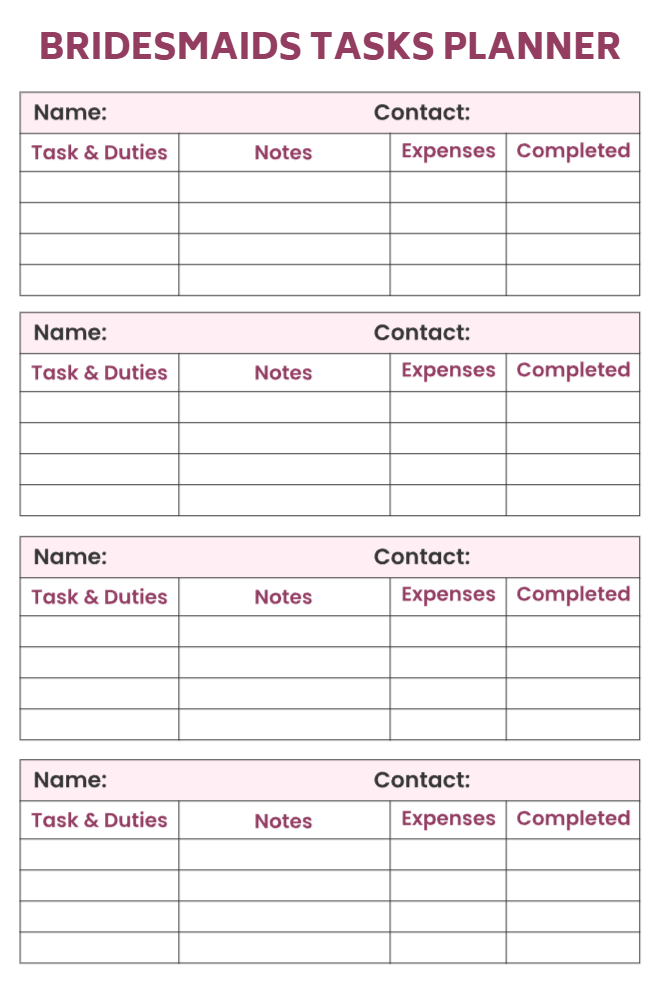
Bridesmaids Tasks Planner
If you're coordinating multiple bridesmaids for a wedding, this planner keeps everyone's responsibilities organized in one place. Each bridesmaid gets their own section with fields for name, contact info, tasks and duties, notes, expenses, and a completed checkbox. Having four identical sections on one page means you can see at a glance who's handling what and whether anything's falling through the cracks. The expenses column is especially helpful for tracking who paid for what so you can settle up later. The maroon and pink color scheme fits the wedding theme perfectly.
Best For: Brides coordinating bridesmaids, wedding planners managing bridal parties, maid of honor tracking bridesmaid duties, or anyone organizing a group event with multiple people.
Use This Template →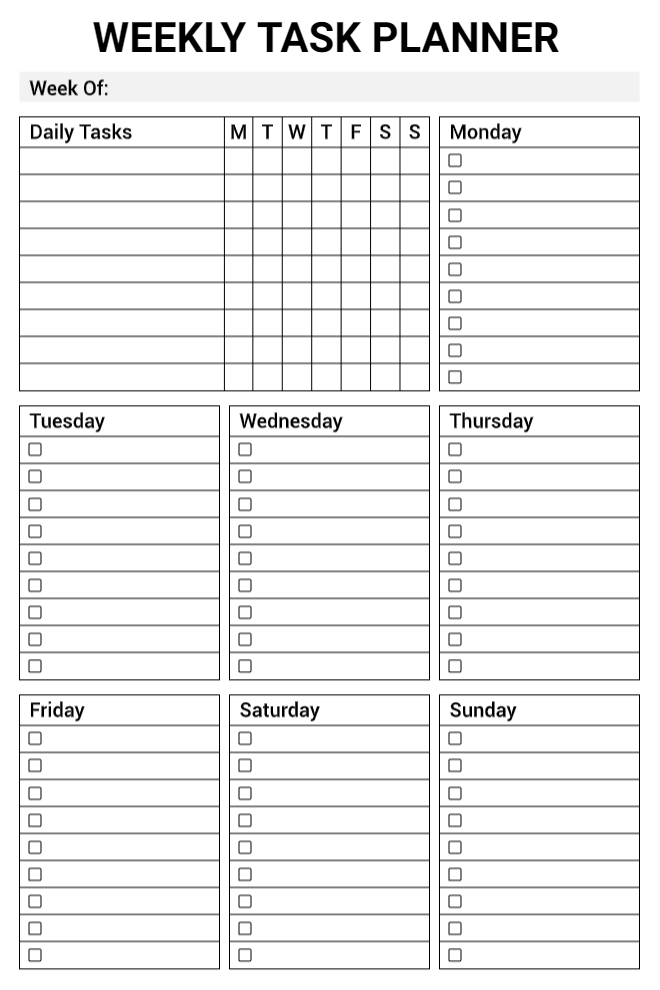
Weekly Task Planner Grid
This straightforward weekly planner shows the whole week at once with individual boxes for each day. The top section has a daily tasks grid where you can check off which days you need to do recurring tasks, then below that are individual boxes for Monday through Sunday with their own checkboxes. It's a really practical layout for people who have both repeating tasks and one-off items each week. The clean black and white grid format makes it easy to scan and see what's coming up without any visual clutter getting in the way.
Best For: People tracking recurring weekly tasks, those who like seeing the whole week at once, planners who prefer grid layouts, or anyone managing both daily and weekly responsibilities.
Use This Template →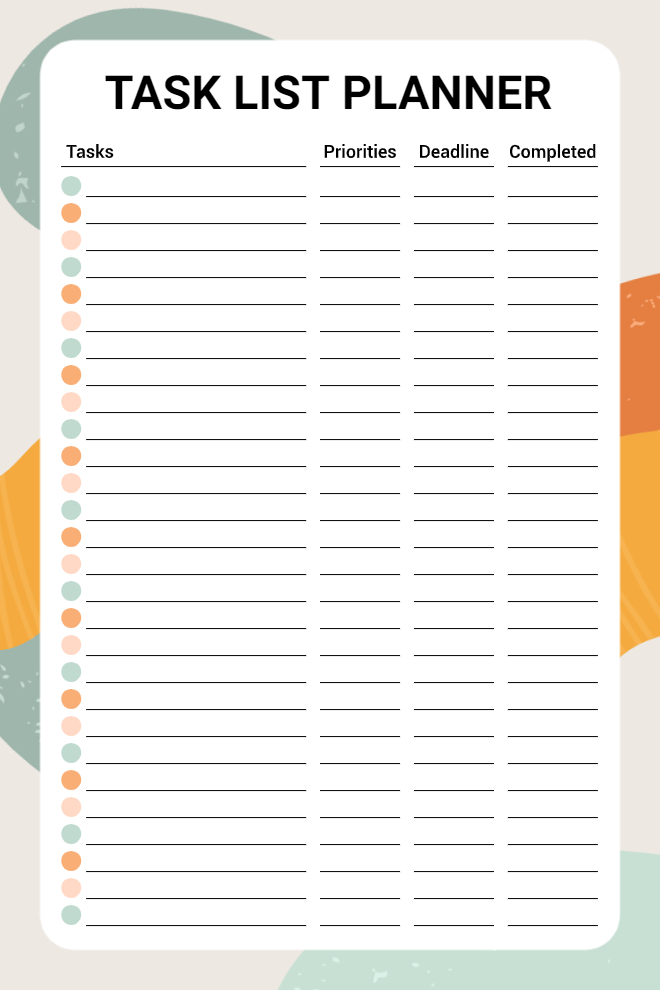
Task List Planner with Deadlines
This task list gets straight to the point with columns for the task itself, priority level, deadline, and completion status. The alternating green and orange dots on the left add visual interest and help your eyes track down the rows without losing your place. There's enough room for about 30 tasks, which is plenty for most people's weekly or even monthly planning. The abstract shapes around the border give it some personality without making it too busy. It's functional, clean, and focused on what matters: getting things done.
Best For: People managing multiple deadlines, project coordinators tracking priorities, students with assignment due dates, or anyone who needs to see task status at a glance.
Use This Template →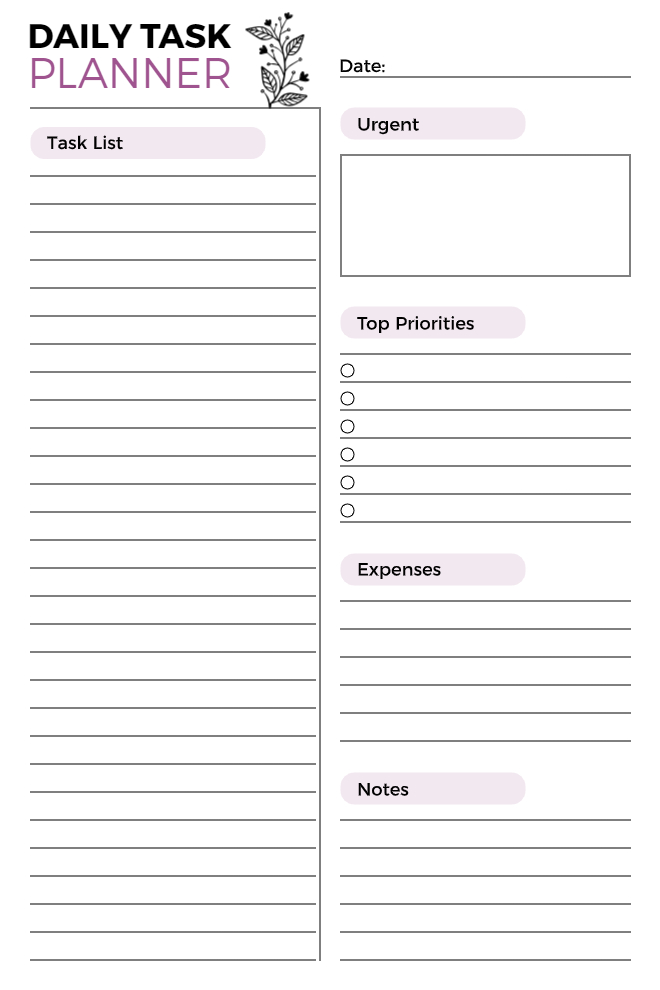
Daily Task Planner with Expense Tracking
This two-column layout puts your full task list on the left and all your planning details on the right. You've got sections for urgent tasks that need immediate attention, your top six priorities with checkboxes, daily expenses (which is surprisingly useful for tracking spending), and notes. The botanical illustration at the top adds an elegant touch. This works really well for people who need to manage both tasks and money in the same place, like freelancers or small business owners who are tracking billable work and expenses simultaneously.
Best For: Freelancers tracking work and expenses, small business owners, people on tight budgets, or anyone who wants task and financial planning combined.
Use This Template →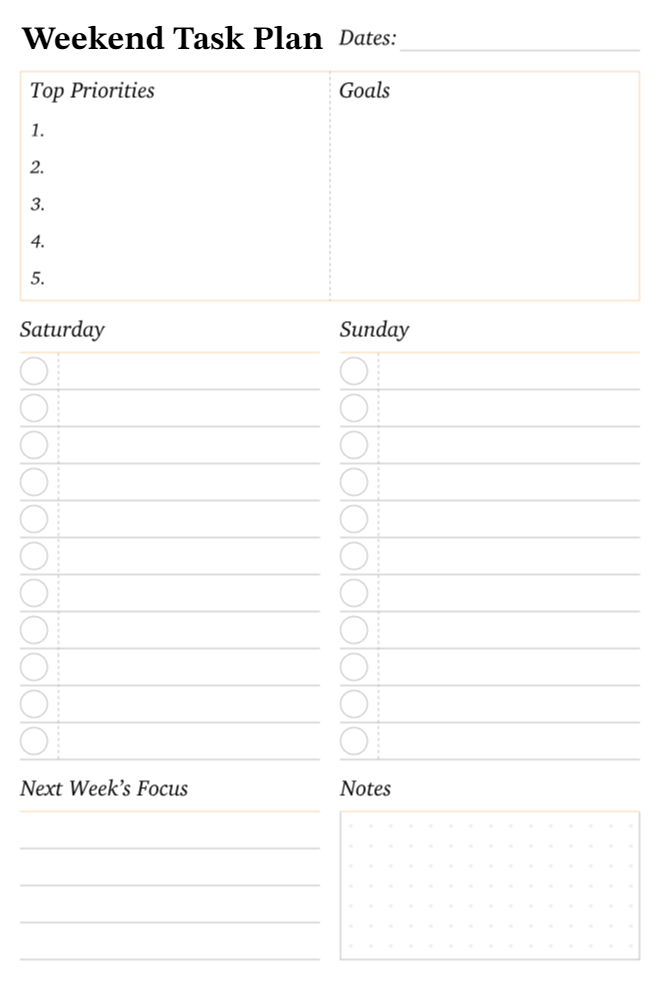
Weekend Task Plan
This planner is specifically designed for making the most of your weekend. You start by listing your top five priorities and goals for the weekend, then break it down into Saturday and Sunday task lists with checkboxes. The "Next Week's Focus" section helps you think ahead so Monday doesn't hit you like a truck, and there's a notes area for random thoughts. The clean, minimal design keeps weekend planning from feeling like work. It's perfect for people who want to be productive on weekends without losing that relaxed weekend vibe.
Best For: Weekend planners who want structure without stress, people preparing for the week ahead, those balancing weekend fun and responsibilities, or anyone who finds weekends slipping away unproductively.
Use This Template →Why the Best Task Planner App Doesn't Punish You for a Hard Day
Most productivity apps are accidentally punishing.
A task turns red. An overdue badge builds up. You open the app three days after a rough stretch and the first thing you see is a visual ledger of everything you didn't do. So you close the app. A difficult few days becomes a permanent break from the system.
This is not a motivation problem. It is a shame spiral and it is a completely predictable outcome of systems that treat missed tasks as failures instead of data.
The most consistent people aren't the ones who never miss a day. They're the ones who know how to come back after they do.
With PlanWiz, when a hard week happens and it will you open a fresh template, carry forward what still matters, and keep moving. No guilt summary. No failure indicators. Just a clean structure waiting to help you start again.
"Today is a new day. Here's your structure. You've still got this."
With PlanWiz, when a hard week happens and it will you open a fresh template, carry forward what still matters, and keep moving. No guilt summary. No failure indicators. Just a clean structure waiting to help you start again.
How Do You Actually Get Started With PlanWiz?
PlanWiz works by helping you choose a template, add tasks, and follow a structured daily plan that adapts to your schedule. No complicated setup. No reading through a help center. No building the perfect system before you're allowed to actually use it.
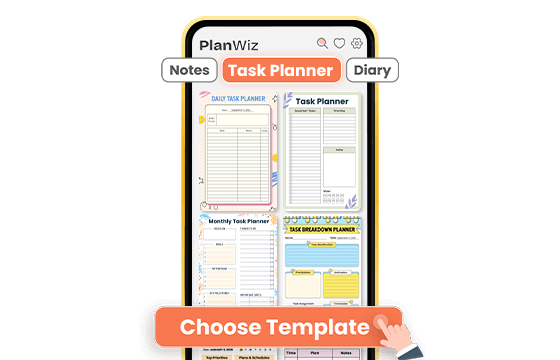
Choose a Template That Fits Your Task
Browse from 1,000+ ready-made templates and pick one that matches your energy and your schedule. Productive day ahead? Go into detail with a full-time-blocked layout. Just trying to survive today? Pick the minimal three-task view. Either way, the structure is already built you're not starting from zero.
Add Your Tasks in Minutes
Type in your tasks, adjust any sections if you want, and set a reminder if you need one. Or use the template exactly as it is. Either way, you're planning within two minutes not after an hour of setup that drains the focus you needed for actual work.
Track, Share, and Stay Accountable
Once your plan is set, don't let it live only inside an app. Download any template page as a PDF, print it, and put it somewhere you open every morning. Share your weekly task plan with your coach, manager, or accountability partner directly from the app in one tap. When a hard stretch hits, switch to a simpler template and keep moving.
A task planner app that's ready before you are.
What Real People Say About This Task Planner App?
From people who've already tried everything else.
Ready to Try the Task Planner App That Works With Your Real Schedule?
PlanWiz is a task planner app designed for real schedules, real workloads, and real productivity challenges. If you're looking for the best task planner app to organize your daily work, PlanWiz gives you structure without complexity.
Free to start. No credit card. Ready in under three minutes.
Start Free → planwiz.app

Frequently Asked Questions
The best task planner app removes decision fatigue before you even begin, connects your tasks directly to your daily schedule, and never punishes you for a hard day. PlanWiz does all three with 1,000+ pre-built templates so you always have a ready structure, and a no-shame reset so a missed day never becomes a missed month.
Look for ready-made templates that eliminate blank-page paralysis, multiple views for daily and weekly planning, task-level reminders that keep work visible throughout the day, customization that adapts to different energy levels, and a recovery system that doesn't punish you for missing a day. Avoid apps that make shame a feature.
Yes. It works especially well as a task planner for students because it handles both the day-to-day assignment load and longer academic timelines in one place. Students can use daily views for class prep, weekly layouts for deadline tracking, and project templates for papers and exams without switching between multiple apps.
A daily task planner improves productivity by reducing the number of decisions you make before starting work. When your tasks are organized by priority, connected to a time block, and visible in a clear daily view, your brain spends its energy on execution instead of figuring out what to do next. Studies on implementation intentions consistently show that people follow through more when they've planned not just what to do, but when and how.
Yes. It handles both inside the same system. Daily and weekly layouts keep today's work on track, while longer planning templates available through the Goal Planner view hold your bigger milestones and annual targets. No switching between apps. No losing context. No goals that quietly disappear because they lived in a separate tool you forgot to open.
Open a fresh template and start from where you are, not from where you wish you were. The biggest mistake people make after falling behind is trying to catch up on everything at once. Pick your three most important tasks for today, ignore everything else for now, and move forward one day at a time.
Yes. It works across devices, and the experience is especially strong on tablets. The Planner App for iPad version gives you more layout space for weekly views, project breakdowns, and detailed daily planning without losing any of the template library or customization available on mobile.