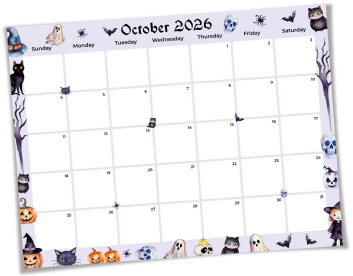
Unleash your creativity with the October 2026 Calendar Planner Templates from PlanWiz! Decorating your calendar for October 2026 not only makes planning fun but also keeps you inspired and motivated. Start by color-coding your October 2026 calendar to categorize tasks, appointments, and special events. Use stickers, washi tape, or themed doodles to make your 2026 calendar visually appealing and engaging. Add motivational quotes or seasonal decorations to bring life to your 2026 October calendar and keep your goals front and center.
With PlanWiz's calendar for 2026 October, you can personalize your layout, add notes, and even insert custom images or graphics for extra inspiration. Whether you prefer a minimalist design or a vibrant, artistic approach, our templates offer the flexibility to make your planner truly your own. Download your free editable October calendar planner today and transform your planning experience, where organization meets creativity for maximum productivity and inspiration!
October 2026 Calendar Planner Templates for Every Person and Every Schedule
No two Octobers look the same. A student's October is built around exam deadlines and submission dates. A working professional's October is shaped by Q4 targets and client reviews. A parent's October revolves around school events, Halloween prep, and family appointments. October 2026 calendar planner templates are designed to match these real situations, not a generic version of a month that looks nothing like yours.
Whether you need an October calendar planner printable to stick on your desk or a customizable October planner you can edit from your phone, the right template removes the friction of starting. The structure is already there. You simply fill in what matters to you and begin.
How to Start Using October 2026 Calendar Planner Templates Without Wasting Time on Setup?
The biggest reason people abandon planning systems mid-month is setup time. They spend more energy building the planner than actually using it. October 2026 calendar planner templates eliminate that problem. The structure is ready the moment you open it.
- Step 1: Choose Based on Your October. Heavy on events? Pick a monthly layout. Week-by-week deadlines? A weekly view inside your editable October calendar planner gives you a focused picture. Always choose based on the problem you are solving, not on what looks appealing.
- Step 2: Customise in Under Five Minutes. Rename sections, remove what does not apply, and add what fits your routine. No design experience needed; the structure is already built for you.
- Step 3: Move Everything Into One Place. Transfer every task, deadline, and reminder from your phone, notes app, and memory into your customizable October planner today. One place, nothing lost.
- Step 4: Check In Daily. Two minutes each morning to review priorities and two minutes each evening to carry tasks forward turns your October calendar planner printable into a working system that holds the entire month.
Frequently Asked Questions
Q-1. Can I customise the layout of my October planner template?Yes. PlanWiz templates are fully flexible. You can rename sections, adjust the layout, and personalise your customizable October planner to match exactly how your October is structured.
Q-2. Which October 2026 calendar planner template should I start with?Start with a monthly layout to get the full October picture first. Once your key dates are mapped, move to a weekly view to break the month into manageable, focused sections.
Q-3. Can I use the October 2026 calendar planner templates for both work and personal planning together?Yes. October 2026 calendar planner templates are flexible enough to hold both work deadlines and personal commitments in one view. You can colour-code or section off professional tasks separately from personal events so both stay visible without one overriding the other.
Q-4. What makes these templates different from a regular calendar?A regular calendar only shows dates. These templates combine scheduling, task management, and goal tracking in one place, giving you full context for every day, not just an empty date box.